Daum PotPlayer - very fast freeware multimedia player published by Daum. It feels like the KMPlayer, but is in active development. Distinctive features of the player is a high quality playback, support for all modern video and audio formats and a built DXVA video codecs. Other key features include Webcam/Analog/Digital TV devices support, gapless video playback, live broadcasting. Features of Daum PotPlayer: - Support for most audio/video formats and DVD. - Internal DXVA video codecs (H.264/AVC, VC-1, MPEG2) and EVR (Windows 7 only). - Hi Quality playback and low resources usage. - Support all types of subtitling. - Skins, logos, color themes. - Digital TV devices support. Live broadcasting.
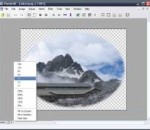
The Gimp for Windows x64 is the open source reference in image manipulation. This free application will allow you to retouch, author and edit your photos thanks to a wide set of tools. Let’s quickly go through what you can do with the Gimp. The painting function has the essential clone, airbrush or pencil tools and a powerful gradient and blend tool. You can also create and save your own brushes and patterns for later use. The program lets you manipulate your photos, adding layers, doing Bezier and polygonal selections or setting text. Load and save animations in a frame-as-layer format and batch process all your photos for quick editing. The multi-windowed interface can be moved around to fit your needs and resized according to your desktop space. While the Gimp is user friendly, the installation process can result a bit hairy. Because the application works under the GTK Runtime Environment, you will have to install this kit to successfully launch the program. The process is fairly lengthy and some error messages tend to pop up, however if you persist, you will be able to install the Gimp properly on your PC Despite this fairly hazardous installation process, the Gimp is a program we recommend. Whether you’re out of dough or are looking for a free alternative to Photoshop, the Gimp is excellent image manipulation software with all the tools you’d expect. The friendly interface and expandability make this a program of choice. Features: Painting: · Full suite of painting tools including Brush, Pencil, Airbrush, Clone, · etc. · Sub-pixel sampling for all paint tools for high quality anti-aliasing · Extremely powerful gradient editor and blend tool · Supports custom brushes and patterns System: · Tile based memory management so image size is limited only by available disk space · Virtually unlimited number of images open at one time Advanced Manipulation: · Full alpha channel support · Layers and channels · Multiple Undo/Redo (limited only by diskspace) · Editable text layers · Transformation tools including rotate, scale, shear and flip · Selection tools including rectangle, ellipse, free, fuzzy and intelligent · Advanced path tool doing bezier and polygonal selections. · Transformable paths, transformable selections. · Quickmask to paint a selection. Extensible: · A Procedural Database for calling internal GIMP functions from · external programs as in Script-fu · Advanced scripting capabilities (Scheme, Python, Perl) · Plug-ins which allow for the easy addition of new file formats and new · effect filters · Over 100 plug-ins already available Animation: · Load and save animations in a convenient frame-as-layer format · MNG support · Frame Navigator (in GAP, the GIMP Animation Package) · Onion Skin (in GAP, the GIMP Animation Package) · Bluebox (in GAP, the GIMP Animation Package) File Handling: · File formats supported include bmp, gif, jpeg, mng, pcx, pdf, png, ps, psd, svg, tiff, tga, xpm, and many others · Load, display, convert, save to many file formats · SVG path import/export
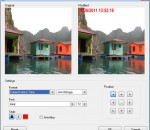
Photopus is an easy to use batch photo editor software to convert, resize, transform, touch-up, rename, and apply effects to your digital images. Instead of spending hours to edit your digital images individually, Photopus lets you perform batch image processing in a single operation. With Photopus, you can batch resize images automatically with ready preset for most common output sizes; Rotate images; Flip; Rename images; Crop images; Convert image to other image formats (including multi-page PDF, TIFF); Adjust DPI; Apply special effects like black and white, sepia, blur, emboss, red eye correction, twirl, grayscale, add border and more; Touch-up images by adjusting brightness, contrast, sharpen, smooth, color balance and etc. Photopus comes with clean and well designed interface. It only involved 3 steps to process your images: Add Photos, Add Filters, Output. Through every step of the process you can preview the changes made before saving the images. Settings can be saved and load for next image processing project. Photopus supports over 60 images formats including BMP, JPG, GIF, TIFF, TGA, PNG, ICO, PDF, PDF/A, PSD, WMF, EMF, JBIG, JBIG2, WBMP, PICT, PCT, JNG, JPEG 2000, PIC, ICB, VDA, VST, PDD, WAP, WBM, EXR, PNM, PBM, PGM, PPM, XPM, CUR, CUT, DDS, DIB, FAX, HDR, IFF, BIE, JBG, JB2, JIF, KOA, LBM, MNG, PCD, PCX, PFM, PGM, RAS, SGI, RLE, XBM, EXIF, JTIF and etc. Multi-page image format is fully supported.
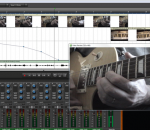
Mixcraft 6 is a powerful music production and multi-track recording workstation that comes packed with over thousands of music loops and dozens of audio effects and virtual instruments. Mixcraft enables you to record audio, arrange loops, remix tracks, compose with MIDI and virtual instruments, add effects, score and edit video, and mix and master your tracks to create polished, professional compositions. Mixcraft is your music production dream come true, instantly turning your computer into a fully-stocked professional recording studio. * Record and create an unlimited number of audio and MIDI tracks. * Arrange and score video files, adding transitions, visual effects, music, sound effects, and voice-overs with ease. * Includes over 6000 professionally produced music loops and sound effects in a wide variety of popular styles, from dubstep to folk rock. * Includes 11 virtual instruments, ranging from modelled vintage synthesizers to high-quality sampled acoustic instruments, and an inspiring collection of studio-quality acoustic and electric drums. * Includes 22 high quality effects, ranging from studio standards such as reverb,chorus and delay, to ultra-realistic guitar amp simulators, vintage tube EQ, vocal reduction, multi-band compression, and more. * Powerful, professional features include ReWire hosting, multi-take loop recording, time stretching and pitch shifting, support for unlimited hardware inputs and outputs, support for multi-channel VSTis, and much more.
AnyDVD works in the background to automatically remove the copy protection of a DVD movie as soon as it's inserted into the drive, allowing you then to backup the movie using a DVD backup tool such as CloneDVD. You can also remove the RPC region code, thereby making the movie region free and viewable on any DVD player and with any DVD player software. AnyDVD is capable of removing unwanted movie features, including subtitles and prohibition messages such as copyright and FBI warnings. It also allows you to launch an external application whenever you insert or remove a disc, or prevent 'PC-friendly' software from automatically launching when you insert a video DVD. Decryption is not all that AnyDVD offers. You can control the drive speed of your DVD drive, allowing you to reduce the noise level when watching movies on your PC. You can even adjust the display frequency of your monitor for both NTSC and PAL displays. But AnyDVD doesn't just stop at DVDs. It also decrypts protected audio CDs to allow you to copy them.
SunlitGreen BatchBlitz is a free, powerful and easy-to-use photo categorizer, file filter and batch editor. It provides an intuitive and efficient way to categorize and batch process your digital photos. The use of regular expressions and actions make the tool extremely flexible and powerful. FEATURES: · Simple and intuitive user interface · Extensive support for regular expression · Exif metadata accessible through predefined macros · Savable batch task · Drag-and-drop to select source images · Highly customizable batch actions · Drag-and-drop to re-order actions · Instant preview · Powerful integrated SunlitGreen PhotoEdit
MeGUI is a video conversion application, which was primarily designed to be a DVD ripper, but is capable of many transcoding tasks. It is essentially a frontend for many free tools, but also includes a number of utilities to enhance the conversion process. MeGUI is the most comprehensive GUI based ISO MPEG-4 solution. It suports MPEG-4 ASP (xvid), MPEG-4 AVC (x264), AAC, MP2, MP3, Vorbis, AC3 audio and various common containers support (MP4, MKV, AVI, M2TS). Specifications: Input: * DVD (vob through d2v) and other MPEG-1 and MPEG-2 streams receive special input support for demuxing of audio and subtitles, and faster video seeking * Any computer video file via AviSynth Output: * Video Encoders: x264, XviD, libavcodec MPEG-4 Part 2, Snow * Audio Formats: MP2/MP3 (via LAME/ffmpeg), AAC (via FAAC, Nero AAC or Coding Tech AAC), Vorbis, AudX, AC3 * Container formats: Matroska, MP4, AVI Features: * Powerful job queue support, with in-place job editing, related job linking, play/pause controls, etc. o Parallel job execution makes job processing very flexible and improves speed on multi-core systems. * Automatic interlace detection can analyse your input video to determine whether it is progressive/interlaced/film/hybrid, and also determine field order. * AutoUpdate keeps MeGUI and its assisting programs up-to-date and eases installation. * Audio encoding also based on Avisynth, which allows highly accurate editing of audio, including sample-accurate audio cutting. * More...
This audio editing software is a full-featured professional audio and music editor for Windows and Mac. It lets you record and edit music, voice and other audio recordings. When editing audio files, you can cut, copy and paste parts of recordings, and then add effects like echo, amplification and noise reduction. WavePad works as a wav or mp3 editor, but it also supports a number of other file formats including vox, gsm, wma, real audio, au, aif, flac, ogg, and more.
Sing-Magic is a freeware karaoke player. Five free songs are also included. Easy to use yet powerful. Fullscreen mode with quality, high definition graphics and animation. Adjust song speed and pitch on the fly, to match your vocal range. Guide melody to assist your singing. Fully customizable. Change the animated background, lyric's font style and color. Bouncing Ball. Indicates the rhythm of a song, bounces across the top of the lyrics landing on each syllable when it is to be sung. Blazing fast song downloads. Our compression technology creates extra small karaoke files without sacrificing the audio quality.
Program for external (Line-In, Microphone etc.) audio signal storage in PCM Wave (*.wav) or Mpeg Layer 3 (*.mp3) formats. Has an ability to record external audio signsl with selected quality (bitrate, sample rate), set time periods for recording, control signal presence and other functions. FEATURES: · automatic recording and encoding of incoming audio signal; · archive : records and events; · record block duration adjustment (from 1 minute to 1 day); · audio capture quality settings; · on/off MP3 compression; · record storage period settings; · built-in player for saved records;
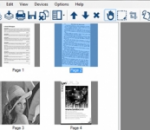
PaperScan Free Edition is a universal scanning software designed to offer power as well as simplicity of use. While most scanning applications are dedicated to one scanner or one scanning protocol, PaperScan allows you to control any scanner, including network scanners (TWAIN or WIA protocols), cameras or acquisition cards. All features are automatically negotiated and handled by PaperScan. PaperScan provides flatbed and document feeder support. Already existing images or PDF files can be imported with PaperScan in order to adjust and enhance the image quality by auto-deskewing, removing punch holes and borders as well as detecting and removing blank pages. You can also perform angle rotation, convert to black and white, greyscale or colour, adjust colour (brightness, contrast, saturation, gamma), apply filters to smooth, stretch contrast or median the image, apply bitonal filters to remove isolated dots or to dilate/erode characters, define contour and get sepia or scanline effects. PaperScan also includes the following features: image rendering quality selection, area selection, image cropping, image resizing, image printing and more. PaperScan displays information on resolution, size and colour mode of the image. Acquired or imported files can be easily handled to create multipage or single-page document files. You can save files in various formats such as PDF, PDF with encryption,TIFF, JPEG, PNG and even JBIG2. Default user interface language in PaperScan is English. Based on your Windows language settings, PaperScan automatically displays the localised version of the interface, if it exists among PaperScan translated interface versions. Currently, available languages are English and French. PaperScan is based on the GdPicture Imaging SDK Technology.
GOM Media Player The only media player you need - for FREE! Not only is GOM Media Player a completely FREE video player, with its built-in support for all the most popular video and Media Player formats, tons of advanced features, extreme customizability, and the Codec Finder service, GOM Media Player is sure to fulfill all of your playback needs. With millions of users in hundreds of countries, GOM Media Player is one of the world`s most popular video players. Whats New : Added "Touch Setting" feature for touch screen devices. Added "Search box" feature on playlist. (Ctrl+F) Supported "HTTPS URL" for youtube or net radio playback. (Ctrl+U) Added "Music Tap" on preferences related to play music files. Improved performance related to "speed of add & delete" of files on playlist. Other miscellaneous corrections, fixes, and changes
RealPlayer has always enabled you to play RealAudio (*.ra) and RealMedia (*.ram) files. Download videos from thousands of Web sites with just one click Build your own video library and playlists Play all major audio and video formats Flash Video support DVD, SVCD, VCD burning and video recording RealPlayer for personal use includes audio CD burning capabilities, DVR-style playback buffering, multimedia search, Internet radio, a jukebox-style file library, an embedded web browser (using Microsoft Internet Explorer), and the ability to transfer media to a number of portable devices, including Apple's iPod, MP3 players, and Windows Media devices.
GOM is a FREE media player with popular audio & video codecs built-in. Codec Finder GOM Player includes many codecs (XviD, DivX, FLV1, AC3, OGG, MP4, H263 and more) so you won't need to install separate codecs for most videos. For those videos that require a separate codec, GOM Player will find one. Play Broken AVI Files (Patented) GOM Player's patented technology enables users to view files with broken indexes or that are still being downloaded. Powerful Subtitle Support GOM Player supports SMI, SRT, RT, SUB(with IDX) files for subtitle. You can even synchronize subtitle and video if there's any mismatch. Convenient Playlist If you run a video file and there is already a file with a similar name in the directory, it will be automatically added to your playlist. GOM Player has a similar playlist format as M3U, PLS, ASX. Support Different Media Types Along with different media format such as AVI, MPG, MPEG and DAT, GOM Player also supports streaming Windows media format (WMV, ASF, ASX). You can also watch DVD-quality videos with 5.1 channel audio output.