+++ Record, Convert and Enjoy Music, Streams and Audio Books Anywhere +++ ++ Tunebite Premium Shortcut ++ Music Streaming Recorder and Audio File Converter + Records any Audio Stream to any Audio File Format for PC, Smartphone, Tablet, Apple iPhone and iPad + Converts Music & Audio Books + ID3-Tag Editor incl. Songtext and Album Cover + Media-Manager with Music Universe + Player with Visual Playlists + Cloud-Manager + CD-Burner + Spotify + Napster + Deezer + iTunes ++ The World's No. 1 Tool for Music Audio Streaming Subscriptions ++ Music subscriptions are traditionally available for downloading individual tracks or accessing audio streams. In both cases, Tunebite Premium automatically records all music files without any loss of quality and saves these as new audio files. ++ Entertainment with Cloud Storage ++ Tunebite Premium turns your PC into a Cloud. However, using the Cloud manager, any other Cloud can also be filled with music and videos, managed & used via a smartphone on the go. Many profiles from the best Cloud services are already pre-configured. ++ The No. 1 Solution since 2004 for all Problems with File Formats and Protected Files ++ For music and audio books with copy protection or in the wrong format, Tunebite Premium always features the best options for recording and converting into all formats for PC, smartphone, tablet, notebook, netbook and console: ++ Format Converter Audio Formats ++ WMA, M4P/ M4B, MP3, MP2, WMA, WMA Pro, OGG, AAC, OGG, MPEG-4 AAC, WAV, FLAC, AIFF, AC3, AU ++ Player, Media Manager, Tag-Editor, DVD & CD Burner included ++ Player, burner, media manager and ID3 tagger for automatically adding ID3 tags, cover art and lyrics to music files ensure order in your music collection.
Time Exposure's ProSelect and ProSelect Pro are the leading cross-platform presentation, sales and workflow software packages for professional portraiture studios. ProSelect may be the easiest piece of software that you will ever use. Most people figure out the basics by just having a short play with it. Although we don't recommend that you do this, some of our users have downloaded the 30 day free trial version of ProSelect and, a few hours later, used it for a client presentation. ProSelect includes most of the functions that you will typically need in one program. You don't have to switch programs to get the job done. A browser, slideshow, ordering system, proofing tool, montage (composite layout) designer, production system and much, much more. See the features list for more information, watch the demo movies and read about what's new in the latest release of ProSelect. ProSelect incorporates powerful presentation and sales tools in a clean, elegant design that your clients will love. Present your images in the best possible way, show your clients the possibilities, how good they will look on their wall and your orders will increase. Many businesses using ProSelect have reported at least a 50% increase in sales. Quite a number of our clients have reported more than doubling their average sales!
Digital Media Converter Pro is the fastest and most feature packed all-format converter available. Convert between any video or audio format, and play your video on the iPhone, Zune, and other media players and cell phones. Take full advantage of modern multi-core processors using multithreading and hyperthreading for blazing fast conversions. With only a few clicks, convert your files to over 50 different device formats, including iPod, iPhone, Sony PSP, Zune Player, Blackberry, PDA, and Cellphones. Intelli-setting technology analyzes the file you are converting and determines the best conversion settings - this guarantees the best conversion quality. Just select your device and start converting to create high quality video files for it. Experts can adjust all aspects of the conversion, including bitrates, frame rates, dimensions, audio channels, and more. You can create files to play on almost any device, computer, or online service. Digital Media Converter Pro supports the most file formats. Convert between these file formats: MP4, M4A, AAC, MTS, M2TS, MPA, FLV, RealVideo, RealAudio, RMVB, DVD, VCD, Audio CD, AVI, DivX, 3GPP, 3G2, MKV, MPEG-1, MPEG-2 (PAL, NTSC), MPEG-TS, DV, MP3, FLAC, AIFF, AIFC, SND, MOV, WMA, WMV, WTV, DVR-MS, Ogg Vorbis, AMR, AC3, WAV … and we're always adding more formats! It's more than just a file converter. You can rip audio CDs and create playlists of your favorite songs, in the order YOU want. Many extra features include commercial removal, YouTube and web media downloader, folder watcher, video effects, and volume enhancement. Digital Media Converter Pro can handle problem files other programs can't. Video files are repaired automatically during conversion. Download a risk-free evaluation copy and try it today!
xrecode II is converter and audio-grabber which allows you to convert from mp3, mp2 ,wma, cda, ogg, flac, ape, cue, ac3, wv, mpc, cue ,tta, tak, wav, dts, m4a, m4b, mp4, ra, rm, aac, avi, mpg, vob, mkv, flv, swf, mov, ofr, wmv, divx, m4v, spx, 3gp, 3g2, m2v, m4v, ts, m2ts, adts, shn, tak, xm, mod, s3m, it, mtm, umx to m4a, alac, ape, flac, mp3, mp4 (using NeroAAC), ogg, raw, wav, wma, WavPack, mpc, mp2, Speex, ofr, ac3 and Shorten formats. Most noticeable features: # Works on XP,Vista,Windows7 32/64 bit versions. # Parallel conversion by utilizing power of multi-core CPUs. # Support of embedded CUE sheets (for FLAC, WavPack and APE files). # Built-in Metadata editor with Cover Art support. # "Glue" input files to one large audio file and create CUE sheet. # Converting to many formats at once using "Multiple" output mode. # Grabbing of multi-channel Audio CDs to the desired format at once. # Informative and resizable UI suited even for netbooks. # Extracting audio from flv, avi, mov etc. video files (multiple audio streams are supported). # Support for 24/32bit audio files. # Multilanguage support. Currently program is available in English, Japanese, Polish, Russian, Hungarian, Spanish, Spanish Traditional, Swedish, Brazilian Portuguese, German, Finnish, Bulgarian and Czech languages. FAQ How to Grab Audio CD? # Insert CD into drive. Program will automatically start CD Grabbing process. # Program will react if you insert a new CD. # You can change this behaviour under program Options. How to Grab Audio CD into one file and create CUE? # Choose "Merge" as a destination format. # Click "[ ] Create CUE" under "Merge" settings. # "Merge" is not limited to CD Tracks only - you can merge whatever input files you like. How to Convert files to multiple output formats at once? # Choose "Multiple" as a destination format. # Adjust settings for individual formats. # Tip! Before you press "Start" click "Additional" under "Output File Settings" and click "Add output file type to output path". This will assure that all files will be created into separate folders. What to do with "Replay Gain" button? # Please visit this site if you are not familiar with Replay Gain concept. # Replay Gain analysis will be started by pressing this button. # You will then see the results under "Replay Gain" column. # Click [ ] Normalize under "Input File Settings" if you want to apply Replay Gain for resulting files. How to Edit Metadata? # Add some files to program and click on Metadata tab. # Select one or more files. # Changes made in editor will be applied to all selected files. What to do with "Save Metadata" button? # Push it if you want to save Metadata in the source files. # Don't push it if you want Metadata to appear only in converted files. Tip for Track Number. # Select more than one file. # Put 1/ or 01/ into "Track" field. If, for example, 12 files were selected then Track Number for all selected files will be populated like this: 1/12, 2/12, 3/12 ... 12/12. Tip for Cover Art. # Right click Cover Art picture. # Click to Google, Bing or Amazon for picture. # Your default internet browser will be launched and redirected to search engine you just selected. # Right click (in the internet browser) and choose "Copy Image" when you've found the right picture. # Copied Image will be automatically recognized as a Cover Art by Metadata Editor. # You can switch off this behavior under program Options. How is demo program restricted? # Demo version will display nag screen on startup. Apart from that it's fully functional.
Advanced TIFF Editor Plus (multipage TIFF Editor) is a powerful PDF and TIF (TIFF) viewer, editor, converter, pages manager and multipage scanner. Our program is a complete solution for viewing or editing scanned documents (faxes, business papers etc.). It is an absolutely necessary tool to work with PDF and TIFF documents. Editing functions includes: create pages, add, extract or remove pages, change of pages order, insert new pages from scanner or from almost any file format (including another multi-page graphic or text file). Program allows to split or merge multi-page files. Advanced TIFF Editor Plus can move, delete, rotate, flip, invert pages, deskew images, insert text, erase, correct, remove noise, draw. Other features include an ability to view and edit Wang or Kodak imaging annotations; handle fax images with different horizontal and vertical DPI resolution; batch processing; text recognition (OCR); capture from screen; virtual printer - GraphicRegion TIF printer. Images viewed on the screen can be sent directly to any printer supported by your operating system. Size, area and position are adjusted using a comfortable printer dialog. Program allows to work with DCX, EPS, PS, AI, GIF, JBIG and DICOM files also. Advanced TIFF Editor Plus software is a fast and efficient editor and converter for Windows XP/Vista/Windows 7. Advanced TIFF Editor Plus is the replacement program for the old MS Kodak TIFF viewer (Kodak image editor).
Adobe® Flash® Player is a cross-platform browser-based application runtime that delivers uncompromised viewing of expressive applications, content, and videos across screens and browsers. Flash Player delivers beautiful HD video, faster graphics rendering, and high performance on mobile devices and personal computers and is designed to take advantage of native device capabilities — enabling richer, more immersive user experiences. Adobe Flash Player 11 brings many improvements that will change the type of content you see on the web. Just like Flash Player 7 changed the web with the introduction of progressive video, or ActionScript 3 changed the way developers develop Flash content, Flash Player 11 brings the experience on the web to a whole different level, mainly with the introduction of 3D GPU acceleration, known as Stage 3D. Top new features in Flash Player : Stage 3D accelerated graphics rendering Explore a new architecture for high-performance 2D/3D GPU hardware accelerated graphics rendering by Adobe, which provides low-level Stage3D APIs for advanced rendering in apps and gives framework developers classes of interactive experiences. Native 64-bit support Flash Player can now take advantage of native support for 64-bit operating systems and 64-bit web browsers on Linux®, Mac OS, and Windows®. H.264/AVC software encoding for cameras Stream beautiful video from your computer's camera with higher compression efficiency and industry-wide support, enabling both high-quality real-time communications (such as video chat and video conferencing) and live video broadcasts. Content protection support for mobile Flash Access content protection support is now available on Android devices. Broadcasters can now reach and monetize an even broader range of customers on their favorite mobile device. Adobe Flash Access® Take advantage of key rotation support, V3 license chaining, domain support, enhanced output protection, and device filtering features. Secure random number generator Developers can now take advantage of cryptographically secure random number generation to build more secure algorithms and protocols. TLS Secure Sockets support Take advantage of new support for secure communications in client/server applications. G.711 audio compression for telephony Support interoperability with legacy phone systems via the Flash Media Gateway (FMG) and other third-party clients (through the open RTMP protocol) without the need for transcoding. Cubic Bezier curves Easily create complex cubic Beziers without requiring custom ActionScript® APIs with the cubicCurveTo drawing API. Enhanced high-resolution bitmap support Enable the development of apps that use very large bitmaps. BitmapData objects are no longer limited to a maximum resolution of 16 megapixels (16,777,215 pixels), and maximum bitmap width/height is no longer limited to 8,191 pixels. Asynchronous bitmap decoding Improve app responsiveness and deliver smoother animation by decoding images on initial load, instead of on demand. Images are cached as needed. Native JSON (JavaScript Object Notation) ActionScript developers can now take advantage of high-performance native parsing and generation of JSON-formatted data. Developers can integrate existing data seamlessly into their projects. Garbage collection advice A GC advice API provides additional control over the scheduling of garbage collection, so that the garbage collection process does not disrupt the user experience. Socket progress events Improve management of data transfer with a new property to determine the number of bytes remaining in the write buffer and a new event for when data is being sent to the network layer.
AV Music Morpher Gold 5.0 makes editing audio and doing DJ tasks just a snap, as well as brings you more power in editing audio and doing DJ tasks. It is packed full of powerful features, including a brand new virtual Easy DJ, a new Converter module, a multi-track recorder and editor, a whole suite of professional effects, and our famous, patented vocal Remover and Extractor. The Easy DJ helps users do simple DJ tasks such as re-mixing songs, adding sound FX, adjusting channels, EQ or applying any one of the hundreds of included studio-quality effects. The Converter module helps in converting multi-format audio files more quickly and conveniently. The Morpher module and Advanced module are newly combined, and a new compact player mode are only some of the great improvements in this version 5.0 that were designed specifically for the convenience of the users. AV Music Morpher Gold 5.0 also provides users with all of the common audio editing commands and effects, such as wah-wah, flanger, echo, reverb, etc. Users can change voice, pitch and tempo, add various drum beats, and apply studio-quality effects in real time. Its Wave Editor lets users edit and mix tracks to make unique music, remixes, medleys, ringtones, etc. Its Voice Extractor and Voice Remover with advanced algorithms can remove or extract the vocals or music in a song. This music program also works as a convenient converter, and it's very helpful for converting MP3 to WAV, WMA or any of many supported music formats. This is also an easy CD creator with a CD Ripper to rip audio tracks to hard disk, a Burner to burn audio CDs, data CDs and DVDs, and a Cover Editor to design CD and DVD covers and labels. This multi-format music player and editor supports MP3, MP2, WMA, WAV, APE, OGG, AU, IRC, and more. The program is promising to turn any humble PC into a fully-fledged recording studio, giving users the power to make their own pop songs, funky hip hop, or DJ remixes
Capture One Pro is a raw converter and workflow software which enables photographers to reduce the time and effort required to deliver stunning ready-to-use images with excellent color and detail. Capture One is designed to create the best image quality in the market and holds a series of easy-to-use tools created to match the professional photographer’s daily workflow. Accelerate and Organize Your Workflow Tethered Capture Capture One PRO lets you shoot tethered with your Phase One digital back, selected Mamiya digital backs, and with Canon or Nikon DSLRs, which means that you are capturing images directly into your computer without any interim storage. Tethered Capture allows you to check the exposure using the exposure evaluation histogram and meter and to use composition mode to prepare for a tethered session without using up space on your hard drive. Live Preview Enhanced Speed up image composition, lighting, and focusing with Live Preview. Makes it possible for the photographer, art director, client, and others to easily view an image on a computer screen at the same time, in real-time. Especially useful with technical cameras. Live Preview is now available for both Mac and Windows and comes with improved performance. Focus Mask New Accelerate your image selection by using the Focus Mask for fast verification of image sharpness and focus. The Focus Mask is applied both to the image(s) in the viewer and to the thumbnails in the image browser. The Focus Mask is perfectly suited for portrait, wedding and fashion shoots. Focus Tool New Get an instant, true view of image sharpness with the Focus tool. Use it as part of your fixed tool tab or drag it out as a floating tool. Workflow Accelerators Enhanced Handle large volume shoots even faster with new and enhanced workflow accelerators. New functionality includes improved session handling and an improved importer, which makes import more simple and intuitive as well as an improved progress indication, which provides a quick visual overview of application tasks. Camera Support Enhanced Capture One supports image files from the most popular DSLRs from Canon, Epson, Fuji, Konica Minolta, Leica, Nikon, Olympus, Pentax and Sony, as well as Phase One digital backs and selected Leaf and Mamiya digital backs. Workspaces, Tools and Tool Tabs Enhanced Customize your Workspace, Tools and Tool Tabs to make your personal workflow more efficient. Included in Capture One is a selection of best practice default workspaces. Viewer Margin and Proof Margin New Improve evaluation of image composition and colors by setting a viewer margin (and proof margin). Library The Library tool allows access to the images within the Albums you have created as well as to any image collections you have stored in folders on a computer or networked resource. You can easily browse through the image collections thanks to the hierarchical tree structure of the library, and it is possible to start work on images in your folders without importing them first. Importer The Import window offers a range of options to make importing a quick and straightforward task. Sessions Use Sessions to organize your captures. When working on client projects, as many professional photographers do, it is natural to store the files you are creating as a complete project, instead of storing as separate files -- especially when your work will often consist of RAW files, setting files, library files and output files. When saving a session you will also automatically create a session file. This file will re-open the session and provides you with an easy way to access your projects. Adjustments Clipboard Use the Adjustments Clipboard to copy setting from one image and apply them to a group of images. The clipboard enables you to apply either all adjustments to a selected group of images or only to apply a subset of the changes.
The perfect software solution for clubs & disco, mobile DJ's, bars & lounges, architecture, events and fair. The easy way to control hudge installations. Static, Sound2Light and Music2Light effects with Time-, Cue- and Playlist included! With the DMX-IN control you can use MADRIX as a "Blackbox or Effektengine".
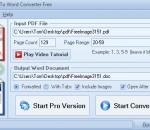
PDF To Word Converter Free is a powerful freeware application for intelligently converting PDF to easily editable Word DOC documents. PDF To Word Converter Free uses artificial intelligence and also allows inputs from the user code to accurately recognize and convert paragraphs, tables, bullets, numbered lists, newspaper columns, and other standard document formatting features. PDF To Word Converter Free outputs Word DOC documents that are well-formatted and easily editable. PDF To Word Converter Free supports conversion of PDF to DOC. DOC is a popular document format introduced by Microsoft and is compatible with most word-processing applications such as Microsoft Word, OpenOffice, Abiword, KWord, and also online productivity suites such as Google Docs, Lotus Symphony, and Microsoft Office Live. PDF To Word Converter Free does not require any third-party software. Highlights: - Converts tables and tabbed columns - Detects numbered and bulleted lists - Recognizes several types of font encoding - Detects font size, style and color - Supports Unicode text - Supports password protected PDF files - Identfies multiple lines of text or characters as paragraphs - Supports paragraph alignment - Detects clipped text - Image support - Easy to use - User-friendly GUI - Does not need other third-party software - Absolutely FREE for any use
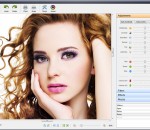
PC Image Editor which is a free graphics editor which is packed with a good lot of features, so many in fact, that it is almost as good as a professional product and hence is a really good option for amateurs looking to expand their visual experience. The PC Image Editor is designed to be easy to use and user friendly. It is a product for amateurs and professionals (who are in a hurry). This highly intuitive piece of software supports a high variety of formats which allows you to edit a vast number of images and save it in any format you want. Starting from the very bottom, the PC Image Editor is equipped with the usual set of file operations together with some of the slightly higher level editing options adjust colors in photos; apply filters such as Hue, Invert, Colorize, Mosaic, Twirl, Emboss; rotations; Perspective and Skew; blur images; sharpen images; and image resizing. For all those in a hurry, here is a quick look at the features of the PC Image Editor: - You can both Import and export various graphic formats, such as BMP, GIF, JPG, TIFF, PCX, PNG, TGA, J2K, WMF, EMF, and RAS through PC Image Editor. While you are at it, you can also apply 15 filters and effects such as Blur, Sharp, Add Noise, Diffuse, Mosaic, Twirl, Emboss, and many, many more. - Image effects like rotate 90°, 180° and Arbitrary, Flip Horizontal and Vertical, Perspective, Skew, and others are extremely easy to use and produce only very high quality results. - You will have 11 adjustment commands such as Auto Levels, Auto Contrast, Brightness, Contrast, Gamma Channel, Hue, Saturation, RGB Channel, Invert, Colorize, etc with the PC Image Editor.
GOM Media Player The only media player you need - for FREE! Not only is GOM Media Player a completely FREE video player, with its built-in support for all the most popular video and Media Player formats, tons of advanced features, extreme customizability, and the Codec Finder service, GOM Media Player is sure to fulfill all of your playback needs. With millions of users in hundreds of countries, GOM Media Player is one of the world`s most popular video players. Whats New : Added "Touch Setting" feature for touch screen devices. Added "Search box" feature on playlist. (Ctrl+F) Supported "HTTPS URL" for youtube or net radio playback. (Ctrl+U) Added "Music Tap" on preferences related to play music files. Improved performance related to "speed of add & delete" of files on playlist. Other miscellaneous corrections, fixes, and changes
RealPlayer has always enabled you to play RealAudio (*.ra) and RealMedia (*.ram) files. Download videos from thousands of Web sites with just one click Build your own video library and playlists Play all major audio and video formats Flash Video support DVD, SVCD, VCD burning and video recording RealPlayer for personal use includes audio CD burning capabilities, DVR-style playback buffering, multimedia search, Internet radio, a jukebox-style file library, an embedded web browser (using Microsoft Internet Explorer), and the ability to transfer media to a number of portable devices, including Apple's iPod, MP3 players, and Windows Media devices.
GOM is a FREE media player with popular audio & video codecs built-in. Codec Finder GOM Player includes many codecs (XviD, DivX, FLV1, AC3, OGG, MP4, H263 and more) so you won't need to install separate codecs for most videos. For those videos that require a separate codec, GOM Player will find one. Play Broken AVI Files (Patented) GOM Player's patented technology enables users to view files with broken indexes or that are still being downloaded. Powerful Subtitle Support GOM Player supports SMI, SRT, RT, SUB(with IDX) files for subtitle. You can even synchronize subtitle and video if there's any mismatch. Convenient Playlist If you run a video file and there is already a file with a similar name in the directory, it will be automatically added to your playlist. GOM Player has a similar playlist format as M3U, PLS, ASX. Support Different Media Types Along with different media format such as AVI, MPG, MPEG and DAT, GOM Player also supports streaming Windows media format (WMV, ASF, ASX). You can also watch DVD-quality videos with 5.1 channel audio output.