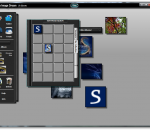
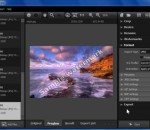
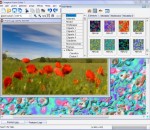
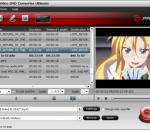
Image Dream is an exciting, "cool" product. It lets you achieve powerful repairs and have fun at the same time. Image Dream gives you the one-step ability to enhance and mend photographs-from repairing a red eyed relative, friend or acquaintance, to erasing cracks and creases from old pictures, improving the color quality of your favorite memories to correcting for over or under-exposure. Creative tools let you work quickly and intuitively in real time. Perfect for kids! Explore your creative side with neat, real-world tools. Revolutionary animated brushes, pencils, erasers, and more. Creative tools let you work quickly and intuitively in real time. Perfect for kids! + Explore your creative side with neat, real-world tools. + Revolutionary animated brushes, pencils, erasers, and more. + Enjoy smooth zooming and quick, intuitive editing. + Enhance your image with custom-made clip art from the Image Dream library. Turn marginal photos into prize winners with Image Dream + Magically heal scars, remove blemishes and whisk away stray hairs like a pro. + Add stunning special effects. + Correct red eye, scratches, and fading + Remove date stamps. + Clone images for unique effects Make stand-out prints, posters, and collages in a snap. + Sort, annotate, and store images in digital photo albums. + Create professional-quality collages and calendars. + Share and print your images easily with the powerful integrated printer support. Get images from anywhere + Get your photos from a camera to your computer in just a few clicks. + Supports TWAIN compliant scanners, giving you instant access to hundreds of existing and future scanners + Huge number of supported image formats, including RAW formats from almost all DSLR digital cameras (including: Canon, Casio, Fuji, Hasselblad, Kodak, Leica, Minolta, Pentax, Nikon, Olympus, Panasonic, Pentax, Rollei, Sony).
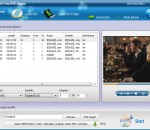
Enjoy DVD without inserting the disc & bring movies along? Not a dream anymore. Have problems with watching DVD movies on your mobile phone and other digital devices as compatibility issues? MediaProSoft Free DVD Ripper not only helps you rip DVD movies, but converts them to various formats to enjoy without disc, anytime, anywhere! Fast and easy-to-use, this powerful DVD ripping software can convert DVDs to many video and audio formats such as AVI, FLV, MPEG, 3GP, WAV, MP3, etc. MediaProSoft Free DVD Ripper is a powerful DVD ripper & converter to rip and convert DVD videos to edit or back up DVD content. It supports various output formats playable on media players or many portable devices like iPod, iPhone, Apple TV, PSP, BlackBerry & other mobile phones. No matter which device you have, it provides the best configuration. It can rip HD/Blu-Ray DVD to many video formats with lossless output to enjoy in media player with high-resolution screen, and extract audio tracks from all kinds of DVDs as audio extractor and save them to WAV, MP3, WMA, OGG, AAC, etc. A window is provided on the right to preview the video of the whole DVD or the selected title. With the buttons "Play", "Pause" and "Stop", you can easily view the entire disc and decide which part to rip. Meanwhile, the "Snapshoot" button helps you take a snapshot of the scene displayed in the preview window and save it as BMP or JPEG format. For multilanguage DVD discs, you can specify the ripping settings of both audio and subtitle in different languages. You can also disable the audio/subtitle ripping. You don't need to be an expert to get the quality you want as it also provides many well-configured quality presets (frame rate, audio channel, sample rate, etc.) for every output format to meet your professional or casual needs. The ripper exactly synchronizes video and audio - no skipped or lost frames during conversion. You can also deinterlace the video for better view with the built-in deinterlacer.
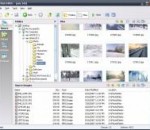
BatchBlitz is a free, powerful and handy digital photo categorizer, filter and batch editor. 1. BatchBlitz is a photo file categorizer: BatchBlitz enables you to categorize your photos by Exif/IPTC metadata. E.g. you can categorize your photos by the date they were taken, putting all photos in the same folder if they were taken on the same day. You can even pick out all photos rated 4 or 5 stars. 2. BatchBlitz is a photo file filter: If you have a huge stock of images, file filtering can become quite a headache. E.g. how do you find out all the files with a suffix number in the name? How do you find out all the portrait photos (i.e. height > width) with a minimum height of 800 pixels? BatchBlitz enables you to easily locate or filter such files. The filtering can be done interactively, or through a batch action. 3. BatchBlitz is a batch editor: BatchBlitz enables you to batch process your photos using customizable actions. You can save your action settings to a task file and reuse it later. Actions allow you to filter source files (using regular expressions, for example), rename and convert images, as well as add watermarks, resize/rotate canvas, apply automatic color corrections, etc. The instant preview will give you a better idea of the actual effects. In a typical batch processing task, you simply select some source images, specify where and how to store the output files, define one or more actions, and then start the task with a click. BatchBlitz Highlights: 1) extensive support for regular expression; 2) Exif/IPTC metadata accessible through macros; 3) highly customizable batch actions; 4) instant preview; 5) powerful photo editor.
River Past Video Cleaner is a easy-to-use, flexible, powerful, and fast video converter. It convert video from 3G video (3GPP/3GPP2), ASF, AVI, DAT (VCD), DivX, DV, FLC/FLI Flic animation, animated GIF, IVF, Matroska MKV, QuickTime MOV, MP4 (MPEG-4), MPEG-1, OGG Media OGM, RealMedia RM/RAM, and WMV to AVI, WMV, DivX, XviD, DV, MKV and OGM. With optional booster packs, you can even convert to animated GIF, QuickTime MOV, and still images. It can convert from un-encrypted DVD, from individual chapters or several seamless chapters as one unit. You have the full control over video and audio compressions. The compresses are loaded dynamically. Supported video codecs include Cinepak, DivX, DV, Indeo 3, 4, and 5, Motion JPEG, Microsoft Video 1, Xvid, and more. You can adjust video codec, video quality, video size, frame rate, audio codec, sample rate, channel, and bitrate. If you have videos which cause audio/video sync problems, use River Past Video Cleaner to clean up timecode in those bad videos. It can also be used to convert between NTSC and PAL. With Animated GIF Booster Pack, you can output the video to animated GIF files or FLC animation. This is the easiest way for web masters to create moving thumbnails for the video. With Image Sequence Booster Pack, you can output the video to still images, including BMP, GIF, or JPEG files. With MOV Booster Pack, you can convert to QuickTime MOV movies. With MPEG-4 Booster Pack, you can convert to MP4 movies. With the optional 3GP Booster Pack, you can output to 3GPP or 3GPP2 video. With MPEG-2 Booster Pack, you can convert to MPEG-2, MPEG-1, VCD, SVCD and DVD media files. You have the same control including video and audio codec, video size, frame rate, quality, audio sample rate, channel and bitrate. Tags are supported for certain formats. Compatible with Windows Vista. 30 day MONEY BACK GUARANTEE
VideoSpirit Pro is a full-featured application that gives users numerous tools for editing videos. Although the program's design could stand to be a bit more intuitive, this program is straightforward in operation and is suitable for users of all experience levels. For acting as a Video Editor, various slide effect/title/subtitle can be added to a video clip. Also, the video clip can be rotated, resized and warped. Multiple video/audio clips can be joined together. Converting speed is fast and the quality of output file is excellent. The program's interface is plain and uncluttered, but it doesn't provide much in the way of direction for the first-time user. A small video player allows users to view the files that they're working with, and a drop-down menu allows users to select an output format for the completed project and view the characteristics of the selected format. The meat of the interface is the series of five vertically arranged timelines, representing video, video overlay, title, audio, and voice tracks. Each of these is identified by a small icon, and we wish that there were mouse-over tool-tips that described what they are; we had to consult the built-in Help file. Features: - Convert Video Files among VCD / SVCD / DVD / MPEG / AVI / DivX/ASF / WMV/DAT / SWF / FLV / 3GP / RM / MP4 / MOV; - Extract audio tracks from video files; - Extract images from video files; - Edit Video, add slide effect/title/subtitle to video clip, join/combine/warp video clips; - Smart and neat interface, very easy to use.
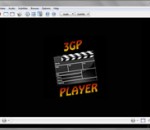
Powerful free video player for 3GP. Supports 3GPP, 3GPP2 and most video and audio codecs used on the most popular 3G mobile phones. Many mobile devices use 3GP as the default video format, but sometimes it's difficult to find also a desktop video player that opens it. This is where 3GP Player comes in handy. With 3GP Player you can play videos in 3GP, 3GPP and 3GPP2... and that's basically it. The program doesn't have any options or configuration settings. It doesn't even have buttons to control the video – you have to use keyboard shortcuts. 3GP Player 2013 is a free 3GP video player for your PC. Supports all mobile phones video and audio formats including 3GP, 3G2 (3GPP2) and MPEG-4, most of the most modern video and audio codecs are supported. 3GP is todays most used video format on most new smartphones. Now you can watch all your 3GP videos on your PC with this free and easy to use 3GP Windows Media Player. The software supports many other video formats like MP4, MPEG, AVI, FLV... The program's interface is sparse and takes up a lot of space relative to the features it offers. A large rectangular screen contains three widely-space icons; one to load videos, one for Help, and one with 3GP links. A significant chunk of the bottom of the interface is devoted to advertising. The program is fairly simple to use, and we found it easy to open and play videos in a variety of formats. The fact that the program opens a separate window to display the videos, however, was annoying, as was the fact that dragging the window to another location on the screen caused the video to hang up. Furthermore, we were irritated by the program's sound effects, which cannot be disabled; mousing over each icon plays a sound, and we found that these sounds played even when the 3GP Player wasn't the active window.
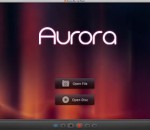
Aurora Blu-ray Media Player is the best and most powerful media player for Windows in the world. It can support Windows systems perfectly, especially the Windows 8. As a universal media player, Aurora Media Blu-ray Player can not only play Blu-ray HD movies on PC, but also support any formats of movie, video, audio, music and photo you have ever seen, including ISO format. You are able to add subtitles to movie or video, and share the movie's information or your review with your best friends. Furthermore, it is easy to navigate with user-friendly interface and beautiful layout. 1.Its hardware acceleration technique can reduce power consumption effectively. 2.The best Blu-ray media player that can support Windows 8, Windows 7, Windows XP, Windows Vista, etc. 3.Capable of removing AASC, BD+ and supporting Blu-ray decryption perfectly. 4.Functional diversity and stability and hardware acceleration available. 5.Powerful High-Definition video player and DTS HD 7.1, AC3/DTS5.1 output perfectly supported. 6.Support playback of Blu-ray player or DVD movies in ISO image format. 7.Distinguished universal performance. Support everything including movie, video, audio, music and photo. 8.All media formats supported: Bluray, DVD, VideoCD, MOV, MKV, AVI, FLV, WMV, MP4, MPEG, RM, RMVB, MP3, WMA, AAC, AC3 and more.
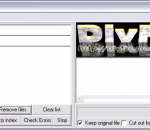
DivFix++ is an AVI Repair and Preview utility. This program designed to repair broken AVI file streams by rebuilding index part of file. This is very useful when trying to preview movies which are currently downloading from ed2k or bittorent networks. DivFix++ has unicode support and cross-compileable so supports Linux, MacOSX, Windows.
With this watermark software, you can quickly protect or sign your photos or images with a recognizable image, pattern or text embedded in your source image. Posting a copyright message or your logo on your proprietary work makes it literally impossible to use your handiwork illegally. Sophisticated watermarks can be created from images of various formats or plain text. Total Watermark software allows adding a wide range of effects like shade, translucency, gradients, contours, and others to them. The automatic retrieval of EXIF and IPTC data from photographs makes it possible for the application to form the watermark signs for you automatically. And batch watermarking allows you to quickly sign or protect appreciable numbers of your graphic items, freeing you from the weary routine of applying the watermark stamps by hand. Along with the watermarking tools, the software carries basic functionality for editing photos and creating albums, including crop, to remove all the excess and make the images lighter and more exciting, rename, resize or Web optimize. All these can be applied both automatically, in batches, or manually, one image after another. And you can watch the result right away, while adjusting the settings for the target images. The renewed photos with watermarks applied can be saved in a variety of formats. You choose which one suits best for this specific case. And the watermarking settings too can be preserved in templates and reused for other images later. Our watermark software's intuitive user interface makes it suitable to both amateurs and professionals. It's never been so easy to protect your copyrighted work as now, with Total Watermark.
Imagelys Picture Styles application is a way of creating an unlimited number of beautiful graphic images in a minimal amount of time. You can create seamless backgrounds for your desktop or your web design, original wallpapers, textures for 3D modelling, skins for your favorite programs, and much much more. You don't have to be an expert designer to be able to produce truly amazing results. Imagelys Picture Styles generates seamless textures using mathematical formulae and works with ready-to-use effects including generators, deformers, filters, colour adjustments, special FX and masks for transparency. It presents a variety of textures that you can modify, mix etc. Ready to use. You can also use your photos to create amazing textures or art works. Some of Imagelys Picture Styles features include: - Offers unlimited compositing possibilities; - Seamless texture rendering; - Smart random image creation; - More than 1400 Seamless Textures predefined and customizable; - Opens a various range of image formats like: bmp,jpeg,jpg,gif,png,emf,wmf,ico; - Save images to a number of image formats like : bmp,jpeg,jpg,gif,png,jng; - Opens and saves custom project files; - Add your favorite custom textures or effects into the ToolPalette; - Standard retouching tools and image manipulation tools; - Multiple layers from bitmaps, clipboard; - Create/edit masks to apply various transparency effects; - Bitmap alpha blending; - Multiple customizable easy-to-use overlay layers; - Variety of resampling filters to resample images to various sizes; - Multiple Undo/Redo; - Web export function; - Make seamless image from whatever photos; - Image warping support; - Texture Pack support; - Selection tool; - Free transform support; - Deformation function; - Resynthesizer tool, create seamless texture with a part of a photo; - Ruler support; - Layers palette; - Advanced text render; - Transforming perspective support;
Pavtube Video Converter Ultimate is an all-in-one Blu-Ray DVD converter, DVD converter and video converter software, which is specially designed for you to convert Blu-ray DVDs and other common DVDs, convert videos into the compatible audio and video formats for playback on your favorite portable devices. Compared with other products, it has the powerful functions as follows: 1.This program could convert Blu-ray DVDs, as well as DVD folder and ISO file to other audio and video formats. You can also convert any popular videos from one to another. 2.The program supports importing Blu-ray DVD, DVD and videos into the same window and merge them into one file. 3. The user-friendly interface can make you use it masterly without the complicated process. In a very short time, you will become an expert on using the product. 4. Its advanced coding technology quickens the conversion speed. With this Blu-ray DVD converter and video converter, you can convert DVD and videos with 1.5 or 2 times faster speed. 5. The newest audio-video sync technology enables you to have a high quality output video without any audio video out of sync problems. 6. Its built-in codec will not install codec to your computer, so as to avoid the unexpected codec problem. 7. The program supports to add different watermark like text, image (including GIF), and video watermark. Its video watermark function will create a picture-in-picture effect to your video which will amaze you a lot. 8. The program supports to capture the snapshots images, which can be used as wallpaper or editing elements. 9. The software converts Blu-ray, DVDs and Videos to numerous video and audio formats for most popular portable devices such as iPad, iPod, iPhone, Samsung Galaxy Tab, Motorola Droid (X), HTC Evo 4G, HTC One, Samsung Fascinate, PSP, Pocket PC, Xbox360, PS3, HD Media Players, etc and other video and audio players.
GOM Media Player The only media player you need - for FREE! Not only is GOM Media Player a completely FREE video player, with its built-in support for all the most popular video and Media Player formats, tons of advanced features, extreme customizability, and the Codec Finder service, GOM Media Player is sure to fulfill all of your playback needs. With millions of users in hundreds of countries, GOM Media Player is one of the world`s most popular video players. Whats New : Added "Touch Setting" feature for touch screen devices. Added "Search box" feature on playlist. (Ctrl+F) Supported "HTTPS URL" for youtube or net radio playback. (Ctrl+U) Added "Music Tap" on preferences related to play music files. Improved performance related to "speed of add & delete" of files on playlist. Other miscellaneous corrections, fixes, and changes
RealPlayer has always enabled you to play RealAudio (*.ra) and RealMedia (*.ram) files. Download videos from thousands of Web sites with just one click Build your own video library and playlists Play all major audio and video formats Flash Video support DVD, SVCD, VCD burning and video recording RealPlayer for personal use includes audio CD burning capabilities, DVR-style playback buffering, multimedia search, Internet radio, a jukebox-style file library, an embedded web browser (using Microsoft Internet Explorer), and the ability to transfer media to a number of portable devices, including Apple's iPod, MP3 players, and Windows Media devices.
GOM is a FREE media player with popular audio & video codecs built-in. Codec Finder GOM Player includes many codecs (XviD, DivX, FLV1, AC3, OGG, MP4, H263 and more) so you won't need to install separate codecs for most videos. For those videos that require a separate codec, GOM Player will find one. Play Broken AVI Files (Patented) GOM Player's patented technology enables users to view files with broken indexes or that are still being downloaded. Powerful Subtitle Support GOM Player supports SMI, SRT, RT, SUB(with IDX) files for subtitle. You can even synchronize subtitle and video if there's any mismatch. Convenient Playlist If you run a video file and there is already a file with a similar name in the directory, it will be automatically added to your playlist. GOM Player has a similar playlist format as M3U, PLS, ASX. Support Different Media Types Along with different media format such as AVI, MPG, MPEG and DAT, GOM Player also supports streaming Windows media format (WMV, ASF, ASX). You can also watch DVD-quality videos with 5.1 channel audio output.