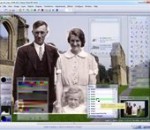
Chasys Draw IES (formerly Chasys Draw Artist) is a suite of applications including a layer-based image editor with animation, vista-style icon support and super-resolution via image stacking (Chasys Draw IES Artist), a multi-threaded image file converter (Chasys Draw IES Converter), a fast image viewer (Chasys Draw IES Viewer) and a raw camera file processor (Chasys Draw IES raw-Photo). The whole suite is UAC aware and is designed to take advantage of multi-core processors, touch-screens and pen-input devices. Features: · Fast JpDRAW2 graphics engine for high speed image manipulation · Easy-to-use task-oriented user interface with auto-save · Internal error handling and logging for reliability and stability · In-built installer and uninstaller for easy re-installation and removal · Supports a very wide range of image file formats · GraphAsm programming support for adding custom effects · Convolution matrix support for filter extension · Plug-in support for extending functionality and compatibility · Create and modify sprites with full alpha channels · Blue-Screen effects in three different modes · Alpha channel enhancement and adjustment · Advanced sprite creation tools · Translucency / transparency based special effects · In-built screen capture, smart-dithering and image enhancement · Icon creation and extraction from programs, DLLs, icon libraries, etc. · Password protection of images using in-built data encryption engine
AV Manager is a Digital Signage, Multimedia display, Digital Video Management software which can operate multiple display units ( plasma, LED, LCD displays, VGA projectors and video walls) AV Manager supports various types of contents, such as F4V, M2TS,MPEG-1, MPEG-2, MKV, .DIVX, AVI, WMV, ASF, QuickTime, TV channel, cable TV, web cam, text, BMP, GIF, JPEG image, live events from Microsoft Expression Encoder and RSS Feeder, RSS Scrolling Text. AV Manager supports all these contents running on plasma TVs, LCD displays, LED signs. Display units must be connected to one or more PC workstations that have individual fixed IP address. Therefore contents can be sent to selective display units. Various types of contents are supported, such as MPEG 1 and MPEG 2 video, picture, website, text, digital clock, ad-hoc text message, PowerPoint, Flash File, TV channel or cable TV programs. Sequence feature is to group a number of contents into groups or categories each with a sequence of play-list order, so that users can easily schedule multiple events. Schedule feature is to preset one or more events on specific date and time range. One event may contain one or more contents with a play-list sequence. One or more events can be easily uploaded to selective target clients through Upload function. Multi-Zone - Normally, one display unit has only one single screen to display video or TV program or image at any single point of time. AV Manager allows us to split one single screen into two or more zones ( partitions). Each zone can has its own schedule of events, and display different types of contents simultaneously. added allow manually enter the pixel size and location of each zone in layout form. added allow display Power Point (PPTX) File without installed MS Power Point or Power Point viewer. added allow create Power Point (PPTX) File without installed MS Power Point or Power Point viewer. add more instruction when connected to av scheduler failed.
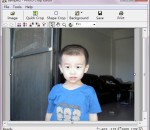
Photo Crop Editor is a powerful and interactive software for selecting and cropping an object in a picture or photograph from its background. The result can then be placed on a different background to create a new picture. Photo Crop Editor works even if foreground and background colors are similar. Photo Crop Editor consisting of three steps: object marking: the object of interest can be quickly identified by marking quick mouse strokes, using left-click for foreground and right-click for background, then program lookups object boundary automatically; boundary editing: boundary can be edited directly in this refinement step; background change: crop the object and place it on a new background, the object can be resized, rotated and placed on any position of new background, and it is easy to change background as any photo or color. Then the result could be saved as new image file or printed out.
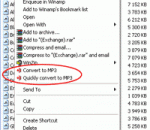
You need to convert your digital audio files to MP3 format, but you have tired to start audio conversion utility every time? Try to use our All To MP3 Converter - it gives you ability to start conversion directly from your Windows Explorer. All you need to do is simply select audio files, click on them with alternate mouse button and start "Convert to MP3" command from Explorer's context menu. All To MP3 Converter supports WMA, OGG, WAV, MP4, VQF, RA, RM, M4A, M4B, MP4, AC3, AAC, CDA and much more source formats, ID3v2 Tag (copying from source or creation of a new one). All conversions are performed without temporary WAV files, it means that all files are processed quickly and no additional hard drive space is required. Thus you can quickly and easily convert with this tool every audio file you have just found in folders on your computer or have downloaded from Internet into MP3 format with all possible settings.
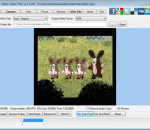
Cute Video Cutter Free Version a free easy-to-use video utility to help you to cut and split your video files into small size.It can cut large video file and remove unwanted parts. Cute Video Cutter works well with many file formats like AVI, MPEG-1/2, DVD/SVCD/VCD, VOB, DAT, ASF, WMV, Divx, xVid, MOV, MP4, iPod, PSP, iPhone, Zune, BlackBerry, Apple TV, M4V, MPA, 3GP, MKV, RM, RMVB, SWF, FLV video formats, as AVI cutter, 3GP video cutter, etc. The easiest video cutting software can freely select regions by using the slider. All clips will be shown in the interface for you to browse . No need any professional IT stills, No need any knowledge about all kinds of video formats. Go ahead to download Cute Video Cutter Free Version ! It's 100% FREE!
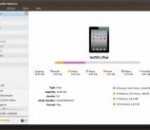
ImTOO iTransfer Platinum can backup music/movies/photos/books/ringtones in iPad,iPhone,iPod to computer or iTunes, transfer files from computer to devices, convert CD/DVD to iPad,iPhone,iPod music and movies, download and convert online videos to iPad,iPhone,iPod, produce iPhone ringtones. Features 1.Fully support output files for iPad, iPad 2, the new iPad, iPad 4, iPad mini, iPod nano, iPod nano 5G, iPod Nano 7, iPod classic, iPod touch, iPod Touch 5, iPod shuffle, original iPhone, iPhone 3GS, iPhone 4, CDMA iPhone 4, iPhone 4S, iPhone 5 , iPhone 5s, iPhone 5c etc. Support iOS 4.3, iOS 5.1, iOS 6,IOS7 and iTunes 11.1. 2.Simultaneously manage multiple devices easily, connect multiple devices simultaneously, just by drag-and-drop to share your favorites with friends and family (e.g. iPod to iPad, iPhone to iPad). 3.Copy music, movies and playlist to device, computer or iTunes. 4.Multiple view types to show music, movies and photos, they are songs, albums, artists and genres. 5.It is easy to create new photo albums and playlist or delete existing ones on iPad/iPhone/iPod for you with ImTOO iTransfer Platinum. 6.The profiles are optimized when you are importing or converting multimedia files into devices. 7.With NVIDIA GPU acceleration is enabled, the processing speed is accelerated and the performance in converting and transferring operations is promoted. 8.With proxy server configuration, it's easy to configure the network to your preference. 9.Transfer applications and manage application document easily. 10.You can find built-in player on the interface to pereview DVD movies, photos or videos shot by the devices and export them willingly. 11.Customize column for showing file details and Ssimultaneously edit the ID3 information for multiple music files such as name, artist, album, and year. 12.We provide multi-lingual interfaces in various languages of English, French, Italian, Spanish, German, Japanese, Simplified or Traditional Chinese.
Fake Voice is a voice changer software that helps you change your voice to male, female, old, young, teen, hard, robot, shrill, or some one totally new. It helps you transform your voice to something new. Just integrate Fake Voice with your IM and do voices with your friends. Fake Voice is a voice changer software that helps you change your voice to male, female, old, young, teen, hard, robot, shrill, or some one totally new. It helps you transform your voice to something new. Just integrate Fake Voice with your IM and do voices with your friends.
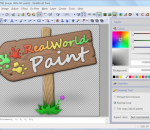
RealWorld Photos is an image editor focused on photo retouching and batch image processing. An easy to use user interface is backed up by robust features. It is able to losslessly modify JPEG images, which is extremely useful for people retouching their photos. Users can modify images using tools like Rectangle, Ellipse, Curve, Flood-fill or Transformation. Photographs can be edited by specialized tools like Clone, Reouch or Crop. Drawing tools support sub-pixel accuracy commonly used in vector image editors. The application allows user to build their own filters and actions using a scripting engine based on JavaScript. The script can use all native filters, selected drawing tools and it can store intermediate results in temporary canvases. The application is extensible by various kinds of plug-ins and can use filters compatible with Adobe Photoshop.
Burn Blu-Ray, Dual Layer DVD, DVD and CDs. Burn Audio CDs from MP3, MP2, AVI, WMA, and WAV files. Also create ISO files, burn Bin/Cue files, and Burn Video DVDs. Supports DAO and TAO burning modes for all disc types. Burn Video DVDs from FLV, AVI, WMV, MP4, MOV, and 3GP files. The Cheetah DVD Burner is a lite, and fast disc burning program that is easy on the system resources. Project Types: * Video DVD - UDF/ISO9660 Bridged file systems * Blu-Ray Disc BD-R, BD-RE - Backup your data on 25 GB discs * DVD+R and DVD-R Dual Layer - Backup your data on 8.5 GB discs * Data DVD - Backup your data on DVD+R, DVD+RW, DVD+R, DVD-RW, DVD-R, DVD-RAM * Data CD - Burn a standard CD or CD-RW * Audio CD - Creates Red Book compatible audio CDs from mp3, mp2, avi, ogg, wma, and wav files * Copy a Data CD - Copy a data disc * Copy an Audio CD - Copy an audio disc * Burn ISO file - Burn ISO image files * Bin/Cue file Burner - Burn Bin/Cue image files * Create ISO file - Builds ISO Images from selected files for burning at a later date * Erase Disc - Erase CD/DVD discs Features: * Bootable CD/DVD/Blu-Ray - Create Bootable CD/DVD/Blu-Ray discs from image files * DAO, and TAO - Track at Once, and Disc at Once Burning for all Disc Types, and Formats. * Disc Formats - ISO9660, Joliet, UDF, ISO9660 Joliet Bridged, ISO9660 UDF Bridged (Video DVD), and ISO9660 Joliet UDF Bridged * Supports high burning speeds - Supports use of high write speeds - Designed for high data rates * Buffer Underrun Protection - Support for hardware buffer underrun protection systems, like BURNproof, JustLink, Power-Burn, SafeBurn, SeamlessLink etc * ISO Multi-Session - Burn Multi-Session Data CD/DVD with all types of media. * Disc Finalization - No further writing is possible after the disc is burned. * Auto Verify Data - Performs a binary compare with the source files. * Joliet - Burn Joliet directories with 64 char file names
FREE Hi-Q Recorder is free sound recorder software to record streaming audio, Internet radio, webcasts, music, meetings, classes, seminars, convert LPs, records, tapes, create free ringtones and a lot more. It's an MP3 sound recorder to record anything you can hear! It's an easy way to record absolutely any sound in real-time! Record directly to MP3. Set your MP3 quality by selecting your MP3 Bitrate and stereo or mono. The MP3 quality is excellent at all settings! Record anything, DVD sound, even satellite radio, XM or Sirius. You can also use it as a universal audio or video sound file converter. Your recording time is Unlimited. It also has a versatile audio player that can play many types of audio and video files (plays the audio only). FREE Hi-Q Recorder is easy enough for anyone to use. Automatic file naming is just one of many features that make it so easy to use! Record and save music that is ready to transfer to your Apple iPod, iPhone, Rio, iRiver, Sony or any other portable MP3 music player. Even use it to become a podcaster!
Meteorite is a MKV Repair and Preview utility. This program designed to repair broken MKV file streams by rebuilding index part of file. This is very useful when trying to preview movies which are currently downloading from ed2k or bittorent networks. Meteorite has unicode support and cross-compileable so supports Linux, MacOSX, Windows.
GOM Media Player The only media player you need - for FREE! Not only is GOM Media Player a completely FREE video player, with its built-in support for all the most popular video and Media Player formats, tons of advanced features, extreme customizability, and the Codec Finder service, GOM Media Player is sure to fulfill all of your playback needs. With millions of users in hundreds of countries, GOM Media Player is one of the world`s most popular video players. Whats New : Added "Touch Setting" feature for touch screen devices. Added "Search box" feature on playlist. (Ctrl+F) Supported "HTTPS URL" for youtube or net radio playback. (Ctrl+U) Added "Music Tap" on preferences related to play music files. Improved performance related to "speed of add & delete" of files on playlist. Other miscellaneous corrections, fixes, and changes
RealPlayer has always enabled you to play RealAudio (*.ra) and RealMedia (*.ram) files. Download videos from thousands of Web sites with just one click Build your own video library and playlists Play all major audio and video formats Flash Video support DVD, SVCD, VCD burning and video recording RealPlayer for personal use includes audio CD burning capabilities, DVR-style playback buffering, multimedia search, Internet radio, a jukebox-style file library, an embedded web browser (using Microsoft Internet Explorer), and the ability to transfer media to a number of portable devices, including Apple's iPod, MP3 players, and Windows Media devices.
GOM is a FREE media player with popular audio & video codecs built-in. Codec Finder GOM Player includes many codecs (XviD, DivX, FLV1, AC3, OGG, MP4, H263 and more) so you won't need to install separate codecs for most videos. For those videos that require a separate codec, GOM Player will find one. Play Broken AVI Files (Patented) GOM Player's patented technology enables users to view files with broken indexes or that are still being downloaded. Powerful Subtitle Support GOM Player supports SMI, SRT, RT, SUB(with IDX) files for subtitle. You can even synchronize subtitle and video if there's any mismatch. Convenient Playlist If you run a video file and there is already a file with a similar name in the directory, it will be automatically added to your playlist. GOM Player has a similar playlist format as M3U, PLS, ASX. Support Different Media Types Along with different media format such as AVI, MPG, MPEG and DAT, GOM Player also supports streaming Windows media format (WMV, ASF, ASX). You can also watch DVD-quality videos with 5.1 channel audio output.