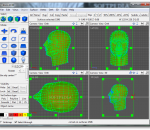
See your design ideas come to life with the 3D graphics software AC3D 6 from Inivis Limited, available for Windows, Mac OS X and Linux. Whether you're a complete beginner or an experienced designer, with a need to create imaginary or technically realistic designs, AC3D 6 provides you with versatility, functionality and ease-of-use. Use AC3D 6 to create models and virtual landscapes and cities, design buildings, home projects, land, sea, space and air craft and much more. Features include a simple click-and-drag user interface; fully integrated subdivision surfaces; texture coordinate editor (UV mapper); fast real-time 3D; six powerful Boolean functions; unlimited polygon and line editing down to the vertex level; a TrueType font 2D and 3D text generator. The software supports a wide range of 3D file formats including 3ds, obj, VRML, Google Earth, Second Life.
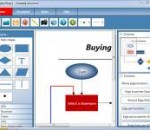
Diagram Ring is an award-winning advanced diagram editor. It supports lots of diagram types like Flowcharts, Class Diagrams, DFDs, ERDs, Pie charts, Bar charts and etc. It has more than 45 predefined symbols and more than 15 predefined styles which really help you design faster. With it's unique method of connecting nodes it makes drawing diagrams much easier. FEATURES: Flowcharts: Diagram Ring supports full flowchart diagramming. With lots of flowchart symbols and easy procedure to connect nodes, it's one of the best flowchart tools available. Data Flow Diagrams (DFD): Although being simple DFD diagrams are one of the most useful diagrams to describe data flow. Charts: Diagram Ring supports pie charts and simple bar charts. They can be very useful showing your data in a graphical way. UML Class Diagrams: Class diagrams are the most important diagram of UML. They descirbe how classed in computer program are related to each other. UML Use Case Diagrams: Use cases are very helpful to document how something is done and use case diagrams are very helpful to show use cases and actors interacting with each other. Entity-Relationship Diagrams (ERD): ERD is used to document data and it's attributes in a database. Other Diagrams :The number of diagram types that can be drawn with Diagram Ring is not limited to above types. lots of diagram types can be drawn with Diagram Ring.
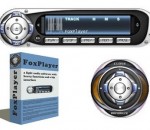
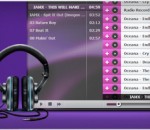
FoxPlayer is a light audio software with a hip interface, Internet streaming, continuous play, mp3 wav converter and numerous other great features. The program lacks in size and compensates in performance having an integrated ID3 editor which simplifies renaming and modifying files and using Xaudio MPEG engine to power up its impressive number of options. Visual The (very discreet) EQ is fused to the FoxPlayer main window you have easy access to the frequency settings whenever you like. You can maximize the playlist according to your needs and the amount of information available will satisfy even the most exigent music fan; the info columns let you arrange content using criteria like title, artist, album, year, track number, genre or length. The main window allows you to switch the time counter modes (elapsed time and remaining time) with a simple click. You also have the playlist track number displayed clearly together with the scrolling titles. Functional FoxPlayer is a very light, fast and versatile music player which is also able to convert your mp3s into wavs with great efficiency. With a proper configuration, FoxPlayer will play FLAC, AAC, MP4, WMA and other formats. Besides the tones of options available to you, there are those simple but all the more important functions available such as minimize to tray, always on top, exit after play, allow multiple instances and many more. Ease of Use There is actually little to be said here, except that FoxPlayer offers indeed great ease of use that both beginners and experienced users will appreciate.
ALLPlayer is one of the most popular programs for watching movies with matching subtitles. It plays all known media formats, RAR files, and futhermore has an implemented LiveUpdate function to update the latest codecs if there is a problem with opening a movie file. Main features: Most popular formats such as DivX, XviD, MP3, and AVI, FLV, MP4, 3GP, MKV, M2TS, MPG, MPEG, RMVB, WMV, QuickTime, MOV, FLAC, APE, and many more less known formats can be played thanks to codecs downloaded by the program (only ALLPlayer needs to be installed). DVD support. Two monitors or monitor and TV support. Support for Dolby Surround, SPDIF and 3D audio. Intelligent subtitles - the program checks the length of the subtitles and sets the time duration. Subtitles editor. LiveUpdate - an option for detecting missing codecs needed to open a file. AVI Doctor - repairs damaged avi files. This function allows you to watch a movie which is damaged, or a movie which is downloading.
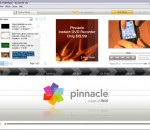
Pinnacle VideoSpin is a powerful and easy to use software application that enables you to create your very own movie clips within minutes, using your pictures and videos. If you're looking for an easy-to-use video and photo editor, Pinnacle VideoSpin is definitely a good choice. Don't be mistaken: this is no replacement for big shots like Adobe Premier or Sony Vegas. However Pinnacle VideoSpin works perfectly well for the average user who wants to create an easy video presentation including video clips, photos, sound effects and background music. The program features support for the most popular file formats, plus a nicely designed interface that divides the working area into three main sections: the list of material you can add to your presentation, a preview window and a timeline – together with a slightly annoying banner. The timeline is a handy tool that lets you to organize every element in your video in terms of the position they occupy in the presentation, the amount of time they take and the transition effects between them, among other settings. Pinnacle VideoSpin also features a special tool to create and edit title screens, along with some ready-made material like sample titles and audio effects. However I still missed more advanced functionality, such as adding fading to sound or replacing the video's original soundtrack – despite reading the Help section from end to end, I didn't manage to make it work. Once your presentation is ready, Pinnacle VideoSpin allows you to save it into a variety of formats and support, including AVI, DivX, iPod compatible video or MPEG. Pinnacle VideoSpin is an intuitive presentation tool with which average users can easily create their own photo and video shows. Pinnacle VideoSpin supports the following formats: Video: AVI (DV AVI), MJPEG, MPEG-1, MPEG-2, MPEG-4, DivX and WMV Sound: Dolby 2CH, MPEG-1 Layer 2 and MP3 Audio Features: · Mix videos, photos and music together · Add titles and transitions · Upload to the web in a snap! * Nice, easy-to-use interface design * Support for popular formats * Allows you to use videos, photos, sound effects and background music
Cherryplayer is a free Windows multimedia player that streams millions of music files from VK.com, plays most multimedia files and includes a superior YouTube player and download service.
Millions of tracks, any time you like. Just search for it in Spotify, then play it. Just help yourself to whatever you want, whenever you want it. Spotify is a new way to enjoy music. Simply download and install, before you know it you’ll be singing along to the genre, artist or song of your choice. With Spotify you are never far away from the song you want. Spotify has been around for a good year and hasn't changed much; it's still one of our favorite applications for music on-demand and music library management. Taking cues from iTunes, Spotify integrates your existing music libraries with its own giant catalog of songs from artists all over the world. Where it trumps iTunes is that all the music is pretty much available to stream for free, with offline functionality for an addition ten bucks a month. In their in-app advertisements, claimss like "Piracy is overrated" are quite justified; it's seriously one of the most easiest ways to grab just about any song you can think of, and stellar for discovering new music. Features: Our aim is to make music as accessible as possible. Here are some of all the features we’ve built to help you do just that. Playlist Drag and drop your favourite tracks into playlists to save them until the next time you listen. The playlists are saved to your account, and accessible from wherever you use Spotify. Share You share music by copying the link of a playlist or a track and send it to your friends. They open that link and - voilá - Spotify starts playing your music on their computer. Another great sharing feature is the playlist which you and your friends can manage together. Simply right-click any of your playlists, select ‘Collaborative playlist‘ and then share it. Whoever receives the collaborative playlist is now able to add or remove tracks or even rename the playlist all together. Music made simple. Mobile music Or even better, with Premium you can also use Spotify with your iPhone or Android where music is streamed - or saved as an offline playlists - on your mobile phone. Offline mode Taking your computer outside where there’s no internet? Don’t worry. With Spotify Premium, you can select which playlists are to be ‘available offline‘, and you can keep listening. Top lists The most popular music on Spotify is regularly gathered and displayed. You can filter by individual country or just display your own personal top list. All tracks have a popularity meter that measures its total amount of recent plays. Music purchases If you want even more freedom, we give you the option to buy individual tracks or albums by simply clicking the Buy button. From streaming to MP3 files in seconds. Simple search To dive into our huge music catalogue, simply type the name of an artist, album or track and hit enter. We’ll give you the results instantly, and our automated suggester will help you remember the spelling, all to make it easy to find the music you love. Use from anywhere Your account can be used from any computer; just login with your existing username. With Premium, this works even if you’re abroad. Biographies The top artists include biographies from the All Music Guide and we’ve got cover arts and images for thousands of available albums. Similar artists Each of the top artists contain a list of other artists that are similar, giving you the ability to surf around between artists and discover new music. Pros: * Enjoy your favorite music anywhere, anytime * Organize your music in customizable playlists * Share collaborative playlists with friends * Streaming radio with fil
AIMP is a free audio player with support for large number of formats and playlists. It works with multiple playlists immediately, allows creation of bookmarks and also has a playback queue. Crystal-clear sound, technology of reproduction essentially differs from Winamp and WMP Sensitive equalizer A maximum of functionality from a minimum of resources The minimal consumption of system resources Multilingual support Support of set of formats of audio Adjustment of global and local hot keys (patterns from WinAmp and WMP) Flexible options of the program and various covers will allow you to make A.I.M.P. completely individual Support of plug-ins with which help it is possible to expand opportunities of the program The audioconverter codes music from the most different formats in wma, mp3, wav, ogg Plus many more !
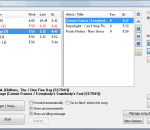
Siglos Karaoke Professional is a show hosting software for karaoke hosts (KJ). Get the control of your karaoke show! Siglos Karaoke Professional will make your shows better and easier to run. It allows you to play karaoke files from the hard drive and directly from CD+G discs, has build-in song database, and automatically manages singer rotation. Here is how Siglos Karaoke Professional can help you with running your karaoke show: * Use you computer to run your karaoke show. Stop carrying hundreds of discs, risking their damage and loss. Two-screen display with preview window will make running your shows a pleasure, and advanced display features will make lyrics look better * Powerful song database allows to find any song in a matter of seconds * Automatic singer rotation management keeps singers queue in order; you may add new song requests while singers are on stage * Singer announcement will save you from 'Who is next' questions, and time guide will allow to answer 'When will I sing?' questions without thinking about it * Singer history will save you from typing songs for regulars, and venue filter helps when running shows in various places * Song silence detector automatically removes silence from the beginning and the end of the CD+G song, allowing you to squeeze more songs in the show * Use Key changer to change the key of the song when adding request or when singer is already singing * Have your show run in Automatic mode if you are unable to operate the computer * Play CD+G discs -- if a singer brings his own CD+G disc, just place it in the queue and insert when prompted -- the show will go on. * You do not have to start other players when nobody is singing. Fill-in playlist kicks in automatically when the song is stopped and fades away when its time for next performance * If you cannot see the singer's display, use Preview window to see what singer sees
Nero DiscSpeed is an excellent easy-to-use benchmarking tool for testing the operational capabilities of a recorder. As multi-functional tool, Nero DiscSpeed also works for testing the speed of your CD/DVD disc drive as well as testing and benchmarking blanks and burned discs. It can be configured to run according to your desired results. Results can be viewed either as a graph or as a test log. Main Features: * Basic and advanced drive/media tests * Bit setting function (book type change) * Supports all common disc formats * Creates special test discs (data and audio) * Graphical display of results, test protocols, and easy import/export function * Industry standard benchmarking tool for CD, DVD, and BD drives * Graphs transfer rate, CPU usage, and buffer status while creating a disc * Simple screen capture Basic Tests Included: * CPU usage * Burst rate * Seek/access times * Load/eject times * Spin-up/spin-down times * DAE speed/quality test * Quick scan option for quality tests * Transfer rate test (read and write) Advanced Tests Included: * Overburning test * Advanced DAE test (detailed analysis) * Disc quality test (C1/C2 and PI/PO/jitter and LDC/BIS) * ScanDisc function (file test and surface scan) * CD/DVD/BD media manufacturer information * Reading mode detection (CAV, CLV, P-CAV, Z-CLV) * The quality of each track (Audio CD), chapter (DVD-Video), or file (data disc) is shown Information Provided: * Copy-protection * Status of disc * Manufacturer’s name * Binary data and raw data * Number of available layers on the disc * Disc and book type of the disc in the drive * Media Identification Mode (MID) that identifies the disc * All possible write/burning speeds for discs in the drive * Disc capacity in both MSF(minutes/seconds/frames) and MB * Intended use of a disc (audio, data, etc.)
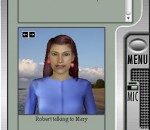
Ultra Hal Assistant is an artificial intelligence conversation simulator. It is capable of being your digital secretary and companion. Talk to Hal in natural English language and Hal will speak back to you. Hal has a huge conversational database and will discuss anything. Hal speaks out loud to you in one of many high quality voices and has several 3D animated characters to choose from. Hal will learn from every sentence that you tell it and over time it will learn like the same things you do, and to talk about topics you like to talk about. In addition to being able to chat with you for entertainment purposes, Ultra Hal can also act as a personal information manager (PIM). Hal can remember and remind you of appointments, it can keep an address book, it can keep a phone book, and it can dial phone numbers for you. Hal will also run programs and recent documents on command, and can help you browse the Internet. You can also run your Hal bot on the AOL Instant Messenger network.
GOM Media Player The only media player you need - for FREE! Not only is GOM Media Player a completely FREE video player, with its built-in support for all the most popular video and Media Player formats, tons of advanced features, extreme customizability, and the Codec Finder service, GOM Media Player is sure to fulfill all of your playback needs. With millions of users in hundreds of countries, GOM Media Player is one of the world`s most popular video players. Whats New : Added "Touch Setting" feature for touch screen devices. Added "Search box" feature on playlist. (Ctrl+F) Supported "HTTPS URL" for youtube or net radio playback. (Ctrl+U) Added "Music Tap" on preferences related to play music files. Improved performance related to "speed of add & delete" of files on playlist. Other miscellaneous corrections, fixes, and changes
RealPlayer has always enabled you to play RealAudio (*.ra) and RealMedia (*.ram) files. Download videos from thousands of Web sites with just one click Build your own video library and playlists Play all major audio and video formats Flash Video support DVD, SVCD, VCD burning and video recording RealPlayer for personal use includes audio CD burning capabilities, DVR-style playback buffering, multimedia search, Internet radio, a jukebox-style file library, an embedded web browser (using Microsoft Internet Explorer), and the ability to transfer media to a number of portable devices, including Apple's iPod, MP3 players, and Windows Media devices.
GOM is a FREE media player with popular audio & video codecs built-in. Codec Finder GOM Player includes many codecs (XviD, DivX, FLV1, AC3, OGG, MP4, H263 and more) so you won't need to install separate codecs for most videos. For those videos that require a separate codec, GOM Player will find one. Play Broken AVI Files (Patented) GOM Player's patented technology enables users to view files with broken indexes or that are still being downloaded. Powerful Subtitle Support GOM Player supports SMI, SRT, RT, SUB(with IDX) files for subtitle. You can even synchronize subtitle and video if there's any mismatch. Convenient Playlist If you run a video file and there is already a file with a similar name in the directory, it will be automatically added to your playlist. GOM Player has a similar playlist format as M3U, PLS, ASX. Support Different Media Types Along with different media format such as AVI, MPG, MPEG and DAT, GOM Player also supports streaming Windows media format (WMV, ASF, ASX). You can also watch DVD-quality videos with 5.1 channel audio output.