The multimedia software Phoenix PRO / PROplus is designed for intuitive and easy handling and allows you use up to 32 laser projectors for your laser shows. Our training videos and tutorials make for an extremely short orientation period; and for an even better start into the operating of this software you may rely on one of our personal trainers. You don’t have to work yourself through heavy manuals, simply get started by using one of our pre-programmed shows. Currently, you have more than 170 shows at your disposal and we are constantly striving to create new ones. The TimeLine makes the generating of a multimedia show as uncomplicated as the editing of videos in any of these Windows-compatible video cutting programmes. As the programming is done in real-time, you can even edit and store the entirety of functions while running the show. All functions and elements of your laser show are being programmed and synchronised via the TimeLine – whether you work with MP3, WAV, WinAmp files or an SMPTE-TimeCodeSignal. Additionally, you can synchronise your video films with the laser, DMX and Midi effects. The WAV visualisation makes for an easier visual synchronisation; the Time-Beat-Marker positions your events down to the beat. The new PHOENIX Recording function allows the user to create an entirely new and perfectly synchronic show. Pre-programmed effects can be saved at the PC or Midi keyboard to make them readily available for introducing them to the beat of the music. PHOENIX will then automatically and up to the point copy the effects and paste them right into the TimeLine and it even provides the users with the option to edit anything they want at a later point in time. PHOENIX’ recording function applies to all laser, DMX and video events. PHOENIX PRO / PROplus are multi screen capable. You may monitor all laser, video and illumination events on one single display; and because this relieves you from constantly switching between several monitors, you won’t get into the malaise to lose control of your show. Admittedly, working with 2 to 3 displays is surely much more convenient and also a bit flashier… To make out of your laser show the ultimate highlight, you can rely on an archive containing more than 190 special effects and even combine them as you like. All the professional functions laser software is able to offer today, you can not merely create your multimedia show; you rather have a chance to enchant your esteemed audience with an unforgettable experience. PHOENIX PRO / PROplus will definitely not set any limits to your creativity. Programme 3D animations in a quick and trouble-free way. Phoenix can be controlled via DMX, Midi, joystick or PC keyboard and you are provided with absolutely all functions any of today’s laser shows is capable of, such as Depth Cueing, SoftColor, SoftBlanking, HiddenLine, Bspline-Curves, Scanlimits, geometrical morphing colour and picture morphing, several tickers and many more. The DMX functions further improve the flexibility of PHOENIX PRO / PROplus. We already have accomplished the programming of more than 2,000 DMX fixtures and their storage with pictures. The fixture editor is good for expanding the library by adding your own fixtures, scenes and sequences. Simply use drag and drop to position everything on the TimeLine or even import entire scenes into other shows.
Plotagon is a tool that lets anyone create an animated movie directly from a written screenplay. Write your story, choose actors, environments and music. Press play and your movie is done. Watch the movie. Share it with the world. Users can insert several scenes to their screenplay, add characters and specify the actions they perform. Music can also be added to enhance the resulting animation.
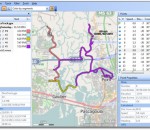
GPS Track Editor is a Windows application for editing GPS tracks. GPS track is an ordered sequence of points with latitude, longitude, date, time, and maybe some other parameters. Unfortunately coordinates obtained from a receiver are not precise. GPS errors are affected by a number of reasons that cannot be eliminated. For example the receiver can show some movement while standing still. GPS Track Editor can help you to clean up your tracks. Some deviations are processed automatically but you can always control the result and edit a part of the track manually. Features: Open and save tracks (GPX, NMEA, Magellan SD are supported). Display the trajectory of your movement. Track point filter by parameter limitation. Adjust track structure, rename segments. Manually deleting, inserting, moving points, work with fragments of a track or a set of tracks. Merge or combine several tracks into one.
Video editing becomes much easier. Create unique videos with AVS Video Editor. Join, split and delete unnecessary scenes, rotate video files. Edit audio directly in the video. Add audio background to video, insert titles. Use cache video technology and edit your HD-recordings fast and efficiently. All key HD-formats are supported: AVCHD, MPEG-2 HD, AVI HD, WMV HD, TOD, MTS/M2TS. Improve your shaky or wobbly video recordings and make the image stable with AVS Video Editor. Use ready animated text overlays. Use Screen capture feature and create your own training videos or demos. Burn DVD/Blu-ray discs. Add menus with music, video and images. Select between dozens of effects and transitions. Import existing video clips from HDD or capture them directly from DV cams. Share your videos on the popular web-hostings, upload them directly from the program interface. Edit Blu-ray videos. Add specially designed menus, apply effects and transitions, cut, trim, mix, burn output files on to Blu-ray discs. AVS Video Editor supports such formats as AVI, VOB, MP4, DVD, WMV, 3GP, MOV, MKV, H.263/H.264-Codecs, MPEG, QuickTime, FLV, SWF, TS, DAT, PPT, Real Video (RM, RMV), etc. AVS Video Editor is a part of AVS4YOU.com package. Register once at avs4you.com and work with all tools from the AVS4YOU.com package. Subscribe for $39/year or $59/lifetime. AVS4YOU tools let you easily rip, convert and edit audio/video files, edit images, burn DVDs, create ringtones, upload videos to portable devices, players, phones and much more!
It's simple, fast and powerful software for logo design, icons, business web graphics. Jeta has huge library of over 5000 vector shapes and icons, 200 shape styles and 400+ logo templates, which makes it use even simpler and faster. All logo templates are scalable vector layers, grouped for simple manipulations (can be ungrouped for farther modification). Start your logo design with one of over 400 templates, modify it by replacing shapes and styles and you will get unique logo design in just a few simple steps!
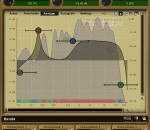
MEqualizer is a 6-band equalizer with increadibly fast and easy controls. FEATURES: · 7 filter types for each band. · Smooth visualisation of resulting frequency response. All parameters are adjustable from the graph. · Enable, Q, and Actual source level indication inside the shape graph. · Global preset management - using a title button you can save your settings, which are shared on the computer, so you can easily access them in another songs.
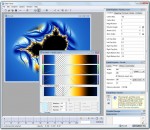
Ultra Fractal is the best tool to create fractal artwork and fractal animations. Whether you are a graphics designer, a video producer, a professional fractal artist or a complete beginner, Ultra Fractal will make it easy to create beautiful fractal pictures, animated textures and moving fractal backgrounds. The Animation Edition contains everything from the Standard Edition, plus animation and network features: create fractal movies and calculate fractals using multiple networked computers. The Animation Edition contains everything from the Standard Edition, plus animation and network features: create fractal movies and calculate fractals using multiple networked computers. FEATURES: Get started quickly with the integrated tutorials: · It is easy and fun to start using Ultra Fractal with the built-in tutorials. Starting with the basics, you will soon learn how to create your own fractals, change the colors, add layers, use masks, and even create animations. You can also download the PDF manual to print the tutorials. Explore thousands of fractal types and coloring options: · First explore the standard fractal types in Ultra Fractal to get familiar with them. Then connect to the online formula database to download thousands of additional fractal formulas and coloring algorithms contributed by other users. Enjoy unlimited deep zooming: · You can zoom to virtually unlimited depths with Ultra Fractal. Deep zooming is fully integrated and works with all fractal types and coloring options, even those you have written yourself! Tweak parameters with the versatile Explore feature: · Choosing parameter values is a breeze with the new Explore feature. Experiment with new parameter values by moving the mouse cursor over a coordinate grid in the Explore window, while the Fractal Mode tool window shows a real-time preview of the result. Color your fractals and add transparency effects: · Coloring your fractals is easy with Ultra Fractal's gradient editor. Drag the gradient curves up and down to create smooth ranges of colors, or use the Randomize options to quickly try various color combinations. You can also use the gradient editor to add transparency effects. Compose fractals with layers, masks, layer groups and Photoshop-like merge modes: · One of Ultra Fractal's key features is layering. You can place multiple layers of fractals on top of each other to combine them and create intricate coloring and texturing effects. Add mask layers to create transparent areas that will let the underlying layers shine through. Organize related layers in layer groups. Store layers or groups that you often use in the layer presets menu to access them quickly. You can even select multiple layers to edit their parameters together. Image import: · Import PNG, JPEG or BMP images in your fractals with the built-in image import feature. Simply select a coloring algorithm that contains an image parameter, and you can select any image on your computer to use. Open and organize your fractal files: · Organize all your fractal-related files with the integrated Explorer-like file browsers. Quickly scan formula files and parameters with the new thumbnail view and the powerful search tools. Render your artwork to produce fractal movies and high-quality images for printing and publishing: · Create stunning fractal movies and high-quality images in full color at any size and resolution with the Render to Disk feature. Built-in anti-aliasing and motion blur smooths and sharpens rendered images and removes jagged edges. Ultra Fractal exports and renders to JPEG, Photoshop, TIFF, PNG, Windows BMP, Targa, and AVI files.
Infix is the only PDF editor that intelligently re-creates the original content so that you can edit it in the way you would expect. Most PDFs just contain fragments of text - just a few words at a time. Other PDF editors allow you to edit each fragment individually. Infix is the product of more than a decade’s work and development in the professional print industry. It uses a set of intelligent algorithms to recreate the original structure of the document. This means you can edit a PDF just like you would a Word document. Nothing comes close to Infix in the arena of PDF editing! Use Infix to edit and reflow text across columns and pages. Manipulate graphics, images, pages and more. Edit PDF documents made by any software - Adobe Acrobat, Distiller, MS Word - it handles them all! Infix enables you to edit existing PDF documents directly, removing the need to convert to other formats. Infix makes short work of updating brochures, technical manuals and reports, avoiding the need to have the original documents or fonts available - a real lifesaver when the original material is missing. Use the advanced Search and Replace feature to make seamless alterations throughout long documents or across multiple PDFs. It's easy to change product names throughout a manual or amend the headers and footers on every page - tasks that would otherwise take hours or days to do by hand! Infix is industry proven technology. At its heart is a sophisticated layout engine which offers full text edit and reflow as well as search and replace facilities in any kind of PDF. As well as this Infix offers all of the standard editing facilities you would expect such as page cropping, annotation, cut and paste between PDFs, graphics manipulation and more. There are three editions of the software - Form Filler, Standard and Professional. All include the the Infix PDF Printer for creating PDFs from any document on your system.
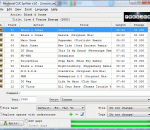
CUE Splitter is a freeware tool that split a single big audio track, mostly an album or a compilation, into the relative individual audio tracks, using informations contained in the associated "CUE" file. Sometimes you can find a big compressed audio file (for example MP3, APE, FLAC, OGG, WAV, WMA, etc...) equipped with a small "CUE" text file that contain informations about tracks title, artist and length. Usually these couple of files are generated by programs like EAC (Exact Audio Copy), CDRWin, BPM Studio, GoldWave or similar. With CUE Splitter you can split audio track files without burning to CDR or decode/re-encode any audio data! Moreover audio files are automatically named using a user-defined "file mask" string, it's tags are filled with information extracted from "CUE" file and, optionally, an M3U playlist file can be generated (option enabled by default). If you like this software and you wish contribute, feel free to make us a PayPal DONATION: take a look at the about form...
Vegas™ Pro 12 is an integrated, forward-thinking production environment designed for a new generation of creative professionals. Combining a familiar track-based timeline with hundreds of thoughtful workflow innovations, Vegas Pro 12 is a refreshing, modern approach to post-production. Supporting more formats, more workflows, and more creative control than ever before, Vegas Pro 12 makes it easy to deliver your message and express your artistic vision.
DP Animation Maker is powerful, easy-to-use animation software that lets you create animated backgrounds, animated gifs for websites, and other content within minutes. Turn almost every picture into a professional-looking video with a wide range of animations.
GOM Media Player The only media player you need - for FREE! Not only is GOM Media Player a completely FREE video player, with its built-in support for all the most popular video and Media Player formats, tons of advanced features, extreme customizability, and the Codec Finder service, GOM Media Player is sure to fulfill all of your playback needs. With millions of users in hundreds of countries, GOM Media Player is one of the world`s most popular video players. Whats New : Added "Touch Setting" feature for touch screen devices. Added "Search box" feature on playlist. (Ctrl+F) Supported "HTTPS URL" for youtube or net radio playback. (Ctrl+U) Added "Music Tap" on preferences related to play music files. Improved performance related to "speed of add & delete" of files on playlist. Other miscellaneous corrections, fixes, and changes
RealPlayer has always enabled you to play RealAudio (*.ra) and RealMedia (*.ram) files. Download videos from thousands of Web sites with just one click Build your own video library and playlists Play all major audio and video formats Flash Video support DVD, SVCD, VCD burning and video recording RealPlayer for personal use includes audio CD burning capabilities, DVR-style playback buffering, multimedia search, Internet radio, a jukebox-style file library, an embedded web browser (using Microsoft Internet Explorer), and the ability to transfer media to a number of portable devices, including Apple's iPod, MP3 players, and Windows Media devices.
GOM is a FREE media player with popular audio & video codecs built-in. Codec Finder GOM Player includes many codecs (XviD, DivX, FLV1, AC3, OGG, MP4, H263 and more) so you won't need to install separate codecs for most videos. For those videos that require a separate codec, GOM Player will find one. Play Broken AVI Files (Patented) GOM Player's patented technology enables users to view files with broken indexes or that are still being downloaded. Powerful Subtitle Support GOM Player supports SMI, SRT, RT, SUB(with IDX) files for subtitle. You can even synchronize subtitle and video if there's any mismatch. Convenient Playlist If you run a video file and there is already a file with a similar name in the directory, it will be automatically added to your playlist. GOM Player has a similar playlist format as M3U, PLS, ASX. Support Different Media Types Along with different media format such as AVI, MPG, MPEG and DAT, GOM Player also supports streaming Windows media format (WMV, ASF, ASX). You can also watch DVD-quality videos with 5.1 channel audio output.