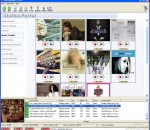
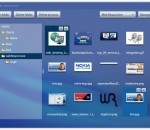
Want to Record Internet Radio? Get thousands of sounds every few hours? Record your favorite Shoutcast Radio or TV show? Record Last.fm, Pandora.com, AOL Radio.com, Slacker.com, iTunes radio, or Podcasts? Then download the latest version of StationRipper now! StationRipper allows you to Record Internet Radio Stations and broadcasts. Users on broadband connections regularly report 3,000-6,000 new songs can be downloaded every 24 hours with the registered version. Record Shoutcast Radio and Video, Last.fm, Pandora.com, AOL Radio.com, Slacker.com, and Podcasts. Choose from over 12,000 radio stations, tens of thousands of Podcasts, and almost unlimited combinations of Last.fm stations. * Record Shoutcast Audio and Video streams, iTunes Radio, Podcasts, and Last.fm. * Record Pandora.com, AOL Radio.com, Slacker.com. * Records up to 600 streams at one time. * Buy the music you are recording. * Auto-download Album art. * Use with iTunes - auto-generate iTunes playlists of songs recorded, and auto-sync to your iPod. * Use with Media Monkey - auto-generate MediaMonkey playlists of songs recorded. * Keeps track of the songs you've already recorded, only keeping the songs you don't already have. * Lets you easily find stations to record, via the StationRipper Portal, Shoutcast, or other web sites. Or you can drag and drop from iTunes radio to start recording. * Keeps a list of the music and stations you've recorded, allowing easy playback and re-recording of stations. * Listen to any station being recorded with a single mouse click. * Ignore songs under a certain size.
Aviary is a powerful, fast, and fun photo editor which we created because we wanted an easy way to edit our photos on the go with no fuss. We’ve included all the tools you need, in a super intuitive interface so you can get right to editing.
3D superbike racing game. Take part in a greatest moto racing competition. Perform stunts to earn points and to get in time to the finish. Practice in the Single Race mode. Compete with your best result in Time Attack mode.
avast! Pro Antivirus 5.0 is for people and companies that want a customized computer security package. Antivirus and internet protection components in avast! Pro Antivirus are built for easy integration with existing firewalls in users home or work computers. Pro Antivirus has two major additions to the core protection elements in avast! Free Antivirus: the Script Engine and the Sandbox. The Script Shield and its script detection engine stop malware at the point of entry- web browsing activities. Around 80 percent of new infections are caught through internet browsing. The Script Shield watches scripts executed in the operating system and scans scripts (both remote and local) run as a part of a web page. The Sandbox lets users test suspect files in a safe virtual environment and insulates the real computer from damage caused by active malware. These features complement the increased efficiency of the new avast antivirus and antispyware engine. Memory requirements for the engine have been cut in half and scanning is 40 percent faster, saving both time and computer resources. Complete rootkit protection includes real-time detection to ward off initial installation, on-demand scanning and boot-time scans. The user friendly 5.0 has a new interface with easy-to-adjust settings, a context-sensitive help menu and graphs showing ongoing protection activities. Users can set the time and conditions for complete scans, with avast even waking up their computer from hibernation for midnight scans before putting it back to bed. The two major pathways for malware into a computer are the web and email. avast! provides separate defensive strategies for each.
QuickTumble is an easy-to-use Safari extension that will provide you with a rapid solution for posting text, photos, links and more on Tumblr. Currently it offers: · Toolbar button - toggles bar with shortcuts to add different media types to tumblelog (text, photo, link, etc.) · Tumble Link to this Page context menu for quick posting links to currently browsed page · Tumble Selection as Quote context menu for quick posting selected text on visited page as quote. FEATURES: toolbar button easy posting and dashboard access context menus posting test, quotes, images, etc. by clicking on it Tumblr integration simple sign in to your account support for multiple tumblelogs work log, home log, love log - everything at your fingertips!
This effecient little application will increase your productivity when managing your pictures and folders in the Joomla Media Manager backoffice. By using this application, you don't have to log in to the backoffice, go to the media manager, find the folders to upload to, etc. every time you need to upload pictures. You just start this application, select your Joomla site you want to upload pictures to and start dragging the pictures into the fo
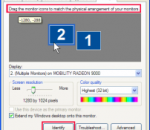
This application can change your desktop width, height, color depth, and refresh rate temporarily or permanently (via command line switches). You can have Display Changer run another application in a specific display resolution and return to the previous resolution when the application finishes. The command line switches let you alter only certain dimensions and choose the best refresh rate (or a specific one).
Virtual Router Simplicity is a simple and stable virtual router software. It requires zero configuration to create a virtual WiFi spot. Starting from Windows 7, Microsoft provided a capability of creating virtual WiFi hotspot. It is very handy when you want to share the internet access through wireless. However there is only a commandline version provided in Windows, and it takes several actions to simply create a usable WiFi hotspot. Virtual Router Simplicity is a GUI tool to let you create such WiFi hotspot just in one click. VirtualRouterScreenshot.png The best Virtual Router software As the name suggested, the goal of this tool is to achieve the best user experience, to be as simple and as stable as possible. No Installation Required Simply download the zip package and extract to anywhere you want. No installation is required; no registry keys are modified; completely portable. Zero Configuration Once it's started, a WiFi hotspot is created immediately. You don't even need to click any button! Full Control Advanced configurations are still available for you to change settings including SSID and password. Stable and Easy to Diagnose Various of detection, verification and retry logic is implemented. It will have the best ever success rate of creating the WiFi hotspot. If an error occurs, a very specific pure English explanation will let you know the root cause.
eScan 11 for Small and Medium Businesses has been developed focusing on the growing security needs of the SMBs. eScan 11 for SMBs provides corporate level next-generation protection to small and medium businesses from Viruses, Spyware, Spam, Phishing, Hacking, Data Theft and Zero day threats with a very low cost of ownership. The centralized web-based administration console helps the network administrator set policies on client computers to prevent malware infections and increases productivity. Key Features: New Secure Web Interface Summarized Dashboard for better Security Management Network Outbreak Prevention, Live Alerts and Reports Hotfix Management Enhanced Firewall on both the Server and the Client Sophisticated File Blocking & Folder Protection The New Faster and Intelligent On-Demand Scanner Other Highlights: Remote connection to Clients from the eScan Management Console Active Directory Services Integration File Reputation Services Real-time Asset Management through the eScan Management Console Real-Time Protection against Malware Powerful Heuristic Scanning for Proactive Protection Enhanced Web Protection with Virtual Keyboard, Phishing and Malware URL Filter Auto Back-up & Restore of Critical System files Export and Import eScan Management Console settings Automatic Compressed Updates Wizard to create a Windows-based Rescue Disk to clean Rootkits and File infectors Inbuilt eScan Remote Support 24x7 FREE Online Technical Support through e-mail, Chat and Forums
Award winning anti-virus that just works High quality protection. For surfing, searching and social networking. * Award-winning protection that works quietly in the background * Game and surf without interruptions * Surf, download files and use social networks safely Brilliant protection for surfing, searching and social networking Anti-virus protection that automatically updates to protect you from continually evolving threats. As hackers develop new techniques, AVG’s research labs are constantly processing web data to provide new defenses to keep you automatically protected. Exceptional anti-virus protection Anti-Virus, Anti-Malware, Anti-Spyware Our Anti-Virus technology protects you from falling victim to (or unwittingly spreading) a virus, worm, or Trojan horse. The first layer of protection is traditional anti-virus, which keeps known threats out of your system by matching them to a database. AVG Anti-Spyware protects you from Spyware and Adware that can keep track of your personal information. AVG Resident Shield provides an additional layer of protection by examining files for threats as they are being copied opened or saved and prevents you opening infected files. AVG Protective Cloud Technology Emerging threats are identified “in the cloud” and prevented from infecting your computer via AVG’s automatic updates to your anti-virus software. AVG Community Protection Network Information about the latest threats is collected from customers who choose to participate, enabling us to constantly identify new threats, supporting everyone in the AVG community and helping us to provide superior anti-virus protection. Gaming and surfing without interruptions Get on with your surfing and gaming without interference. Scans operate when you are away from your PC, and it also knows when you are gaming and ensures that the security operates in the background only, leaving you free to play. AVG Smart Scanning Our intelligent and lightweight smart scanning technology operates in high-priority mode while you’re away from your PC and drops into low-priority mode when you move your mouse or strike a key. AVG Smart Scanning ignores files it has scanned in the past and already knows are safe, enabling vast improvements in scan times. Game Mode AVG’s Game Mode provides non-stop protection during non-stop action in multi-player games like Call of Duty without annoying lags and freezes caused by scheduled updates and scans. AVG safeguards your digital profile against teams of hackers who are crawling the web, specifically looking to steal your game rewards and sell them for real money. Auto-Fix AVG 2012 constantly monitors your protection level and reports back to our labs team if it detects a security risk. Next to the flagged alert message you will see an Auto-Fix button -- once click resolves the problem. The Auto-Fix button in AVG2012 will automatically correct errors and set itself back to the best protection mode. Safe downloads Files are checked before you download them without you having to do a thing. AVG Anti-Virus will also protect you when exchanging files through popular instant messaging like MSN and Yahoo. AVG Online Shield™ AVG Online Shield checks files before you download them and ensures online chat links are safe. It checks files against both AVG’s Scanning Engine and our own LinkScanner technology. Instant Messaging Protection also makes sure you are safe when exchanging files using ICQ, MSN and Yahoo! instant messenger.
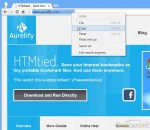
HTMtied instantly converts any Internet address (link, URL, bookmark, favorite) to a very small HTML file that when opened in any browser, it will automatically load that address. Use it when you want to save an Internet address for future use on your computer, tablet, smartphone, web storage, Windows, Mac, Android, iOS, etc. Using HTMtied is easy as 1, 2, 3. Step 1: Copy the Internet address from your browser's address bar or from any link to the Clipboard. Step 2: Run HTMtied (from the Desktop, Start Menu, or better yet, from a shortcut key you define). HTMtied will automatically convert that address to a linking HTML file and copy the file to the Clipboard. Step 3: Simply paste the file anywhere you want. Starting with Version 2.0, HTMtied supports conversion of links en masse: copy any number of Internet addresses on separate lines to the Clipboard or drag and drop any number of URL files over HTMtied, and linking HTML files will be created for each address. There is also the new Direct Mode, a special HTMtied shortcut that, when clicked, it will automatically save all the link HTML files to a directory of your choosing (Documents, Dropbox, etc.). HTMtied is so easy to use that it doesn't even need a user interface: if everything goes well, the famous "Tada" sound is played. On failure, an error sound is played. HTMtied can also be downloaded and run directly, without installation. Windows and Internet Explorer can save Internet addresses to URL files. However, URL files are not a standard and cannot be used across different platforms. Linking HTML files created by HTMtied work anywhere. And yes, HTMtied can convert URL files to linking HTML files: simply copy the URL files on the Clipboard and run HTMtied. Or drag and drop the URL files over the HTMtied icon.
GOM Media Player The only media player you need - for FREE! Not only is GOM Media Player a completely FREE video player, with its built-in support for all the most popular video and Media Player formats, tons of advanced features, extreme customizability, and the Codec Finder service, GOM Media Player is sure to fulfill all of your playback needs. With millions of users in hundreds of countries, GOM Media Player is one of the world`s most popular video players. Whats New : Added "Touch Setting" feature for touch screen devices. Added "Search box" feature on playlist. (Ctrl+F) Supported "HTTPS URL" for youtube or net radio playback. (Ctrl+U) Added "Music Tap" on preferences related to play music files. Improved performance related to "speed of add & delete" of files on playlist. Other miscellaneous corrections, fixes, and changes
Iperius Backup is one of the best free backup software, also released in commercial editions for those who need advanced backup features for their companies. The freeware version of Iperius Backup allows you to backup to any mass storage device, such as NAS, external USB hard drives, RDX drives, and networked computers. It has comprehensive scheduling and e-mail sending functions. It supports zip compression with no size limit, incremental backup, network authentication and the execution of external scripts and programs.
Maryfi is a free and easy to use software router for Windows 7, 8 , and 8.1 computers. With Maryfi, users can wirelessly share any Internet connection such as: a cable modem, a cellular card, or even another Wi-Fi network. Other Wi-Fi enabled devices including laptops, smart phones, music players, and gaming systems can see and join your Maryfi hotspot just like any other Wi-Fi access point and are kept safe and secure by password-protected WPA2 Encryption.