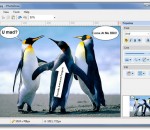
People always say 'a picture is worth 1000 words'. But sometimes a plain picture is just not enough. You may want to add annotation to the picture and let it carry richer and more accurate information. iPhotoDraw is a handy tool that's design exactly for that purpose. It helps you add annotations directly on photos. With iPhotoDraw, you can add description text, callout boxes (ballons), dimensions, detailed images, and other annotation objects to the pictures. You don't even need to worry your original pictures will be screwed up with additional drawings. If fact, annotations are stored in a separated file. The application is small and very easy to use.
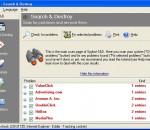
Spybot - Search & Destroy detects and removes spyware, a relatively new kind of threat not yet covered by common anti-virus applications. Spyware silently tracks your surfing behaviour to create a marketing profile for you that is transmitted without your knowledge to the compilers and sold to advertising companies. If you see new toolbars in your Internet Explorer that you haven't intentionally installed, if your browser crashes inexplicably, or if your home page has been "hijacked" (or changed without your knowledge), your computer is most probably infected with spyware. Even if you don't see the symptoms, your computer may be infected, because more and more spyware is emerging. Spybot-S&D is free, so there's no harm giving it a try to see if something has invaded your computer. To see a list of threats Spybot-S&D can remove, in the navigation bar at the left click on Support --> Threats. For an introduction to Spybot-S&D, please read the tutorial. If you fear incompatibility with other software you are now using, although we can assure you that there is no danger you can review our compatibility overview which lists some software whose compatibility has been analyzed. Spybot-S&D can also clean usage tracks, an interesting function if you share your computer with other users and don't want them to see what you have been working on. And for professional users, Spybot-S&D allows you to fix some registry inconsistencies and extended reports. A list of all the application's features is also available. Features: · Removal of keyloggers · User-extendable database · Save removal of threats by shredding them · Backups of every removed problem · Exclude option to ignore specific problems s · Permanent blocking of known tracking cookies for IE · Permanent blocking of threating downloads in IE · Command line parameters to automate tasks · Number of targets > 600 > 600 · Number of detection files and entries > 10000 > 10000 · Detailed information about problems found Yes Yes · Strict criteria to define targets Yes Yes · Integrated update function · Weekly updates · Free email & forum support Yes Yes · Settings to automate scan, removal and update · System reports to locate even unknown threats · Skins to adjust interface to the users liking
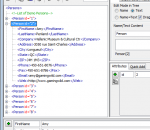
The Easy XML Editor is an easy-to-use code editor for XML files. With it you can view and edit XML data in a new, simplified way.
www.soft.tahionic.com This Program will generate fake traffic on a web site. Description: This state of art multithreaded Program will generate fake traffic on a web site by re-loading a specified webpage (or download link) over and over. It can have many purposes.
TeraCopy is a compact program designed to copy and move files at the maximum possible speed, providing the user a lot of features: Copy files faster. TeraCopy uses dynamically adjusted buffers to reduce seek times. Asynchronous copy speeds up file transfer between two physical hard drives. Pause and resume file transfers. Pause copy process at any time to free up system resources and continue with a single click. Error recovery. In case of copy error, TeraCopy will try several times and in the worse case just skips the file, not terminating the entire transfer. Interactive file list. TeraCopy shows failed file transfers and lets you fix the problem and recopy only problem files. Shell integration. TeraCopy can completely replace Explorer copy and move functions, allowing you work with files as usual. Full Unicode support.
Video editing becomes much easier. Create unique videos with AVS Video Editor. Join, split and delete unnecessary scenes, rotate video files. Edit audio directly in the video. Add audio background to video, insert titles. Use cache video technology and edit your HD-recordings fast and efficiently. All key HD-formats are supported: AVCHD, MPEG-2 HD, AVI HD, WMV HD, TOD, MTS/M2TS. Improve your shaky or wobbly video recordings and make the image stable with AVS Video Editor. Use ready animated text overlays. Use Screen capture feature and create your own training videos or demos. Burn DVD/Blu-ray discs. Add menus with music, video and images. Select between dozens of effects and transitions. Import existing video clips from HDD or capture them directly from DV cams. Share your videos on the popular web-hostings, upload them directly from the program interface. Edit Blu-ray videos. Add specially designed menus, apply effects and transitions, cut, trim, mix, burn output files on to Blu-ray discs. AVS Video Editor supports such formats as AVI, VOB, MP4, DVD, WMV, 3GP, MOV, MKV, H.263/H.264-Codecs, MPEG, QuickTime, FLV, SWF, TS, DAT, PPT, Real Video (RM, RMV), etc. AVS Video Editor is a part of AVS4YOU.com package. Register once at avs4you.com and work with all tools from the AVS4YOU.com package. Subscribe for $39/year or $59/lifetime. AVS4YOU tools let you easily rip, convert and edit audio/video files, edit images, burn DVDs, create ringtones, upload videos to portable devices, players, phones and much more!
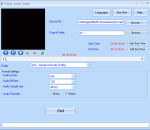
Power Audio Cutter is a digital audio converter/cutter. The main function of Power Audio Cutter is to convert audio files from one format to another and cut a part of file into new audio file. The program supports wav, mp3, m4a, amr, wma, aac, mp4, ac3, au, mp2, aiff audio formats.
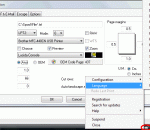
Print from DOS-Windows-Unix-Linux to Windows printers: USB, GDI, PDF, e-mail, network, fax, virtual. Capture PRN: and from LPT1: to LPT9:, then redirect the jobs, even to a printer phisically connected to the captured port. It also allows preview printing, include logos and background forms, send the jobs via fax/e-mail, use specialist fonts (barcodes etc.), colorize the text, export in PDF, archive copies, same job to multiple printers and more.
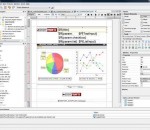
iReport is the free, open source report designer for JasperReports. Create very sophisticated layouts containing charts, images, subreports, crosstabs and much more. Access your data through JDBC, TableModels, JavaBeans, XML, Hibernate, CSV, and custom sources. Then publish your reports as PDF, RTF, XML, XLS, CSV, HTML, XHTML, text, DOCX, or OpenOffice.
VCDCutter Pro main features include: support slide show play of picture file; grab picture when you play video file; clip admiring video segment; generate video file screen shot; on-line video broadcast; support window/screen capture; and also send the playing video frame/picture to self-contained simulated video Webcam; and offering a wide variety of other functions. VCDCutter Pro is a software that helps you cut and split video files. VCDCutter Pro is also a software simulated Webcam. It can be simulated into a virtual Webcam and used in Biliao, Liaoliao, EPH, QQ, MSN, NetMeeting, UC, and other software/chat room, for playing movie, MTV, picture, and as simulated Webcam (Name of device: JiaoCap. This function must be supported by WIN2000/XP. WIN9X does not support.) Here are some key features of "VCDCutter Pro": · Control playback of the video file conveniently and friendly (including image resize, playback volume control, playback speed control, etc.); · Clip video file at the time of playback and save the clipped file in AVI/MPG1 format; · Support clipping and chopping MPG1 file into smaller segments at equal length and combine smaller segments into large segment file; · Grab picture while play video file (including continuous grabbing); · Support the slide show playback of picture file and provide numerous change modes of special effects; · Support video file compression and conversion (compress and convert some video files into AVI format); · Generate video file screen shot automatically or in batch; · Send the playing video frame/picture to self-contained simulated video Webcam (Name of device: JiaoCap. This function must be supported by WIN2000/XP. WIN9X does not support.) · Support online video broadcast of video file and share with friends. · Support window/screen capture. you can save captured frames as BMP or AVI, or send frames to self-contained simulated video Webcam.
Get official HP SCANJET G3110 Drivers for your Windows. HP SCANJET G3110 Driver Utility scans your computer for missing, corrupt and outdated drivers and automatically downloads and updates them to the latest, most compatible version. HP SCANJET G3110 Driver Utility saves you time and frustration and works with all drivers such as sound drivers, video drivers, wireless drivers etc.
GOM Media Player The only media player you need - for FREE! Not only is GOM Media Player a completely FREE video player, with its built-in support for all the most popular video and Media Player formats, tons of advanced features, extreme customizability, and the Codec Finder service, GOM Media Player is sure to fulfill all of your playback needs. With millions of users in hundreds of countries, GOM Media Player is one of the world`s most popular video players. Whats New : Added "Touch Setting" feature for touch screen devices. Added "Search box" feature on playlist. (Ctrl+F) Supported "HTTPS URL" for youtube or net radio playback. (Ctrl+U) Added "Music Tap" on preferences related to play music files. Improved performance related to "speed of add & delete" of files on playlist. Other miscellaneous corrections, fixes, and changes
Iperius Backup is one of the best free backup software, also released in commercial editions for those who need advanced backup features for their companies. The freeware version of Iperius Backup allows you to backup to any mass storage device, such as NAS, external USB hard drives, RDX drives, and networked computers. It has comprehensive scheduling and e-mail sending functions. It supports zip compression with no size limit, incremental backup, network authentication and the execution of external scripts and programs.
Maryfi is a free and easy to use software router for Windows 7, 8 , and 8.1 computers. With Maryfi, users can wirelessly share any Internet connection such as: a cable modem, a cellular card, or even another Wi-Fi network. Other Wi-Fi enabled devices including laptops, smart phones, music players, and gaming systems can see and join your Maryfi hotspot just like any other Wi-Fi access point and are kept safe and secure by password-protected WPA2 Encryption.