Real Alternative allows your system to play Real Media files (.ra .ram) without having to install the full version of RealPlayer The latest version contains: Media Player Classic - a freeware media player that supports both Real Alternative and QuickTime Alternative. RealMedia Codecs RealMedia plugin for Internet Explorer RealMedia plugin for Opera/Mozilla/Netscape RealMedia DirectShow splitter
QuickTime Player from Apple allows the playback of quicktime movies (.mov) and many other formats. The new QuickTime Player not only delivers startling quality, but it's easier to use than ever. It requires no set up for content that streams over the network. Instead, QuickTime Player automatically determines your system's connection speed and chooses the highest quality stream for the amount of bandwidth you have available. And if you ever lose a connection while watching streaming video, QuickTime Player automatically reconnects. Now, thats convenience. Playback of 3GPP and 3GPP2 files Playback of MPEG-4 video, H.274, AAC audio & Instant-On media Easy-to-use controls Enhanced interface Bass and treble controls Balance control Streaming media support Ability to save movie favorites Ability to view VR & interactive content H.264 video Multichannel audio playback Live resize New playback capabilities Zero config streaming
Zoom Player is a very fast media player. Prior to Zoom Player, playing media files on the PC was either overly simplistic for the Power User or overly cryptic to the common user. Zoom Player tries to both simplify the playback experience for the common user, while giving the Power Users all the tools and interfaces they may require to manipulate their playback environment to their exact specification. To that end, Zoom Player employs a slick and simple user interface, combined with easy to access features while at the same time providing advanced control dialogs over every feature imaginable. Zoom Player was designed from the ground up to load quick, take as little system resources as possible, provide user feedback/direction as appropriate and maintain as much isolation from other applications and system components as not to undermine overall stability. Zoom Player Home remains Free for Non-Commercial use.
It's social. It's portable. It's the new RealPlayer ® SP. And it's perfect for playing and sharing video with your friends and followers on Facebook and Twitter. You'll also be happy to know it works easily with your favorite flavors of Blackberry, iPod, iPhone and game systems. Video Features Universal Player Play every major media type, including Flash, Quicktime MPEG–4 , Windows Media, DVDs and CDs. High Quality Video Enjoy HD and near DVD–quality video and audio with your broadband connection. Works with iTunes Transfer your favorite videos from thousands of Web sites to your iTunes library. LivePause & Perfect Play Pause, rewind and fast–forward through live audio or video clips while they play. Create your own instant replays. Built-In Media Browser The built-in media browser lets you to surf the Web while you're playing video clips or listening to music. Audio Features Advanced CD Burning Rip, mix and burn CDs and MP3s fast. Normalize volume across your CD, set up crossfades and remove gaps between tracks. Advanced Audio Take control with a 10–band equalizer. You can even convert vinyl, tape and voice to digital files. 10–Band Graphic EQ Optimize your sound exactly the way you like it with a 10–band graphic equalizer. Adjust your EQ for room size, input type, and more. Crossfade Crossfade between songs and add reverb to give your mixes a professional edge. Multiple Audio Formats Supports audio CD, MP3, WMA, AAC, RealAudio Lossless, and many more. Surround Sound RealPlayer supports 5-channel audio and a dedicated sub-woofer channel. RealAudio Lossless Format Our new format allows you to burn high-quality CDs using only half the disk space of the standard CD audio format. Visualizations Make your music look as cool as it sounds with many colorful, animations that move to the music.
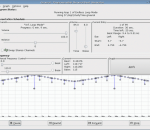
Gnaural was designed to be a multi-platform programmable binaural-beat generator, implementing the principle of binaural beats. A programmable binaural beat and pink noise generator. Outputs in stereo 44.1khz PCM WAV format.
ShellRun is a program that will display a web page when your CD, DVD or USB-stick is inserted into a Windows computer. ShellRun can alternatively display a PDF file, Word document, MP3 file or any other document. AutoPlay/AutoRun works in Windows only. ShellRun displays a small pop up window and then attempts to run the appropriate viewer program to show your file. For example, for a web page, ShellRun asks Windows to start the default browser to display the web page. Put the ShellRun.exe runtime on your CD along with a suitable AUTORUN.INF file. Remember to print manual instructions on your CD for users who have AutoRun disabled, or for those who have other sorts of computer. ShellRun can also be run from a command line prompt or using Start+Run to display a file or URL. The development kit has an install/uninstall facility. The development kit also contains an article describing how to put a web site on CD, i.e. produce HTML CDs. The retail version lets you customize or remove the ShellRun pop up window, provide a menu of commands, and determines what to do if a suitable viewer program is not available.
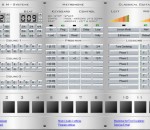
The tempo is tunable up to 300 beats per minute. We have implemented 15 sounds you can configure. A soundcard is needed for running metronome. Addional features are the program editor for variable tempo and repeats and a fullscreen visualization. The program runs under Windows Me / NT / 2000 / 2003 / XP and Vista. A specific deinstallation procedure is not necessary.
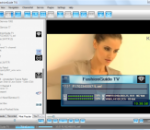
ProgDVB and ProgTV is two is 2 independent user interfaces which can work together from one folder at one list of channels, settings etc. ProgTV is aimed at use with remote control(HTPC). ProgDVB contains more functions but is intended for use by a mouse. Thus it is very convenient to use both interfaces. ProgDVB is a piece of software which allows you to watch SAT-Television and listen to Radio channels directly from satellite by using DVB-PCI cards with hardware decoders on the board, SAT-dish, and personal x86-compatible computers. Support for various types of data sources: * Internet TV and Radio. About 4000 channels in the list. * DVB-S (satellite), DVB-S2, DVB-C (cable), DVB-T, ATSC, ISDB-T * IPTV * Analog TV * Playback from a file Main functions: * High Definition TV support including H.264/AVC * Picture-in-picture support as well as independent simultaneous recording/playback of several channels from one or more devices * Support for the majority of DVB, ISDB-T and ATSC devices including DiSEqC and CAM interfaces support * Support for all digital TV audio formats: MPEG, AC3, AAC,... * Time shifting functionality using the RAM or disk buffer of unlimited size * 10 Bands equalizer * TV and Radio channels recording * Playback from disk based files * Electronic program guide (EPG) from Digital TV or XmlTV,JTV. * Teletext * Subtile(Teletext, image-based and closed captions) * Support for VR, VMR7,VMR9 and EVR renderers including OSD (except VR) independently from channel type or signal presence * Network broadcasting * Skins for OSD and GUI * Both Win32 and full-fledged Win64 versions are available * Interface Language Localizations Currently works with DVB-S, DVB-S2, DVB-T and DVB-C cards of the following manufactures: * Anysee (E30S Plus,...) * AverMedia DVB-S * Azurewave (TwinHan) (VP-1027, VP-1034, VP-1041,... ). * BroadLogic 2030/1030 * Compro VideoMate DVB-S * Digital everywhere FireDTV/FloppyDTV * DVBWorld USB2.0 DVB-S/DVBWorldDTV(PCI-Sat), Acorp TV878DS/DS110/DS120, Nextorm NBS240/NSC120 * GeniaTech products(Digistar DVB-S PCI, satbox, TVStar, Digistar2, Digiwave 103G,...) * Hauppauge * Kworld DVB-S 100 compatible (Vstream, Dynavision..... ) * LifeView FlyDVB * 10moons * Netcast DVB * NEWMI Advanced DVB * Pinnacle * Technotrend * Tevii * TBS Q-Box * Technisat * Telemann Skymedia 300 DVB (not official) * Tongshi * Terratec * St@rKey usb box * Cards with BDA driver (possible issues with some cards) * Also works without a card, for example, as a video player or as a broadcast client
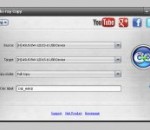
Free Blu-ray Copy is the best choice for you to choose, because it is the professional Blu-ray copying software, and it can help you copy any Blu-ray disc and Blu-ray folder to other Blu-ray disc, Blu-ray folder and Blu-ray ISO image file. Also, it is capable of copying any 3D Blu-ray movie to Blu-ray disc and ISO image file. Besides, it provides two different kinds of copy modes for you to choose. And you can select your needed one according to your needs. Key features: 1.Copy Blu-ray movies This Free Blu-ray Copying software is able to copy any Blu-ray disc and Blu-ray folder to other Blu-ray disc, Blu-ray folder and ISO image file. Also, it can copy any 3D Blu-ray movie to Blu-ray disc and ISO image files. 2.Two copy modes Free Blu-ray Copy provides two copy modes for you to choose, so you can choose the Full Copy mode, which can keep the original quality of the source Blu-ray after copying. Also, you can choose the Main Movie mode, which will only copy the main movie rather than the menu, additional content and special features. 3.Backup the Blu-ray In order to lossing your precious Blu-ray disc, you can backup the Blu-ray disc, Blu-ray folder and ISO image file on the local disc with this Free Blu-ray Copy software. 4.Easy to use This software has an user-friendly interface, you can finish the whole processing by a few clicks. You can choose your preferred languages to use this software easily.
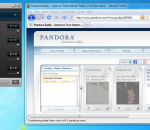
With Airfoil, you can now send any audio right to your AirPort Express, Apple TV, third-party AirPlay devices, as well as other PCs and Macs! It even works with iOS devices like the iPhone, iPod Touch, and iPad. Send audio from Spotify, Rdio, Winamp, and other media players all around your house. Send web-based audio from Pandora and more as well. Send audio from almost any application out!
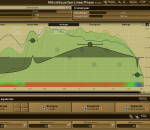
The MAutoEqualizer VST plugin was developed to be the world's first true parametric (linear-phase) equalizer providing spectral matching! FEATURES: The best audio quality out there: · Parametric equalization provided by MAutoEqualizer cannot be matched by simple FFT-based algorithms. MAutoEqualizer provides true analog sound and 2 top-class linear-phase algorithms. Fully adjustable linear & minimum phase parametric equalizer: · Unlike common spectral matching algorithms our automatic equalization configures all bands of the equalizer only. No black box, you see exactly what it is doing. It only does what you would do, but it does not suffer from lack of experience, ear-fatigue or exhaustion. And when you don't like what it does, you can just change it! Extremely versatile, useful for everything from mixing to mastering: · You can make your recordings sound professional. · You can ensure all of your recordings on your new album sound similar. · You can let MAutoEqualizer fit a track into a mix using spectral separation feature. · You can draw your desired frequency response. · In any case MAutoEqualizer will find the best settings and configure the parametric equalizer bands for you.
GOM Media Player The only media player you need - for FREE! Not only is GOM Media Player a completely FREE video player, with its built-in support for all the most popular video and Media Player formats, tons of advanced features, extreme customizability, and the Codec Finder service, GOM Media Player is sure to fulfill all of your playback needs. With millions of users in hundreds of countries, GOM Media Player is one of the world`s most popular video players. Whats New : Added "Touch Setting" feature for touch screen devices. Added "Search box" feature on playlist. (Ctrl+F) Supported "HTTPS URL" for youtube or net radio playback. (Ctrl+U) Added "Music Tap" on preferences related to play music files. Improved performance related to "speed of add & delete" of files on playlist. Other miscellaneous corrections, fixes, and changes
RealPlayer has always enabled you to play RealAudio (*.ra) and RealMedia (*.ram) files. Download videos from thousands of Web sites with just one click Build your own video library and playlists Play all major audio and video formats Flash Video support DVD, SVCD, VCD burning and video recording RealPlayer for personal use includes audio CD burning capabilities, DVR-style playback buffering, multimedia search, Internet radio, a jukebox-style file library, an embedded web browser (using Microsoft Internet Explorer), and the ability to transfer media to a number of portable devices, including Apple's iPod, MP3 players, and Windows Media devices.
GOM is a FREE media player with popular audio & video codecs built-in. Codec Finder GOM Player includes many codecs (XviD, DivX, FLV1, AC3, OGG, MP4, H263 and more) so you won't need to install separate codecs for most videos. For those videos that require a separate codec, GOM Player will find one. Play Broken AVI Files (Patented) GOM Player's patented technology enables users to view files with broken indexes or that are still being downloaded. Powerful Subtitle Support GOM Player supports SMI, SRT, RT, SUB(with IDX) files for subtitle. You can even synchronize subtitle and video if there's any mismatch. Convenient Playlist If you run a video file and there is already a file with a similar name in the directory, it will be automatically added to your playlist. GOM Player has a similar playlist format as M3U, PLS, ASX. Support Different Media Types Along with different media format such as AVI, MPG, MPEG and DAT, GOM Player also supports streaming Windows media format (WMV, ASF, ASX). You can also watch DVD-quality videos with 5.1 channel audio output.