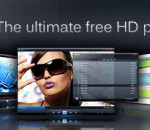
Introducing next generation media player for PC. Watch High Definition movies and digital television (DVB-T). Enjoy the best video quality and unique user experience. Download free Splash Lite and simply enjoy! Watch your HD recordings and movies on your PC. Play all your High Definition MPEG-2 and AVC/H.264 camcorder clips and movies, incredibly fast, smooth and without problems. You don't need any additional codecs. Download, install, watch. It takes about one second to start application and High Definition video playback! Rediscover Digital Television. Watch, timeshift and record high quality DVB-T television with pleasure. Easy navigation and fast channel zapping. Rediscover standard television with high quality and power saving image post-processing technologies, optimized to work with desktops, notebooks and netbooks. Watch your videos everywhere. Want to take your movies or camcorder clips with you? Just push a button and upload clips to your favorite portable multimedia device or directly to YouTube™. Take advantage of fast Mirillis video transcoding engine. Picture² - the best video quality! Advanced picture post-processing engine, delivering the best video quality. Watch standard and high definition videos like never before. Optimized to deliver top quality video on all PCs: desktops, notebooks and netbooks. Clear, stylish and innovative User Interface. Splash is compact, stylish, user friendly and incredibly fast! Provides the best user experience for video files and digital TV playback. Designed to enjoy multimedia the proper way. Featuring Mirillis Codecs. Ultra fast audio and video decoders designed for your multi-core processor and graphics card hardware acceleration (GPU). Choose our optimized low power consumption technologies, save your mobile PC batteries, money and the environment. You don't need any additional codecs to play the best quality videos now!
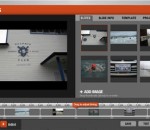
Soundslides allows storytellers to concentrate on the story, rather than the application. Created for journalists and other storytellers on deadline, Soundslides is designed to help you create a slide show a piece of cake. Soundslides operates in a single window on your Windows or Mac OS X computer, with a straightforward interface that leads you through importing your images and audio. Editing tools are familiar and behave the way you'd expect. It doesn't do print layout. You can't use it to mix your band's new demo. What Soundslides does is make it easy for you to present your images with impact, then sync them seamlessly with any audio track. With Soundslides Plus, you can even skip the sound and just focus on the images. Whether it's breaking news or a project that landed on your desk at the last minute, Soundslides provides the simplicity and reliability to get your project online with time to spare. Soundslides makes Macromedia Flash files (swf), and the html needed to display the Flash files. Soundslides will export a folder that you can upload to your web server without any additional work. FEATURES: Ridiculously simple storytelling: · Soundslides allows storytellers to concentrate on the story, rather than the application. Created for journalists and other storytellers on deadline, Soundslides is designed to make quick work of slide show production. Fast and intuitive: · Soundslides operates in a single window on your Windows or Mac OS X computer, with a straightforward interface that leads you through importing your images and audio. Editing tools are familiar and behave the way you'd expect. Built for storytelling: · It doesn't do print layout. You can't use it to mix your band's new demo. What Soundslides does is make it easy for you to present your images with impact, then sync them seamlessly with any audio track. With Soundslides Plus, you can even skip the sound and just focus on the images. From blogs to full-screen: · Are you a photojournalist needing to document an overseas trip in a full-screen presentation on your organization's Web site? Soundslides makes it simple. Are you a public relations officer documenting your firm's projects in a blog? Soundslides does that too, with online tools that make embedding easy. Field tested on deadline: · Soundslides has been in use at major media outlets and public relations offices around the world since 2005, and it's a favorite of university media labs. Whether it's breaking news or a project that landed on your desk at the last minute, Soundslides provides the simplicity and reliability to get your project online with time to spare.
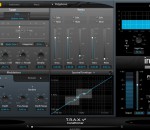
TRAX Transformer is based on an augmented phase vocoder technology and a cutting edge transformation algorithm, allowing for manipulating characteristic properties of a voice such as gender, age and breath, and on any other sound; expression, formant and pitch.
DivX® 9 for Windows is a free download that provides everything you need to enjoy high-quality digital videos on your computer, including HD H.264 (.mkv) videos with AAC audio and videos created using all previous versions of DivX technology. You can also play your DivX files (.divx, .avi) on millions of DivX Certified® devices today. Look for DivX Plus™ HD Certified devices later this year that will support playback of all DivX and DivX Plus files, as well as .mkv (H.264/AAC) videos from the Internet. Web Player: DivX Web Player lets you play up to HD-quality DivX® video in your web browser. You can also use DivX Web Player to easily embed DivX videos onto your website or blog. Community Codec: With the DivX Community Codec, you can watch high-quality DivX® and DivX Plus™ (.mkv) videos using your favorite media player or create DivX files with popular third-party software. Drag-and-drop DivX HD video creation (15-day trial): Convert your digital videos to the DivX® format for playback on your computer or DivX Certified® devices in one easy step. DivX Converter now supports the new DivX Plus™ HD profile so you can easily convert your HD video to H.264 (.mkv) with AAC audio. DivX Pro Codec (15-day trial): The codec that revolutionized the video world is at it again.
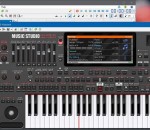
Sofeh Music Studio is a powerful and useful application thaw will help you create your own music sheets by supporting a variety of instruments. Import MIDI files, Change Instruments, Edit, Add Filters and Effects and Create a New Better Music. Export to Wave or MP3 file and Share your Music with others.
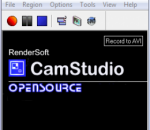
CamStudio is a powerful desktop recording software, capable of recording all audio and video on your computer directly to AVI or SWF streaming flash files. CamStudio lets you easily publish or share online and save your media files or stream in Flash. CamStudio also comes with Lossless Codec that enables crystal clear video quality with much smaller file sizes compared to other video codecs. Cam Studio lets you define if you want to record the entire desktop (whole screen) or just a section of it. CamStudio also allows you to use custom cursors and define the quality of the videos between lower grades for sharing by email to HD/DVD quality for full scale publishing. Supports all versions of Windows, completely free and is extremely fast and easy to use and works right from your desktop.
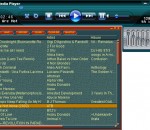
Out of the Box, into the Groove! Groovy Media Player is the perfect music-manager application with cool looks and a garland of features. It has Internet streaming, continuous play, mp3 to wav converting function plus a bunch of other amazing features. Groovy Media Player is not a resource-greedy program and includes a built-in ID3 editor to have audio files renamed and modified much easier. Apart from unique features and an advanced playlist editor Groovy Media Player offers any of the basic functions you'd normally expect from an audio player: minimize-to-tray system, always on top, exit after play, and a bunch more that you will quickly learn. The program's 8-band EQ is merged into main window so you can easily access the frequency settings at any time (don't worry it's small so it won't bother you). If you like to get very specifical with your playlist there's plenty of room to move in and cover all the information you need: you can include criteria such as title, artist, album, year, track number, genre, length and more. You can choose time counter-modes in the main window (either elapsed time or remaining time) with just one click. You can also enable the scrolling mode for displaying titles. On top of the repeat-type mode indicator are placed the bit rate and sample rate and all the rest of functions. From installing it to actually using Groovy Media Player is all about ease of use and joy. The handy drag and drop function, Ctrl click, click Shift click selection or Del usage are also provided. The program comes with the ability to perform mp3 to wav transformations. You just need to specify the corresponding output in the settings pane and let the app amaze you. Set a good configuration and you will have a maximized performance from the program which is able to do a lot of things including play FLAC, AAC, MP4, WMA and other formats. NOTE: The software is delivered free of charge!
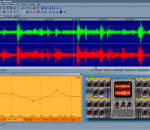
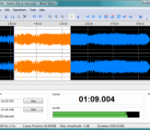
Wavosaur is a free audio editor. It has the standard and advanced features for editing your digital audio files. Wavosaur can work with ASIO drivers for optimal performance, you can do audio routing, import wav, aiff, iff, mp3, AKAI S1000, vox, multichannel wav and raw binary files. General features: - accurate visualization, fast and easy zoom, easy to use and clean interface - play, record, pause, fast forward and rewind, real time resampling - cut, copy, paste, insert, replace, mix, trim/crop - normalize, fade in/out, mute, "vocal remover", reverse, insert silence, etc. - channel convert, resample, bit depth convert, auto-trim, silence remover - different available skins for the editor - export MP3 Advanced features: - Loop points and markers support : load, edit, save cue points for using with hardware/software samplers, automatic markers insertion (at BPM, on silence). - analysis tools : 2D & 3D spectrum, detailled statistics, sonogram. - Simple synthesis generators : generate waveform (sinus, triangle, saw, square, white noise, impulse train) - export multiple wav from marked region, export as text for import in software like Matlab, Excel, PSpice. Effects capabilities: Wavosaur has a virtual rack where you can add and chain VST plugins effects : you can use VST plugins in real time, displays the graphic user interface and tweak parameters in real time, this means unlimited possibility for sound designing, mastering, and all audio manipulations, thanks to the huge number of quality VST effects. Analysis features: Detailed statistics : RMS power, min & max value. Frequency analysis : 2D spectrum & 3D spectrum, sonogram. Real time oscilloscope & sonogram. Synthesis : waveform generator : sin, saw, square, triangle, white noise, frequency impulse train (useful for calibration and measurement). The batch processor lets you process many files at once. The soft can also be triggered by MIDI with a MIDI controler.
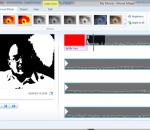
With Windows Live Movie Maker, you can quickly turn your photos and videos into polished movies. Add special effects, transitions, sound, and captions to help tell your story. And sharing with friends and family is easy—whether on the web, a computer, TV, mobile device, or a DVD. Try an AutoMovie theme Just pick the photos and videos you want to use, and Movie Maker does the rest. Share with friends Once your movie's done, it's easy to post it on popular social networking and video sharing sites. Add your photos and videos Import photos and videos from your PC or camera into Movie Maker to start making movies. Edit the video Make your movie look like you want it to, with editing tools that let you easily trim, split, and speed up or slow down your movie. Edit the audio Add and edit your movie's soundrack. Adjust the volume, fade music in or out, and more.
Wave Editor is a fast and easy digital audio editing software for Windows. It provides powerful and user-friendly editing environment which suits beginners especially and perform basic editing capabilities like: cut, copy, paste and delete parts of recording. Unlike the other sound editors based on the same ActiveX engine, our editor developed from the ground up to be easy in use and fast. The user interface was designed with speed, accuracy and ease of use in mind. Key feature of Wave Editor is and simple selection of audio blocks during playback.
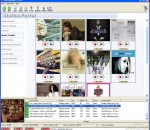
Want to Record Internet Radio? Get thousands of sounds every few hours? Record your favorite Shoutcast Radio or TV show? Record Last.fm, Pandora.com, AOL Radio.com, Slacker.com, iTunes radio, or Podcasts? Then download the latest version of StationRipper now! StationRipper allows you to Record Internet Radio Stations and broadcasts. Users on broadband connections regularly report 3,000-6,000 new songs can be downloaded every 24 hours with the registered version. Record Shoutcast Radio and Video, Last.fm, Pandora.com, AOL Radio.com, Slacker.com, and Podcasts. Choose from over 12,000 radio stations, tens of thousands of Podcasts, and almost unlimited combinations of Last.fm stations. * Record Shoutcast Audio and Video streams, iTunes Radio, Podcasts, and Last.fm. * Record Pandora.com, AOL Radio.com, Slacker.com. * Records up to 600 streams at one time. * Buy the music you are recording. * Auto-download Album art. * Use with iTunes - auto-generate iTunes playlists of songs recorded, and auto-sync to your iPod. * Use with Media Monkey - auto-generate MediaMonkey playlists of songs recorded. * Keeps track of the songs you've already recorded, only keeping the songs you don't already have. * Lets you easily find stations to record, via the StationRipper Portal, Shoutcast, or other web sites. Or you can drag and drop from iTunes radio to start recording. * Keeps a list of the music and stations you've recorded, allowing easy playback and re-recording of stations. * Listen to any station being recorded with a single mouse click. * Ignore songs under a certain size.
GOM Media Player The only media player you need - for FREE! Not only is GOM Media Player a completely FREE video player, with its built-in support for all the most popular video and Media Player formats, tons of advanced features, extreme customizability, and the Codec Finder service, GOM Media Player is sure to fulfill all of your playback needs. With millions of users in hundreds of countries, GOM Media Player is one of the world`s most popular video players. Whats New : Added "Touch Setting" feature for touch screen devices. Added "Search box" feature on playlist. (Ctrl+F) Supported "HTTPS URL" for youtube or net radio playback. (Ctrl+U) Added "Music Tap" on preferences related to play music files. Improved performance related to "speed of add & delete" of files on playlist. Other miscellaneous corrections, fixes, and changes
RealPlayer has always enabled you to play RealAudio (*.ra) and RealMedia (*.ram) files. Download videos from thousands of Web sites with just one click Build your own video library and playlists Play all major audio and video formats Flash Video support DVD, SVCD, VCD burning and video recording RealPlayer for personal use includes audio CD burning capabilities, DVR-style playback buffering, multimedia search, Internet radio, a jukebox-style file library, an embedded web browser (using Microsoft Internet Explorer), and the ability to transfer media to a number of portable devices, including Apple's iPod, MP3 players, and Windows Media devices.
GOM is a FREE media player with popular audio & video codecs built-in. Codec Finder GOM Player includes many codecs (XviD, DivX, FLV1, AC3, OGG, MP4, H263 and more) so you won't need to install separate codecs for most videos. For those videos that require a separate codec, GOM Player will find one. Play Broken AVI Files (Patented) GOM Player's patented technology enables users to view files with broken indexes or that are still being downloaded. Powerful Subtitle Support GOM Player supports SMI, SRT, RT, SUB(with IDX) files for subtitle. You can even synchronize subtitle and video if there's any mismatch. Convenient Playlist If you run a video file and there is already a file with a similar name in the directory, it will be automatically added to your playlist. GOM Player has a similar playlist format as M3U, PLS, ASX. Support Different Media Types Along with different media format such as AVI, MPG, MPEG and DAT, GOM Player also supports streaming Windows media format (WMV, ASF, ASX). You can also watch DVD-quality videos with 5.1 channel audio output.