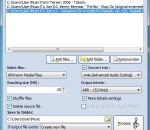
Free M4A to MP3 Converter converts your audio files from wav to mp3, aac to mp3, ogg to mp3 and more. You add files or folders and choose a format to convert into such as aac, m4a, mp3 and wav. You can also pick an output bitrate and output file location for this mp3 to wav free converter. Download our ogg to mp3 converter to try it out today.
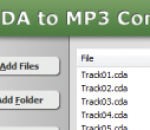
CDA to MP3 Converter converts CDA to MP3 quickly. The converter also supports DTS Audio CD. The software is an ALL-IN-ONE audio converter that converts more than 90 audio and video formats to AAC, AIFF, ALAC, FLAC, M4A, M4B, MP3, MP4, OGG, WAV, WMA, and so on. If your CD is an audiobook, you can convert it into M4B audiobooks format that is supported by iPod and iTunes. And it's possible to join mulitple CDA files to one file such as M4B, MP3, WMA, etc. CDA to MP3 Converter also supports DVD. You can rip DVD to MP3 with CDA to MP3 Converter. You can easily change encoding parameters such as sample frequency, bit rate, channels, and quality in the converter. And it's also possible to set parameters to "same as the original file". If you want to increase or decrease volume of output file, it's easy as well. CDA to MP3 Converter supports batch conversion. You can convert bulk of files at a time. And, the software is full compatible with Vista and Windows 7.
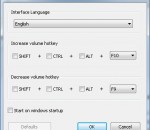
Letasoft Sound Booster makes any program's sound louder so that you can actually hear. And it works not only with a handful of media players, it works for any application on Windows OS.
PicPick Portable is a featured screen capture tool. It includes an intuitive image editor, a color picker, a color palette, a pixel-ruler, a protractor, a cross hair and even a whiteboard. Take screenshots of the entire screen, an active window, specific region of the screen, free hand, or scrolling window. With Image Editor, can perform Standard drawing, shapes, arrows, lines, and text. Effects are supported as well. Blur, sharpen, hue, contrast, brightness, color balance, pixelate, rotate, flip, and frame effect. Color Picker and Color Palette includes various color code type (RGB, HTML, C++, Delphi). Photoshop style RGB/HSV conversion is supported. Pick and Save your favorite color. Screen Crosshair is for aligning objects in graphics or design applications and Whiteboard is for giving a presentation or just drawing something on screen. Feautres: Screen Capture - Take screenshots of the entire screen, an active window, specific region of the screen, free hand, scrolling window and more. Auto-scroll, dual monitors and sound effect are supported. Image Editor - Intuitive User Interface (Windows 7 Ribbon style). Standard drawing, shapes, arrows, lines, text, and etc. Effects are supported as well. Blur, sharpen, hue, contrast, brightness, color balance, pixelate, rotate, flip, frame effect and more. Color Picker and Color Palette - Various color code type (RGB, HTML, C++, Delphi). Photoshop style RGB/HSV conversion is supported. Pick and Save your favorite color! Screen Pixel Ruler - horizontal and vertical orientation. various units (Pixels, Inches, Centimeters). DPI setting (72, 96, 120, 300). Screen Magnifier - Zoom 2x to 10x option. Stay on top, smooth display, and sizeable window Screen Protractor - Helps you find angles on screen. Pick a center, then a location, then the angle in degrees away from the first. Can be used in a variety of photography, math, and graphics applications. Screen Crosshair - For aligning objects in graphics or design applications. For calculating relative coordinates on screen Whiteboard - For giving a presentation or just drawing something on screen
PowerDVD 13 Ultra Better-than-original Quality - Enhance your media with TrueTheater technology World No.1 Media Player - Play Blu-ray 3D, DVD, MKV and all media Complete DLNA Solution - Playback media content across PC, Tablet, Smartphone & TV Instant Play - up to 58% faster start-up for Blu-ray movies HD audio for your HD movies - 7.1 channels DTS-HD, Dolby TrueHD and Dolby Digital Plus formats Including PowerDVD Mobile for iOS/Android/Windows 8 and PowerDVD Remote
Audio Amplifier Free boots the actual volume of audio file or video file. This cute freeware will amplify or increase the sound of a video file without changing the video quality. It supports all popular video and audio formats.
Free DVD MP3 Ripper can extract audio from DVD, VCD/SVCD and MPEG (MPEG-1, MPEG-2) files into MP3 which can be played in MP3 Players. The program is a freeware and does not contain any form of malware, including but not limited to: spyware, viruses, trojans and backdoors. Key Features It's clean and free, without any adware or spyware. It's stable and fast. It supports DVD movie files(*.vob), VCD/SVCD movie files(*.dat) and MPEG(MPEG-1, MPEG-2) files(*.mpeg, *.mpg). By choosing the start and end point visually, you can fine tune the selection of the source video file to extract into MP3. It uses up-to-date and high quality libraries to encode MP3. It's not affected by any DVD copy protection. The installing and uninstalling process is very easy.
Boost bass or treble frequencies, cut bass or treble frequencies, convert to lossless audio formats FLAC, Wav or Mp3. Key features * Strengthen (boost) or weaken (cut) the energy of specific frequency bands * Boost bass or treble * Cut bass or treble * Boost volume * Build in presets EQ * Convert to lossless audio formats FLAC, Wav or Mp3(lossy) * Batch converting * Drag and drop * Supported input file types: mp3 flac wav ogg wma ape wv aac m4a aiff
Fhotoroom HDR is an easy to use powerful image editor that will make your photos stunning. It can help you fix exposure, color, and distortion problems for your JPEG's, Digital Camera RAW and High Dynamic Range photos. Our give your photo stunning extra touch using our Club Lights, Bokeh, Focus Tilt Shift, Vignette or Vogue filters. Why buy 20 apps when Fhotoroom HDR will do it all for you... Free Digital Photo Editor Fhotoroom HDR is a completely free digital photo editor. For the professionals or photographers who just want to take their techniques to the next level, Fhotoroom HDR can upgraded for only $49.95 to a professional version. This version unlocks 16bit RAW and 32bit HDR photo editing as well as allows full size photo uploading for sharing. Even though users will be able to tryout all these features regardless of image bit depth (8,16 or 32), Fhotoroom free version will only have a watermark when working with Digital Camera RAW (16bit) photos and High Dynamic Range (32bit) Images. Lightroom Export into Fhotoroom HDR Let Fhotoroom be the missing HDR link to your Lightroom workflow. Fhotoroom makes it easier than ever to get an HDR image into your Lightroom catalogue. In a few simple steps you can export your images into Fhotoroom, generate a HDR file, tone map the image using filters and styles and then import the HDR image back to your Lightroom Catalogue. 6x Faster In addition to extending the usage of SSE and Multi Processor technology, every single filter and process under went a review to ensure that it was optimized as much as possible. As a result, some functions are more than 6X faster than previous versions with an average performance increase of 3-4X across the board. Non-Destructive Photo Sharing Easily share your photos with your friends, family or the world here or on your social network like Twitter, Facebook, Flickr and Tumblr with a single click. With non-destructive photo sharing, your original files are never altered making Fhotoroom the only place you can share your RAW files just as easily and safely as your JPG's. Fhotoroom does all the work to generate previews of your RAW photos just as beautiful as you would on your computer rather than just putting them in a vault never to be seen again. High Dynamic Range Technology The entire HDR workflow has been completely overhauled for faster performance, 40% less memory, easier use and the addition of several new features. During the HDR creation process, files are loaded and created faster and setting preferences are saved for reuse. Fhotoroom HDR has 2 automatic algorithms and 1 manual image alignment methods to ensure that regardless of the shooting conditions Fhotoroom HDR will be able to align any photo set. In addition, this new version introduces our new Semi Manual and Automatic Ghost Removal technology, which helps to remove moving objects, trees and people in photo sets. The final step in the HDR workflow is tone mapping, and Fhotoroom HDR has now merged the Natural and Dramatic tone mapping operators into a highly optimized single tone mapping operator that transitions between each other, as well we added the ability to save settings with final file output, which can then be reloaded at anytime.
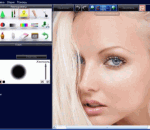
PhotoInstrument is an easy to learn tool for editing and retouching digital photos. The powerful raster graphics editor in PhotoInstruments quickly and easily allows you to adjust and process digital photos. PhotoInstruments rich tools and effects offer adjustments and photo retouching tools that are usually found only in expensive retouching software. Now with just a few clicks in PhotoInstrument anyone can solve most digital photo problems. So easy to use that anyone can apply these changes. Included with PhotoInstrument is a short video tutorial that will teach you how to use PhotoInstrument in just minutes. PhotoInstrument supports more than thirty image formats including PNG, JPG, BMP, TIF, PCX, TGA, EXR, ICO and Adobe Photoshop PSD. Support Photoshop-compatible plugins. PhotoInsturments user-friendly interface, supports these languages: Arabic, Armenian, Azerbaijani, English, Bulgarian, Czech, Danish, Dutch, Farsi, French, Georgian, German, Greek, Hebrew, Hungarian, Italian, Indonesian, Korean, Kurdish, Malay, Polish, Portuguese, Russian, Serbian, Slovak, Spanish, Simplified Chinese, Traditional Chinese, Turkish, Vietnamese Here are some of the tools featured in PhotoInstrument: · Liquify · Clone · Smudge · Skin Cleaner · Glamour Skin · Dodge / Burn · Batch Resizing · Brush · Blur · Sharpen · Colorize · Rotate / Scale · Red Eye Removal · Brightness-Contrast · Adjust Color Levels · Glow · Healing Brush · Denoise · Crop · Object Removal · Layers
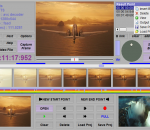
It is a Frame Accurate H.264 AVCHD MPEG2 video editor. You can split and join movies in ps/ts formats captured by DV Camcorder and DVB HD PVR easily with this tool. Cut commercials out of video stream. Especially, only small parts on start and end points will be re-encoded, the middle part will remain untouched, lossless. This gives highest speed while reserving highest video quality. So it is called 'Smart Rendering'. Supporting MP4, MOV, M2TS, TS, PS, TP, TRP, MTS, MPG, VOB; H.264/AVC, AVCHD, MPEG2, DVD etc.
GOM Media Player The only media player you need - for FREE! Not only is GOM Media Player a completely FREE video player, with its built-in support for all the most popular video and Media Player formats, tons of advanced features, extreme customizability, and the Codec Finder service, GOM Media Player is sure to fulfill all of your playback needs. With millions of users in hundreds of countries, GOM Media Player is one of the world`s most popular video players. Whats New : Added "Touch Setting" feature for touch screen devices. Added "Search box" feature on playlist. (Ctrl+F) Supported "HTTPS URL" for youtube or net radio playback. (Ctrl+U) Added "Music Tap" on preferences related to play music files. Improved performance related to "speed of add & delete" of files on playlist. Other miscellaneous corrections, fixes, and changes
RealPlayer has always enabled you to play RealAudio (*.ra) and RealMedia (*.ram) files. Download videos from thousands of Web sites with just one click Build your own video library and playlists Play all major audio and video formats Flash Video support DVD, SVCD, VCD burning and video recording RealPlayer for personal use includes audio CD burning capabilities, DVR-style playback buffering, multimedia search, Internet radio, a jukebox-style file library, an embedded web browser (using Microsoft Internet Explorer), and the ability to transfer media to a number of portable devices, including Apple's iPod, MP3 players, and Windows Media devices.
GOM is a FREE media player with popular audio & video codecs built-in. Codec Finder GOM Player includes many codecs (XviD, DivX, FLV1, AC3, OGG, MP4, H263 and more) so you won't need to install separate codecs for most videos. For those videos that require a separate codec, GOM Player will find one. Play Broken AVI Files (Patented) GOM Player's patented technology enables users to view files with broken indexes or that are still being downloaded. Powerful Subtitle Support GOM Player supports SMI, SRT, RT, SUB(with IDX) files for subtitle. You can even synchronize subtitle and video if there's any mismatch. Convenient Playlist If you run a video file and there is already a file with a similar name in the directory, it will be automatically added to your playlist. GOM Player has a similar playlist format as M3U, PLS, ASX. Support Different Media Types Along with different media format such as AVI, MPG, MPEG and DAT, GOM Player also supports streaming Windows media format (WMV, ASF, ASX). You can also watch DVD-quality videos with 5.1 channel audio output.