Flame Painter was created within 'I am an Artist' experimental project. The initial vision was to create an application for professional artists as well as for people without artistic skills who want to create something original. Lack of inspiration is often the reason why people are not creative. However, the tools that we use can become the inspiration for creativity. I think with a tool which inspires you, everyone can be an artist. Today the Flame Painter is used by thousands of professional artists, designers, enthusiasts or children in school to create unconventional design, light effects, backgrounds, flame paintings and we have had nothing but great feedback. FEATURES: · High quality output · Loading and saving in PNG - native format, TGA, TIF, BMP and JPG files · Using transparent background (alpha channel) · Export with unpremultiplied alpha for composing in other apps (Photoshop) · High resolution canvas, e.g. 4000x4000 pixels (depends on graphics card) · Lock picture as a background and paint over it · Variable length of smooth fade in/out · Higher flame stroke details · Gradient Tool with selectable color transitions · Color Palette selection tool · Eraser with variable size and opacity · Full and half resolution full screen preview for large canvas sizes · Undo / Redo up to 100 steps (depends on your computer memory) · Zoom In / Zoom Out canvas · Clear canvas button · Free panning for large canvases
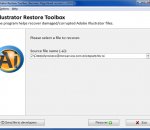
Try Illustrator Restore Toolbox if you encounter data corruption issues, affecting Adobe Illustrator documents and get back corrupted information within minutes. This software is exactly what you are looking for to stand against data corruption threats, caused by user mistakes, software errors and hardware failures. The size of Illustrator Restore Toolbox is less than a megabyte and its evaluation is absolutely free, besides the installation file of this program is compatible with all versions of Adobe Illustrator tool so there is no need to worry about possible compatibility problems. This program works offline and protects the privacy of personal information by performing all operations offline, without the physical connection to Internet and other external services of recovery. Moreover, this tool works with copies of AI files in use so there is no risk of damaging the structure of input documents. Check the efficiency of Illustrator Restore Toolbox by installing this program on your own computer and testing the performance of AI file restoration, it does not usually take a lot of time due to the ease of Illustrator Restore Toolbox interface. The same step by step sequence is applied to restore corrupted AI documents so you may open this tool for evaluation and check the efficiency of analysis on any computer, it is the easiest way out if you are pressed in time. Free version of Illustrator Restore Toolbox permits evaluating how it works and get to know how much data can be restored in your personal case. As soon as the analysis is over, you may compare this information with the original state of input document and get to know if you can really restore this file, in this case your copy of Illustrator Restore Toolbox should be registered to remove its restrictions. In general, you may get back corrupted documents within several minutes.
HandBrake is an open-source, GPL-licensed, multiplatform, multithreaded DVD to MPEG-4 converter, available for MacOS X, Linux and Windows. Supported sources: HandBrake is not limited to DVDs: it will now accept practically any type of video as a source. Outputs: File format: MP4, MKV, AVI or OGM Video: MPEG-4 or H.264 (1 or 2 passes or constant quantizer/rate encoding) Audio: AAC, MP3, Vorbis or AC-3 pass-through (supports encoding of several audio tracks) Misc features: Chapter selection Basic subtitle support (burned into the picture) Integrated bitrate calculator Picture deinterlacing, cropping and scaling Grayscale encoding
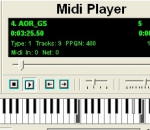
SoundFont Midi Player is a powerful midi player and real time midi synth combo, specially useful for Soundblaster (Live,Audigy,X-fi) users, who can load soundfonts automatically and real time. Features: --------- Fully configurable Midi in and out ports. Real time program and bank modification on any midi channel. Real Time effects on any midi channel. Mute and solo on any channels. Variable Tempo and Pitch during playback. Real time Synth (F1-F8 Function keys for octave change, Right click for note name) Send Sysex for Synth (GM, GS, XG) Midi send and receive over Net. Real time soundfont loading from playlist. (Place your midi and sf2 file in the same directory with the same name, or postfix your sf2 file with the required bank number eg. mysong.mid mysong.sf2 loads the soundfont to bank 1, but mysong_101.sf2 loads the soundfont to bank 101.)
The Start-up Lancher window gives you the first option for your project. If you just need to convert one video, or link together several videos, choose the "Normal Mode". Natively supporting a wide variety of the most recent formats such as FLV (H.264), WebM, and the MKV container, you practically don't need to install external CODECs.
As it is clear from the title of Photoshop Restore Toolbox, this software recovers corrupted images in PSD supported format. This program recovers the structure of Adobe Photoshop images and fixes the damage of PSD files in use, caused by various reasons, including user mistakes, file system failures, software issues and other problems, affecting image information, stored in PSD files. Photoshop Restore Toolbox works with all versions of corresponding PSD documents, the size of input file does not really matter either. Do not worry if the damage of some images already occurred, the analysis of Adobe Photoshop documents does not take a lot of time so you may keep on working with restored document shortly. Look at the detailed description of Photoshop Restore Toolbox to check how it works and make sure the overall procedure is clear and you do not have any questions with regard to the analysis of PSD files. In the same time, you may start with practice and proceed to the installation of Photoshop Restore Toolbox on your own computer to evaluate either its easy interface or efficiency of analysis. Do not worry about the compatibility of various versions, this tool runs on all computers so you get the only installation file, suitable for all available software configurations and versions of Adobe Photoshop. Click the shortcut of Photoshop Restore Toolbox after the installation to begin, select a file of PSD format for analysis and start processing selected document by clicking the Analyze button. As soon as the analysis is started, there is no way to somehow improve the speed of data processing so please stand by and wait until the end of Adobe Photoshop restoration, it may take a while according to the hardware configuration in use, PSD file size and some other factors.Get some rest until Photoshop Restore Toolbox automatically moves to the following stage and offers the results of analysis for evaluation. Check it out, how much information was successfully restored.
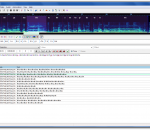
Aegisub is a general-purpose, open-source SubStation Alpha subtitle editor that was created to help in many aspects of subtitle typesetting, timing and editing by correcting flawed features found in the Medusa Subtitling Station and adding many that it lacked. With many specialized tools to complement the generic, easy to use interface, Aegisub is now the most advanced SSA/ASS subtitle editor in the world. A comprehensive manual (including step by step tutorials) ensures that anyone can be working with Aegisub in a very short time. Features: · Unicode in UTF-7, UTF-8, UTF-16LE and UTF-16BE encodings · Importing non-Unicode subtitles from over 30 different character encodings, including Shift_JIS, allowing you to resume work on any subtitles regardless of your system locale settings · Loading advanced Substation Alpha (.ass), Substation Alpha (.ssa), Subrip (.srt) and Plain-Text (.txt) (with actor data) subtitle formats · Full tag conversion from SRT to ASS · Multiple Undo levels · Powerful Automation module using the Lua scripting language to create advanced karaoke effects (including per-syllable effects, similar to AssCalc) - or any other kind of subtitles manipulation · Syntax highlighting · Fonts collector to collect all fonts used in a script into a folder · Opening of videos via Avisynth for true preview of subtitles using VSFilter, in any format supported by DirectShow · Aspect ratio overriding for anamorphic videos · Variable Frame Rate videos via timecodes file (v1 and v2), including exporting processed times for hardsubbing · Display of video coordinates under mouse and simple auto positioning support · Audio mode which allows you to open files in any format that your DirectShow can decode, including Wave, mp3, Ogg Vorbis, AAC, AC3 and others
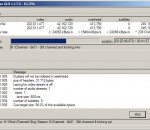
AVI-Mux GUI is an application that allows to combine several video, audio or subtitle files into one file, with out without size restriction, allowing to configure properties of the output file to a deeper level than usual for such applications. Supported input file types: AVI, MKV, WAV, MPA/MP3, AC3, DTS, AAC, OGG/Vorbis, SRT, SSA - All file format readers have been rewritten from scratch and do not depend on bugs of 3rd party parsers Supported output formats: AVI, MKV, raw (MPx, AC3, DTS...), ATDS-AAC, OGG/Vorbis - the AVI, MKV and OGG muxers does not depend on any third party bugs either (ADTS is too simple to speak about a "muxer") - supports Open-DML AVI files No size limitation for AVI files (note: this breaks many hardware MPEG4 players) - supports creating rec list Forces Microsoft's AVI Splitter to read AVI files sequentially, without seeking on the disc (note: this breaks many hardware MPEG4 players) - easy splitting Split large files by size, by time or by chapter boundary. See here for more information. - handles MPx/AAC-in-AVI You can use MPx, AAC and HE-AAC audio in your AVI files. Those files are 100% compliant to the AVI file specification - extracting most stream types All stream types that can be extracted in "raw mode", like MP3, AC3, DTS, as well as AAC and OGG/Vorbis streams can be extracted from source AVI/MKV files. SRT and SSA subtitles can be extracted from AVI files. - own cache An own cache increases performance over using the Windows file cache - repair files Some typical bugs in AVI files causing by some known applications can be fixed without remuxing the file Mode 2 - Form 2 reading Files which are stored on CDs using the Mode 2 - Form 2 - format, or files which someone copied from such a CD using Windows Explorer, can be accessed directly Vorbis-in-AVI reading AVI files containing Vorbis audio in a way compatible to what ffmpeg does can be used as data source. - Note that writing such files is not yet possible in AVI-Mux GUI. join AVI/MKV files with SSA subtitles This works even when the SSA style definitions of the source files collide: AVI-Mux GUI will recreate them. - real file type identification AVI-Mux GUI doesn't care about the file name when identifying a file type, so it cannot be fooled by people who rename MKV, or, even worse, OGM files, to .AVI just to get more hits on eMule
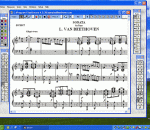
Encore is the standard in professional music notation. Its powerful transcribing and editing capabilities help musicians of all levels get their ideas into print. Fast, accurate, and easy to use, Encore allows you to create beautiful printouts of your scores - using up to 64 separate staves.
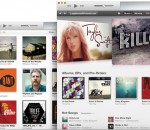
iTunes is a free app that lets you organize and play digital music and video on your computer. It’s also a store that has everything you need to be entertained. That makes it the perfect place to listen, watch, read, play, explore, and shop.
PTGui is panoramic stitching software for Windows and Mac OSX. Originally developed as a Graphical User Interface for Panorama Tools (hence the name), PTGui now is a full featured photo stitching application Use PTGui to stitch any number of photos into a panoramic image. Some benefits of PTGui, when compared to other stitching software: * PTGui can stitch multiple rows of images * Create 360 degree cylindrical panoramas, 'flat' partial panoramas and even spherical 360x180 degree panoramas * No need to keep the camera level: PTGui can stitch rotated and tilted images * Virtually unlimited output size: create Gigapixel panoramas from hundreds of images! * Layered output allows full control over the final stitched result * PTGui stitches most panoramas fully automatically, but at the same time provides full manual control over every single parameter. This enables stitching of 'difficult' scenes, where other programs fail. * Full 16 bit workflow for best image quality
GOM Media Player The only media player you need - for FREE! Not only is GOM Media Player a completely FREE video player, with its built-in support for all the most popular video and Media Player formats, tons of advanced features, extreme customizability, and the Codec Finder service, GOM Media Player is sure to fulfill all of your playback needs. With millions of users in hundreds of countries, GOM Media Player is one of the world`s most popular video players. Whats New : Added "Touch Setting" feature for touch screen devices. Added "Search box" feature on playlist. (Ctrl+F) Supported "HTTPS URL" for youtube or net radio playback. (Ctrl+U) Added "Music Tap" on preferences related to play music files. Improved performance related to "speed of add & delete" of files on playlist. Other miscellaneous corrections, fixes, and changes
RealPlayer has always enabled you to play RealAudio (*.ra) and RealMedia (*.ram) files. Download videos from thousands of Web sites with just one click Build your own video library and playlists Play all major audio and video formats Flash Video support DVD, SVCD, VCD burning and video recording RealPlayer for personal use includes audio CD burning capabilities, DVR-style playback buffering, multimedia search, Internet radio, a jukebox-style file library, an embedded web browser (using Microsoft Internet Explorer), and the ability to transfer media to a number of portable devices, including Apple's iPod, MP3 players, and Windows Media devices.
GOM is a FREE media player with popular audio & video codecs built-in. Codec Finder GOM Player includes many codecs (XviD, DivX, FLV1, AC3, OGG, MP4, H263 and more) so you won't need to install separate codecs for most videos. For those videos that require a separate codec, GOM Player will find one. Play Broken AVI Files (Patented) GOM Player's patented technology enables users to view files with broken indexes or that are still being downloaded. Powerful Subtitle Support GOM Player supports SMI, SRT, RT, SUB(with IDX) files for subtitle. You can even synchronize subtitle and video if there's any mismatch. Convenient Playlist If you run a video file and there is already a file with a similar name in the directory, it will be automatically added to your playlist. GOM Player has a similar playlist format as M3U, PLS, ASX. Support Different Media Types Along with different media format such as AVI, MPG, MPEG and DAT, GOM Player also supports streaming Windows media format (WMV, ASF, ASX). You can also watch DVD-quality videos with 5.1 channel audio output.