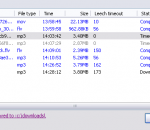
Free music zilla, the first tool specialized for social music downloading, enables you download free mp3/music/song from imeem,last.fm,pandora,myspace and almost all social music services. Free Music Zilla - enables you to get free music from the huge music libraries in social music service. It's easy to operate and a really hear-and-get tool, from which you can obtain unlimited mount of mp3/music/songs. Free Music Zilla - Download Free Music from Social Music Service include IMEEM™, Pandora, Last.fm, Myspace... 1. Download social music from all social music library like Last.fm, IMEEM™, Pandora...easily. Free music zilla is the first tool specialized for social music downloading. It enables you download free music from imeem, last.fm, pandora, myspace, iJigg, MOG and almost all social music services. 2. Break the limitation of anti-leech technology to support IMEEM™, Last.fm... As the forerunner of social music downloader, Free Music Zilla has first breaked the limitation of anti-leech from music websites(such as IMEEM™, Last.fm) which based on those technology, so that users can download successfully. 3. Support IE, Firefox, Maxthon, Opera... and all browser. Free Musica Zilla can be integrated with most of web browser include IE, Firefox, Opera, Netscape, Maxthon, Avanta...Learn how... 4. Super light, micro-sized and resource-friendly! Free Music Zilla is written with efficiency in mind, it typically uses 0 CPU and less than 5MB of memory in downloading. Additionally, the installation package is less than 1 MB. 5. Free! No adware! No spyware! Free Musica Zilla is free, no adware, no spyware and allow you download 10 music files per day. Key Features: * No limit download! * Download music from Last.fm™, IMEEM™, Pandora™ and more social music! * Support all web browser like IE, Firefox, Opera, Maxthon, Avnta, Netscape! * Super light, micro-sized and resource-friendly! * Free! No adware! No spyware!
How many times have you needed a Karaoke song but it wasn't available or the cost was prohibitive? Wouldn't it be amazing if you could make Karaoke CDs, backing tracks, and accompaniment music from all your favorite songs? Now you can! 'Vocal Reducer' Software can reduce, or remove, vocals from most any song on your computer. It's a very good companion for our 'Overdub Mixer' Software and perhaps best of all - it's 100% FREE!
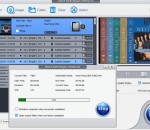
WinX DVD Ripper Platinum is a Windows-based DVD ripper which is able to rip any DVD (including latest encrypted DVD discs and ISO images) to mainstream videos, such as rip DVD to AVI, DVD to MP4, H.264, MPEG, WMV, MOV, FLV, 3GP, etc. It can also help users convert DVD to Apple (iPhone 5S/5C/4S, iPad Air/mini retina/mini/4, iPod touch 5, Apple TV, iTunes), Android (New Nexus 7, HTC One, Samsung Galaxy S4, Kindle Fire), WP8, PSP, etc. This DVD ripper brings No.1 fast DVD ripping solution thanks to the cutting-edge tech to support Multi-core (up to 8) CPU and Hyper-threading. Besides 380+ built-in profiles, the DVD rip software has 3 DVD copy modes to meet users' up-to-date DVD backup demands - clone DVD disc to ISO image; copy DVD title to multi-track MPEG2 file with all videos/audios/subtitles; backup main content of a DVD for playing on PC, PS3, Xbox, Media Center, etc. The latter two Copy modes cost you 5 minutes only! Key Features: Powerful DVD Ripping and Copy Abilities: Rip DVD to AVI/MPEG/WMV with original DVD AC3/DTS 6 Channels audio track. Output MP4 video with AAC 2/4/6 Channels supported. Build in optimized WMV encoder to fit the requirement of Windows Media Center. Convert DVD to WMV with AC3/DTS audio and stream to PS3 & Xbox 360. Copy all content and data in DVD disc to a UDF ISO image file which can be mounted to the virtual drive and burned to DVD disc later. Rip DVD to Portable Video Player: Rip and convert DVD to MP4, H.264 for smoothly playback on Apple video player, e.g. DVD to iPhone 5S/5C/4S, DVD to iPad Air/mini retina/mini, DVD to iPod/5, Apple TV. Rip DVD to Android and Windows, HTC, Samsung, Galaxy Tab, Surface and other tablets, etc. Rip DVD to PSP compatible MP4, AVC video. Continuously update to support the latest DVD copy protections and a growing number of platforms by Microsoft, Apple, Google, etc. With support for Multi-core CPU, this software delivers blazingly fast DVD conversion performance, which is x2 faster.
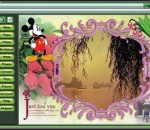
Magic Photo is a photo editor With Magic Photo, you can easily blend your digital photo onto another image (a beautiful landscape image etc) to create special effect. It makes your photo interesting and pretty. The features include: 1) There are 180 masks for you to choose, which changes your photo in different shapes then blend it onto the backdrop image 2)Add 100 cliparts onto your photo, which make you photo more beautiful 3)Add 180 cartoon pictures onto your photo, which make you photo more interesting. 4)Add 60 outlines onto your photo, which make you photo more shining. 5)Add text comments onto your photo. 6)Add pretty frames onto your photo. There are 100 frames included. You can easily change the size and position of the photos, flowers, cartoon pictures or text just by clicking and dragging them. See samples at homepage
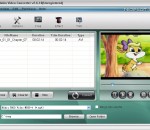
Nidesoft Nokia Video Converter Nidesoft Nokia Video Converter provide perfect solution for you to convert your favorite video files to Nokia mobile phone format, preserving the best quality of picture and sound. This movie converter software could support almost all source formats, including MOD, MPEG-1, VOB, MP4, M4V, WMV, ASF, AVI, 3GP, FLV, YouTube, etc.. The Nokia Converter enable you to enjoy your video with your Nokia cell phone.It could support all the Nokia series phone, such as the famous N95, N82, E71, and the new released Nokia XM 5800 touch. And this Video Converter provides several output format for you to choose, including MP4, MP3, 3GP, WMV and you could select the profile as you like. Nidesoft Nokia Video Converter also has many advanced function and rich settings for video output. This high-quality software solution offers a smart user interface with which you could set the Video Quality, Video Resolution and Crop Mode to stretch the picture. You could also edit the output video files with your Movie Maker in Windows after conversion to get more effect.
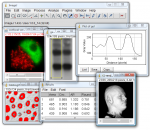
ImageJ x64 is an intersting Java based image processing application inspired by NIH Image for the Macintosh. It runs, either as an online applet or as a downloadable application, on any computer with a Java 1.1 or later virtual machine. It can display, edit, analyze, process, save and print 8-bit, 16-bit and 32-bit images. It can read many image formats including TIFF, GIF, JPEG, BMP, DICOM, FITS and "raw". It supports "stacks", a series of images that share a single window. It is multithreaded, so time-consuming operations such as image file reading can be performed in parallel with other operations. It can calculate area and pixel value statistics of user-defined selections. It can measure distances and angles. It can create density histograms and line profile plots. It supports standard image processing functions such as contrast manipulation, sharpening, smoothing, edge detection and median filtering. It does geometric transformations such as scaling, rotation and flips. Image can be zoomed up to 32:1 and down to 1:32. All analysis and processing functions are available at any magnification factor. The program supports any number of windows (images) simultaneously, limited only by available memory. Spatial calibration is available to provide real world dimensional measurements in units such as millimeters. Density or gray scale calibration is also available. ImageJ x64 was designed with an open architecture that provides extensibility via Java plugins. Custom acquisition, analysis and processing plugins can be developed using ImageJ's x64 built in editor and Java compiler. User-written plugins make it possible to solve almost any image processing or analysis problem. FEATURES: Runs Everywhere: · ImageJ x64 runs on Linux, Mac OS 9, Mac OS X, Windows, and the Sharp Zaurus PDA. Open Source: · ImageJ x64 and its Java source code are freely available and in the public domain. No license is required. User Community: · ImageJ x64 has a large and knowledgeable worldwide user community. More than 1700 users and developers subscribe to the ImageJ mailing list. Macros: · Automate tasks and create custom tools using macros. Automatically generate macro code using the command recorder. More than 300 macros are available on the ImageJ Web site. Plugins: · Extend ImageJ x64 by developing plugins using ImageJ's built in text editor and Java compiler. More than 500 plugins are available. Toolkit: · Use ImageJ x64as a image processing toolkit (class library) to develop applets, servlets or applications. Speed: · ImageJ x64 is the world's fastest pure Java image processing program. It can filter a 2048x2048 image in 0.1 seconds (*). That's 40 million pixels per second! Data Types: · 8-bit grayscale or indexed color, 16-bit unsigned integer, 32-bit floating-point and RGB color. File Formats: · Open and save all supported data types as TIFF (uncompressed) or as raw data. Open and save GIF, JPEG, BMP, PNG, PGM, FITS and ASCII. Open DICOM. Open TIFFs, GIFs, JPEGs, DICOMs and raw data using a URL. Open and save many other formats using plugins. Image display: · Tools are provided for zooming (1:32 to 32:1) and scrolling images. All analysis and processing functions work at any magnification factor. Selections: · Create rectangular, elliptical or irregular area selections. Create line and point selections. Edit selectoins and automatically create them using the wand tool. Draw, fill, clear, filter or measure selections. Save selections and transer them to other images. Image Enhancement: · Supports smoothing, sharpening, edge detection, median filtering and thresholding on both 8-bit grayscale and RGB color images. Interactively adjust brightness and contrast of 8, 16 and 32-bit images. Geometric Operations: · Crop, scale, resize and rotate. Flip vertically or horizontally.
Your own songs, beats & sounds. With MAGIX Music Maker 2014 it's easier than ever to produce your own songs and tracks, no matter if you're a beginner or a pro. Step into the world of music: Thousands of loops, various genres, virtual instruments, and spectacular studio effects provide limitless possibilities and sensational results. The improved recording function makes it simple to record your own vocals and add real instruments to your arrangements. And thanks to the brand new Vocal Tune feature and Pitch Wizard you'll never miss a note! The Music Maker Principle Create your own songs Drag & drop loops to achieve amazing results in no time at all. Record Connect a microphone, guitar or keyboard and create your own songs in studio quality. Mix The high-quality mixer with professional effect templates will help you to create impressive tracks every time. Share Save songs as mp3s, burn them to CD or share them on Soundcloud, Facebook & YouTube.New Sounds & Instruments Your own tracks, beats and sounds! With combinable soundpools, Vita Solo Instruments and the new DN-e1 synthesizer there's no limit to how creative you can be. MAGIX Soundpools Rock Pop Vol. 8 Hip Hop Vol. 15 Dance Vol. 1 Techno Vol 16 Chillout Vol. 8 Dubstep Vol. 2 Virtual instruments Power Guitar* Electric Piano Drum Engine DN-e1 Synthesizer * Power Guitar is offered as a free download after program installation Soundpool DVD Collection 18 included Over 6000 additional sounds & loops! The Soundpool DVD Collection (worth $39.99/C$39.99) covers virtually all music genres and offers professional studio-quality sounds.
Do not know how to convert MP4 to MP3? Looking for free MP4 to MP3 converter? Look no further! Best MP4 To MP3 Converter is a free software that easily converts MP4 to MP3 audio format. Simply download the software, install it and start converting MP4 to MP3 right away. Best MP4 To MP3 Converter delivers high quality conversion and outstanding performance.
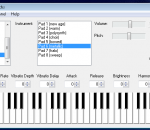
Here is the ButtonBeats Virtual Piano. Control this Piano with your computers keyboard! The Piano is perfectly in Tune. Each note is accurate to the T. Try out this piano. It plays very smooth. You will enjoy playing this one very much. We have a community of people contributing songs you can play on the piano. The songs are converted from the music notes into keys on the keyboard. So as long as you know how to type you can recreate piano master pieces on your computers keyboard. Since the Piano is accurate we can convert any real world song into notes you can play on your computer. Visit ButtonBeats.com to see what new songs have been published recently. This Piano has been featured on apple.com top 50 Dashboard widgets, widgetbox.com top widgets. The piano has been mentioned is magazine publications from US to France. Feel free to keep the piano and play as much as you want. I made it to be FREE for all and it is. Now everyone in the world has the chance to enjoy playing the piano even if they have never played before. You will be able to play jingle bells immedietly on your firts try! You jst have to type the letters that represent the notes. Example - here is jingle bells. JingleBells j,j,j, j,j,j ,j,l, g,h,j k,k,k,k,k,j,j,j,j,h,h,j,h, l, j,j,j, j,j,j, j,l,g,h,j, k,k,k,k,k,j,j,j,l,l,k,h,g, So easy! This is a great tool to practice the piano when away from it, a great tool for youg children to get a feel for a real piano. It is also a good Typing teacher! Just typing the letters from the songs will help you store their locatins on the keyboard into your memory.
IP Video Transcoding Live! (Abbreviation IPVTL) is professional multi-channel live transcoding software that mostly applies to live media streaming over the internet, like cable and satellite digital video broadcasting, video surveillance and events webcasting. IPVTL provides powerful transcoding capability with lowest latency. It has full support of media encodings commonly being used today, such as G.711(PCM), MP2/3, AMR, AAC, AC3, H.263(+), H.264, MPEG-1, MPEG-2 and MPEG-4, also including HTML5 video codec VP8. IPVTL accepts all kinds of network media sources as transcoding input, such as HTTP, RTSP, RTMP (flash media stream), RTP and MPEG-2 TS (DVB-S). It works well with popular media streaming servers including Windows Media Server, RealNetworks Helix Server, Adobe Flash Media Server or Wowza Media Server, and also most DVB source devices in the market. IPVTL provides on-demand media streaming as well. It can stream from any stored movie clips on your disk or any video capture sources including webcam, DC/DV and TV tuner cards, with transcoding on the fly. IPVTL let you to have full control of video and audio encoding profiles as per your system requirements. Video resolution, quality, frame rate and bit rate, you can reshape your video stream fast and simple. IPVTL also provides professional video post process functions such as logoing, watermarking and subtitle overlay. With live stream time shifting feature included, scheduling delayed streaming between different time zones is possible.
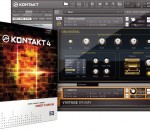
KONTAKT 4 PLAYER is the free sample player based on award-winning KONTAKT technology. Expanding the capabilities of its successful predecessor, the free KONTAKT 4 PLAYER allows for innovative, highly playable instruments leaving technological and musical limitations behind. Due to Kontakt Script Processing you get unprecedented functionality and musicality. # Free professional sample player based on the industry-standard sampler KONTAKT 4. # Improved graphic "Performance View" for all instruments # 64-bit memory addressing for Windows Vista 64 and newly-created Memory Server feature for Mac OS X # Advanced multiprocessor support for up to 16 cores # Improved performance through new direct from disc (DFD) engine # Sound Library can easily be expanded with any Kontakt-powered instrument or 3rd party library powered by KONTAKT # Redesigned library browser for KONTAKT 4 PLAYER and third-party libraries # Direct MIDI Learn for all sliders and knobs, including Performance Views # Over 18 high-end effects # VST, AU, and RTAS support including Pro Tools/Leopard
GOM Media Player The only media player you need - for FREE! Not only is GOM Media Player a completely FREE video player, with its built-in support for all the most popular video and Media Player formats, tons of advanced features, extreme customizability, and the Codec Finder service, GOM Media Player is sure to fulfill all of your playback needs. With millions of users in hundreds of countries, GOM Media Player is one of the world`s most popular video players. Whats New : Added "Touch Setting" feature for touch screen devices. Added "Search box" feature on playlist. (Ctrl+F) Supported "HTTPS URL" for youtube or net radio playback. (Ctrl+U) Added "Music Tap" on preferences related to play music files. Improved performance related to "speed of add & delete" of files on playlist. Other miscellaneous corrections, fixes, and changes
RealPlayer has always enabled you to play RealAudio (*.ra) and RealMedia (*.ram) files. Download videos from thousands of Web sites with just one click Build your own video library and playlists Play all major audio and video formats Flash Video support DVD, SVCD, VCD burning and video recording RealPlayer for personal use includes audio CD burning capabilities, DVR-style playback buffering, multimedia search, Internet radio, a jukebox-style file library, an embedded web browser (using Microsoft Internet Explorer), and the ability to transfer media to a number of portable devices, including Apple's iPod, MP3 players, and Windows Media devices.
GOM is a FREE media player with popular audio & video codecs built-in. Codec Finder GOM Player includes many codecs (XviD, DivX, FLV1, AC3, OGG, MP4, H263 and more) so you won't need to install separate codecs for most videos. For those videos that require a separate codec, GOM Player will find one. Play Broken AVI Files (Patented) GOM Player's patented technology enables users to view files with broken indexes or that are still being downloaded. Powerful Subtitle Support GOM Player supports SMI, SRT, RT, SUB(with IDX) files for subtitle. You can even synchronize subtitle and video if there's any mismatch. Convenient Playlist If you run a video file and there is already a file with a similar name in the directory, it will be automatically added to your playlist. GOM Player has a similar playlist format as M3U, PLS, ASX. Support Different Media Types Along with different media format such as AVI, MPG, MPEG and DAT, GOM Player also supports streaming Windows media format (WMV, ASF, ASX). You can also watch DVD-quality videos with 5.1 channel audio output.