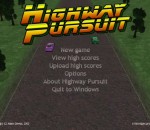
An action-packed 3d blast through roads filled with enemy agents out to make your life as challenging as they can. Highway Pursuit is a modern game taking its inspiration from a number of classic arcade games. It's an action-packed 3d blast along roads filled with enemy agents -- but also with innocent civilians that you should protect at all costs. Featuring diverse landscapes and scenery, a variety of enemy vehicles, multiple weapons, weather effects, radio communications from your HQ, 3d sound effects, configurable support for keyboard, joysticks and steering wheels, Highway Pursuit is a road trip you shouldn't miss! Features: Fast-paced action-packed arcade action A variety of enemy vehicles with their own attack patterns Multiple weapons: machine guns, oil slick, smoke screen, surface-to-air missiles Radio communications from your HQ keep you informed of dangers ahead Automatic highscore storage and internet upload feature Can be controlled by keyboard, gamepad, joystick or steering wheel Redefinable controls Excellent music and 3d sound effects A range of landscapes including forest, urban and desert Highway Pursuit is freeware -- you may download and play it for free. Highway Pursuit 1.1 download tags action game arcad Highway Pursuit HighwayPursuit Highway Pursuit 1.1 Windows 7 release notes New Release * All controls can now be redefined when in Joystick mode, so the steering/acceleration/brake can be mapped to other axes or to controller buttons. * It is now possible to navigate the menus using the joystick -- see the Use Joystick For Menus option under the Controller settings. The entire game can then be driven without using the keyboard, except for typing in a name for the highscore table (though pressing Fire will save whatever name is already entered without needing to touch the keyboard). * The last entered highscore table name will be saved between sessions. * The Escape key will now return to the menu when in Pause mode. * Additional keys recognised for menu option selection (should fix problems with activating menus on some systems). * Slightly easier to get into the lorry -- it will steer towards the correct position in front of you. * Hopefully fixed a bug where the lorry fell into the water while carrying the player car. [ Highway Pursuit release history ]
DivX Plus Web Player DivX Plus Web Player lets you watch DivX® videos right in your web browser. And if you have some of your own videos you’d like to share on your website, blog or social networking profile, DivX Plus Web Player is all you need. If you can copy and paste, you have enough know-how to stream a DivX video from your site. If you scoff at automatic HTML code generators, then our Developer Guide is for you.
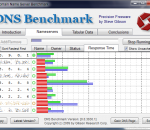
DNS Benchmark is a unique, comprehensive and accurate application to determine the exact performance of local and remote DNS nameservers. This DNS Benchmark will give you visibility into what's going on with your system's currently assigned DNS servers by automatically comparing their performance with many well known publicly available alternatives. DNS Benchmark performs a detailed analysis and comparison of the operational performance and reliability of any set of up to 200 DNS nameservers (sometimes also called resolvers) at once. Get DNS Benchmark and take it for a spin to see what it can actually do for you! FEATURES: For each of up to 200 DNS nameservers, using the Internet's most popular top-50 domain names, independently measures, charts, statistically analyzes, reports (and optionally exports): · Cached lookups – the time to return a domain name that is already in the resolver's name cache. · Uncached lookups – the time to return a sub-domain name that is not already in the resolver's name cache. · Dotcom lookups – the time to consult the nameserver's chosen dotcom resolver(s) for a dotcom name. · Reliability – the number of queries not replied to during the benchmark. · Optionally verifies whether nameservers provide DNS security (DNSSEC) record authentication. · When using a list of (provided) DNSSEC-signed domains, benchmarks DNSSEC authentication performance. · Graphs and compares all four benchmark parameters with easy-to-read bar chart. · On-the-fly hierarchical sorting of performance results by cached (default) or uncached performance. · (Sorting is “hierarchical” because cached is sorted first, followed by uncached, then dotcom.) · Auto-scaled bar chart that can be manually overridden for chart-to-chart comparison. · Pop-up value “inspector” (left click in nameserver list) displays precise values on bar chart. · Detailed tabular result report for non-graphical detailed reporting. · Full detailed, locale-aware (internationalized), CSV results export. · Automatic logging to CSV file for long-term background results monitoring and collection. · Simultaneously compares the performance and reliability of up to 200 DNS nameservers. · Determines nameserver network name (reverse DNS), ownership, operational status. · Determines whether nameservers intercept and redirect bad domain names. · Comprehensive, heuristic “Conclusions” generation summarizes all results and suggests useful system changes, if any, in easily readable English. · All results are analyzed for statistical significance with a 95% confidence threshold. · Bottom of tabular data page contains built-in quick-reference “reminder” help.
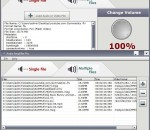
Audio Amplifier Pro adjusts the volume of your audio file or video file. It also allows you to normalize all video clips and audio tracks to the same volume level. With only several clicks this simple tool bumps the audio up. It would keep the video track unchanged, and the audio will be adjusted with an increase or decrease in volume. Audio Amplifier Pro works with all key video and audio formats.
Need a lightweight, powerful and rock-solid burning application that would work with your drive? Small, easy to start, intuitive to use and powerful, featuring all you need- it is DeepBurner. DeepBurner will be able to solve most of your burning needs: be it burning of Data/Audio/Video CDs, all types of DVDs, composing photo albums and even burning backups. Every operation starts with a simple wizard, thus virtually everyone can use DeepBurner. DeepBurner Free is intended for home users. It works on Windows 95/98/2000/NT/ME/XP and is virtually compatible with ANY CD/DVD burner. You can easily create and burn regular data CDs/DVDs AudioCD recording functionality is included Quickly build and burn ISO Images Supports IDE/EIDE, USB, SCSI, and Fire Wire CD/DVD writers Overburn function Buffer underrun technology "Burn-Proof" DAO, SAO and TAO Writing methods support Support for CD-R / CD-RW / DVD-R / DVD+R / DVD-RW / DVD+RW / DVD-RAM Create Multi-session CDs Bootable CD/DVD support Dynamically adjustable drive buffer size High Performance File/Disc Caching Supports Long File Name (Joliet) File Systems Creates ISO (100% DOS/Windows) compatible data CDs/DVDs Supports multiple simultaneous recorders Easy to use wizards help you create any type of burning project The Autorun Wizard makes it easy to create effective autoruns for your CDs You can even easily make your own cover, booklet or case insert Multi-language interface, of course
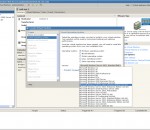
VMware Server is a free virtualization product for Windows and Linux servers with enterprise-class support. It enables companies to partition a physical server into multiple virtual machines and to start experiencing the benefits of virtualization. VMware Server is a robust yet easy to use product for users new to server virtualization technology and is based on VMware's proven technology. Provision additional servers in minutes without investing in new hardware Run Windows, Linux, Solaris and Netware operating systems and applications on the same physical server Increase the CPU utilization of a physical server Move virtual machines from one physical server to another without re-configuration. Capture the entire state of a virtual machine and roll back to that configuration with the click of a button Gain centralized management to efficiently provision, monitor and manage IT infrastructure when combined with VMware VirtualCenter Choose to access enterprise-class product support Easily migrate virtual machines to VMware Infrastructure
XLS (Excel) to DBF Converter allows you to convert your XLS (Microsoft Excel) files to DBF format. MS Excel up until 2007 version used a proprietary binary file format called Binary Interchange File Format (BIFF) as its primary format. Excel 2007 uses Office Open XML as its primary file format.
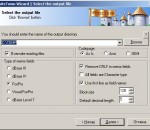
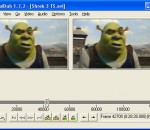
Are you looking for a streamlined tool for capturing and processing videos? Well, VirtualDub is your choice. (Batch-)Process your AVI files, apply video filters and tune your codecs to gain high quality results. Capture Features: Access all Video for Windows compatible devices. Free frame rate definition. Optimized disk access for more consistent hard disk usage. Create AVI2 (OpenDML) files to break the AVI 2GB barrier. Integrated volume meter and histogram for input level monitoring. Real-time downsizing, noise reduction, and field swapping. Verbose monitoring, including compression levels, CPU usage, and free disk space. Access hidden video formats your capture card may support but not have a setting for, such as 352x480. Keyboard and mouse shortcuts for faster operation. Clean interface layout: caption, menu bar, info panel, status bar. Processing Features: Reads and writes AVI2 (OpenDML) and multi-segment AVI clips. Remove and replace audio tracks without touching the video. Extensive video filter set, including blur, sharpen, emboss, smooth, 3x3 convolution, flip, resize, rotate, brightness/contrast, levels, deinterlace, and threshold. Bilinear and bicubic resampling. Decompress and recompress both audio and video. Remove segments of a video clip and save the rest without recompressing. Adjust frame rate, decimate frames, and 3:2 pulldown removal. Preview the results with live audio. Queue and automate your jobs.
Maxthon Cloud Browser Product Description(Official Version) Seamless web browsing is no longer just a concept. Maxthon cloud browser (Maxthon Cloud)is a suite of state-of-art, cloud-powered web browsers that work in concert, making it easy for users to maintain a continuous experience, un-tethered to a single device or operating system. Maxthon Cloud represents the next era of web browsing, leveraging a new approach to technology and user experience leadership for which Maxthon is well known. It also represents the latest chapter of a rich dialogue Maxthon has had with its global community since the creation of MyIE2. Powered by Maxthon’s cloud engine, Maxthon Cloud goes beyond other browsers to make true seamless browsing experience a reality. Maxthon Cloud is not limited to a single device ecosystem or operating system.It moves more types of data from browser to browser without detouring through a series of cloud-products. Simply put, Maxthon Cloud removes artificial limits of device type or operating system, moving and putting all that is important to users into one or all of their web-connected devices. Maxthon Cloud addresses the fundamental issue faced by web users today: how to access and use all the web has to offer with different devices in a seamless and unified way, any time and any place. Maxthon Cloud sufficiently addresses such issue with the following 3 major product principles. The experience must be platform independent. Maxthon Cloud works on Windows PC, Mac, Android and iOS. The experience must be device independent Maxthon Cloud makes it easy to surf the web from your PC to an iPhone to a Samsung Galaxy tablet and back again. The experience must be powered by the cloud. Each platform supported by Maxthon Cloud is closely and cohesively interlocked through Maxthon’s innovative cloud engine, C4, a cloud-based application that uploads, downloads and syncs users’ web browsing between their devices. C4 ensures effective interactions between platforms and device types and comes with fully-featured, high-performance cloud backup, syncing and sharing capabilities. It also provides a distributed architecture for storage. Unique features of Maxthon Cloud Lightning fast speed – Maxthon Cloud renders webpage using its optimized web engine that loads webpages and runs applications faster than any other browsers; Cloud sync – Maxthon Cloud syncs user data, history and tabs across any platform their choice; Cloud download – Simultaneous storage of user downloads in the cloud; Cloud push – pushing user desired contents (webpage, text, pictures and links) from webpage to devices of their choice. Cloud share - Share web content with friends through Maxthon Cloud. What does it mean for you, the user? Easy to use makes it easy to get ‘control’ of your devices. Maxthon Cloud’s design and user experience simplified and standardized across platforms and devices; Your web follows you. Maxthon Cloud will seamlessly sync through the cloud service users’ history, tabs, bookmarks, downloads and setting from one Maxthon Cloud device to another; Cloud push and share Easily save and send web content from and to any of your devices. Share the same content with your friends – through the web or SMS. Works on any OS or Devices Users are freed from the closed OS they operate on, thus being able to connect with other OS; Superior Speed Users can enjoy faster speed in loading webpage and running applications. In short, Maxthon Cloud offers a total seamless web browsing experience.
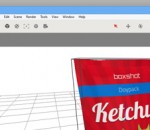
Boxshot features a large selection of customizable shapes: software boxes, books, CD, DVD, and Blu-ray boxes, cards, cans, mugs, bags, and much more. Almost all the shapes are customizable so you can adjust them for your design. If you need more shapes, simply load them! Boxshot supports loading of FBX, 3DS, and Collada (DAE) files to use in scenes. Boxshot can resize shapes according to your graphics. You don't need to adjust your images for our shapes, Boxshot adjusts the shapes for you! Boxshot features 50+ shapes, and so it probably already has the shape you need to render. If not, you can always load your own 3D shapes and render them with the built-in ones. Boxshot features a sophisticated materials system that supports reflection, refraction, bump and much more. We also include a library of materials to get started. Everything in Boxshot is scriptable using JavaScript. You can build scenes from a script, control everything there, and even create animations. You can upload your design to the Internet with just a few mouse clicks. Share your rendering with friends, colleagues, or customers with ease! FEATURES: Raytracing: · Raytracing allows creation of photorealistic images and shadows. Box Shot 3D calculates millions of light rays passing from the light source to the object. The result is a very realistic looking object. Raytracing is usually used for special effects in movies. Box Shot 3D allows you to use this technology for creating box shots! Realistic Shadows: · The use of raytracing leads to “realistic” shadows. Box Shot 3D calculates the amount of light for every pixel in your image. Box Shot 3D also calculates skylight (or atmospheric light) - light emitted by sky. This makes images look even more realistic. Supported shapes: · Box Shot 3D contains tons of different shapes that can be used for rendering boxes, DVD- and CD-cases, screenshots, books, stacks of books, brochures, paper bags, cans, bottles etc. Select the shape you need, insert your images and press “Render”, it’s that easy! · Box Shot 3D has probably the largest built-in library of shapes among the competitors, but even if your shape is missed, you can import and render any 3DS file. Advanced Materials: · Box Shot 3D allows to load height and specular maps and create relief-effect on the flat sides of shapes. This gives endless possibilities for book covers, cards and other objects. See the examples of materials usage in the gallery. Supported Image Formats: · Box Shot 3D can load JPEG, PNG, BMP, TIFF and PSD files (both in RGB and CMYK). Transparency channel is loaded too and may be used in the number of shapes (like Image or Brochure). · Rendered images can be saved to JPEG, BMP, PNG or TIFF (the latest two format support transparency). Reflections: · You can fully control the box reflection, transparency and depth on the floor and adjust them with sliders to see result in realtime. More, you can adjust blur level for reflections. Transparent background: · If you want to use the rendered image in a complex project, you can easily output your image with transparent backgrounds (PNG or TIFF formats) for use in your favorite graphics editor. You may also select a solid background color as well. Antialiasing: · Box Shot 3D uses many tricks for fast and efficient antialiasing. You will never see rough or pixilated edges again. Everything will be smooth and very realistic. Quality control: · The quality of the rendered image can be adjusted. If you need a fast draft render for preview, set the “Quality” combo-box to the “Draft” value and rendering will finish faster. When you need full production quality, select “Production” or even “High End” values for the desired output. Easy to use: · Yes. Box Shot 3D is a one of the simplest applications of its kind. It has easy “step-by-step” tabs that quickly guide you through the entire creation process.
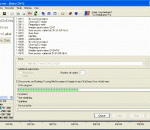
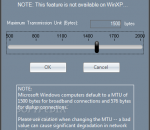
In order to test and troubleshoot networks we need tools that allow us to generate network traffic and analyze the network's throughput performance. This is true for both wired and wireless networks. We focus strictly on 802.11 (WiFi) networks because analysis tools are relatively scarce or, when available, tend to be rather expensive and overly complex to use. Also, because WiFi networks are sensitive to RF interference from other wireless devices, they are more difficult to troubleshoot and transient changes in the local environment may affect their performance. Tools that are typically used to troubleshoot wireless networks report signal strengths of RF interference or beacons from an access point in units of dBm or RSSI (relative signal strength indication). But what do these really mean? How do these translate in terms of the performance of your wireless network? Our wireless network adapter may report the beacon strength of our access point to be -53 dBm or -65 dBm or -73 dBm or . Or, our RF spectrum analyzer displays a -74 dBm interference peak in the middle of channel 6. Or, we and our neighbor or the business next door have our access points configured to use channel 11? Is this good? Bad? Doesn't matter? Ultimately, the bottom line and what we care about most is throughput -- that is, how many bytes-per-sec can be transferred from one node on the wireless network to another. The dBm and RSSI numbers don't mean much if you can't somehow relate them to a performance metric -- the most relevant being 'bytes / sec'. In order to properly troubleshoot a wireless network we need a way to benchmark its performance, so as modifications are made we can determine whether or not they really make a difference in the network's performance. This is where NetStress fits in. It's a simple tool, originally created for our internal use, which we later realized would also be of value to others. Here's the ideal scenario: You install a new wireless network and it works perfectly. Run NetStress and record the benchmark results for later reference. Sometime in the future when either you or others suspect performance has declined then run NetStress again and compare the latest results with those you gathered when the network was first installed and working "perfectly". The results of that comparison will indicate whether or not there really is a problem and dictate which steps to take next (if any). Regardless of your technical expertise or how expensive your diagnostic tools, if you are modifying a wireless network or making decisions to modify it and you are not testing throughput then you risk wasting time and resources going down the wrong path. NetStress includes the following features: single instance of the application (i.e. each instance can be used as server or server plus client) supports both TCP and UDP data transfers supports multiple data streams variable TCP / UDP segment size rate of packet transmission (Packets Per Second) variable Maximum Transmission Unit (MTU) uplink and downlink modes auto node discovery choice of display units (KBps, Kbps, MBps, Mbps) support for multiple network adapters
GOM Media Player The only media player you need - for FREE! Not only is GOM Media Player a completely FREE video player, with its built-in support for all the most popular video and Media Player formats, tons of advanced features, extreme customizability, and the Codec Finder service, GOM Media Player is sure to fulfill all of your playback needs. With millions of users in hundreds of countries, GOM Media Player is one of the world`s most popular video players. Whats New : Added "Touch Setting" feature for touch screen devices. Added "Search box" feature on playlist. (Ctrl+F) Supported "HTTPS URL" for youtube or net radio playback. (Ctrl+U) Added "Music Tap" on preferences related to play music files. Improved performance related to "speed of add & delete" of files on playlist. Other miscellaneous corrections, fixes, and changes
Iperius Backup is one of the best free backup software, also released in commercial editions for those who need advanced backup features for their companies. The freeware version of Iperius Backup allows you to backup to any mass storage device, such as NAS, external USB hard drives, RDX drives, and networked computers. It has comprehensive scheduling and e-mail sending functions. It supports zip compression with no size limit, incremental backup, network authentication and the execution of external scripts and programs.
Maryfi is a free and easy to use software router for Windows 7, 8 , and 8.1 computers. With Maryfi, users can wirelessly share any Internet connection such as: a cable modem, a cellular card, or even another Wi-Fi network. Other Wi-Fi enabled devices including laptops, smart phones, music players, and gaming systems can see and join your Maryfi hotspot just like any other Wi-Fi access point and are kept safe and secure by password-protected WPA2 Encryption.