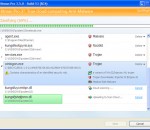
The Cleaner is an easy-to-use application designed to protect, prevent and recover your system from malicious software (malware) attacks including Trojans, Spyware, Adware, Fraudware and all manner of harmful programs. We use varied methods to protect your system from malware. The Cleaner can detect and remove malware that is often missed by anti-virus software. The Cleaner was the first malware removal program on the market and continues to be the best choice for consumers to protect and recover from malicious software attacks.
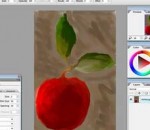
Artweaver is a full-featured painting tool with a huge set of predefined realistic brushes to paint creatively or just experiment. Artweaver is suitable for beginners and advanced users. Artweaver allows you to paint creatively with the help of a huge range of painting tools. You can create sketches from photos or just experiment with colors. Artweaver is available in two versions. The Artweaver Free version for free and an Artweaver Plus version with costs which has more features than the free version. You can try Artweaver Plus for 14 days without restrictions before deciding to purchase Artweaver Plus. Features: Realistic brushes Artweaver has a powerful and highly configurable brush system to simulate many different brushes. Each brush configuration can be saved as a new variant or even into a new category. User interface Artweaver has an intuitive and easy to use user interface. But you can still adjust it to your needs and save it as different arrangements to optimize your work-flow. Events Artweaver records the whole painting process as events and allows to save and later to replay them. Demonstrate other users your painting style or just show the progress from an empty image to a finished artwork. Powerful core Artweaver is powered by a powerful core which utilizes existing hardware to a maximum and supports many additional tools / features which are useful for painting and image editing. More Features * Support for many file formats like AWD (Artweaver), BMP, GIF, JPEG, PCX, TGA, TIFF, PNG and PSD (incl. layers) * Transparency, layers and layer groups * Common image editing tools like gradient, crop, fill and selection tools * Many effect filters like sharpen, blur, emboss and mosaic * Expandable by Plug-In modules (Artweaver standard) * Editable text layers * Pen tablet support * History function to undo/redo last editing steps * Support for many languages through language files
QQ Player 2012 is a highly multimedia player for various audio and video formats swf, flv, wmv, mkv, vob, avi, mp4, ifo, wm, ts, rm, mov, rp, rt, qt, tp, rpm, wmp, pva, 3g2, pmp, 3gp, evo, mts, vp6, asf, bik, tpr, csf, pss, m4b, ram, m1v, scm, m4p, m2v, amv, m4v, mod, qpl, mpe, mpg, smi, m2p, divx, m2ts, 3gp2, 3gpp, rmvb, mp2v, mpeg, mpv2, smil and mpeg4 file types and more... With QQ Player you can play and convert all common video formats and also merge several video files and convert them to a single video file. QQPlayer can also be used to preview subtitles to certain video files or to take snapshots of movies and also you can Increase sound volume 1000%. Simple and easy to use, QQ Player requirements are very low and it can be installed on any Windows version. There is no need to install any additional codecs!. Features: 1. Convert videos and audio, extract audio from video. 2. Capture a screenshot of video. 3. Merge several video files into a single file. 4. Split large video files into smaller video clips. 5. Easy create a music video playlist. 6. Help you compress video files to smaller file size. 7. Very easy to take snapshots from a video and makes animated Gifs. 8. Automatic 2D to 3D realtime video conversion. 9. Watch standard definition 2D DVDs in amazing high impact 3D. 10. CPU acceleration on Intel Core processors. 11. Full format support, plays all media files smoothly, including hd and 3d. 12. Intuitive, simple, and highly responsive User Interface. 13. PC to iPad transfer, Wi-Fi support, stream videos with subtitles to iPad. 14. Cloud playback, direct view and play online videos.
Hitman Pro 3 x64 is a fast all-in-one tool to locate, identify and remove viruses, spyware, trojans, rootkits and other malware. Hitman Pro 3 x64 will quickly show if your PC is infected with malicious software. Research shows that many computers are infected, even if they have an up-to-date security suite installed, and that a combination of different anti malware programs would be required to prevent infection. Hitman Pro 3 x64 uses innovative cloud computing techniques to detect and remove potential malware threats with minimal impact on system performance. Advantages of Hitman Pro 3 x64 * Recognizes and removes viruses, trojans, rootkits, spyware and other malware. * Revolutionary innovation in scanning technique to distinguish between malicious and safe software without signatures. * Short scan time - searches the system within a few minutes. * No extra system load. * Impossible to make false positives on important systems files thanks to "profiling" and whitelisting. * Multi-vendor identification of malware in our real-time "Scan Cloud". * Automatically restores common system alterations made by malicious software. * Creates a check point in System Restore before removing malicious software. * Removes resistant threats using native NT boot-time deleter. * Removes references to malicious software (like shortcuts and registry entries). * Free malware scan. * Free online support in English, German and Dutch. The Hitman Pro 3 x64 executable can be downloaded and run straight from a USB Flash Drive, CD/DVD, local or network attached hard drive and will quickly reveal the presence of any malware. It will scan your PC in a few minutes and detect files that are potentially malware using a Behavioral Scan. The actual identification of these potential malware files is then done on the Hitman Pro servers - the "Scan Cloud". To understand how Hitman Pro 3 x64 works we first need to describe a few fundamental characteristics of malicious software and your Windows PC. Like everything else, malicious software always has a purpose. The malware writer only wants one thing: money. The traditional virus that cripples or destroys your PC is now quite rare. To make money the virus needs to be run and stay resident on the PC. This way the malicious software can steal your personal data, show pop-ups, or install fake software programs. The software can even turn your PC into a zombie as part of a botnet, using your PC to send spam or be part of a cyber attack. Of course, all this is going on without you noticing anything. To keep doing this, the malicious software needs to start automatically and protect itself from being removed by security software.
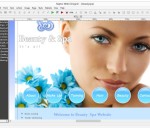
Raptor Web Designer greatly simplifies the process of creating websites. It allows to combine images, texts, flash animations, or shapes by using a number of predefined tools. Designers can use custom PHP, JavaScript or HTML code. The website can be previewed in a built-in browser and optimized to reduce load time. Novice users can use wizards to generate website elements.
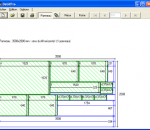
DebitPro for Windows operating system, developed by Patrice Rozet, is a software designed for the panel's sawing up calculations. It enables you to maximize the use of panels of plywood and lumber by generating the most optimized cutting diagrams. The use of DebitPro makes the wood panel's sawing up creation easier as well as those of the various materials (glasses, metals and so on ...).
Bring NASA's Solar Edge to Firefox! Very stylish theme with some cool tools built in... Easy to install and we include an un-installer too!
FluidSynth can read MIDI events from a MIDI input device and render them to an audio device using SoundFont instruments. SoundFont files are composed of digital audio "samples" and additional instrument parameters. These files can be created or downloaded off the Internet. FluidSynth can play MIDI files and also has support for controlling effects in real time. Features: Cross platform support (Linux, Mac OSX and Windows to name a few) SoundFont 2 support Realtime effect modulation using SoundFont 2.01 modulators Shared library which can be used in other programs Built in command line shell Playback of MIDI files
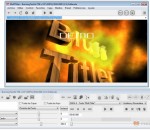
BluffTitler is a Windows desktop app for creating, rendering and playing 3D video effects. Want to impress your family, friends and clients with spectacular 3D titles? But do not want to use complex and expensive 3D animation software? BluffTitler makes it easy and affordable to add 3D effects to your videos! BluffTitler has been designed for video: Export your titles in any resolution, from 320 x 240 up to full HD in 1920 x 1080 Presets for all SD and HD standards in PAL and NTSC Export as 32 bits AVI with transparency info Export as 32 bits TARGA, PNG and BMP frames with transparency info Export in 16:9 (widescreen) and 4:3 aspect ratios Correct NTSC framerate of 29.97 fps Safe area and crosshair display when editing Simplicity The BluffTitler user interface is simple but effective: it features a 3D render window and a 2D tool window. Resizable windows You can resize the render and tool windows with your mouse, making them fit on any desktop. Power buttons are added if there is place for them. Viewports Up to 4 viewports can be rendered at the same time. This screenshot shows the perspective, front, right and top views. Browser Mode BluffTitler features a browser toolbar containing the 5 classic browser buttons: back, forward, refresh, stop loading and home. The browser toolbar can be turned on/off with the menu item Settings > Browser Mode. Select Layer A BluffTitler animation is built out of layers that can be animated independently. Layers can be selected with the dropdown listbox above the Play button. Add Layer You can add a new layer with a submenu of the Layer > Add Layer menu. Properties A layer has properties that can be keyframed. Properties can be selected with the dropdown listbox above the 3 sliders. HD Resolutions In the resolution dialog you can enter any resolution and aspect ratio you like. Presets are available for the the most common resolutions. BluffTitler can create videos in all HD resolutions, even if your desktop isn't big enough to dispay them. Effect Dialog BluffTitler supports DirectX effect files for advanced graphical effects like bump mapping, tonal art mapping, phong shading and cube mapping. Export Dialog Animations can be exported as AVI files for further processing in NLE tools. Font Dialog The font dialog also allows you to set the character set and kerning method. Show Duration Dialog You can stretch/extend or shrink/crop the show to the new duration.
Post Comment Script is a simple PHP comment script (guestbook script) which will help you integrate and easily manage discussion board on your website. No programming knowledge is required to manage the comment script and customize the options. Follow a simple step-by-step install wizard to install the PHP comment system on your website. Webmasters can use the comment script for work-projects and modify the software to fit their clients' needs.
Mediata Survey is an incredible and easy-to-use application that’s designed to create and analyze web-based surveys. You can assemble multi-page surveys with a variety of different questions and answers before analyzing the results using tools that are provided. Royalty-Free Application You can create as many surveys as you want for multiple Internet domains for just one single payment. No longer do you have to pay everytime that you want to create an additional survey for your site or create the same survey for additional domains. You will be able to save on both production costs and royalty fees. Easy to Use You do not have to be a web programmer or have a degree in computer design to create a survey. Mediata Survey does many of the tasks that a web programmer would have to do; therefore, no training or certifications are required to use. Host Your Own Survey Many survey programs will require you to subscribe to their host server, which can include monthly payments for use. Mediata Survey allows you to host the survey on whichever server that you would like to use either external or internal, saving you time, money, resources, and most of all, peace of mind. TRY BEFORE YOU BUY! We know that most users will be wary about purchasing before seeing how a program runs. That's why we offer a free trial for anyone looking to experience a sample of what the survey software can do. You can see first hand some of Mediata Survey's features before purchasing and unlocking the other dynamic features. More Survey Design Options Several survey software will only allow you to use certain kind of formatted questions such as either open questions with a text box or single-choice questions with radio buttons. With Mediata Survey, you will be able to have your choice of using as many questions as you want per page using either open-ended questions or closed questions such as single and multiple-choice or matrix questions. Options that give you more room in how to design your survey. • Multiple pages per survey • Multiple questions per page • Multiple surveys for multiple domains • Open questions with text fields • Closed questions such as simple or multiple choice • Evaluation or matrix questions • Set different conditions, rules, and options based on answers • Store survey results in a MySQL or PostgreSQL database • Limit user participation • Invite specific users to take the survey • Limit survey validity by a date range • Customize HTML survey templates • Validate current answers • Analyze survey results with graphics • Show users' answers in detail • Exports the survey responses to CSV/TXT or HTML format
GOM Media Player The only media player you need - for FREE! Not only is GOM Media Player a completely FREE video player, with its built-in support for all the most popular video and Media Player formats, tons of advanced features, extreme customizability, and the Codec Finder service, GOM Media Player is sure to fulfill all of your playback needs. With millions of users in hundreds of countries, GOM Media Player is one of the world`s most popular video players. Whats New : Added "Touch Setting" feature for touch screen devices. Added "Search box" feature on playlist. (Ctrl+F) Supported "HTTPS URL" for youtube or net radio playback. (Ctrl+U) Added "Music Tap" on preferences related to play music files. Improved performance related to "speed of add & delete" of files on playlist. Other miscellaneous corrections, fixes, and changes
Iperius Backup is one of the best free backup software, also released in commercial editions for those who need advanced backup features for their companies. The freeware version of Iperius Backup allows you to backup to any mass storage device, such as NAS, external USB hard drives, RDX drives, and networked computers. It has comprehensive scheduling and e-mail sending functions. It supports zip compression with no size limit, incremental backup, network authentication and the execution of external scripts and programs.
Maryfi is a free and easy to use software router for Windows 7, 8 , and 8.1 computers. With Maryfi, users can wirelessly share any Internet connection such as: a cable modem, a cellular card, or even another Wi-Fi network. Other Wi-Fi enabled devices including laptops, smart phones, music players, and gaming systems can see and join your Maryfi hotspot just like any other Wi-Fi access point and are kept safe and secure by password-protected WPA2 Encryption.