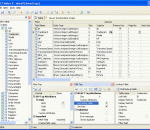
ASP.NET Maker is a powerful automation tool that can generate a full set of ASP.NET Web Pages (VB or C#) quickly from a Microsoft Access, SQL Server, MySQL, PostgresSQL, Oracle or other ODBC Data Source. Using ASP.NET Maker, you can instantly create Web sites that allow users to view, edit, search, add and delete records on the Web.
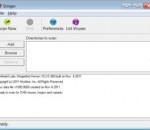
Stinger is a quick and installation-free standalone tool for detecting and removing prevalent malware and threats, ideal if your PC is already infected. While not a replacement for full fledged antivirus software, Stinger is updated multiple times a week to include detection for newer Fake Alert variants and prevalent viruses.
A complete disaster recovery solution for your home and office. Protect your personal documents, photos, music and emails. Upgrade your hard disk or try new operating systems in the safe knowledge that everything is securely saved in an easily recovered backup file. Don't compromise your data integrity with second best Macrium Reflect uses leading data compression techniques to create accurate and reliable images of your hard disk or partitions on your disk. Simple step by step operation Image and Restore using intuitive wizards and interfaces. Macrium Reflect integrates fully with Windows Explorer, a partition image can be created with a simple right click. Automate the process With Macrium Reflect you can schedule Images to run at any time. Disk space management ensures that you optimize the available space on external drives. Restore individual files and folders Create a 'Virtual' drive in Windows Explorer and recover selected files and directories using simple copy and paste operations. Recovery In the event of a total loss of the Windows operating system your PC can be started using the Reflect recovery CD.
Capture One Pro is a raw converter and workflow software which enables photographers to reduce the time and effort required to deliver stunning ready-to-use images with excellent color and detail. Capture One is designed to create the best image quality in the market and holds a series of easy-to-use tools created to match the professional photographer’s daily workflow. Accelerate and Organize Your Workflow Tethered Capture Capture One PRO lets you shoot tethered with your Phase One digital back, selected Mamiya digital backs, and with Canon or Nikon DSLRs, which means that you are capturing images directly into your computer without any interim storage. Tethered Capture allows you to check the exposure using the exposure evaluation histogram and meter and to use composition mode to prepare for a tethered session without using up space on your hard drive. Live Preview Enhanced Speed up image composition, lighting, and focusing with Live Preview. Makes it possible for the photographer, art director, client, and others to easily view an image on a computer screen at the same time, in real-time. Especially useful with technical cameras. Live Preview is now available for both Mac and Windows and comes with improved performance. Focus Mask New Accelerate your image selection by using the Focus Mask for fast verification of image sharpness and focus. The Focus Mask is applied both to the image(s) in the viewer and to the thumbnails in the image browser. The Focus Mask is perfectly suited for portrait, wedding and fashion shoots. Focus Tool New Get an instant, true view of image sharpness with the Focus tool. Use it as part of your fixed tool tab or drag it out as a floating tool. Workflow Accelerators Enhanced Handle large volume shoots even faster with new and enhanced workflow accelerators. New functionality includes improved session handling and an improved importer, which makes import more simple and intuitive as well as an improved progress indication, which provides a quick visual overview of application tasks. Camera Support Enhanced Capture One supports image files from the most popular DSLRs from Canon, Epson, Fuji, Konica Minolta, Leica, Nikon, Olympus, Pentax and Sony, as well as Phase One digital backs and selected Leaf and Mamiya digital backs. Workspaces, Tools and Tool Tabs Enhanced Customize your Workspace, Tools and Tool Tabs to make your personal workflow more efficient. Included in Capture One is a selection of best practice default workspaces. Viewer Margin and Proof Margin New Improve evaluation of image composition and colors by setting a viewer margin (and proof margin). Library The Library tool allows access to the images within the Albums you have created as well as to any image collections you have stored in folders on a computer or networked resource. You can easily browse through the image collections thanks to the hierarchical tree structure of the library, and it is possible to start work on images in your folders without importing them first. Importer The Import window offers a range of options to make importing a quick and straightforward task. Sessions Use Sessions to organize your captures. When working on client projects, as many professional photographers do, it is natural to store the files you are creating as a complete project, instead of storing as separate files -- especially when your work will often consist of RAW files, setting files, library files and output files. When saving a session you will also automatically create a session file. This file will re-open the session and provides you with an easy way to access your projects. Adjustments Clipboard Use the Adjustments Clipboard to copy setting from one image and apply them to a group of images. The clipboard enables you to apply either all adjustments to a selected group of images or only to apply a subset of the changes.
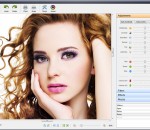
PC Image Editor which is a free graphics editor which is packed with a good lot of features, so many in fact, that it is almost as good as a professional product and hence is a really good option for amateurs looking to expand their visual experience. The PC Image Editor is designed to be easy to use and user friendly. It is a product for amateurs and professionals (who are in a hurry). This highly intuitive piece of software supports a high variety of formats which allows you to edit a vast number of images and save it in any format you want. Starting from the very bottom, the PC Image Editor is equipped with the usual set of file operations together with some of the slightly higher level editing options adjust colors in photos; apply filters such as Hue, Invert, Colorize, Mosaic, Twirl, Emboss; rotations; Perspective and Skew; blur images; sharpen images; and image resizing. For all those in a hurry, here is a quick look at the features of the PC Image Editor: - You can both Import and export various graphic formats, such as BMP, GIF, JPG, TIFF, PCX, PNG, TGA, J2K, WMF, EMF, and RAS through PC Image Editor. While you are at it, you can also apply 15 filters and effects such as Blur, Sharp, Add Noise, Diffuse, Mosaic, Twirl, Emboss, and many, many more. - Image effects like rotate 90°, 180° and Arbitrary, Flip Horizontal and Vertical, Perspective, Skew, and others are extremely easy to use and produce only very high quality results. - You will have 11 adjustment commands such as Auto Levels, Auto Contrast, Brightness, Contrast, Gamma Channel, Hue, Saturation, RGB Channel, Invert, Colorize, etc with the PC Image Editor.
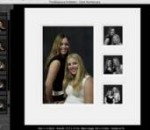
Time Exposure's ProSelect and ProSelect Pro are the leading cross-platform presentation, sales and workflow software packages for professional portraiture studios. ProSelect may be the easiest piece of software that you will ever use. Most people figure out the basics by just having a short play with it. Although we don't recommend that you do this, some of our users have downloaded the 30 day free trial version of ProSelect and, a few hours later, used it for a client presentation. ProSelect includes most of the functions that you will typically need in one program. You don't have to switch programs to get the job done. A browser, slideshow, ordering system, proofing tool, montage (composite layout) designer, production system and much, much more. See the features list for more information, watch the demo movies and read about what's new in the latest release of ProSelect. ProSelect incorporates powerful presentation and sales tools in a clean, elegant design that your clients will love. Present your images in the best possible way, show your clients the possibilities, how good they will look on their wall and your orders will increase. Many businesses using ProSelect have reported at least a 50% increase in sales. Quite a number of our clients have reported more than doubling their average sales!
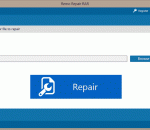
Remo Repair RAR is an advanced repair tool to repair corrupt / damaged RAR archive files. Repair RAR software support repairing of RAR files having CRC error or file size is 4 GB or more. Intuitive wizard interface makes repair process an easier task.
Virtual machine sprawl is a critical issue that most organizations usually face after virtualizing their environments. Users tend to create a lot of virtual machines for temporary purposes, use them for a small period of time and then leave on the server, consuming power, disk space, and other physical resources. Netwrix Virtual Machine Sprawl Tracker is a FREE tool that automatically detects inactive and unused virtual machines to prevent virtual machine sprawl. The tool sends scheduled reports about inactive VMs based on their resource usage. Data center administrators can use such reports to justify decommissioning of unused virtual machines and regain wasted physical resources. Product features and benefits: - Monitors all VMs in a virtual environment - Sends scheduled reports by e-mail with list of inactive virtual machines. - Configurable inactivity thresholds: virtual network and disk usage, inactivity time, etc. - Supports VMware Virtual Center Two editions are available: freeware and commercial. Please contact Netwrix Corporation at www.netwrix.com for more information.
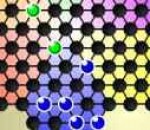
Challenge your mind and try various strategies as you battle with the computer in this traditional board game! Your target is to move all your marbles to the enemy base before your opponent does so. When the game starts, you will be given a checkerboard in the shape of a hexagram, and the board is divided into 6 bases of different colors. The 10 blue marbles on your side are placed in the blue area, while the 10 green pieces of the computer are located in the green base. You and the computer will take turns to make the moves. During your turn, you can click to move one of your pieces to an adjacent empty space, or jump over other pieces for consecutive hops. The distance of a jump depends on the number of empty spots between the moving piece and the target piece. For instance, if no empty spot is located between the moving piece and the other piece, then the moving piece can be moved to the first empty space after the other piece on the same straight line; and when an empty spot is located between the moving piece and the other piece, the jumping piece can be moved to the second empty space after the other piece on the same straight line. Note that a piece cannot end its move on the 4 topmost rows of the bases other than its own or its target base, but can jump to it and jump out of it immediately. The available spots for movement are highlighted in red when a marble is selected. When you have finished making the moves, click the moved piece again, and the computer will start to take its turn. Continue the process until you have declared your victory; beware of the computer's aggressive moves or you will lose!
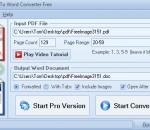
PDF To Word Converter Free is a powerful freeware application for intelligently converting PDF to easily editable Word DOC documents. PDF To Word Converter Free uses artificial intelligence and also allows inputs from the user code to accurately recognize and convert paragraphs, tables, bullets, numbered lists, newspaper columns, and other standard document formatting features. PDF To Word Converter Free outputs Word DOC documents that are well-formatted and easily editable. PDF To Word Converter Free supports conversion of PDF to DOC. DOC is a popular document format introduced by Microsoft and is compatible with most word-processing applications such as Microsoft Word, OpenOffice, Abiword, KWord, and also online productivity suites such as Google Docs, Lotus Symphony, and Microsoft Office Live. PDF To Word Converter Free does not require any third-party software. Highlights: - Converts tables and tabbed columns - Detects numbered and bulleted lists - Recognizes several types of font encoding - Detects font size, style and color - Supports Unicode text - Supports password protected PDF files - Identfies multiple lines of text or characters as paragraphs - Supports paragraph alignment - Detects clipped text - Image support - Easy to use - User-friendly GUI - Does not need other third-party software - Absolutely FREE for any use
Publish your own secure website directly from your PC and remotely access your images, documents, videos, and music, or securely share them with your friends, family, and co-workers.
GOM Media Player The only media player you need - for FREE! Not only is GOM Media Player a completely FREE video player, with its built-in support for all the most popular video and Media Player formats, tons of advanced features, extreme customizability, and the Codec Finder service, GOM Media Player is sure to fulfill all of your playback needs. With millions of users in hundreds of countries, GOM Media Player is one of the world`s most popular video players. Whats New : Added "Touch Setting" feature for touch screen devices. Added "Search box" feature on playlist. (Ctrl+F) Supported "HTTPS URL" for youtube or net radio playback. (Ctrl+U) Added "Music Tap" on preferences related to play music files. Improved performance related to "speed of add & delete" of files on playlist. Other miscellaneous corrections, fixes, and changes
Iperius Backup is one of the best free backup software, also released in commercial editions for those who need advanced backup features for their companies. The freeware version of Iperius Backup allows you to backup to any mass storage device, such as NAS, external USB hard drives, RDX drives, and networked computers. It has comprehensive scheduling and e-mail sending functions. It supports zip compression with no size limit, incremental backup, network authentication and the execution of external scripts and programs.
Maryfi is a free and easy to use software router for Windows 7, 8 , and 8.1 computers. With Maryfi, users can wirelessly share any Internet connection such as: a cable modem, a cellular card, or even another Wi-Fi network. Other Wi-Fi enabled devices including laptops, smart phones, music players, and gaming systems can see and join your Maryfi hotspot just like any other Wi-Fi access point and are kept safe and secure by password-protected WPA2 Encryption.