OpenCms 8 contains a greatly improved user interface for content managers and numerous other enhancements. The Advanced Direct Edit mode allows content managers to create page content by drag & drop. The new sitemap editor allows creating new pages and rearranging the navigation tree by drag & drop. With version 8.0.2 the Sitemap Configuration has been significantly improved and makes it much easier to create sophisticated special configuratio
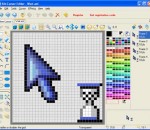
Sib Cursor Editor will help you to inlay your mouse pointers, or other images with shining diamonds of rich-looking and lively cursors. The program supports all 32-bit versions of Windows and meets the requirements of the most demanding graphic specialists. It features creating and editing static and animated cursors in color depths up to 16 million colors, a variety of formats for exporting and importing cursors, and much more.
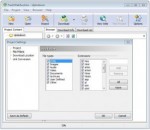
Fresh WebSuction is designed for downloading Web pages or web contents (reference material, software files, online books, e-zines, news articles) for viewing offline, and saving money on Internet connection fees. If you pay fees for the amount of time you are online you can save money by quickly downloading all the Web sites you want to view and disconnecting. Its user interface is very easy to use. Just enter the address, and let it download entire web pages while you go. It is capable of downloading up to 50 files simultaneously and speed up your browsing by saving pages to your hard drive, rather than relying on your Internet connection speed. This software is 100% free, no spyware, and updated regularly. Fresh Websuction features: - You can configure level limit of the project. - You can set which file types and file extensions to be handled by Fresh Websuction. File types can be : HTML, Images,Audio,Video,Documents,Archived,User-defined and others. File extensions can be : htm, html, shtm, shtml, htms, htmlx, asp, pl, stm, stml,idc, htx, xsp, xml, cfm, cgi, htmp, php, php3, nsf, jsp, aspx. - Very easy to add, remove file type and file extensions. - You can choose to make followed links being converted or not.
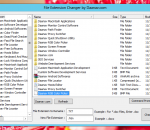
Free File Extension changer utility for Windows. Works with Windows XP onwards. Lets you to change file extension of single or multiple files.
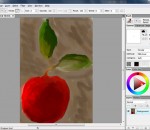
Artweaver Plus is a painting program which is suitable for beginners but also suitable for advanced users. You can record all your steps and replay them afterwards or provide them to other users. Also there are many tools and features like layers and effect filter in Artweaver Plus. Artweaver allows you to paint creatively with the help of a huge range of painting tools. You can create sketches from photos or just experiment with colors. For professional users, Artweaver offers layers, group layers and support for the PSD file format. It is also possible to load and run Photoshop compatible filters (only Artweaver Plus). Features: Event Saving and Playback You can record the whole painting process, save it and replay it later with Artweaver Plus. So it is possible to show other users your painting style or you can just show the progress from an empty paper to a finished artwork. Many Brushes and Individual Configuration Possibilities Artweaver Plus includes a big number of predefined brushes. But you can also configure each brush individually or create new custom brushes. Beside simple round brushes it's also possible to use custom images as brushes. Additionally Artweaver Plus has many options to configure a brush and adjust it to your own needs. All options are accessible by the brush editor and a preview shows changes prompt. User Friendly Program Window Artweaver Plus has an intuitive and easy to use program window. But you can also adjust it to your own needs. For example free arrangement and docking of palettes. Also there are custom palettes to hold frequently used shortcuts and brushes. All commands on those palettes and the palettes self are individual configurable. Free rotable and dragable canvas You can rotate the canvas to every angle and also drag the canvas within the application windows in Artweaver Plus. So it is possible to adjust the canvas to your own needs while painting. More Features * Support for many file formats like AWD (Artweaver), BMP, GIF, JPEG, PCX, TGA, TIFF, PNG and PSD (incl. layers) * Support for EXIF meta data in many file formats incl. displaying them * Transparency, layers and layer groups * Common image editing tools like gradient, crop, fill and selection tools * Many effect filters like sharpen, blur, emboss and mosaic * Expandable by Plug-In modules (Artweaver standard and Photoshop format) * Editable text layers * Support for multi CPU cores in many filters * Pen tablet support * History function to undo/redo last editing steps * Support for many languages through language files
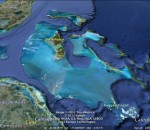
Allows you to Google Earth Plug-in mobility across geographical data and explored through three-dimensional globe using a web browser.
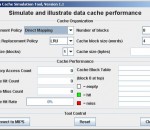
An IDE for MIPS Assembly Language Programming MARS is a lightweight interactive development environment (IDE) for programming in MIPS assembly language, intended for educational-level use with Patterson and Hennessy's Computer Organization and Design.
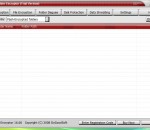
Best Folder Encryptor safely encrypts files and folder with various methods - Flash (instant), Hiding (instant and hiding), Full (all files in a folder separately), Diamond (strong and packing) and Portable (packing and portable). It has a friendly central management window and also supports direct use in Windows Explorer. It also protects data with enhanced features like folder disguise, disk protection, data lock, data shredding and more.
Manage your music Manage your music as a library, as playlists or as folders on the file-system. Organize, browse and find music on your computer, on portable devices and on the web. Small or large collections are handled with ease. Have folders watched for new tracks and added to your library, with the option to tag the files from an Inbox beforehand. Also manage and download Podcast subscriptions and listen to your favourite radio stations, including Shoutcast, Jamendo and Last.fm stations. Tagging Tag music easily, with a large number of tags available for editing*, and custom tags that can be configured to edit other less common tags. Automatically look up missing Album Art, Lyrics and tag other metadata from the web, with the ability to have tracks identified by analysing their digital sound signature. Power users will appreciate the configurable input panel layout, bulk editing, handling for multiple artist/ genres, search & replace, and tools to highlight tracks requiring attention (missing tags, duplicates, etc). Organise Have music files organised and renamed into folders and files on your computer based on tag values such as artist, album, name, track number, etc. that you specify. You can have MusicBee do this automatically for all files in your library or you can choose the files or folders yourself. Play and Discover Music Play MP3, FLAC, Vorbis, WMA and other formats and optionally have those tracks scrobbled to Last.fm. You are not restricted to music files on your computer - you can play the web as well. Playlists are automatically created from MP3 blogs and web pages you visit. Discover music with the Auto-DJ and have it create a playlist for you based on criteria you specify, such as tracks from similar artists, or include music tracks from the web not in your collection (or old ones from your collection you have forgotten about!) You can also create playlists that are dynamically updated based on your own rules, such as tracks with the same mood or genre. Secure CD Ripping Securely rip tracks from your CD collection as individual files or as a single album file with an embedded cuesheet. You can also have your rips validated against AccurateRip.com for extra assurance. No need to manually tag your rips - tags and artwork for each CD are automatically retrieved from the internet, with the option to have your ripped tracks added to the Inbox for further tagging before adding to your library. Synchronise Synchronise music files, podcasts and playlists from your library, or music files from any folder to many portable devices. These include iPods, iTouch/ iPhone, MTP devices (most portable devices other than iPods), and USB devices. You can also drag and drop files to the device yourself. Artwork, tags, ratings and playcounts are all synchronised, with the option to add the track playcounts from the device to your Last.fm library. Files can be encoded to a format supported by the device on the fly. And you have the option to normalise tracks so they play back at the same volume. Organise Files Tools Convert music files from one format to another* without losing tag values; normalise the volume of your files so you don't have to keep adjusting the volume; update missing tags and album artwork from the web; and more.
High-performance protection for complete peace of mind when shopping, banking or watching videos online. AVG Internet Security provides multiple layers of protection for everything you do online, which means you don’t have to worry about identity theft, viruses, or visiting harmful sites. High-performance protection for complete peace of mind when shopping and banking online. * Protection that actually speeds up your web experience for faster YouTube and video * Block hackers and stop identity thieves with AVG Firewall and AVG Identity Protection * Award winning Anti-Virus that just works with automatic updates to shield you from continually evolving threats Protection that actually speeds up your PC Some security products slow down your PC; AVG Internet Security 2012 speeds it up, by accelerating the download of content-rich files. Faster system start-up and support for Flash and HD video means you can enjoy online video like YouTube faster than ever before. AVG Accelerator AVG Accelerator maximises your computer’s connectivity to deliver content faster. It accelerates the download of binary files and minimizes the hangs and delays while watching videos on YouTube. AVG Accelerator is enabled as a default setting when you switch on. AVG System Tools AVG’s System Tools monitors your PC to allow you to turn off unneeded applications that auto-run at Windows start-up – plus the System Monitor option also provides information about which processes are running. Using this tool, you can make informed decisions about the trust level inside your computer and the safety of your files. Block hackers and stop identity thieves More than just Antivirus, AVG Internet Security protects you when shopping and banking, keeping your identity safe. The AVG Firewall prevents inbound and outbound attacks, while Identity Protection secures personal content you enter online. AVG Enhanced Firewall The AVG Enhanced Firewall protects you from malicious attacks by examining communications on each network port. When the Firewall recognizes an intrusion attempt it will immediately block it and keep your private information safe from inbound attacks, as well as outbound attacks where malicious software takes control of your computer and attempts to cause damage to other people. The AVG Enhanced Firewall also includes smart intrusion detection capabilities to keep your home wired or wireless networks secure. AVG Identity Protection AVG Identity Protection™ goes way beyond the typical identity theft protection software. Not only will we keep you safe from online threats - we’re also able to see when anything potentially bad might be happening on your PC, and stop it before it can do any damage. Gaming and surfing without interruptions Get on with your surfing and gaming without interference. Scans operate when you are away from your PC, and it also knows when you are gaming and ensures that the security operates in the background only, leaving you free to play. AVG Smart Scanning Our intelligent and lightweight smart scanning technology operates in high-priority mode while you’re away from your PC and drops into low-priority mode when you move your mouse or strike a key. AVG Smart Scanning ignores files it has scanned in the past and already knows are safe, enabling vast improvements in scan times. Game Mode AVG’s Game Mode provides non-stop protection during non-stop action in multi-player games like Call of Duty without annoying lags and freezes caused by scheduled updates and scans. AVG safeguards your digital profile against teams of hackers who are crawling the web, specifically looking to steal your game rewards and sell them for real money. Auto-Fix
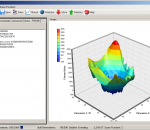
HiveMind is an optimization component, able to find optimal solutions for multi variable optimization tasks, without requiring comprehensive knowledge of optimization. Simple and quick connectivity allow HiveMind to become a compact solution, deploya
GOM Media Player The only media player you need - for FREE! Not only is GOM Media Player a completely FREE video player, with its built-in support for all the most popular video and Media Player formats, tons of advanced features, extreme customizability, and the Codec Finder service, GOM Media Player is sure to fulfill all of your playback needs. With millions of users in hundreds of countries, GOM Media Player is one of the world`s most popular video players. Whats New : Added "Touch Setting" feature for touch screen devices. Added "Search box" feature on playlist. (Ctrl+F) Supported "HTTPS URL" for youtube or net radio playback. (Ctrl+U) Added "Music Tap" on preferences related to play music files. Improved performance related to "speed of add & delete" of files on playlist. Other miscellaneous corrections, fixes, and changes
Iperius Backup is one of the best free backup software, also released in commercial editions for those who need advanced backup features for their companies. The freeware version of Iperius Backup allows you to backup to any mass storage device, such as NAS, external USB hard drives, RDX drives, and networked computers. It has comprehensive scheduling and e-mail sending functions. It supports zip compression with no size limit, incremental backup, network authentication and the execution of external scripts and programs.
Maryfi is a free and easy to use software router for Windows 7, 8 , and 8.1 computers. With Maryfi, users can wirelessly share any Internet connection such as: a cable modem, a cellular card, or even another Wi-Fi network. Other Wi-Fi enabled devices including laptops, smart phones, music players, and gaming systems can see and join your Maryfi hotspot just like any other Wi-Fi access point and are kept safe and secure by password-protected WPA2 Encryption.