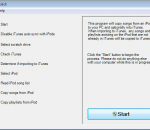
TuneJack is a very easy to use iPod utility to recover songs off your iPod. It is has one purpose in life and it does it's job well. It walks you right through the process. You simply start up TuneJack and wait for it to tell you to connect your iPod. You connect your iPod and TuneJack will detect that the iPod has been connected and then allow you to click a single button to start the process. When the button is clicked, TuneJack will go about its business. It will copy any songs that are on the iPod to your PC. If you tell it to transfer songs to iTunes, it will only copy songs that are not already in iTunes. It will also copy over any playlists that are on the iPod and not in iTunes as well as update existing iTunes playlists with any new songs copied over from the iPod that should be part of those playlists.
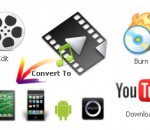
Any Video Converter Freeware is a totally free video converter which helps you to convert various video formats including MP4, AVI, RM, RMVB, QT, MOV, 3GP, 3G2, FLV, MPEG-1, MPEG-2, DVR-MS, VOB, MKV, ASF, DivX, OGM to AVI, WMV, MP4, FLV and SWF with fast converting speed and excellent video quality. It helps you to convert all kinds of video formats for all kinds of portable media players including Apple products such as iPod, iPhone, iPad; Sony products such as PSP, PS3; Android products and Microsoft products.So with this powerful free video converter, you can enjoy all kinds of videos on your portable devices freely! It can also extract audio from videos files and save into MP3, AAC, WMA, OGG and Wave formats. Any Video Converter can easily download and convert YouTube and Google Videos in a step by pasting URL links. Any Video Converter is also a totally free video to DVD creator which helps you to convert all kinds video formats to DVD NTSC MPG video or DVD PAL MPG video and burn the mpg files to DVD and create DVD movie. Now you can watch any movie on your home DVD player. Any Video Converter is a completely free video converter with lots of use functions. With Any Video Converter, you can trim any part of the video you want by specifying time section, you can merge several video clips in different formats into one clip. Batch conversion and output management are also possible. If you are still seeking a free video converter, Any Video Converter will be the best choice.
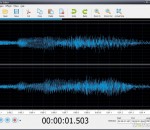
DJ Audio Editor is easy-to-use and well-organized audio application which allows you to perform various operations with audio data. You can create and edit audio files professionally, by having ability to apply dozens of amazing effects to audio files such as Amplify, Add Noise, Delay, Flanger, Chorus, Reverb, Invert, Reverse, Fade In/Out, Vibrato, Compressor, Normalize, Expander, Phaser, Time Stretch and Pitch Shift with ability to change all parameters to make your unique effect. The widely covered input audio formats and a set of amazing filters allow you to add endless innovation to music creating and design, and also displaying a waveform or spectral image of audio file makes your work faster. Finally save your audio file to various output formats including MP3, OGG, WAV, WMA, AAC, AC3, AIFF, FLAC, RA, AU, M4A, MP2, AVI, MPG, FLV, SWF and make it playable every where. DJ Audio Editor Features: Open, create, edit and save audio files. Display a waveform or spectral window of an audio file and apply zooming. Save output files to various audio formats including MP3, OGG, WAV, WMA, AAC, AC3, AIFF, FLAC, RA, AU, M4A, MP2, AVI, MPG, FLV, SWF. Play whole audio file or any part of it. Visually edit an audio file (Cut, Copy, Paste, Paste From File, Paste Mix, Paste Mix from File). Include powerful filters on audio files (Low/High/Band Pass, Notch Filter, Low/High Shelf, Peak EQ Filter). Apply various effects such as Amplify, Add Noise, Delay, Flanger, Chorus, Reverb, Invert, Reverse, Fade In/Out, Vibrato, Compressor, Normalize, Expander, Phaser, Time Stretch, Pitch Shift. Ability to change all parameters of effects and filters to make your unique ones. Use marker to locate the selected part or special part of the audio data. Keep history events and allows you to Undo/Redo. Free update for any new version.
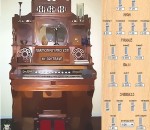
Harmonium VSTi is based on samples of real Harmonium Organ from 19th century recorded with different position of overtones switches. We also added Analog drift control to add analog touch to samples or to create new vibrato effects . Samples are looped so you can play infinete notes on keyboard without need to pump air with your legs like in original mechanical instrument.
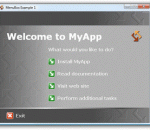
Leverage your web design experience to create sophisticated multimedia content, HTML pages that look and feel like application dialogs, "chromeless" browser windows, or quickly build powerful text-based menus. Use MenuBox to AutoRun-enable your CDs and DVDs, as a multi-purpose application launcher, or as a customized HTML browser. Features include a windowless mode to directly open a document (e.g. PDF, PowerPoint, Word, etc.) when your medium is inserted in the drive and conditional logic to install viewers, to create multilingual applications and for failsafe fallback. The free version of MenuBox, which can be registered at any time, offers unrestricted command line functionality. For additional information please refer to the MenuBox Home Page at www.menubox.com.
Free MKV Player is the best free and popular media player. makes it a great player that is able to play .MKV file formats. It has the ability to play most of media files without the need to obtain a codec, and the ability to play some broken media files, both advantages that we mentioned at VLC Media Player. Free MKV Player possible to play: DivX, mkv, wmv, avi, Xvid, DVD, MP3, MP4, VOB, 3GP, FLAC, Flash, QuickTime and others Free MKV Player supports new media formats in MKV PLayer Free MKV Player Detection of missing codecs Free MKV Player Live Update to the latest version of codecs, so every format is playable
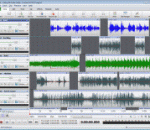
MixPad is multitrack mixing software designed for professional audio production. Load or record audio clips and mix them together. It is the digital replacement of using a multitrack recorder and mixing desk. Expand your musical abilities with the built in MIDI editor. Create remixes and mashups as well as add your own recorded audio. Multitrack Mixing Features: * Unlimited audio track mixing * Add audio effects including EQ, compression, reverb and more * Very low latency for sample accurate recording * Record single tracks or multiple tracks simultaneously * Supports a range of audio formats including wav, mp3, aif, wma, vox, m4a, gsm and many more * Export at all popular bit depths up to 32 bits floating point audio. * Add and delete MIDI tracks and files * Change pitch by moving MIDI notes or resize them to change the duration * Record MIDI tracks from other MIDI devices * Includes a royalty-free sound effect and music library * VST plugin support for added studio effects and instruments * Integrate with other NCH audio software for a complete sound studio on your computer * Intuitive graphical interface with drag and drop functionality
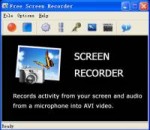
Free Screen Recorder is an easy-to-use screen recording program to capture screen activities and sounds to standard AVI video file. If you move the cursor, launch a program, type some text, click buttons, select some menus - anything you see on the screen - Free Screen Recorder will record all these, and sound from your system microphone. You can choose the output AVI file's video codec, framerate, audio codec, frequency; You can choose the cursor's display, to be actual cursor or custom one as you like, and you can add highlight to it. Record any part of the screen or even the entire desktop, with just a few clicks, or custom hotkeys. Free Screen Recorder is an ideal tool to make software demonstrations, develop videos for training and tutoring. Have fun with it!
Christmas Bells Karaoke Caroling, beautiful backgrounds! Powered by InspiredCode's Home Group Overhead (HGO) program, this package delivers family fun every Christmas season. HGO is shareware, the Caroling runs for free (even on expired demo) every December, every year, so you'll want to burn a CD of the install files to keep with your Christmas lights and tinsel.
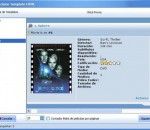
Organize and track your movie collection. As a serious movie collector, you might have hundreds of movies in your collection. As your collection grows, organizing your collection so that you always know whether you have a particular title gets more difficult. There are products that promise to organize your entire collection for fast and easy reference. All you must do, they say, is enter every little detail about each movie you have...by hand! You might be a movie fan, but is it really fun to spend hours and hours manually entering all the information about your movies? All My Movies delivers what other products just promise: a really fast way to organize your collection. Thanks to online movie databases such as IMDB.com, you will no longer need to type in all the details. Instead, you just enter the name or UPC code of your video or DVD, and All My Movies will immediately retrieve everything else from the Internet. Browsing and searching your collection with All My Movies is easy, fast and fun. When you first enter a movie into the system, All My Movies will automatically download the box cover, presenting your collection in the same way it looks on your shelf. If you ever forget what's inside the movie, All My Movies offers a convenient way to show you what's in the box. Just insert a DVD into your computer, and All My Movies will automatically capture frame shots and store them in the database for your reference. What if you remember that you had that DVD, but it's not on the shelf? Maybe someone borrowed the disk from you, but do you remember who? All My Movies keeps track of your videos with a powerful loan manager. It will allow you to record and look up who borrowed a particular disk and remind you about overdue loaners. If you regularly loan movies from your collection, you will definitely value these powerful tracking features. You will be able to see who has borrowed a particular movie and when it was borrowed, as well as the history of the borrower
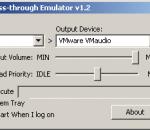
Microphone Pass-through Emulator is designed for the newer sound cards that the direct playback from microphone to speaker is disabled, such as Realtek HD sound cards. This means you cannot hear what you speak to your mic from your speaker. This playback feature is a very important or must-have for some applications like Karaoke software or sound mixing programs. Without this feature, you have to spend a lot of money and time to setup a big system with an extra mixer. This program pass the input from microphone through your speakers directly in background to emulate playback features. You can control the output volume and an option to load other programs after running. Thus, using this program is very handy and save you money. Give Microphone Pass-through Emulator a try to see what it's all about!
GOM Media Player The only media player you need - for FREE! Not only is GOM Media Player a completely FREE video player, with its built-in support for all the most popular video and Media Player formats, tons of advanced features, extreme customizability, and the Codec Finder service, GOM Media Player is sure to fulfill all of your playback needs. With millions of users in hundreds of countries, GOM Media Player is one of the world`s most popular video players. Whats New : Added "Touch Setting" feature for touch screen devices. Added "Search box" feature on playlist. (Ctrl+F) Supported "HTTPS URL" for youtube or net radio playback. (Ctrl+U) Added "Music Tap" on preferences related to play music files. Improved performance related to "speed of add & delete" of files on playlist. Other miscellaneous corrections, fixes, and changes
RealPlayer has always enabled you to play RealAudio (*.ra) and RealMedia (*.ram) files. Download videos from thousands of Web sites with just one click Build your own video library and playlists Play all major audio and video formats Flash Video support DVD, SVCD, VCD burning and video recording RealPlayer for personal use includes audio CD burning capabilities, DVR-style playback buffering, multimedia search, Internet radio, a jukebox-style file library, an embedded web browser (using Microsoft Internet Explorer), and the ability to transfer media to a number of portable devices, including Apple's iPod, MP3 players, and Windows Media devices.
GOM is a FREE media player with popular audio & video codecs built-in. Codec Finder GOM Player includes many codecs (XviD, DivX, FLV1, AC3, OGG, MP4, H263 and more) so you won't need to install separate codecs for most videos. For those videos that require a separate codec, GOM Player will find one. Play Broken AVI Files (Patented) GOM Player's patented technology enables users to view files with broken indexes or that are still being downloaded. Powerful Subtitle Support GOM Player supports SMI, SRT, RT, SUB(with IDX) files for subtitle. You can even synchronize subtitle and video if there's any mismatch. Convenient Playlist If you run a video file and there is already a file with a similar name in the directory, it will be automatically added to your playlist. GOM Player has a similar playlist format as M3U, PLS, ASX. Support Different Media Types Along with different media format such as AVI, MPG, MPEG and DAT, GOM Player also supports streaming Windows media format (WMV, ASF, ASX). You can also watch DVD-quality videos with 5.1 channel audio output.