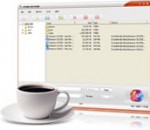
With this FLV to PSP Converter you can convert your flash video files into the proper video format that your PSP can understand. It is capable of converting almost all flash video formats to PSP with excellent quality at high speed. In addition, the setting and options are easy to find, users can easily handle the software without any help.
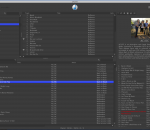
flowspring an easy-to-use and Open Source MP3 player that can be controlled from the keyboard. The player is capable of organizing your mediadata in a manner that also keeps it simple to browse media within your filesystem.
IdolSoundLab is an ideal solution for audio file editing, playing, recording and converting. The program contains everything you need to edit, play, record, convert and create great sounding audio files. IdolSoundLab can also load VST effect plugins.
TEncoder is a multithreaded video encoder that uses Mencoder and FFMpeg. It can convert almost every video type to each other. Subtitles with same name as video can be hard-coded into video. Up to 8 simultaneous encoders can be run.
MMConvertGUI was specially developed as an easy-to-use multimedia format converter. You can use MMConvertGUI to convert your media files from one format into another in no time at all. MMConvertGUI can support any source format with relevant DirectShow decoder.
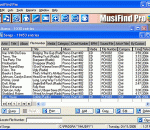
HAPaudioTags is a compact application that is designed to work with CATraxx and allow the user to change the ID3 tag of audio files. It can display or update the content of an audiotag as well as show information about the audiofile. The application can be used as a stand alone program by browsing to a certain audio file and changing the tag information.
Do you have an iPod, but you don't like to use ITunes for managing your audio files? iTunes is the best software to syncronize your songs with iPod, but it's a poor solution to manage your songs. There are many better options. Before SynciTunes, you'd need to add your songs two times: In the software of your choice and in iTunes. Not anymore.
Moyea PPT to DVD Burner Lite, an easy-to-use presentation tool, can convert PowerPoint to Blu-ray/DVD and PowerPoint to video in all formats like PPT to AVI, MPEG, FLV, MP4, MOV, 3GP, VOB, etc. with excellent quality via wizard interface. Thus together with the function of designing beautiful Blu-ray/DVD Menus, this PowerPont to DVD burner lets your PowerPoint achieve comfortably enjoying on TV, Blu-ray/DVD player, Portable Player, YouTube.
Moyea World Cup PPT to Video Converter can convert PowerPoint to video like AVI, MPEG, FLV, WMV, MP4, MOV, 3GP, DV, VOB with high quality. This PowerPoint to video converter allows you fully retaining the original elements (movie clips, transition time, etc.), adding background music and combining with the original video & audio file in order for video conversion. Then you can easily enjoy your PPT on YouTube, Portable Player.
OGG to MP3 is an easy, efficient, fast yet free OGG to MP3 converter. It is capable of converting OGG to MP3 easily and quickly.
MovieMator Video Editor is a powerful and intuitive video editing tool that lets you create unique and customized home movies in few clicks for enjoying and sharing. Free download video editing software - MovieMator now to create awesome videos with just a few taps. Load your video clips, photos and music for automatic movie creation. Thanks to a simple interface that lets you insert titles, reorder clips, add your own songs, and more.
GOM Media Player The only media player you need - for FREE! Not only is GOM Media Player a completely FREE video player, with its built-in support for all the most popular video and Media Player formats, tons of advanced features, extreme customizability, and the Codec Finder service, GOM Media Player is sure to fulfill all of your playback needs. With millions of users in hundreds of countries, GOM Media Player is one of the world`s most popular video players. Whats New : Added "Touch Setting" feature for touch screen devices. Added "Search box" feature on playlist. (Ctrl+F) Supported "HTTPS URL" for youtube or net radio playback. (Ctrl+U) Added "Music Tap" on preferences related to play music files. Improved performance related to "speed of add & delete" of files on playlist. Other miscellaneous corrections, fixes, and changes
RealPlayer has always enabled you to play RealAudio (*.ra) and RealMedia (*.ram) files. Download videos from thousands of Web sites with just one click Build your own video library and playlists Play all major audio and video formats Flash Video support DVD, SVCD, VCD burning and video recording RealPlayer for personal use includes audio CD burning capabilities, DVR-style playback buffering, multimedia search, Internet radio, a jukebox-style file library, an embedded web browser (using Microsoft Internet Explorer), and the ability to transfer media to a number of portable devices, including Apple's iPod, MP3 players, and Windows Media devices.
GOM is a FREE media player with popular audio & video codecs built-in. Codec Finder GOM Player includes many codecs (XviD, DivX, FLV1, AC3, OGG, MP4, H263 and more) so you won't need to install separate codecs for most videos. For those videos that require a separate codec, GOM Player will find one. Play Broken AVI Files (Patented) GOM Player's patented technology enables users to view files with broken indexes or that are still being downloaded. Powerful Subtitle Support GOM Player supports SMI, SRT, RT, SUB(with IDX) files for subtitle. You can even synchronize subtitle and video if there's any mismatch. Convenient Playlist If you run a video file and there is already a file with a similar name in the directory, it will be automatically added to your playlist. GOM Player has a similar playlist format as M3U, PLS, ASX. Support Different Media Types Along with different media format such as AVI, MPG, MPEG and DAT, GOM Player also supports streaming Windows media format (WMV, ASF, ASX). You can also watch DVD-quality videos with 5.1 channel audio output.