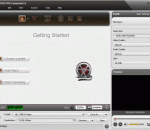
About : Avi2Dvd is a GUI in order to convert with just one click an Avi/Ogm/Mkv/Dvd to Dvd/Svcd/Vcd. This utility uses only freeware software . Supports : 1 VideoStream 1 AudioStream 3 Subtitle Streams (in dvd mode)
Pod PC Transfer, you can transfer music from iPod to computer, and copy songs, playlists from iPod to iTunes easily. Features are Copy music and video from iPod to computer, Copy music and video from iPhone to computer, Transfer songs, video and playlists to iTunes library, Auto detect when the iPod/iPhone plug in, Extremely easy to use iTunes-like interface, Ability to search for the songs easily and Save the output music files with the Arit ...
SyntFont1 comes with its own Pianoroll. In the homonymous tab, you find the necessary functions to visually build up an audio file. Samples can easily be selected, as well as some other tools like controllers, note drawing and editing, copy and paste, batch editing, and track editing.
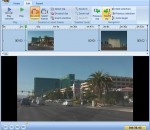
AVI MPEG Splitter Freeware is the best software for split Video file. It support AVI and MPEG format; It is very easy to use without any special setting, only a few clicks complete the task of video file split; It is made for the beginner as well as having advanced functions for the professional user.
TigoTago ® is a spreadsheet-based tag editor for media files. This enables you to easily set and modify tags and to rename a huge number of files. Convenient multi-selection allows for flexible mass taging and mass renaming operations. You have full control - all changes are visible before you save them to disk. No typing will be needed when filling tags, since they can by imported from freedb or Discogs on-line databases.
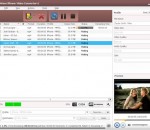
An outstanding and professional MKV converter can convert MKV files from almost all popular video formats such as wmv, AVI, MPEG, FLV, MKV, 3GP, 3G2, MOV, H264, RM easy and fast.
Moyea PPT to Video Converter Edu Edition can convert PowerPoint to video in formats like AVI, MPEG, FLV, WMV, MP4, MOV, 3GP, DV, VOB with excellently quality. This PowerPoint to video converter allows you fully retaining the original elements (movie clips, transitions, animations, etc.), adding background music and combining with the original video and audio file in order for video conversion. Then you can easily enjoy your PPT on YouTube, etc.
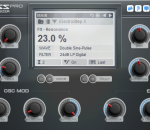
MPfm may look like just another music player on the surface. However, if you are a musician, this player offers interesting features such as time shifting, loops and markers to help you pick songs by ear.
Bluefox MKV to X Converter can help you convert MKV files to almost all kinds of popular video, including DivX, XviD, WMV, 3GP, AVI, MP4, M4V, ASF, MOV, VOB and MPEG. It offers some parameters of conversion options that you can be set, for example the frame rate, bit rate etc. Overall, Bluefox MKV to X Converter is a great application with variable settings and fast converting speed.
Jazler24 is an audio player designed to be used in public places such as coffee shops. The program allows you to scan multiple folders from the computer for audio files and to use them for creating playlists. The program can also schedule certain playlists for a preset time interval in order to minimize your interaction. It is designed for unattended playback for large time intervals such as days or weeks.
BDtoAVCHD is a software to create AVCHD discs from Blu-Ray or HD MKV files. As output we get the folder structure ready to burn to a DVD5 or DVD9. The software compresses the video to achieve the desired overall size of 4.7 GB with the highest possible quality.
GOM Media Player The only media player you need - for FREE! Not only is GOM Media Player a completely FREE video player, with its built-in support for all the most popular video and Media Player formats, tons of advanced features, extreme customizability, and the Codec Finder service, GOM Media Player is sure to fulfill all of your playback needs. With millions of users in hundreds of countries, GOM Media Player is one of the world`s most popular video players. Whats New : Added "Touch Setting" feature for touch screen devices. Added "Search box" feature on playlist. (Ctrl+F) Supported "HTTPS URL" for youtube or net radio playback. (Ctrl+U) Added "Music Tap" on preferences related to play music files. Improved performance related to "speed of add & delete" of files on playlist. Other miscellaneous corrections, fixes, and changes
RealPlayer has always enabled you to play RealAudio (*.ra) and RealMedia (*.ram) files. Download videos from thousands of Web sites with just one click Build your own video library and playlists Play all major audio and video formats Flash Video support DVD, SVCD, VCD burning and video recording RealPlayer for personal use includes audio CD burning capabilities, DVR-style playback buffering, multimedia search, Internet radio, a jukebox-style file library, an embedded web browser (using Microsoft Internet Explorer), and the ability to transfer media to a number of portable devices, including Apple's iPod, MP3 players, and Windows Media devices.
GOM is a FREE media player with popular audio & video codecs built-in. Codec Finder GOM Player includes many codecs (XviD, DivX, FLV1, AC3, OGG, MP4, H263 and more) so you won't need to install separate codecs for most videos. For those videos that require a separate codec, GOM Player will find one. Play Broken AVI Files (Patented) GOM Player's patented technology enables users to view files with broken indexes or that are still being downloaded. Powerful Subtitle Support GOM Player supports SMI, SRT, RT, SUB(with IDX) files for subtitle. You can even synchronize subtitle and video if there's any mismatch. Convenient Playlist If you run a video file and there is already a file with a similar name in the directory, it will be automatically added to your playlist. GOM Player has a similar playlist format as M3U, PLS, ASX. Support Different Media Types Along with different media format such as AVI, MPG, MPEG and DAT, GOM Player also supports streaming Windows media format (WMV, ASF, ASX). You can also watch DVD-quality videos with 5.1 channel audio output.