Xilisoft iPad Apps Transfer is a smart and easy to use tool for you to manage your iPad apps and app documents. With this outstanding software, you can conveniently backup iPad apps to PC, delete apps on your iPad or move the apps back to iPad. In addition, you can also add/save/delete app documents on your iPad directly with Xilisoft iPad Apps Transfer.
ImTOO iPhone Apps Transfer is a smart and easy to use tool for you to manage your iPhone apps and app documents. With this outstanding software, you can conveniently backup iPhone apps to PC, delete apps on your iPhone or move the apps back to iPhone. In addition, you can also add/save/delete app documents on your iPhone directly with ImTOO iPhone Apps Transfer.
Leawo PowerPoint to iPad is designed for the tablet computer, iPad. Beyond what the name suggests, the PowerPoint-to-video converter can convert PowerPoint files to iPad video like MP4, MOV for sharing with iPad, as well as iPhone and iPod Touch. It can retain all the animations, transitions, sounds, webcam videos, and internal hyperlinks in source PowerPoint documents.
EasySubtitles is a handy, easy to use, simple program specially designed to help you download subtitles for movies. Subtitle service powered by OpenSubtitles.org
Machete is a convenient utility for playing and editing of multimedia files. Currently, Machete can edit video and audio files in AVI, ASF, WMV, WMA, MP3 and FLV (Flash Video) formats. Support of editing functions for other formats is planned for future versions of the program.
Blue Cat's Stereo Triple EQ x64 is based on Blue Cat's Triple EQ shapeable filter technology: its three-in-one filter lets you to easily equalize the left and right channels of your signal separately. The graphs shows you the exact frequency response for each channel, and let you easily shape the EQ curve.
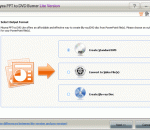
Moyea PPT to Video Converter can convert PowerPoint to video in formats like AVI, MPEG, FLV, WMV, MP4, MOV, 3GP, DV, VOB with excellently quality. This PowerPoint to video converter allows you fully retaining the original elements (movie clips, transition time, etc.), adding background music and combining with the original video & audio file, adding your own watermark/logo. Then you can easily enjoy your PPT on YouTube, Portable Player.
It's a fantastic little app that fits in with my preferences in software design i.e. standard controls, no skins, etc. However, it only supports MP3, WAV, OGG, & FLAC and it also doesn't display or use tags. Unfortunately, my audio collection comprises many more formats than that and I tag files like a man possessed.
Moo0 AudioPlayer will enable you to easily play your preferred music tracks. It is very small and simplified for easy use. If you are looking for a lightweight audio player, this may be the one for you. Also, it includes skins in various colors to suit your liking.
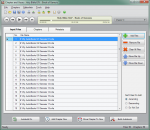
This software offers a solution to users who want to convert one or more SWF video files into MP3 audio format. The user chooses the files or an entire folder to be processed before starting the conversion. Using this time saving software, even large numbers of files can be handled with one click.
VSTStuff is an ideal solution to play and record audio files, load VST audio effect plugins and connect these to the VSTStuff audio player. Supported audio file formats: Wave files and OggVorbis audio files. Features: Open and play audio files, Load Windows 32 bit, VST 2 and VST 3 audio effect plugins, Record streamed audio data, Record vocals using microphone,Record Wave and OggVorbis audio files,
GOM Media Player The only media player you need - for FREE! Not only is GOM Media Player a completely FREE video player, with its built-in support for all the most popular video and Media Player formats, tons of advanced features, extreme customizability, and the Codec Finder service, GOM Media Player is sure to fulfill all of your playback needs. With millions of users in hundreds of countries, GOM Media Player is one of the world`s most popular video players. Whats New : Added "Touch Setting" feature for touch screen devices. Added "Search box" feature on playlist. (Ctrl+F) Supported "HTTPS URL" for youtube or net radio playback. (Ctrl+U) Added "Music Tap" on preferences related to play music files. Improved performance related to "speed of add & delete" of files on playlist. Other miscellaneous corrections, fixes, and changes
RealPlayer has always enabled you to play RealAudio (*.ra) and RealMedia (*.ram) files. Download videos from thousands of Web sites with just one click Build your own video library and playlists Play all major audio and video formats Flash Video support DVD, SVCD, VCD burning and video recording RealPlayer for personal use includes audio CD burning capabilities, DVR-style playback buffering, multimedia search, Internet radio, a jukebox-style file library, an embedded web browser (using Microsoft Internet Explorer), and the ability to transfer media to a number of portable devices, including Apple's iPod, MP3 players, and Windows Media devices.
GOM is a FREE media player with popular audio & video codecs built-in. Codec Finder GOM Player includes many codecs (XviD, DivX, FLV1, AC3, OGG, MP4, H263 and more) so you won't need to install separate codecs for most videos. For those videos that require a separate codec, GOM Player will find one. Play Broken AVI Files (Patented) GOM Player's patented technology enables users to view files with broken indexes or that are still being downloaded. Powerful Subtitle Support GOM Player supports SMI, SRT, RT, SUB(with IDX) files for subtitle. You can even synchronize subtitle and video if there's any mismatch. Convenient Playlist If you run a video file and there is already a file with a similar name in the directory, it will be automatically added to your playlist. GOM Player has a similar playlist format as M3U, PLS, ASX. Support Different Media Types Along with different media format such as AVI, MPG, MPEG and DAT, GOM Player also supports streaming Windows media format (WMV, ASF, ASX). You can also watch DVD-quality videos with 5.1 channel audio output.