Download free Flash player and gain total control over SWF and FLV animations. Play, pause, rewind and forward flash animations, view them frame-by-frame or zoom the animation in for more detailed view. SWF & FLV Player also lets you create and manage playlists according to your tastes. Gain more attractive possibilities with SWF & FLV Player PRO, available for a small fee. Flash player download feature will keep everyone interested. Just browse through various websites directly from SWF & FLV Player and download any SWF or FLV file you like to your hard drive right away! SWF & FLV Player will offer you to download external resources of the file if you consider them to be useful. It will keep their hierarchy on your hard drive too. You can make screenshot of any frame of the file or convert the whole flash file into image series. More than that with SWF & FLV Player for Windows watching your favorite movies is even more fun. Just sit back and enjoy the movie in full-screen mode.
DVDShrink is software to backup DVD discs. You can use this software in conjunction with DVD burning software of your choice, to make a backup copy of any DVD video disc. DVDShrink will also burn your backup DVD, if you have installed the latest version of Nero. You can also download a demo version of Nero here. If you already possess alternative burning software and prefer to stick with it, then you can still use DVD Shrink. The output from DVDShrink can be saved as files on your hard drive, which you can then burn with software of your choice. Most DVDs are designed to prevent you from making copies. The first preventative measure is encryption. Commercial DVD titles are often encrypted, which prevents you from either copying them to your hard drive, or if you manage to do so, being able to play the resulting files. DVDShrink overcomes this problem with built-in decryption algorithms. The next problem is not so easy. Most DVD video titles are simply too large to fit, without modification, onto a single recordable DVD-R disk. DVDShrink overcomes this problem by compressing or "shrinking" the data from your original DVD. DVDShrink also allows you to re-author your DVD. You can make your own compilation from one or more source DVDs, or select only the parts of a DVD which you intend to view, thus preserving more space on your backup for the highest quality viewing.
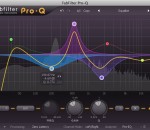
FabFilter Pro-Q x64 is designed to help you achieve your sound in the quickest way possible. Via the large interactive EQ display, you can create bands where you need them and select and edit multiple bands at once. Try it yourself! An equalizer is probably the tool you use most while mixing and mastering, so you need the best of the best! As you can expect from FabFilter, Pro-Q gets you the highest possible sound quality and a gorgeous interface with unrivalled ease of use.
Winamp is more than just a player. It's your window to the multimedia world. From MP3s to streaming video, Winamp is the one place you go to feed your audio/video habit. As always Winamp and Winamp Pro also feature... * Now Playing: Artist Songs, Videos, Radio and Photos * iPod Support: Play and manage music on your iPod * AOL Radio Online Service Powered by CBS Radio * Album Art: Retrieve and view Album Art * Winamp OrglerTM lets you track, chart and share your Winamp listening history * Extended Flash video support * Auto-Tag: Automatically update your song information * Replay Gain: Play all your songs at a consistent volume level * Format Converter: Transcode music to a more friendly format Features: Here are just some of the hot, new things you can do with the latest version of Winamp: * Winamp can use both Modern and Classic skins, so you can be both hip and retro at the same time. * Winamp gives you easy and organized access to your favorite media. That's what you call mass media. * Winamp can play a huge variety of audio and video formats right out of the box... err... out of the installation. * You get access to hundreds of free audio and video channels in the Media Library. This ain't your father's library. * Winamp can burn your music to Audio CDs. Burn baby burn! * Winamp makes it easy to create and manage your favorite songs through playlists. Yes, you can be your own DJ. * Winamp allows you to extend its functionality through the use of "plug-ins" Its like the Mr. Potato Head® of music. * Winamp can manage all of your portable media players and devices. Plug in, turn on, tune in, drop out... * Winamp allows you to alter the sound of your music through a built-in Equalizer. An audio receiver right on your computer. * Winamp allows you to watch visual effects that are driven from your music with Visualizations. From flaming fireballs to screaming strobe effects, it's all there. Some sweet treats you get only with Winamp Pro: * Rip and burn your Audio CDs at 48x * Rip your CDs to MP3s * Rip your CDs to High Bitrate aacPlus * Convert other formats to MP3 and High Bitrate aacPlus * Play MPEG-4 video formats straight out-of-the-box What is New in Winamp 5.63? * Wireless desktop sync with Winamp for Android™ * iTunes Library Import * Major podcast overhaul including new directory powered by Mediafly * New Windows 7 support including taskbar player controls * Available in 16 languages including Turkish, Romanian & Brazilian Portuguese * Improved playlist generator * Add the Winamp Toolbar and control playback from your browser (optional)
Daum PotPlayer - very fast freeware multimedia player published by Daum. It feels like the KMPlayer, but is in active development. Distinctive features of the player is a high quality playback, support for all modern video and audio formats and a built DXVA video codecs. Other key features include Webcam/Analog/Digital TV devices support, gapless video playback, live broadcasting. Features of Daum PotPlayer: - Support for most audio/video formats and DVD. - Internal DXVA video codecs (H.264/AVC, VC-1, MPEG2) and EVR (Windows 7 only). - Hi Quality playback and low resources usage. - Support all types of subtitling. - Skins, logos, color themes. - Digital TV devices support. Live broadcasting.
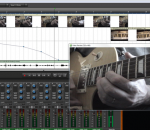
Mixcraft 6 is a powerful music production and multi-track recording workstation that comes packed with over thousands of music loops and dozens of audio effects and virtual instruments. Mixcraft enables you to record audio, arrange loops, remix tracks, compose with MIDI and virtual instruments, add effects, score and edit video, and mix and master your tracks to create polished, professional compositions. Mixcraft is your music production dream come true, instantly turning your computer into a fully-stocked professional recording studio. * Record and create an unlimited number of audio and MIDI tracks. * Arrange and score video files, adding transitions, visual effects, music, sound effects, and voice-overs with ease. * Includes over 6000 professionally produced music loops and sound effects in a wide variety of popular styles, from dubstep to folk rock. * Includes 11 virtual instruments, ranging from modelled vintage synthesizers to high-quality sampled acoustic instruments, and an inspiring collection of studio-quality acoustic and electric drums. * Includes 22 high quality effects, ranging from studio standards such as reverb,chorus and delay, to ultra-realistic guitar amp simulators, vintage tube EQ, vocal reduction, multi-band compression, and more. * Powerful, professional features include ReWire hosting, multi-take loop recording, time stretching and pitch shifting, support for unlimited hardware inputs and outputs, support for multi-channel VSTis, and much more.
AnyDVD works in the background to automatically remove the copy protection of a DVD movie as soon as it's inserted into the drive, allowing you then to backup the movie using a DVD backup tool such as CloneDVD. You can also remove the RPC region code, thereby making the movie region free and viewable on any DVD player and with any DVD player software. AnyDVD is capable of removing unwanted movie features, including subtitles and prohibition messages such as copyright and FBI warnings. It also allows you to launch an external application whenever you insert or remove a disc, or prevent 'PC-friendly' software from automatically launching when you insert a video DVD. Decryption is not all that AnyDVD offers. You can control the drive speed of your DVD drive, allowing you to reduce the noise level when watching movies on your PC. You can even adjust the display frequency of your monitor for both NTSC and PAL displays. But AnyDVD doesn't just stop at DVDs. It also decrypts protected audio CDs to allow you to copy them.
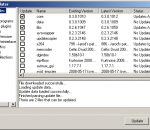
MeGUI is a video conversion application, which was primarily designed to be a DVD ripper, but is capable of many transcoding tasks. It is essentially a frontend for many free tools, but also includes a number of utilities to enhance the conversion process. MeGUI is the most comprehensive GUI based ISO MPEG-4 solution. It suports MPEG-4 ASP (xvid), MPEG-4 AVC (x264), AAC, MP2, MP3, Vorbis, AC3 audio and various common containers support (MP4, MKV, AVI, M2TS). Specifications: Input: * DVD (vob through d2v) and other MPEG-1 and MPEG-2 streams receive special input support for demuxing of audio and subtitles, and faster video seeking * Any computer video file via AviSynth Output: * Video Encoders: x264, XviD, libavcodec MPEG-4 Part 2, Snow * Audio Formats: MP2/MP3 (via LAME/ffmpeg), AAC (via FAAC, Nero AAC or Coding Tech AAC), Vorbis, AudX, AC3 * Container formats: Matroska, MP4, AVI Features: * Powerful job queue support, with in-place job editing, related job linking, play/pause controls, etc. o Parallel job execution makes job processing very flexible and improves speed on multi-core systems. * Automatic interlace detection can analyse your input video to determine whether it is progressive/interlaced/film/hybrid, and also determine field order. * AutoUpdate keeps MeGUI and its assisting programs up-to-date and eases installation. * Audio encoding also based on Avisynth, which allows highly accurate editing of audio, including sample-accurate audio cutting. * More...
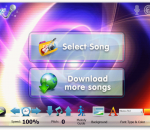
Sing-Magic is a freeware karaoke player. Five free songs are also included. Easy to use yet powerful. Fullscreen mode with quality, high definition graphics and animation. Adjust song speed and pitch on the fly, to match your vocal range. Guide melody to assist your singing. Fully customizable. Change the animated background, lyric's font style and color. Bouncing Ball. Indicates the rhythm of a song, bounces across the top of the lyrics landing on each syllable when it is to be sung. Blazing fast song downloads. Our compression technology creates extra small karaoke files without sacrificing the audio quality.
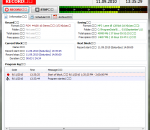
Program for external (Line-In, Microphone etc.) audio signal storage in PCM Wave (*.wav) or Mpeg Layer 3 (*.mp3) formats. Has an ability to record external audio signsl with selected quality (bitrate, sample rate), set time periods for recording, control signal presence and other functions. FEATURES: · automatic recording and encoding of incoming audio signal; · archive : records and events; · record block duration adjustment (from 1 minute to 1 day); · audio capture quality settings; · on/off MP3 compression; · record storage period settings; · built-in player for saved records;
+++ Record, Convert and Enjoy Music, Streams and Audio Books Anywhere +++ ++ Tunebite Premium Shortcut ++ Music Streaming Recorder and Audio File Converter + Records any Audio Stream to any Audio File Format for PC, Smartphone, Tablet, Apple iPhone and iPad + Converts Music & Audio Books + ID3-Tag Editor incl. Songtext and Album Cover + Media-Manager with Music Universe + Player with Visual Playlists + Cloud-Manager + CD-Burner + Spotify + Napster + Deezer + iTunes ++ The World's No. 1 Tool for Music Audio Streaming Subscriptions ++ Music subscriptions are traditionally available for downloading individual tracks or accessing audio streams. In both cases, Tunebite Premium automatically records all music files without any loss of quality and saves these as new audio files. ++ Entertainment with Cloud Storage ++ Tunebite Premium turns your PC into a Cloud. However, using the Cloud manager, any other Cloud can also be filled with music and videos, managed & used via a smartphone on the go. Many profiles from the best Cloud services are already pre-configured. ++ The No. 1 Solution since 2004 for all Problems with File Formats and Protected Files ++ For music and audio books with copy protection or in the wrong format, Tunebite Premium always features the best options for recording and converting into all formats for PC, smartphone, tablet, notebook, netbook and console: ++ Format Converter Audio Formats ++ WMA, M4P/ M4B, MP3, MP2, WMA, WMA Pro, OGG, AAC, OGG, MPEG-4 AAC, WAV, FLAC, AIFF, AC3, AU ++ Player, Media Manager, Tag-Editor, DVD & CD Burner included ++ Player, burner, media manager and ID3 tagger for automatically adding ID3 tags, cover art and lyrics to music files ensure order in your music collection.
GOM Media Player The only media player you need - for FREE! Not only is GOM Media Player a completely FREE video player, with its built-in support for all the most popular video and Media Player formats, tons of advanced features, extreme customizability, and the Codec Finder service, GOM Media Player is sure to fulfill all of your playback needs. With millions of users in hundreds of countries, GOM Media Player is one of the world`s most popular video players. Whats New : Added "Touch Setting" feature for touch screen devices. Added "Search box" feature on playlist. (Ctrl+F) Supported "HTTPS URL" for youtube or net radio playback. (Ctrl+U) Added "Music Tap" on preferences related to play music files. Improved performance related to "speed of add & delete" of files on playlist. Other miscellaneous corrections, fixes, and changes
RealPlayer has always enabled you to play RealAudio (*.ra) and RealMedia (*.ram) files. Download videos from thousands of Web sites with just one click Build your own video library and playlists Play all major audio and video formats Flash Video support DVD, SVCD, VCD burning and video recording RealPlayer for personal use includes audio CD burning capabilities, DVR-style playback buffering, multimedia search, Internet radio, a jukebox-style file library, an embedded web browser (using Microsoft Internet Explorer), and the ability to transfer media to a number of portable devices, including Apple's iPod, MP3 players, and Windows Media devices.
GOM is a FREE media player with popular audio & video codecs built-in. Codec Finder GOM Player includes many codecs (XviD, DivX, FLV1, AC3, OGG, MP4, H263 and more) so you won't need to install separate codecs for most videos. For those videos that require a separate codec, GOM Player will find one. Play Broken AVI Files (Patented) GOM Player's patented technology enables users to view files with broken indexes or that are still being downloaded. Powerful Subtitle Support GOM Player supports SMI, SRT, RT, SUB(with IDX) files for subtitle. You can even synchronize subtitle and video if there's any mismatch. Convenient Playlist If you run a video file and there is already a file with a similar name in the directory, it will be automatically added to your playlist. GOM Player has a similar playlist format as M3U, PLS, ASX. Support Different Media Types Along with different media format such as AVI, MPG, MPEG and DAT, GOM Player also supports streaming Windows media format (WMV, ASF, ASX). You can also watch DVD-quality videos with 5.1 channel audio output.