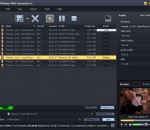
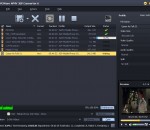
DVDFab 3D Video Toolkit is the universal 3D video converter which can convert 2D DVD, 2D/3D Blu-ray, and 2D video to various 3D videos like side-by-side 3D, anaglyph 3D, etc. It combines Blu-ray Ripper, DVD Ripper, and Video Converter. So this 3D Video Toolkit can also be used to rip DVD/Blu-ray, and convert video. Really an amazing package!
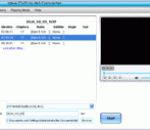
The program has a user friendly interface that allows you to find a certain frame that you w3ant to capture. The precise navigation also allows you to select the correct time at which to trim the video. Nonetheless, videos can be loaded either from the File menu or via simple drag and drop actions. Their soundtrack or still frames can be extracted with a simple click on the designated buttons found in the main window.
Bullrushsoft SWF to EXE Converter enables the creation of executable files from SWF files.#Convert your SWF project, games or presentations into a commercial product. #Customize your product informations, protects your SWF copyright.#Runing in memory really, no temporary files produced, SWF files more secure.# Pack and compress one SWF file with multiple related files.#Produce an distributable, read-to-run executabl file.
Convertilla is a simple and convenient program for converting video and music files between various formats. It supports MP4, FLV, MKV, MPG, AVI, MOV, WMV, 3GP, MP3, WEBM, OPUS, AAC, FLAC, APE, WAV. We prepared presets for the following devices: iPhone, iPad, Android, iPod, Blackberry, Sony PSP and PS3, Microsoft XBOX 360 and Zune, Nokia N-series and others.
FabulousMP3 is a multi-band compression audio processor that can be used to edit and enhance the sound properties of your MP3 and WAV files. It provides several presets that gives your music sound more richness and punch, or use the manual adjustment to achieve the sound that you prefer. You will notice that FabulousMP3 has the quite accomplished sound quality with loudness, compared with any other PC based multiband processor!
MPC Homecinema is now available in 64 bits version for Windows Vista and the new Windows 7 (it should also work perfectly on Windows XP 64bit). Some functions have been removed, because they are not available in 64 bits yet: internal MPEG decoder and QuickTime are not supported, some "tricks" may not work because Microsoft Detour library is not available free for the 64 bits platform.
Boxoft Duplicate Music Finder is a simple, lightning-fast MP3 comparison tool and audio files comparison tool that lets you to find duplicate audio files and sort them in whatever way you want.
Ideal Blu-ray Copy helps you copy any copy protected blu ray disc to computer hard drive as ISO file or BDMV folder with original quality, also can burn bluray movie to blank BD disc directly. Support "Entire disc" and "Only the main movie" two copy modes. Can shrink main movie to 25GB. Fast copying speed, can finish copying the whole blu-ray disc to computer within 50 minutes, depends on your computer performance.
Pavtube MXF Converter can handle MXF/MXF footage produced by Canon, Sony and Panasonic camcorders and convert XAVC MXF video files to various video format supported by Adobe Premiere, Sony Vegas, Avid Media Composer, Windows Movie Maker, PowerDVD, Plex, HDD, NAS, iPhone 6/6 Plus, iPad Air 2, iPad mini 3, Galaxy Tab S, Galaxy S5, Nexus 7, Surface Pro 3, PS4, PS3, HDTV, etc.
Free Video Effect to AVCHD Converter with easy to use user interface. Add blur, fade in, fade out, brightness, film aging, rotate effects, adjust color balance effect at specific time on video. Adjust the start time and end time of video/audio file. It can custom frame rate, bitrate of M2TS video file. It can resize the video with different resolution.
4Media MOV to MP4 Converter is the best MOV to MP4 converter that can convert MOV to MP4 video and convert MOV to MPEG-4 AVC video with great quality. Besides, the powerful editing tools in the MOV to MP4 converter allow you to split file, customize file size, adjust bit rate and so on.
GOM Media Player The only media player you need - for FREE! Not only is GOM Media Player a completely FREE video player, with its built-in support for all the most popular video and Media Player formats, tons of advanced features, extreme customizability, and the Codec Finder service, GOM Media Player is sure to fulfill all of your playback needs. With millions of users in hundreds of countries, GOM Media Player is one of the world`s most popular video players. Whats New : Added "Touch Setting" feature for touch screen devices. Added "Search box" feature on playlist. (Ctrl+F) Supported "HTTPS URL" for youtube or net radio playback. (Ctrl+U) Added "Music Tap" on preferences related to play music files. Improved performance related to "speed of add & delete" of files on playlist. Other miscellaneous corrections, fixes, and changes
RealPlayer has always enabled you to play RealAudio (*.ra) and RealMedia (*.ram) files. Download videos from thousands of Web sites with just one click Build your own video library and playlists Play all major audio and video formats Flash Video support DVD, SVCD, VCD burning and video recording RealPlayer for personal use includes audio CD burning capabilities, DVR-style playback buffering, multimedia search, Internet radio, a jukebox-style file library, an embedded web browser (using Microsoft Internet Explorer), and the ability to transfer media to a number of portable devices, including Apple's iPod, MP3 players, and Windows Media devices.
GOM is a FREE media player with popular audio & video codecs built-in. Codec Finder GOM Player includes many codecs (XviD, DivX, FLV1, AC3, OGG, MP4, H263 and more) so you won't need to install separate codecs for most videos. For those videos that require a separate codec, GOM Player will find one. Play Broken AVI Files (Patented) GOM Player's patented technology enables users to view files with broken indexes or that are still being downloaded. Powerful Subtitle Support GOM Player supports SMI, SRT, RT, SUB(with IDX) files for subtitle. You can even synchronize subtitle and video if there's any mismatch. Convenient Playlist If you run a video file and there is already a file with a similar name in the directory, it will be automatically added to your playlist. GOM Player has a similar playlist format as M3U, PLS, ASX. Support Different Media Types Along with different media format such as AVI, MPG, MPEG and DAT, GOM Player also supports streaming Windows media format (WMV, ASF, ASX). You can also watch DVD-quality videos with 5.1 channel audio output.