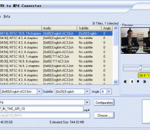
This software offers a solution to users who want to convert one or more AVI files into MPEG format. The user chooses the files or an entire folder to be processed before starting the conversion. Using this time saving software, even large numbers of files can be handled with one click.
MPlayer is a software that enables you to easily play files in the audio and video format. This application does not need to be installed, so it is portable. It means that you can place MPlayer on an external device and run the executable file on any computer. More importantly, there will be no changes made to your Windows registry entries.
Noise is a serious problem that complicates digital video processing. Footage coming from digital video cameras, camcorders, digital TV-tuners, film digitizers, etc., often contains an easily noticeable noise component that may distract viewers. Neat Video is a solution to the noise problem.
MPEG PS Utils application provides the user with a visual representation of the multiplexed stream structure of MPEG-2 Program Streams (ISO/IEC 13818-1). The application allows the user to investigate the basic program stream packets with their fields. The application also allows the user to manipulate with program streams by demultiplexing to PES and ES streams.
Download titles, artists, albums, genres, lyrics, album art, and much more for your audio files with mp3Tag Pro. Sort your music collection: rename MP3 files and create a clear directory structure in just a couple of clicks. MP3 Tag Editor Pro works with many popular sound formats, including MP3, WMA, OGG, WAV, FLAC, APE, WV, M4A, AAC, MPC. It can easily process thousands of songs in batch jobs like renaming, tagging.
Aiseesoft Video Editor allows you to improve video quality by optimizing video brightness and contrast, cropping video frame, clipping video to several segments, and setting video speed and volume, etc. With only one click, you can edit movie and create slideshow by adding background music, lively themes and texts.
Tenorshare Video Converter is a very easy to use tool that enables you to convert and edit your own video. It helps you convert various video files so that they can be played on different devices, such as iPad, iPod, iPhone, BlackBerry, Samsung, HTC One X, Apple TV, PSP, PS3, Sony TV, XBOX, Wii, etc. With this tool, you should never worry about video and audio compatibility issues!
Store all your favourite images to multiple albums of your choice SSuite Office - Photo Gallery - Portable allows you to store all your favourite images to multiple albums of your choice.
A songwriting tool that allows users to record and write their music using an easy-to-use graphical interface. Users can also organize and search their songs by simply typing in any key phrase. They can fill in details about their work, including the album the song is from, the date it was written, what inspired them to write the song, and even the chords they use in the song.
Ultimate Scale Mastery - Learn What Fits Into What & Where - Everywhere! Create a clear mind map of what fits into what and where by matching scales and arpeggios through a harmony relationship chart. Matching secondary scale and arpeggio formula octaves are displayed with a bordered note to see how they fit inside the primary scale. Practice and break down guitar scales with the largest scale fingering selection database that is unmatched.
The VidCoder application was developed to be a DVD ripping and video transcoding program for Windows. It uses HandBrake as its encoding engine.
GOM Media Player The only media player you need - for FREE! Not only is GOM Media Player a completely FREE video player, with its built-in support for all the most popular video and Media Player formats, tons of advanced features, extreme customizability, and the Codec Finder service, GOM Media Player is sure to fulfill all of your playback needs. With millions of users in hundreds of countries, GOM Media Player is one of the world`s most popular video players. Whats New : Added "Touch Setting" feature for touch screen devices. Added "Search box" feature on playlist. (Ctrl+F) Supported "HTTPS URL" for youtube or net radio playback. (Ctrl+U) Added "Music Tap" on preferences related to play music files. Improved performance related to "speed of add & delete" of files on playlist. Other miscellaneous corrections, fixes, and changes
RealPlayer has always enabled you to play RealAudio (*.ra) and RealMedia (*.ram) files. Download videos from thousands of Web sites with just one click Build your own video library and playlists Play all major audio and video formats Flash Video support DVD, SVCD, VCD burning and video recording RealPlayer for personal use includes audio CD burning capabilities, DVR-style playback buffering, multimedia search, Internet radio, a jukebox-style file library, an embedded web browser (using Microsoft Internet Explorer), and the ability to transfer media to a number of portable devices, including Apple's iPod, MP3 players, and Windows Media devices.
GOM is a FREE media player with popular audio & video codecs built-in. Codec Finder GOM Player includes many codecs (XviD, DivX, FLV1, AC3, OGG, MP4, H263 and more) so you won't need to install separate codecs for most videos. For those videos that require a separate codec, GOM Player will find one. Play Broken AVI Files (Patented) GOM Player's patented technology enables users to view files with broken indexes or that are still being downloaded. Powerful Subtitle Support GOM Player supports SMI, SRT, RT, SUB(with IDX) files for subtitle. You can even synchronize subtitle and video if there's any mismatch. Convenient Playlist If you run a video file and there is already a file with a similar name in the directory, it will be automatically added to your playlist. GOM Player has a similar playlist format as M3U, PLS, ASX. Support Different Media Types Along with different media format such as AVI, MPG, MPEG and DAT, GOM Player also supports streaming Windows media format (WMV, ASF, ASX). You can also watch DVD-quality videos with 5.1 channel audio output.