Nikon Corporation is pleased to announce the introduction of the exciting new Capture NX 2 photo editing software. An evolution of the original award-winning Capture NX software released in 2006, Capture NX 2 makes it even easier to make quick and powerful photographic edits so you can spend more time making photographs and less time editing them on the computer. The original Capture NX software introduced the world to direct on-image editing. This revolutionary new development was the basis of the Color Control Point tool which enabled photographers of all levels to easily adjust brightness, contrast, saturation, color and warmth on specific elements of a picture such as sky, skin, grass, etc. This made it possible to choose any area of a photograph for editing without the need for complicated selections or masking techniques. Capture NX 2 introduces the all-new Selection Control Point tool, which allows users to carry out nearly any image adjustment to a specific area with just a point-and-click to make the selection. Whether applying an Unsharp Mask to just the eyes in a portrait, a Gaussian Blur to only the background of a photograph or D-Lighting to open up the shadows, the Selection Control Point makes it easy to do. What once was a complex and tedious task now takes just a fraction of the time. The newly developed Auto Retouch Brush allows you to simply apply a few mouse strokes to clear away spots, blemishes or other unwanted distractions that appear in a picture. Photographers can quickly and effectively achieve the results they are looking for without having to learn all new methods and skills. The Capture NX 2 interface has been updated by adding "Workspaces" to optimize the screen layout. Four preset Workspaces such as "Browser" and "Edit" can be selected as well as a number of user-defined workspaces that optimize single or multiple monitors for the ideal screen layout. The Edit List has been reorganized to allow easier access to most settings. Further, it maximizes the picture display area while simplifying the editing process by allowing multiple edits to be viewed simultaneously. With this range of impressive tools many shooters will find Capture NX 2 to be a great stand-alone photo editing solution, while others will discover that it’s a remarkably effective addition to their existing photographic editing workflow and process. FEATURES: · NEF, TIFF and JPEG file support - realizes the full potential of NEF files and non-destructive editing. · U Point technology - simplifies selection and isolation of all or chosen areas of an image to be enhanced. · Show selection - shows image areas to be adjusted in reverse black-and-white view for easy, accurate control. · Edit list - helps photographers track, cancel or add new modifications to an image. · Image browser - comes with the advanced functions including labeling, sorting and editing and makes quick adjustments directly through each image thumbnail. · Batch processing - enhances multiple images automatically by applying a user-selected series of adjustments to several images at once. · Selective tools - include Brush, Lasso and Marquee (four kinds), Gradient and Fill/Remove, for positive or negative application of enhancements. · Color management control - advances control of how colors of an image correspond to colors that a printer can produce. · Multifunctional versatility - inherits such advanced Nikon Capture functions including Color Aberration Control, D-Lighting, Image Dust Off, Vignette Control and Fisheye-to-Rectilinear Image Transformation. · Improved noise reduction - based on the latest, most advanced Nikon algorithms. · Distortion control - reduces pincushion and barrel distortion effects. · Nikon Total Imaging System compatibility - expands the world of Nikon photography even further beyond conventional limits.
VLC is a free and open source cross-platform multimedia player and framework that plays most multimedia files as well as DVD, Audio CD, VCD, and various streaming protocols. Key Features: Simple, Powerful and Fast Plays everything, Files, Discs (DVD, CD, VCD, Blu-Ray), Webcams and Streams Plays most codecs with no codec packs needed: MPEG-2, H.264, DivX, MPEG-4, WebM, WMV player Completely Free, 0 Spyware, Ads or User Tracking Works on most platforms: Windows, Linux, Mac OS X, Unix... Media Converter and Streamer VLC 2.0 "Twoflower" is a major new version of our popular media player With faster decoding on multi-core, GPU, and mobile hardware and the ability to open more formats, notably professional, HD and 10bits codecs, 2.0 is a major upgrade for VLC. Twoflower has a new rendering pipeline for video, with higher quality subtitles, and new video filters to enhance your videos. It supports many new devices and BluRay Discs (experimental). Completely reworked Mac and Web interfaces and improvements in the other interfaces make VLC easier than ever to use. Twoflower fixes several hundreds of bugs, in more than 7000 commits from 160 volunteers. Features: Video * Rewritten video output core and modules, allowing subpicture blending in GPU. * Shader support in the OpenGL output, for colorspace conversion, including 10bits. * New video outputs for Windows 7, Android, iOS and OS/2. * New debanding, grain, denoising and anti-flickering filters. * New deinterlacing filter, including an Inverse Telecine algorithm. Audio * New resamplers for higher quality audio. * New dynamic range compressor and karaoke filters. * Simplification of the audio core for faster processing. * New audio outputs for iOS, Android and OS/2. Formats * Multi-threaded decoding for H.264, MPEG-4/Xvid and WebM. * Support for 10bits codecs, WMV image and some other codecs. * Rewritten support for images, including jpeg, png, xcf, bmp... * Important changes in RealVideo and Real Format support. * CrystalHD cards and Android OpenMAX support for hardware decoding. Input and Devices * Experimental support for BluRay discs: - Menus are deactivated in this release (will come soon). - AACS and BD+ DRM libraries and keys are not shipped, for legal reasons. * Support for SDI capture cards and QTKit devices. * Support for new adaptive streaming protocols, like HLS and DASH. For Mac Users * Completely new, single window interface: - Available in 2 colors: Lion grey and QTX black. - Extensions support and better Lion integration. * Support for all QTKit devices through qtcapture and qtsound modules. * Continued support for X 10.5 and PPC users (1080p and ProRes on Dual-G5!). For Anime Fans * Vastly improved MKV demuxer. * Rewritten linked segments and ordered chapter files support. * Correct support for FLAC, RV and Hi10p in MKV. * Rewritten seeking support in cue files. * Various ASS subtitles improvements. For professional Users * Support for ProRes 422 and 4444, AVC/Intra. * Support for Jpeg-2000 and DNxHD/VC-3 in 10bits. * Support for EBU subtitles (stl) and EIA-608. * SDI and HD-SDI card support for input on Linux. * New Dirac/VC-2 encoder, faster than the previous one. For Developers * libVLC, libVLCcore and libcompat have switched from GPL to LGPLv2.1+. * New libVLC examples are available: media player, photobooth and mediainfo clones. * New JSON requests on the web interface to control running VLC instances. * Implementation of the MPRIS2 interface to control media players. * VLC's web plugins have been rewritten for better integration and stability in all browsers
NVIDIA System Tools is an applications suite designed to help you tweak your video card and improve its performance. This NVIDIA System Tools installation package adds support for GTX 480 and GTX 470 and it includes the following components: 1. NVIDIA Performance Group (v6.05.26.05) add-on to the NVIDIA Control Panel * GeForce GPUs – Enables GPU overclocking * nForce MCPs – Enables system tuning and profiles for clocks, voltages, timings, and fans – Includes support for Enthusiast System Architecture (ESA) components – Displays detailed system information 2. NVIDIA System Monitor (v6.05.25.05) standalone application * GeForce GPUs – Enables GPU temperature monitoring * nForce MCPs – Enables system monitoring for clocks, voltages, timings, and fans – Includes support for Enthusiast System Architecture (ESA) components 3. NVIDIA System Update (v3.00.17.00) add-on to the NVIDIA Control Panel * Automatically checks for nForce and GeForce driver updates * Adds ability to update your system bios * Includes support to update firmware of Enthusiast System Architecture (ESA) components
Just plug your guitar into the sound card input, start Guitar FX BOX and your guitar will scream and sing like you are using expensive analog effect pedals. You can apply a wide range of high quality effects to guitar, voice and other inputs. This high quality sound processing program is acting just like a good collection of guitar effects pedals. You can use several of them at the same time, even all if you need so. Guitar FX BOX does REALLY real-time DSP. Signal is sampled from sound card input, processed and then sent to the output with VERY LOW LATENCY. Unlike many other "real-time" audio programs, I/O delay with Guitar FX BOX is extremely low, virtually undetectable! This is achieved using DirectSound (or WDM streaming) for fast access to the hardware (sound card) and fast DSP algorithms optimized for real-time processing. Through DirectSound, latency is about 20ms with most sound cards, or even less. When WDM streaming driver is used, latency can go as low as 5ms! Nevertheless, exact total i/o latency still depends on hardware/drivers. With program panel very descriptive, user interface intuitive and friendly, this is ultimate application for real-time effects processing. Any program option is just one or two mouse clicks away. Everything is real-time, every slider move results in instant change of produced sound. Effects settings can be stored to presets for later use. Presets can be easily recalled by single key press, or by MIDI devices like foot controllers.
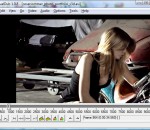
VirtualDub is a video capture/processing utility for 32-bit and 64-bit Windows platforms (98/ME/NT4/2000/XP/Vista/7), licensed under the GNU General Public License (GPL). It lacks the editing power of a general-purpose editor such as Adobe Premiere, but is streamlined for fast linear operations over video. It has batch-processing capabilities for processing large numbers of files and can be extended with third-party video filters. VirtualDub is mainly geared toward processing AVI files, although it can read (not write) MPEG-1 and also handle sets of BMP images. Features: Have you ever worked with desktop video? Sure, you've probably played a few video clips on your monitor. But have you ever made one yourself? Used a video capture device? Wrestled with the software that comes with it? Felt like the software is a few leagues above or below your level? Time to try something else. VirtualDub helps you get video into your computer. If your capture device is Video for Windows compatible, then VirtualDub can capture video with it. But VirtualDub isn't your average capture program: * Fractional frame rates. Don't settle for 29 or 30 when you want 29.97. * Optimized disk access for more consistent hard disk usage. * Create AVI2 (OpenDML) files to break the AVI 2GB barrier and multiple files to break the FAT32 4GB limit. * Integrated volume meter and histogram for input level monitoring. * Real-time downsizing, noise reduction, and field swapping. * Verbose monitoring, including compression levels, CPU usage, and free disk space. * Access hidden video formats your capture card may support but not have a setting for, such as 352x480. * Keyboard and mouse shortcuts for faster operation. To capture, just hit F6. * Clean interface layout: caption, menu bar, info panel, status bar. VirtualDub lets you clean up video on your computer. There are lots of programs that let you "edit" video. And yet, they're frustratingly complex for some of the simplest tasks. VirtualDub isn't an editor application; it's a pre- and post-processor that works as a valuable companion to one: * Reads and writes AVI2 (OpenDML) and multi-segment AVI clips. * Integrated MPEG-1 and Motion-JPEG decoders. * Remove and replace audio tracks without touching the video. * Extensive video filter set, including blur, sharpen, emboss, smooth, 3x3 convolution, flip, resize rotate, brightness/contrast, levels, deinterlace, and threshold. * Bilinear and bicubic resampling -- no blocky resizes or rotates here. * Decompress and recompress both audio and video. * Remove segments of a video clip and save the rest, without recompressing. * Adjust frame rate, decimate frames, and 3:2 pulldown removal. * Preview the results, with live audio. You can take a captured clip, trim the ends, clean up some of the noise, convert it to the proper frame size, and write out a better one. Don't see a video filter you want? Write your own, with the filter SDK. VirtualDub is fast. The author of VirtualDub is very impatient. That means his program is designed for speed, both in the interface and in the processing pipeline. Converting a compressed, 320x240 MPEG-1 file to an uncompressed, 24-bit AVI requires only these two steps in VirtualDub: * Open video file (Ctrl-O). * Save AVI (F7). How fast is this operation? On a C450, 40 frames per second (1.3x real-time speed). With a little tweaking, the speed rises to 55 fps (1.8x), with the CPU hardly breaking a sweat at 40%. VirtualDub is cheap. To be exact, it costs nothing. VirtualDub is licensed under the GNU General Public License, meaning you can use it for free. No risk involved, and the whole source code is available if you want it.
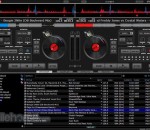
The hottest MP3 mixing tool that provides pitch control, full karaoke support and many other features VirtualDJ is the best MP3 mixing tool, targeting every DJ from bedroom DJs to professional superstars like Carl Cox. With its breakthrough BeatLock engine, your songs will always stay in the beat, and you can work your mixes incredibly faster than any other DJ could. The automatic seamless loop engine and the brand new synchronised sampler will let you perform astounding remixes live, with no preparation at all. The visual representation and the cues allow you to clearly see the song's structure, and never be surprised by a break anymore. The vinyl controls will let you scratch like on a real turntable, except that with the beatlock engine your scratches will never end out of the beat. Add to that an infinite number of cue points you can save for each songs, a bunch of wonderful effects automatically beat-synchronised. Add also several interfaces to suit everybody from the beginner to the professional DJ, the possibility to record your mixes to burn them on CDs, to broadcast on the Internet and have your own Radio Station, to save your CDs directly in MP3, to use a headphone to preview the songs or an external mixtable to perform in a club. Lastly, enter the new era of DJs by mixing video clips (DVD, DivX, MPEG...) which you can send on a giant screen.
This package provides the HP MediaSmart Video Software for supported notebook models that are running a supported operating system. The HP MediaSmart Video Software enables users to play videos and movies in supported file formats (for example, mpg, mpeg, wmb, avi, and so on). Take HP MediaSmart Video Software for a spin to see what it's all about!
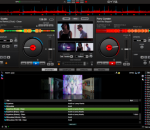
VirtualDJ is the hottest AUDIO and VIDEO mixing software, targeting DJs from the bedroom, mobile, and professional superstars like Carl Cox. With VirtualDJ's breakthrough BeatLock engine, songs will always stay in beat, and the DJ works their mixes incredibly faster than they ever could. The automatic seamless loop engine and synchronized sampler lets the DJ perform astounding remixes live, with no preparation at all. The visual representation and the cues allow a DJ to clearly see the song structure, and never be surprised by a break. The vinyl controls will let you scratch like on a real turntable, except that with the beatlock engine your scratches will never end out of the beat. Add to that the infinite number of cue points a DJ can save for each song and large collection of wonderful automatically beat-synchronized effects. And with VirtualDJ's large collection of skin interfaces to suit everybody from the beginner to the professional DJ, the possibility to record the DJ's mix to then burn to CDs, to broadcasting on the Internet and/or the DJ's own radio station, to use headphones to preview the song, or use an external mixer to perform in a club; VirtualDJ is a DJ's ULTIMATE mix software. Lastly, enter the new era of DJs mixing video enhanced songs (DVD, DivX, MPEG...) which can be sent to monitors, TVs, a projector for display on a giant screen. VirtualDJ brings all that and more to the DJ in the most easy-to-use way and at the most affordable price for the ULTIMATE DJ MIX EXPERIENCE. Basic features: * up to 99 independent zero-latency players with: o Standard controls (play, pause, stop, cue) o Pitch control with Master Tempo (from -100% to +100%) o 3 band equalizer High, Mid, and Low with Kill and +/-30db gain o Independant key control o Resonant filter * One-click beat matching and synchronization (FAME algorithm) * BeatLock engine for keeping songs in-sync and in-time * Dynamic beat-matching visualizer * Automatic beat-matched crossfading * Automatic BPM and KEY calculation * Automatic pitch matching * Automatic audio gain matching * Real scratch simulation * Automatic seamless and beat-aware LOOP functionality * Synchronized sampler with 12 instant record and playback slots * Time-Stretch and Master Tempo Pitch algorithms * Automatic first beat and last beat detection * Automatic 4/4 phase detection * Infinite number of cue points per song saved for instant recall each time the song is loaded * Beat-aware effect plugins (included: beatgrid, flippin doubles, vocal remover, frequency filter, flanger, backspin, brake, etc...) * VST effects compatibility (PC version Only) * Video mix with windowed or FULL SCREEN TV output using 2nd video output * Karaoke CDG+MP3 and/or ZIP support * FreeFrame and custom video effects * Infinite number of video effects applied simultaneously * DJ-specific video transition plugins * Song database engine with easy-to-use search feature * CoverFlow or text-only song browsing * Compatible with iTunes playlists (iTunes DRM files not supported) * MP3 ID3 Tag compatibility * User-defined automatic filter folders * Automatic Hot-Swap of external hard drives * Ready-to-burn recording of a DJs mix to CD * Broadcast on the Internet * CD to MP3 encoder * Multi-channel sound card, dual-sound card or Y-splitter output for real-time monitoring or external mixer use * ASIO soundcard compatibility * CoreAudio soundcard compatibility * Fully customizable skin engine and shortcut macro engine * VDJScript: powerful macro language used in skins, shortcuts, or controller mapping * Compatibility and customizable mapping with most external MIDI and HID controllers (more than 80 included, many more downloadable)
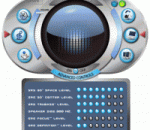
SRS HD Audio Lab™ (HAL) is the most advanced audio plug-in in the PC world! Compatible with virtually every PC-based media player, HAL is the ultimate audio enhancement software suite for the PC. HAL allows the user to select audio content (e.g. music, movie or game) and then choose the speaker type (eg: headphone, internal notebook speakers or external speakers) to dial in amazing sound tailored for your listening preference. Based on the content being played, the patented SRS technologies embedded into the HD Audio Lab automatically select the optimal audio settings for the user. Users can then further personalize the sound through the use of advanced controls which provide deep, rich bass, offer 3D enhancement for stereo and mono content, restore the clarity to vocals and high frequency sounds and more. FEATURES: * Sleek easy-to-use animated interface design * Realistic & enjoyable surround sound * Enjoy deep, rich bass * Choose from advanced options for a truly customized listening experience * Custom settings for headphones & desktop speakers * Provides exceptional compatibility with the widest range of media players and sound cards
Mp3Gain PRO (formerly SuperMp3Normalizer) is a software designed specifically to adjust and normalize the volume of mp3 files. Mp3Gain PRO is an easy to use software. Normally it is sufficient to click a button to get an optimized volume level in any mp3 file. However, it has more complex options, which allow a fine tuning, with maximum detail to normalize the level of volume gain of any mp3. Mp3Gain PRO provides ease of use with advanced options to enable an efficient standardization of a mp3 volume. Of course, Mp3Gain PRO can process a single mp3 file or can process hundreds of files (batch normalize). You can download the trial version of Mp3Gain PRO, to enjoy the results that this product offers. All your mp3 files will have a similar volume, optimized and ideal for any audio player. Mp3Gain PRO has recently been launched, so this site is still being developed. Anyway you can download the trial version and buy the product, if desired. Mp3Gain PRO has no connection with the old product called Mp3Gain, but is actually a software that also offers to normalize the volume of mp3 files, but with more efficient, modern and fit for today's audio players.
GoldWave is a professional digital audio editor. It is one of the most popular and highest rated audio editors for Windows. Use it to play, edit, mix, restore, and analyze audio, or apply special effects, such as fade, equalizer, doppler, mechanize, echo, reverse, time warp, noise reduction, pop/click filter. New files can be recorded from cassettes, albums, radio, microphone, etc. or digitally copied from audio CDs. Real-time visuals are displayed during playback and recording. Supports MP3, WAV, WMA, iTunes M4A, OGG, and many more formats and can perform batch conversions and processing. Excellent value with free upgrades. GoldWave has a proven track record with over 15 years in the audio editing software business.
GOM Media Player The only media player you need - for FREE! Not only is GOM Media Player a completely FREE video player, with its built-in support for all the most popular video and Media Player formats, tons of advanced features, extreme customizability, and the Codec Finder service, GOM Media Player is sure to fulfill all of your playback needs. With millions of users in hundreds of countries, GOM Media Player is one of the world`s most popular video players. Whats New : Added "Touch Setting" feature for touch screen devices. Added "Search box" feature on playlist. (Ctrl+F) Supported "HTTPS URL" for youtube or net radio playback. (Ctrl+U) Added "Music Tap" on preferences related to play music files. Improved performance related to "speed of add & delete" of files on playlist. Other miscellaneous corrections, fixes, and changes
RealPlayer has always enabled you to play RealAudio (*.ra) and RealMedia (*.ram) files. Download videos from thousands of Web sites with just one click Build your own video library and playlists Play all major audio and video formats Flash Video support DVD, SVCD, VCD burning and video recording RealPlayer for personal use includes audio CD burning capabilities, DVR-style playback buffering, multimedia search, Internet radio, a jukebox-style file library, an embedded web browser (using Microsoft Internet Explorer), and the ability to transfer media to a number of portable devices, including Apple's iPod, MP3 players, and Windows Media devices.
GOM is a FREE media player with popular audio & video codecs built-in. Codec Finder GOM Player includes many codecs (XviD, DivX, FLV1, AC3, OGG, MP4, H263 and more) so you won't need to install separate codecs for most videos. For those videos that require a separate codec, GOM Player will find one. Play Broken AVI Files (Patented) GOM Player's patented technology enables users to view files with broken indexes or that are still being downloaded. Powerful Subtitle Support GOM Player supports SMI, SRT, RT, SUB(with IDX) files for subtitle. You can even synchronize subtitle and video if there's any mismatch. Convenient Playlist If you run a video file and there is already a file with a similar name in the directory, it will be automatically added to your playlist. GOM Player has a similar playlist format as M3U, PLS, ASX. Support Different Media Types Along with different media format such as AVI, MPG, MPEG and DAT, GOM Player also supports streaming Windows media format (WMV, ASF, ASX). You can also watch DVD-quality videos with 5.1 channel audio output.