Brief Description This tool checks your computer for infection by specific, prevalent malicious software (including Blaster, Sasser, and Mydoom) and helps to remove the infection if it is found. Microsoft will release an updated version of this tool on the second Tuesday of each month. Overview The Microsoft Malicious Software Removal Tool is an anti-malware utility that checks computers running Windows 8, Windows 7, Windows Vista, Windows XP, Windows 2000, Windows Server 2012, Windows Server 2008, and Windows Server 2003 for infections by specific, prevalent malicious software—including Blaster, Sasser, and Mydoom—and helps remove malware and any other infections found. To download the x64 version of Malicious Software Removal Tool, click here. This tool is not a replacement for an anti-virus product. To help protect your computer, you should use an anti-virus product. Microsoft will release an updated version of this tool on the second Tuesday of each month. New versions will be made available through this web page, Windows Update, and the Mhomepage Software Removal Tool Web site on Microsoft.com. To have the newest versions automatically delivered and installed as soon as they are released, set the Automatic Updates feature to Automatic. The version of this tool delivered by Windows Update runs on your computer once a month, in the background. If an infection is found, the tool will display a status report the next time you start your computer. If you would like to run this tool more than once a month, run the version that is available from this Web page or use the version on the Malicious Software Removal Tool Web site. Please review KB890830 for the list of malicious software that the current version of the tool is capable of removing as well as usage instructions. Also, please be aware that this tool reports anonymous information back to Microsoft in the event that an infection is found or an error is encountered. The above KB article contains information on how to disable this functionality and what specific information is sent to Microsoft. It is strongly recommended that you review KB891716 before you consider deploying this tool in an enterprise environment. The user must be an administrator to run this tool. This tool will not run on any version of Windows 98, Windows ME, or Windows NT 4.0. Note that this download is now a multi-lingual tool. For all supported languages, the same tool will show the correct language depending on the language of the operating system. Windows Malicious Software Removal Tool - 32 bit 5.2 download tags windows component removal tool windows messenger removal tool removal tool errorsafe removal tool symantec removal tool zlob removal tool ust removal tool password removal tool Microsoft Windows Defender Windows Media Player Windows Malicious Software Removal Tool - 32 bit 5.2 Windows 7 release notes New Release Added detection and cleaning capabilities for: · Folstart · Phorpiex · Weelsof
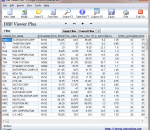
DBF Viewer Plus is a portable DBF table viewer plus some additional features for editing, searching and export to many different formats. DBF Viewer Plus does not require and install to run and therefore can be run from a USB memory drive, CD/DVD or other portable storage devices.
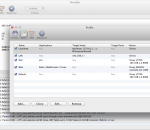
Proxifier for Mac is a program that allows network applications that do not support working through proxy servers to operate through a HTTP or SOCKS proxy server or a chain of proxy servers. There are many network applications that do not support working through proxy servers and thus cannot be used from LAN or with firewalls. These can compromise corporate privacy and lead you to many other restrictions. Proxifier solves all of these problems and gives you the opportunity to work with your favorite software without any restrictions. Besides, it lets you gain extra control over network security and add more power to network functionality. With Proxifier you can work with any Internet clients (browsers, ftp, ssh, ICQ, IRC, eMule,video/audio, games like World of Warcraf) from network that is separated from Internet by a firewall (only one open port is required). Proxifier will help secure your privacy. Send and receive email through a proxy server or a chain of proxy servers, all email clients are supported (Outlook, Eudora, Netscape and others). Proxifier allows you to: + Run any network applications through proxy server; no special configuration is required for the software. + Access the Internet from restricted local area network through a proxy server gateway. + Bypass firewall restrictions (connect to restricted ports). + Use three types of proxy servers: SOCKS v4, SOCKS v5, and HTTP. + Resolve DNS names through a proxy server. + “Tunnel” the entire system (force all network connections in the system work through a proxy server). + Secure privacy by hiding your IP address. + Work through a chain of proxy servers using different protocols. + View information on current connections (addresses, rate, data transfer, connection time, etc.) in real-time. + View information on bandwidth usage as a colored diagram in real-time. + Maintain log files. + Log incoming and outgoing traffic. + Get detailed reports on network errors.
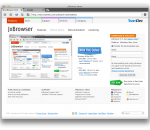
JxBrowser 4 enables seamless integration of Google Chromium web browser component into Java AWT/Swing applications on three major OS platforms, adding cutting-edge web technology to your Java App. The library allows you to embed a lightweight Swing component into your Java application to display modern web pages, supporting the latest web standards such as HTML5, CSS3, JavaScript etc.
Ghostery sees the invisible web - tags, web bugs, pixels and beacons. Ghostery tracks the trackers and gives you a roll-call of the ad networks, behavioral data providers, web publishers, and other companies interested in your activity. After showing you who's tracking you, Ghostery also gives you a chance to learn more about each company it identifies. How they describe themselves, a link to their privacy policies, and a sampling of pages where we've found them are just a click away. Ghostery allows you to block scripts from companies that you don't trust, delete local shared objects, and even block images and iframes. Ghostery puts your web privacy back in your hands.
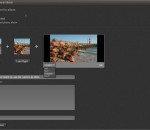
Phereoshop application allows you to store and organize images as well as edit stereo pictures with non-destructive image editing tools developed for specific stereo editing needs. You can also use built-in stereo image viewer for full-screen viewing. It supports most popular 3D modes: NVIDIA 3D Vision, Side-by-side (parallel and crossed), 3D TV (side-by-side squeezed). Features: - management of stereo images: albums, tags, descriptions, search; - non-destructive editing tools: color correction, crop, stereo align; - full screen viewer with various stereo viewing modes; - export and import MPO, JPS, PNS, JPG, PNG, TIFF and BMP files; - image sharing via Phereo.com web service; - clean, intuitive interface; - multiple stereo modes: NVIDIA 3D Vision, Side-by-side (parallel and crossed), Anaglyph, 3D TV (side-by-side squeezed); - Shell Extension Manager: MPO, JPS, PNS stereo formats thumbnails support for Windows Explorer.
TortoiseSVN is a really easy to use Revision control / version control / source control software for Windows. It is based on Subversion. TortoiseSVN provides a nice and easy user interface for Subversion. It is developed under the GPL. Which means it is completely free, including the source code. But just in case you don't know the GPL too well: you can use TortoiseSVN to develop commercial applications or just use it in your company without any restrictions. Since it's not an integration for a specific IDE like Visual Studio, Eclipse or others, you can use it with whatever development tools you like. As a Subversion client, TortoiseSVN has all the features of Subversion itself, including: Most current CVS features. Directories, renames, and file meta-data are versioned. Commits are truly atomic. Branching and tagging are cheap (constant time) operations. Efficient handling of binary files.
Cocoon protects your identity so your data trail leads nowhere. Now you can enjoy the Web knowing you are safe from prying eyes. Cocoon stops companies from tracking your movements and collecting your data online. The Cocoon Servers protect your computer whenever you go online. Viruses, spyware and malicious software can't touch you.
PowerISO is a powerful CD/DVD/BD image file processing tool, which allows you to open, extract, create, edit, compress, encrypt, split and convert ISO files, and mount these files with internal virtual drive. It can process almost all CD/DVD/BD image files including ISO and BIN. PowerISO can be used easily, which support shell integration, context menu, drag and drop, clipboard copy paste. With PowerISO, you can: 1. Open and extract ISO File. 2. Create ISO file from hard disk files or CD/DVD/BD discs. 3. Edit an existing ISO file directly. 4. Convert image files between ISO/BIN and other formats. PowerISO can convert almost all image file formats to a standard ISO format file. 5. Make bootable ISO file, get boot information from bootable ISO file. 6. Make floppy disk image file. 7. Optimize files to save disk space while saving ISO file. 8. Mount ISO file with internal virtual drive. You don't need install any other virtual drive software. 9. Compress, encrypt or split image file. DAA(Direct-Access-Archive) is an advanced format for image file, which supports some advanced features, such as compression, password protection, and splitting to multiple volumes. It can be handled directly just like other formats, such as ISO, BIN, ...
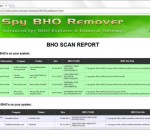
Spy BHO Remover (formerly BHORemover) is the advanced tool to explore and remove malicious BHO's from your system. BHO stands for 'Browser Helper Objects' which are plugins written for 'Internet Explorer' to enhance its capabilities. Often this feature is being misused by many spyware programs to monitor user's browsing habits and to steal the users credentials silently. Also some of the BHO's slow down the system considerably. SpyBHORemover helps in quick identification and elimination of such spy BHO's present in the system. Main features of Spy BHO Remover, * Automatically scan & analyze all installed BHOs in the system. * 'Advanced Threat Analysis' for each installed BHO using the built-in heuristic mechanism. * Color based Threat representation for quick identification and separation of BHOs based on various threat levels. * New 'Backup & Restore' feature enables user to remove and re-install BHO as many times without any worries. * Shows all running processes having the selected BHO DLL and provides option to Kill the process or Remove the DLL from such process. * Unique feature to completely enable/disable ALL installed BHOs for the current user at one shot. * 'Online Threat Verification' of malicious BHO using any of the following popular online portals. * BHO scan report along with threat analysis information in HTML format for offline analysis. * Fully Portable tool but also comes with Installer. Spy BHO Remover works on wide range of platforms starting from Windows XP to latest operating system, Windows 8.
auto clicker auto keyboard auto mouse autoclicker autotyper keyclicker key spammer
GOM Media Player The only media player you need - for FREE! Not only is GOM Media Player a completely FREE video player, with its built-in support for all the most popular video and Media Player formats, tons of advanced features, extreme customizability, and the Codec Finder service, GOM Media Player is sure to fulfill all of your playback needs. With millions of users in hundreds of countries, GOM Media Player is one of the world`s most popular video players. Whats New : Added "Touch Setting" feature for touch screen devices. Added "Search box" feature on playlist. (Ctrl+F) Supported "HTTPS URL" for youtube or net radio playback. (Ctrl+U) Added "Music Tap" on preferences related to play music files. Improved performance related to "speed of add & delete" of files on playlist. Other miscellaneous corrections, fixes, and changes
Iperius Backup is one of the best free backup software, also released in commercial editions for those who need advanced backup features for their companies. The freeware version of Iperius Backup allows you to backup to any mass storage device, such as NAS, external USB hard drives, RDX drives, and networked computers. It has comprehensive scheduling and e-mail sending functions. It supports zip compression with no size limit, incremental backup, network authentication and the execution of external scripts and programs.
Maryfi is a free and easy to use software router for Windows 7, 8 , and 8.1 computers. With Maryfi, users can wirelessly share any Internet connection such as: a cable modem, a cellular card, or even another Wi-Fi network. Other Wi-Fi enabled devices including laptops, smart phones, music players, and gaming systems can see and join your Maryfi hotspot just like any other Wi-Fi access point and are kept safe and secure by password-protected WPA2 Encryption.