Avanti GUI is a free front-end for FFmpeg with the option to insert Avisynth as pre-processor. It can be used with almost all Windows OS builds of FFmpeg. It offers user friendly control over all basic and advanced FFmpeg options. A number of template examples are included. No need to be familiar with Avisynth to use the predefined Avanti/Avisynth pre-processor options. Avanti doesn't installs itself and runs from any arbitrary folder. No adware or internet access. FEATURES: · Easy access to all FFmpeg codecs and basic encode settings. · All advanced FFmpeg options are available through user command addition. · All settings are saved and restored at the next session. · All encoder settings, user additions and scripts can be saved in template files. · Display of estimated encode time, remaining time and encode speed. · Option to set encode time limit (in minutes) to encode test clips. · Option to auto-shutdown your system after encoding and job processing. · Re-direction of FFmpeg screen output to Avanti GUI (hides FFmpeg). · Option to process system controlled 2-pass encoding. · Advanced batch job processing (with dynamic template support). · ES option to encode to mpeg2 elementary audio/video streams for DVD authoring. · Option to modify mpeg2 header flags (incl. 2:3 pulldown on 23.976 p). · Option to modify AVI header fields (FourCC and frame rate). · Selectable Avisynth AUTO and USER modes with build-in Avisynth Editor. ... (supports virtual source paths which allows scripts to run from templates). · Internal Video Preview with Avisynth script preview (debug) option. · Option to use advanced Avisynth color correction (with preview). · Selectable FFmpeg/Avisynth crop/scale/pad option (with preview and calculator). · Option to burn-in subtitles (with style editor and preview). · Support for the VirtualDub (*.vdr) frameserver format. · Option to convert PAL video source to NTSC destination and vice-versa. · Option to convert audio from PAL to NTSC and vice-versa (with pitch correction). · Option to expand luminance level from 16-235 to 0-255. · Avisynth SuperEQ (18 bands) preset editor with preview option.
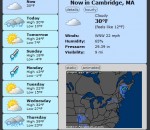
Forecastfox Weather Get international weather forecasts from AccuWeather.com and display them in any toolbar or statusbar with this highly customizable and unobtrusive extension.
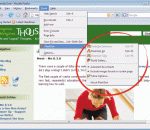
Are you tired of "saving as..." one by one all those movies, music files, pictures, programs and so on? Are you sick of getting them sooo slowly? Are you afraid of losing them in the middle of download if you get disconnected or close your browser, being forced to repeat all that tedious work? Well, you need a download manager... But... Aaaargh!!! my download manager doesn't work with Firefox! They say it does, but where is my Download All menu? How can I handle the tons of mp3, mpeg, jpg files that I want to download? Well, you definitely need... FlashGot! FlashGot is the free add-on for Firefox and Thunderbird, meant to handle single and massive ("all" and "selection") downloads with several external Download Managers.
The Test Tone Generator (TTG) turns the PC into a programmable function generator for testing or demonstration, sound tuning, education and many other purposes.Features include: Constant and swept tones (log or lin); Many wave forms (Sine/square/triangle/sawtooth/white and pink noise with adjustable crest factor etc); Extensive scripting capabilities (Macros), dedicated Script Editor included; Preset storage and recall; Change frequencies in seamlessly real time by slider or by musical semitones; Multi sound card support; Sampling frequency up to 96kHz; Separate amplitude modulation left/right; Switches for channel on/off and l/r phase; Save test tones as WAV files for Test CDs; Externally controllable (via Windows Messages)
Personas Plus Personas are free, easy-to-install "skins" for Firefox. Personas Plus extends that built-in functionality to give you even greater control and easier access to new, popular, and even your own favorite Personas. Installing the add-on places a small "fox mask" icon in your status bar or add-on bar which, when you click on it, pops up a menu where you can select, change, or even randomize your Firefox Persona. If you create an account on the GetPersonas website, you can "star" your favorite Personas there, which will then appear in your Personas Plus menu! Even more fun is the ability for Personas Plus to automatically rotate your Personas. If you select, for example, "Random Selection from Abstract" on the "Abstract" Personas menu, Personas Plus will randomly select a new Persona from that list every 60 minutes or so, and each time you open your browser. This works with any selection of Personas, including your favorites!
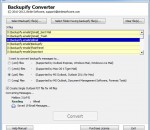
Convert MBOX to PST by using MBOX to PST Converter as this tool allows you to transfer mbox to pst in bulk along with entire email formatting. Our Convert MBOX to PST program not only converts Google Apps emails to PST format but also permits you to convert MBOX mails to EML, EMLX and MSG file format.
Raise Data Recovery for HFS+ product is specially designed for lost and deleted files recovery from HFS+ formatted storages, created with Apple Mac OS. This includes modern Apple MacOS editions that support Journalled HFS+ file system. The rapid data recovery and undelete program for HFS+ file system. This application allows you to recover data from local HFS+ and HFSX disk volumes that were made by Apple MacOS
PS3 Trophies lets you see your Profile, Games and Trophies Earned. Search for Guides and Videos to find how to get those tricky Trophies. Read the Official Playstation Blog (EU, US, BR, LATAM) to get the news about the PS world. See your PSN Friend online status and what they are playing, also you can see their Games and Trophies. Register to events to play with others users, get reminders of the events.
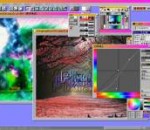
A brother of Pixia: Phierha is introduced! (Windows 7 Compatible) The original Japanese Edition was created and developed by the author, Isao Maruoka, but has also been aggressively raised by its fans, which makes this software to be quite unique and different from other tools. Pixia is the English version of a popular Japanese painting and retouching software for full color graphics. It supports mask, layer and many other editing functions. Pixia uses pop-ups to configure items like filters and masks. Small buttons labelled as P, C, O, L are actually expandable windows for Palette, Color, Pen, and Layer settings. One feature I definitely appreciated as I was drawing was how quickly I can adjust brush size simply by dragging the brush preview windows. There's also a brush size label that displays the brush dimensions for more-precise editing. Pixia Help File is available as a separate installation file. To get better tips for using Pixia, visit users' tutorials linked from the Tutorial page. Features: · Pixia is a painting tool made exclusively for full color graphics. · Maximum graphic size: 10240 x 10240 dots (Note: this depends on RAM capacity.) · Number of Layers: As many as memory lasts. · Peripheral devices applicable: TWAIN32 devices. Printers made to use for Microsoft Windows. Tablets (Wacom, Oce-Japan)
Photoscape is a fun and easy photo editing software that enables you to fix and enhance photos. Key Features * Viewer: View photos in your folder, create a slideshow * Editor: resizing, brightness and color adjustment, white balance, backlight correction, frames, balloons, mosaic mode, adding text, drawing pictures, cropping, filters, red eye removal, blooming * Batch editor: Batch edit multiple photos * Page: Merge multiple photos on the page frame to create one final photo * Combine: Attach multiple photos vertically or horizontally to create one final photo * Animated GIF: Use multiple photos to create a final animated photo * Print: Print portrait shots, carte de visites(CDV), passport photos * Splitter: Slice a photo into several pieces * Screen Capture: Capture your screenshot and save it * Color Picker: Zoom in on images, search and pick a color * Rename: Change photo file names in batch mode * Raw Converter: Convert RAW to JPG * Paper Print: Print lined, graph, music and calendar paper * Face Search: Find similar faces on the Internet
MemoriesOnTV is a powerful yet simple to use slideshow creator. Designed with ease-of-use in mind, MemoriesOnTV helps you whip up interesting slideshows quickly and effortlessly. Add beautiful and elegant effects to your slideshows. We focus on the QUALITY of the effects instead of the QUANTITY. Our Ken Burns-styled panning and zooming effects has been refined over the years since we first introduced it to the consumer slideshow market. All these mean that you have the best and most professional looking effects at your finger tips. Choose to burn your slideshow onto a video disc (VCD, SVCD or DVD) for play back on ordinary DVD players. No more squeezing in front of a computer monitor to showcase your pictures. The slideshow can be enjoyed on a big screen in the comfort of the living room. Share your slideshow online via Web Export*. The web slideshows are created in Flash format, which is playable out of the box on 96% of all web browsers (PCs & Macs). No more installation of vendor-specific plugins: no worries of virus/spyware threats! You can also generate standalone video files of your slideshow in AVI* or MPG format. These are playable on any computers (yes, PCs & Macs again) with the appropriate codec. For the adventurous users, explore the powerful advanced features and tools that gives you total control over how you compose your slides. Customize the effects and slides and let your creativity flow.
GOM Media Player The only media player you need - for FREE! Not only is GOM Media Player a completely FREE video player, with its built-in support for all the most popular video and Media Player formats, tons of advanced features, extreme customizability, and the Codec Finder service, GOM Media Player is sure to fulfill all of your playback needs. With millions of users in hundreds of countries, GOM Media Player is one of the world`s most popular video players. Whats New : Added "Touch Setting" feature for touch screen devices. Added "Search box" feature on playlist. (Ctrl+F) Supported "HTTPS URL" for youtube or net radio playback. (Ctrl+U) Added "Music Tap" on preferences related to play music files. Improved performance related to "speed of add & delete" of files on playlist. Other miscellaneous corrections, fixes, and changes
Iperius Backup is one of the best free backup software, also released in commercial editions for those who need advanced backup features for their companies. The freeware version of Iperius Backup allows you to backup to any mass storage device, such as NAS, external USB hard drives, RDX drives, and networked computers. It has comprehensive scheduling and e-mail sending functions. It supports zip compression with no size limit, incremental backup, network authentication and the execution of external scripts and programs.
Maryfi is a free and easy to use software router for Windows 7, 8 , and 8.1 computers. With Maryfi, users can wirelessly share any Internet connection such as: a cable modem, a cellular card, or even another Wi-Fi network. Other Wi-Fi enabled devices including laptops, smart phones, music players, and gaming systems can see and join your Maryfi hotspot just like any other Wi-Fi access point and are kept safe and secure by password-protected WPA2 Encryption.