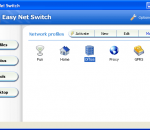
Do you use your computer in different networks or locations? Easy Net Switch enables you to automatically select correct network settings (IP address, Gateway, DNS, WINS, WiFi, MAC address), proxys, drive mappings, printers, SMTP and much more with a single click. It's not only an IP switcher, but also a handy tool that helps you to connect the computer to different networks more easier! Easy Net Switch is a powerful and easy to use program which stores network and Internet configuration settings into network location profiles. By switching between net profiles, you can quickly and easily connect to a network without having to manually reconfigure settings or restart the computer each time. The advantages of Easy Net Switch compare with others: 1) Lightweight, efficiency and stable, 2) Flexible and easy to use, 3)Show IP address on the desktop wallpaper, 4) Useful build in network tools, such as traceroute and ping, 5) Auto import network settings, 6) Intelligent profile export and import wizard.
SocialSafe is an all-in-one application that can be used whenever you want to make sure your friend list, photos or status updates are kept safe. SocialSafe supports several social networks, such as Facebook, Twitter, Instagram, Google+ or LinkedIn, so you can make backups for all your accounts with the same tool. Your Private Backup Back up your social networks directly to your PC or Mac to keep all your yesterdays safe forever. Your backups are 100% private and for your eyes only. We respect your property! Travel back in time SocialSafe's beautiful calendar makes navigating through your timeline incredibly easy. Hover on a day for extra info and even define a date range to look through. Find anything in an instant Search across your social networks. Search is deep and quick as all data is on your computer. Find friends, something you said years ago or a comment on a tagged photo. View all your yesterdays SocialSafe creates a journal from all your backed up activities. It's the most beautiful way to verify your backups. Every tweet, status, photo, comment, like, +1. Export everything - it's yours! View and export individual elements from your social network backups. Quickly find who's unfriended you, stopped following you, photos you're tagged in, your active fans.
Orion Browser Dumper is a tiny program that will extract the total history of the Orion Browser into a single csv-file. Lunascape ORION is a simple, easy to use browser for Windows. Orion Browser Dumper will extract the information into a single csv-file. Unlike Browser Forensic Tool with Orion Browser Dumper, all histories are extracted and not only the url's and/or titles. It is faster and really usefull to analyse the output history later.
The outSSIDer application was developed to be a small tool that scans for open WiFi networks and automatically tries to connect to them. Sound instructions let you close the laptop lid while walking down the streets hunting for WiFi. But outSSIDer is also useful at your usual hotspot places (home, work, etc) where you just start the program and lean back and wait for connection instead of clicking around manually. The connection is verified by trying to fetch www.google.com/favicon.ico to exclude payment hotspots and closed networks. The new Resume function resumes scanning if the connection is lost.
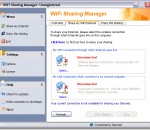
WiFi Sharing Manager - Share WiFi to your second computer which lacks wireless adapter card. WiFi Sharing Manager is an easy-to-use handy software that turns any WLAN-connected laptop into a LAN router (or called "Gateway"). And your second computer which lacks wireless adapter can connect to Internet by its sharing. Most of wireless adapters don't support old operating systems like Win98 or Win95. If you have a Wi-Fi laptop nearby, this program can help to share its WiFi to these old machines. And if the Wi-Fi hotspot is not free, it only charges for your Wi-Fi laptop, you can save the money for your second computer. This is an ideal solution for setting up a temporary local network at home or wherever there are Wi-Fi signals.
ASUS Wireless Router WL-520gU Utilities is a handy application that was designed to provide users with a set of utilities especially tailored for quickly installing and configuring an ASUS router as quickly as possible. The package includes a tool for device discovery, another one for configuring the router settings and an app for restoring the device firmware. The new ASUS wireless router distinguishes itself with the "auto switching" function. It not only enables multiple users to use multifuntion printer wirelessly without a PC or server turned on 24 hours a day, but also rules out the trouble of repeating "disconnecting" and "re-connecting" when users switch. When different users are to use the printer, the router switches automatically, which enables different users to use the printer simultaneously. After plugging in the USB printer into ASUS wireless router and running the ASUS Network Printer Setup program, each user can enjoy easy scanning and easy printing.
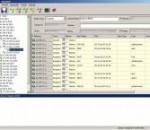
IPMaster is IP address management software. It provides visual IP address assignment (network topology tree), automatic subnet calculator, mask calculation, subnetting, network segment scanning, host monitoring, ping, traceroute, telnet, and netsend etc. It supports VLSM Variable Length Subnet Masks) and CIDR (Classless Inter-Domain Routing). The purpose of this software is to assign and manage IP address efficiently for enterprise network. Key features of IPMaster: 1. Visual IP address management function. 2. Automatic subnetting function. The system provides automatic subnet calculator, at the sub-divisible subnet node, input "Amount of Subnets", "Hosts in each Subnet" or "Subnet Mask", the system will generate child subnet under the target subnet automatically. 3. Manual subnetting function. The system provides manual subnet calculator, at the sub-divisible subnet node, input "IP address", "subnet mask", the system will generate a designated child subnet under the target subnet. 4. Relevant function of host. The system provides 4 default functions - ping, traceroute, telnet and net send, the user can also custom other function. 5. Scan function. The host name, MAC address and user name of all hosts in the target subnet can be got automatically. 6. Monitoring function. The system can monitor the running status of the monitored host, when the host is shutdown, the tip message area would warn by red hints. 7. Search function, the user can search relevant message in the IP address management library by exact search or fuzzy search. 8. Export function, all the information in the IP address management library can be output to a Excel file. 9. Import function, the user can import host information from a Excel file. 10. User-defined host column function, the user can customize the host information column.
TeamViewer Portable addresses the needs of people who travel frequently and want to use TeamViewer from different, always changing computers. TeamViewer Portable can be started directly from the USB stick, gets it's licensing from an .ini file on the stick and does not leave any traces on the computer where you use it, e.g. no registry values are stored there. FEATURES: Remote Control without Installation: · With TeamViewer you can remotely control any PC anywhere on the Internet. No installation is required, just run the application on both sides and connect - even through tight firewalls. Remote Presentation of Products, Solutions and Services: · The second TeamViewer mode allows you to present your desktop to a partner. Show your demos, products and presentations over the Internet within seconds - live from your screen. File Transfer: · TeamViewer comes with integrated file transfer that allows you to copy files and folders from and to a remote partner - which also works behind firewalls Works behind Firewalls: · The major difficulties in using remote control software are firewalls and blocked ports, as well as NAT routing for local IP addresses. · If you use TeamViewer you don't have to worry about firewalls: TeamViewer will find a route to your partner. Highest Security Standard: · TeamViewer is a very secure solution. The commercial TeamViewer versions feature completely secure data channels with key exchange and RC4 session encoding, the same security standard used by homepage No Installation Required: · To install TeamViewer no admin rights are required. Just run the software and off you go... High Performance: · Optimized for connections over LANs AND the Internet, TeamViewer features automatic bandwidth-based quality selection for optimized use on any connection.
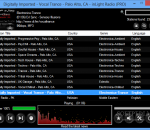
inLight Radio is an easy to use radio player for streaming music from the internet. By using inLight Radio to over 17,000 internet radio stations. inLight Radio allows you to listen to an online radio station, as well as record it to a separate file, in order to use it later. You can also add radio stations to a favorites list. · A simple radio player for streaming music from the internet! · Implemented Bass into radio, copyright by Un4seen Developments. · Implemented Lame Encoder into radio, copyrighted by The LAME Project. · Automatically cycles through the current station sources till one is playable · Over 17,000 radio stations in the database and counting · You can easily record what you're listening to (record current track only, record all, record track from beginning) · It has a 14 different spectrum analyzers that can be changed by left and right mouse clicks · It has a huge database, and stations can be added by the user · It will show album artwork cover if available (save the album image to a file) · Writes artwork image and all tags possible into the recorded file · You can right click on the album artwork and purchase the mp3 download or album from Amazon · It will show track lyrics if available (save the lyrics to a text file) · It can hide in the system tray while playing music · It has a volume control and buffer status · It has 4 EQ presets Jazz, Pop, Rock, and Classic · Manage your favorite radio stations, play, add, edit and delete · Play URL's from websites etc. · It has the option to crossfade between stations · Go back and view your playback history to play, clear one, or clear them all · Add your own stations to the radio (unlimited) · Automatically check for new program versions and stations updates · Built in sleep timer that will stop playback, close the radio or even shutdown the PC! · There is 4 list views in the radio Show all stations, Show my stations, Show my favorites, Show my history · It is very easy to use
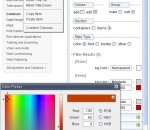
QuickMenu is a new and unique solution for generating fast and feature rich drop down menus. An extensive visual interface produces lightning fast pure CSS list based menus capable of functioning in browsers with their JavaScript disabled. QuickMenu is in a class of it's own with over 400 customizable settings, dozens of exclusive visual features, and more than 20 add-ons. The customizable options are virtually limitless in this intuitive, eay to use visual design interface. Build horizontal, vertical, or even vertically expanding (accordion) tree style menus all of which can dislpay sub menus on click, or on hover. We now offer free access to unlimited core menu design! QuickMenu is the internet's only visual interface capable of generating pure CSS menus (menus capable of running without JavaScript). The visual design interface is now fully comaptible with IE8 and Google Chrome. Menus created with QuickMenu are always search engine friendly by defau< no additional mark up is required. QuickMenu's pure CSS save option uses UL / LI list tags which are always set visible in the CSS by default for 100% 508 complaincy. QuickMenu uses fully valid markup regardless of add-ons, styles, and extended features applied to the menu. QuickMenu automatically scales sub menu containers and items to fit the size of your text and the browsers font settings, regardless of features and add-ons employed. QuickMenu is driven by a mere 3K (size may vary depending on license type and save options) of JavaScript, the smallest core menu code in the industry. A handful of CSS add-ons create rounded corners, angled corners, drop shadows, tab effects, arrow bullets, and more without a single image required. QuickMenu does not use any behind the scenes hidden links or attempt to contact other servers to validate the purchased license. Copyright notices and text descriptions about OpenCube are not saved to your pages when publishing menus. Drop by opencube.com today!
jalada Textual is your Swiss Army Knife to edit any kind of text based files. Whether you simply need a tool to edit your configuration files, an application to modify or reformat large text files, a programming IDE or just an editor to tweak your web pages. Textual does what you want, the way you would expect. Textual focuses on manipulating text in ways that word processors generally cannot. In service of this goal, it offers many features including syntax highlighting, code folding, regular expression based find and replace operations, code completion, multiple character sets, split views and other useful features that enables you to edit small and also very large text files quicker and more easily. Textual is able to highlight the syntax of all important languages including bash, batch, C/ C++, C#, cmake, CSS, D, diff files, HTML, IDL - both MSIDL and XPIDL, Java, JavaScript, Lua, make, Perl, Python, PHP, Ruby, SQL, TeX and LaTeX and XML. Features at a glance: + Unicode/UTF-8 editing support. + Auto completion. + Auto-indent. + Find, find next, find previous, replace and replace all. + Regular expressions support. + Search files on disk. + Unlimited multilevel undo/redo. + Syntax highlighting for nearly any important language including bash, batch, C/ C++, C#, cmake, CSS, D, diff files, HTML, IDL - both MSIDL and XPIDL, Java, JavaScript, Lua, make, Perl, Python, PHP, Ruby, SQL, TeX and LaTeX or XML. + Code folding. + Zoom in or out on text. + Windows, Mac and Unix charset support. + Duplicate active line or selection. + Move lines up or down. + Open files in a tab or new window. + Split Views. + Color printing. + File change polling. + Wide range of commands to transform text like changing line endings, commenting code, convert text to ascii, shifting text, zapping gremlins or upper/lower case. + Drag-and-drop editing. + Marker support. and many more.
Maryfi is a free and easy to use software router for Windows 7, 8 , and 8.1 computers. With Maryfi, users can wirelessly share any Internet connection such as: a cable modem, a cellular card, or even another Wi-Fi network. Other Wi-Fi enabled devices including laptops, smart phones, music players, and gaming systems can see and join your Maryfi hotspot just like any other Wi-Fi access point and are kept safe and secure by password-protected WPA2 Encryption.
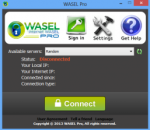
What's WASEL Pro? WASEL, is a VPN service provider with one of the most easy to use software client and reliable stable services, WASEL is your secure and safe gateway to the internet, By using our software and service you will be able to surf the internet anonymously and safely through high speed network of servers.. By using WASEL Pro VPN service, you can browse the Internet freely without any limitation, Make VOIP calls through Skype, and speed up your Internet connection by using advanced compression technique.. Using WASEL Pro service gives you the advantage of browsing the Internet anonymously and totally secured.. The tunnel established between your device and WASEL VPN servers is double encrypted and using top security measurment for secure and safe enviroment, Hackers will not have a chance getting to reach your device due to no show of your original IP address and the highly encrypted data transfer.. Why WASEL Pro? Easy installation and one click to connect application, just a setup our OpenVPN client on your device, insert your username and password and click connect.. Trusted & reliable VPN Solution for private and business use.. Several features (L2TP/OpenVPN), unlimited bandwidth, No restrictions over use, support…