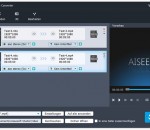
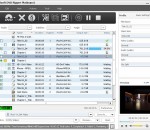
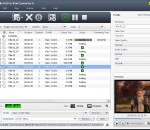
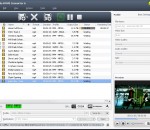
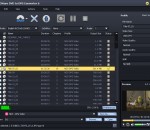
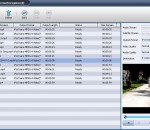
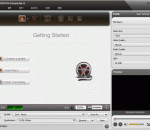
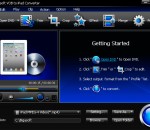
For AVCHD camcorder (Panasonic, Sony, JVC, Canon, Hitachi, and Leica) owners, this AVCHD Video Converter is a necessary software to convert recorded AVCHD videos in MTS and M2TS format to MP4, MPG, MOV, VOB, 3GP, FLV, TS, MKV, AVI, etc. formats. Then you can enjoy them on computer or portable devices, like iPad, iPhone, PSP, Android phone/tablet, etc.
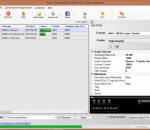
Free Convert MP4 To MP3 is a free tool to extract audio and convert MP4 to MP3,MP4 to FLAC,MP4 to WMA,MP4 to M4A,MP4 to AAC,MP4 to WAV,MP4 to OGG,MP4 to AMR.If you want to extract the soundtrack from a movie or you want , in order to listen it afterwards, to convert a video to MP3 , then this tool is for you.It can even cut the undesired advertisements from a video file and then convert it to MP3.Retains best quality.Video cutter,joiner.
With AVCWare FLV to 3GP Converter, you can watch FLV videos on your 3GP mobile phone freely by converting FLV video file to 3GP/3G2 file.Besides, more options are provided for you to set and adjust, including split a large file by preset split mode, customize the output file size, extract the video segment you like, and adjust other advanced parameters according to your own need.
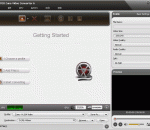
ImTOO Zune Video Converter is a powerful video and movie converter for your Zune which helps you watch videos and movies on your Zune anywhere and anyway. It can convert video files of AVI, MPEG, WMV, MOV, MP4, RM, RMVB, DivX, ASF, VOB and 3GP etc to Zune Video formats, e.g. WMV, MPEG4 and H.264. It can extract audio files from video files or movies to Zune audio formats, e.g. WMA, MP3 and AAC with a few clicks.
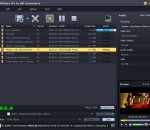
Xilisoft DVD Ripper Platinum rips DVD movies to AVI, MPEG, WMV, DivX, MP4, H.264/MPEG-4 AVC, RM, MOV, XviD, 3GP videos, as well as rips DVDs into MP3, WMA, WAV, RA, M4A, AAC, AC3, or OGG audio files, thus you can play them on iPod, iPhone, Apple TV, PSP, Zune, mobile phone or other digital devices. This DVD rip software lets you clip/split/merge videos and change the output parameters to get custom output files.
4Media DVD to iPad Converter is an ideal DVD to iPad tool that helps you rip DVD to iPad H.264/MPEG-4 videos and convert DVD to iPad MP3/AAC/M4A audios for enjoying DVD movies on your iPad anytime. The DVD to iPad converter has powerful editing tools that allow you to split file, customize parameters, preview DVD movies, capture movie frame and specify the output file size.
4Media RMVB Converter is a Real Media video converter that helps you convert RM/RMVB video to popular video formats including AVI, DivX, MP4, MPEG-1/2, MPEG-4 AVC, VOB, XviD, and WMV. Apart from RM/RMVB videos, the RM RMVB converter can also convert FLV, MTS, MKV, MPEG, MP4, WMV and ASF videos with high speed and excellent quality. With the Real Media converter, you can even extract audio from videos to RA audio.
AVCWare DVD to DPG Converter is the best resolution to rip all the contents on your favorite DVDs and convert them to video/audio formats supported in Nintendo DS: DPG/DPG2/DPG3/DPG4/MP3 and MP2. With it, you can enjoy fancy DVD discs on Nintendo DS. DVD folders and IFO files are available as well.
Aneesoft iPod Video Converter is an easy-to-use and totally iPod video converter that can convert all popular video formats to iPod video/audio formats. It can convert almost all video format, e.g. AVI, MPG(MPEG), WMV, MP4, MOV, VOB, FLV, ASF, RM, RMVB, 3GP, 3G2, etc to iPod formats.
ImTOO RM Converter is a professional conversion tool for Real Media files of rm, rmvb and ram. It supports conversion for video files like MPEG, AVI, DivX, WMV and for audio files including AAC, MP3, WAV and WMA. ImTOO RM Converter 5.0 supports capturing multiple pictures from videos.
Bigasoft VOB to iPad Converter, a perfect DVD iPad converter, is designed for iPad fans to enjoy High-definition (HD) DVD on iPad. It can easily convert DVD video to iPad compatible video format MP4 with high speed and excellent quality. It can also rip VOB to iPad audio MP3 in just one click. Moreover, it provides you with advanced functions such as trimming, cropping, merging, renaming, setting audio track, choose subtitle, and more.
GOM Media Player The only media player you need - for FREE! Not only is GOM Media Player a completely FREE video player, with its built-in support for all the most popular video and Media Player formats, tons of advanced features, extreme customizability, and the Codec Finder service, GOM Media Player is sure to fulfill all of your playback needs. With millions of users in hundreds of countries, GOM Media Player is one of the world`s most popular video players. Whats New : Added "Touch Setting" feature for touch screen devices. Added "Search box" feature on playlist. (Ctrl+F) Supported "HTTPS URL" for youtube or net radio playback. (Ctrl+U) Added "Music Tap" on preferences related to play music files. Improved performance related to "speed of add & delete" of files on playlist. Other miscellaneous corrections, fixes, and changes
RealPlayer has always enabled you to play RealAudio (*.ra) and RealMedia (*.ram) files. Download videos from thousands of Web sites with just one click Build your own video library and playlists Play all major audio and video formats Flash Video support DVD, SVCD, VCD burning and video recording RealPlayer for personal use includes audio CD burning capabilities, DVR-style playback buffering, multimedia search, Internet radio, a jukebox-style file library, an embedded web browser (using Microsoft Internet Explorer), and the ability to transfer media to a number of portable devices, including Apple's iPod, MP3 players, and Windows Media devices.
GOM is a FREE media player with popular audio & video codecs built-in. Codec Finder GOM Player includes many codecs (XviD, DivX, FLV1, AC3, OGG, MP4, H263 and more) so you won't need to install separate codecs for most videos. For those videos that require a separate codec, GOM Player will find one. Play Broken AVI Files (Patented) GOM Player's patented technology enables users to view files with broken indexes or that are still being downloaded. Powerful Subtitle Support GOM Player supports SMI, SRT, RT, SUB(with IDX) files for subtitle. You can even synchronize subtitle and video if there's any mismatch. Convenient Playlist If you run a video file and there is already a file with a similar name in the directory, it will be automatically added to your playlist. GOM Player has a similar playlist format as M3U, PLS, ASX. Support Different Media Types Along with different media format such as AVI, MPG, MPEG and DAT, GOM Player also supports streaming Windows media format (WMV, ASF, ASX). You can also watch DVD-quality videos with 5.1 channel audio output.