MagicScore School 7 is specialized notation software for music aficionados, students, teachers, schools and colleges. The program offers people interested in music a variety of notation options - input, editing, printing, correctness check and much more. MagicScore School 5, as the name implies, has been specially created for folks who are learning music, but professional musicians can use it as well.
Convert video to 20+ different formats. Split, trim, cut, crop, rotate, mark with text, mark with images, flip and change colors of video. The program is fast for large batches of videos.
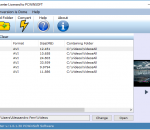
Convert video files to flash (SWF and FLV) for your web site or blog! Free Video to Flash Converter features two new players: New Maxi Player and New Multi Player. Many input formats. You can choose one of the preconfigured presets, customize any preset or create a new one using advanced Preset Editor. Free Video to Flash Converter contains no spyware or adware. It's clearly free and absolutely safe to install and run.
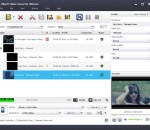
Xilisoft Video Converter Standard supports converting nearly all popular HD/SD video formats for watching them on PSP, PS3, iPod, iPad, iPhone, Apple TV, Xbox, mobile phone, PMP, and other multimedia devices. It can also extract transform between audio files and extract audios from videos for making any music suitable for digital devices.
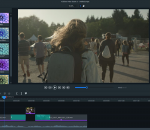
With a simple, easy-to-master interface, powerful 64-bit performance, and high res results, ACDSee Video Studio 3 provides value-based video editing without the learning curve. Now featuring higher quality screen recording, support for still images, 3x faster recording save times, 4K rendering, a variety of creative filters, audio effects, flexible tracks that you can layer and blend, and much more
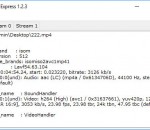
VideoInfo Express is a handy tool to retrieve metadata such as frame rate, resolution, audio and video bitrate, from a video or audio file. This software shows everything about a media file. It also has an extended analysis feature which gives much more information, such as stream infomation.
Aleesoft Free iPad Video Converter is a wonderful simple and easy iPad video converter. It can convert almost all video formats to iPad which lets you enjoy watching any video on your iPad anywhere and anytime.Convert high definition video such as HD TS, HD AVI, HD WMV, HD MOV, HD MPG, HD MKV, HD MP4 to iPad HD video. Support conversion in batches to save your time.
GeniusConnect DVBLink for Outlook turns Outlook calendaring to full featured EPG guide with program types category coloring, recording management, Live/Recorded TV watching.
AnyMP4 iPad to PC Transfer Ultimate is the best iPad Transfer software, users can not only export iPad music, movies, TV shows, podcast, iTunes U, ringtone, ePub, PDF, audio books, camera roll, picture, voice memos, camera shot, etc. to their computer with help of. Besides, this perfect program supports any version Apple device like iPod, iPad and iPhone. Moreover, it can backup iPhone SMS and Contacts to computer without limitation.
AVCWare iPod nano Video Converter is an excellent video to iPod nano converting tool, which helps you to easily convert various video files like AVI, MPEG, WMV, DivX, MOV, RM, VOB to iPod nano MP4 vdieo formats, extract iPod nano MP3/M4A/WAV audios from supported video files and convert common audio files to iPod nano audios as well. Besides, more editing tools are offered to let you complete the video to iPod nano conversion in your own way.
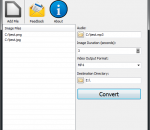
Convert your photos into videos with music. Photos to Video helps you bringing pictures together to create a video file. You just have to load pictures on its interface with the order of appearance and that is all. Adding background music is also possible. Photos to Video supports BMP, JPEG, GIF, PNG, TIFF image file formats for input format and WAV, MP3 audio file formats for background music files. Supported output formats are MP4, MOV, AVI.
GOM Media Player The only media player you need - for FREE! Not only is GOM Media Player a completely FREE video player, with its built-in support for all the most popular video and Media Player formats, tons of advanced features, extreme customizability, and the Codec Finder service, GOM Media Player is sure to fulfill all of your playback needs. With millions of users in hundreds of countries, GOM Media Player is one of the world`s most popular video players. Whats New : Added "Touch Setting" feature for touch screen devices. Added "Search box" feature on playlist. (Ctrl+F) Supported "HTTPS URL" for youtube or net radio playback. (Ctrl+U) Added "Music Tap" on preferences related to play music files. Improved performance related to "speed of add & delete" of files on playlist. Other miscellaneous corrections, fixes, and changes
RealPlayer has always enabled you to play RealAudio (*.ra) and RealMedia (*.ram) files. Download videos from thousands of Web sites with just one click Build your own video library and playlists Play all major audio and video formats Flash Video support DVD, SVCD, VCD burning and video recording RealPlayer for personal use includes audio CD burning capabilities, DVR-style playback buffering, multimedia search, Internet radio, a jukebox-style file library, an embedded web browser (using Microsoft Internet Explorer), and the ability to transfer media to a number of portable devices, including Apple's iPod, MP3 players, and Windows Media devices.
GOM is a FREE media player with popular audio & video codecs built-in. Codec Finder GOM Player includes many codecs (XviD, DivX, FLV1, AC3, OGG, MP4, H263 and more) so you won't need to install separate codecs for most videos. For those videos that require a separate codec, GOM Player will find one. Play Broken AVI Files (Patented) GOM Player's patented technology enables users to view files with broken indexes or that are still being downloaded. Powerful Subtitle Support GOM Player supports SMI, SRT, RT, SUB(with IDX) files for subtitle. You can even synchronize subtitle and video if there's any mismatch. Convenient Playlist If you run a video file and there is already a file with a similar name in the directory, it will be automatically added to your playlist. GOM Player has a similar playlist format as M3U, PLS, ASX. Support Different Media Types Along with different media format such as AVI, MPG, MPEG and DAT, GOM Player also supports streaming Windows media format (WMV, ASF, ASX). You can also watch DVD-quality videos with 5.1 channel audio output.