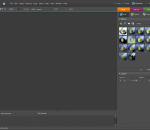
As you, probably, know, Adobe Photoshop Elements has not inherited all of the essential features of the full Photoshop. Some functions have been removed, while the others just stay hidden. The "surface" Photoshop Elements functions are quite sufficient for a beginner. As you advance, though, you may miss one or another undocumented function. Here "Elements+" will be of service to you. The thing is that by no means all the absent functions are removed from Photoshop Elements in full, many of them are just hidden from the user. And "Elements+" is a handy add-on that lets the hidden functions out. The opened functions appear in PSE immediately after the successful E+ installation. Except perhaps by the first run you will need to wait a second while the program reconstruct its cache file. The unleashed features can be accessed via dedicated dialog boxes that include undocumented commands and panels for exploring and using the hidden (officially unsupported) contents, such as paths, color channels, and more. The kit includes smart filters, vector masks, and many more advanced tools normally hidden under the hood. Furthermore, the "Scripts" catalog lets users automate tedious repetitive operations, create complicated effects, extract EXIF data from photos, etc. The current version brings a number of new scripts for various tasks. Elements+ comes to you with an automatic installer, so, you needn't follow tricky instructions and copy dozens of files to different locations manually.
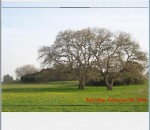
Pictures help us capture and cherish significant events in our lives. But often, the date at which a picture has been taken, is every bit as important as the picture itself. Y.A. Photos Date Stamper is a free application that helps you add a watermark of that special date and weekday, to JPG pictures of your choice, in a few simple steps. Y.A. Photos Date Stamper Identifies the weekday and date at which pictures have been taken, and adds a personally designed watermark of it to JPG photos of your choice, quickly and easily. Y.A. Photos Date Stamper also helps you change JPG pictures resolution effortlessly and rapidly. The application creates new picture copies in a folder of your choice, and does not alter the original files. With Y.A. Photos Date Stamper you can treasure special dated and days of your life, alongside with pictures. Y.A. Photos Date Stamper will help you make sure you never forget that special anniversary, birthday, holyday, New Year's Day, or event. Y.A. Photos Date Stamper helps you share these significant dates with your contacts. Using Y.A. Photos Date Stamper, you can share memorable dates with pictures in Facebook, Twitpic, Picasa, flicker e-mail and other social media tools. When sharing and using digital pictures, resolution adjustments may be in order. Y.A. Photos Date Stamper enables you to alter JPG pictures resolution rapidly and effortlessly. With Y.A. Photos Date Stamper, you can alter the resolution of a large number of pictures in a meter of seconds. Y.A. Photos Date Stamper and cherish these special occasions.
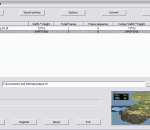
Tif Joiner is an easy-to-use tool to join tiff images to a multi-page tif file. It can convert single or multi-frame tif file. It can add, insert, delete, append pages, or adjust the pages' sequence in a tif file. It can resize, rotate, flip, convert images. It can combine other picture formats such as BMP, JPG/JPEG, GIF, animated GIF, PNG, EXIF, WMF, EMF to tiff also.
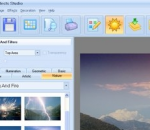
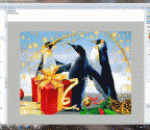
Photo Effects Studio is a new program that will easily change your photos with the help of hundreds of unique filters. Professional photo effects are now available for everyone! Just select the necessary effect and enjoy the perfect result in a couple of seconds. The program allows you to add fantastic glows and fog, generate the effects of rain, snow, lightning and a starry night... You will be able to create the effect of an old photo, pencil drawing, mosaic, engraving, book illustration and much more. Photo Effects Studio also includes a set of unique filters, for example, poker-work, cubism and photomontage. You will also be able to make your photos more stylish with the help of frames and masks and also add text and decorations. The program includes a large collection of classic and modern frames to any taste. They will add a final touch to your composition. A lot of effects, the possibility of their combination and also the comfortable interface of the program offer you limitless freedom for creative work!
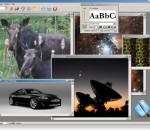
free photo collage and batch photo editor Simply drag and drop your photos onto collage. Adjust the collage size, size of the photos, unlimited add your photos onto collage. Add frame to your photo, rotate your photo onto collage. Built-in 32 background template and over 200 beautiful Photo Frames. create round corner on your photo. add overlay image or text on your photo in batch mode. resize, rotate, convert your photo in batch mode. auto contrast adjustment, adjust sharpen, brightness effect in batch mode. add grayscale, colorize effect.All operations can be performed in batch mode for an entire list of selected images in batch mode.. support jpg, bmp, tif, png, psd, tga, pcx, icon ,dib, cur, jp2, jpc, wbmp, pcd image format. support save as bmp, dcx, dib, gif, jpg, pcd, pcx, png, psd, tga, tif imag format. It provides Office 2007 look and feel.
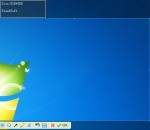
-Take a photo of your computer screen, including long webpages,online video.-Take the screenshot to clipboard.-Enhance your image with arrows, text, and effects in the steelsoft screenshot editor.-SteelSoft Screenshot can save images in the following formats (24-bit): Windows or OS/2 Bitmap (BMP), Independent JPEG Group (JPG) and Portable Network Graphics (PNG).-Full instructions are included with the software, explaining each of the possible settings and the function that they perform.-Share your screenshot on your social site.
AMC e-Paint is a Windows paint application. It's easy to use, quick to learn and less difficult to master than many brands of soap. It embodies robust painting functionality, but it won't burden you with innumerable features to click through to perform simple tasks. E-Paint's features include a variety of selection tools; antialiased drawing and text; a gallery of image processing filters ranging from tastefully subtle to breathtakingly wild; multiple document handling, soft brushes, local undo, variable magnification and an intuitive user interface - you might not even need its extensive, accessible documentation and tutorials. You'll find e-Paint to be the perfect tool for fine-tuning your digital photographs; drawing cells for web page animations; creating original artwork; building graphics for business presentations or, if you're employed by one of the supermarket tabloids, gluing the head of the president of the United States onto the body of an extraterrestrial. It has few limits, and in the latter example, very little shame.
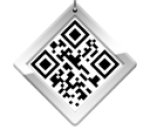
Free Create QR barcode Generator, Add QR Barcode on your photo. Support input JPEG and PNG image. Support 20 type of QR version. Custom define scale ratio. Custom define Background color and Foreground Color. Support draging the QR Barcode to position the QR Barcode. Support export to JPEG image. Support resize the image and adjust the JPEG quality. Support upload your photos to the user gallery of Viscomsoft Social Galleries and share to social networks like Facebook, Twitter, Reddit, Tumblr and Email. Support English, Chinese (Simplified), Chinese (Traditional), German, Spanish, French, Hungarian, Portuguese, Russian, Turkish language.
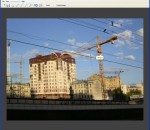
Perspective Pilot allows you to align objects on your architectural building and urban landscape images, thereby making the photos more attractive.
SCRAP: Scale, Crop, Rotate, and Publish. Often these features are all that you need, so why bother paying for programs that have a mind-boggling array of additional complex features that you don't use? This simple photo editor delivers cuts things down to the bare essentials, and does those essentials well. It keeps things simple, which makes it easy to use. Best of all, it's free! SCRAP: Scale, Crop, Rotate, and Publish. Often these features are all that you need, so why bother paying for programs that have a mind-boggling array of additional complex features that you don't use? This simple photo editor delivers cuts things down to the bare essentials, and does those essentials well. It keeps things simple, which makes it easy to use. Best of all, it's free! In brief... Scale - Use preset sizes for common uses, e.g., email, social media, print, HD screen display - Scale to fit a specific width or height (e.g., you need it to be 500 pixels wide, but don't care about the height) Crop - Crop visually (using the mouse), or numerically for precision - Crop to exactly fit 4x6" photo paper, or any specific size - Crop and scale simultaneously to fit an exact size (e.g., 4x6" at 300 DPI, which is 1200x1800 pixels) Rotate - Rotate visually, or numerically for precision - Quickly align straight lines such as horizons and building edges - Quickly straighten out crooked scanned in photos Publish - Save images in a variety of different formats - Print your photos
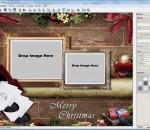
Do you want to create a special family presentation with all the kids that you can put on your web site or send to relatives? Or maybe you're a business with a desire to optimize your customer relations with personalized birthday and greetings cards. If so, this product is a dream. jalada Collage is the best digital software for making eye-catching collages, posters, invitations, wallpapers, calendars and more with your favorite photos in seconds. Combine photos with text and clip art to make collages stand out even more. You can even add your own doodles and make words from letters that look like magazine cutouts! Start up the fun while getting your pictures changed in different aspects with lots of amazing styles. EASY TO LEARN AND AFFORDABLE! This is the product you need now to create wonderful gift presentations. Give Moms and Dads, Uncles and Aunts, Grandmas and Grandpas a thrill by sending them presentations of the kids. The perfect solution for all your design projects! With jalada Collage, you can combine graphics and text into any page layout, well suited to create, greeting cards, invitations, calendars, poster, CD / DVD cover, booklets, flyers, leaflets, announcements, newsletter, certificates, business cards, place cards, ads, school projects, photo cards and much more. There is nearly no limit to what you can do. Download jalada Collage now and start transforming your unique photos into precious memories. Features: * 400+ Premium Templates and Layouts for various occasions and events, including Invitation, Birthday, Autumn, Family, Love, Summer, Christmas, Father's Day, Mother's Day, Thank You, Graduation, New Year, Calendar, Halloween, Wedding, Easter and more * 200+ Fonts * 1000+ Scalable Clip Art Images * Calendar Generator * Add Shadow, Sepia, Transparency, Black&White; effects * Frames and Borders * Flickr Browser * Predefined Page Formats, including DIN Formats, US Paper, Web, Photo, CD /DVD-Cover or Mobile Devices