The Torrent Toolbar searches in 1 click many popular BitTorrent sites and automatically matches available Subtitles translations from various subtitles sites in your language(37 different languages), saving you a lot of hassle and time. The subtitles Column For every Torrent for which a subtitles file is available, a flag indicating the language will be displayed. Click on the flag to download the subtitles file. Or if you prefer searching your favorite Tracker Site, our Torrent Toolbar adds subtitles language icons on the top torrent tracker sites!
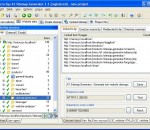
Download and archive entire websites such as forums, galleries, online books and articles. Copy and store websites on portable media such USB and CD. Download and convert websites from localhost, intranet, internet etc. Convert dynamic database driven websites into static. All links in the website can be converted to relative. Upload the downloaded website to mirrors and servers. Present websites to clients in offices with no internet access. Save webserver resources by not using server side code. Get everything from small to giant websites with many thousands of pages. Quickly download websites using multiple connections. Use include and exclude filters to control which files to crawl and list. Follow all kinds of references including redirects, frames, javascripts and images. Website downloader can even perform website login and handle cookies. Automate download of websites at times convenient to you, e.g. during the night.
This extension for Firefox and Google Chrome automatically inserts HTML signatures into your Gmail messages based on which address you are sending from. Blank Canvas Gmail Signatures is a Firefox extension that will help you by automatically inserting HTML signatures into your Gmail messages based on which address you are sending from. Supports up to four signatures for each address you have set up. Works for Compose Message and Reply / Forward. Features: * Use rich HTML signatures with images, styles, etc. * Works for Compose Mail, Reply, and Forward * Support for single or multiple email addresses * Create a different signature for each email address you use in your Gmail account * Supports up to four signatures per address * Real-time signature preview while editing signature HTML * Signature automatically inserted into message above (or optionally below) quoted text * Support for special characters * Easy setup and configuration interface
If you're not happy with the default skin of Google Chrome, you can download alternative theme files. Go to ChromoFans and look for something you like. Here's a Dark Seagreen Google Chrome Theme, you can free download it to enhance your Chrome Browse. Install Dark Seagreen Google Chrome Theme 1. Download Dark Seagreen Google Chrome Theme first. 2. Uncompressed the zip file to your local folder. Each zip file contains two files: the Google Chrome Theme file called "default.dll" and help document called "readme.htm" 3. Close Google Chrome if you haved launched it. 4. Replace your original default.dll(I suggest you make a backup of the original first). Here's the path where you need to replace the file: * In Vista: C:/Users/[your user name]/AppData/Local/Google/Chrome/Application/[current version]/Themes/ * In Windows XP: C:/Documents and Settings/User/Local Settings/Application Data/Google/Chrome/Application[current version]/Themes/ 5. Restart your Google Chrome. More information, please visit homepage
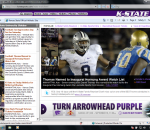
Welcome Wildcats Fans! This is a browser experience built especially for fans of K-State athletics. With the Kansas State Wildcats Theme, you'll enjoy a stunning Wildcats theme, quick links to K-State Facebook and Twitter pages, and easy access to KStateSports.com. Plus an easy way to un-install if necessary. SEARCH: Our primary revenue source is WebSearch+. We will reset your default search engine when installed so please give WebSearch+ a try! PRIVACY: We respect your privacy. We do track some data - but it's only numbers. We follow the total number of active themes, clicks on the extension buttons and themes using our search partners. That's it. UNINSTALL: We hate to see you go but if you want to uninstall, go to Tools - > Addons, and remove the extension from the Extensions tab in Addons. Thats it! ABOUT US: Brand Thunder works with leading brands to develop FREE custom IE, Chrome and Firefox add-ons. We have worked with the leading social networks, sports teams, news publishers, entertainment and gossip sites, colleges, blogs, radio stations, music as well as our own themes for football, baseball, soccer and the holidays - lots of exciting partners are on the way, so stay tuned!
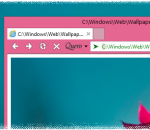
Quero is an enhanced navigation bar and ad blocker for Internet Explorer. Quero replaces the address/search box and find bar of IE10 by combining them into one address bar-like toolbar. Additionally, Quero includes an optional ad blocker to protect the user from intrusive Web advertising. Key features: - Tabs on top on a separate line (IE10, IE9) - Display the page title in the title bar (IE10, IE9) - One box for all: search and navigate to Web sites from one box - Ad & Flash blocker - Quick Type & Find (supersedes the find dialog) - Highlight search terms - Cursor search - Go to text URLs - Paste and go - Full page zoom - Display favicons in taskbar - IDN support with anti-spoofing techniques - Open Source IE add-on
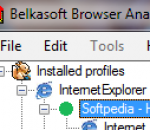
Tool for forensic professionals that eases their work on analysing Internet Browsers histories. Supports extraction of visited links for Internet Explorer, Mozilla Firefox, Opera, Google Chrome browsers. You do not need to be logged in under a user whose history is analyzed. Belkasoft Browser Analyzer allows you to extract browser history (including cookies) into such formats as plain text, HTML and XML. Powerful search facilities are supported: simple search by word or phrase and advanced search using file with list of words or using regular expression which is very useful when searching a various word's forms or phrase with fuzzy structure. The product can search installed browsers' history files on your computer as well as on mapped network drives (including Encase mapped drives). You can find and analyze history of other users of a computer. It is possible to work with several histories at a time.
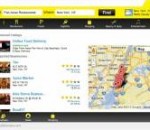
With the Local Directory Widget, finding the right restaurant or retailer has never been easier. The business listings page shows ratings and reviews from other customers as well as pictures of the business, the hours of operation, and much more!
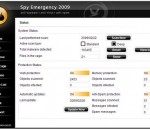
Spy Emergency is an anti-spyware software that fast and secure removes spyware and other internet infections from your computer. Spy Emergency protects you against spyware, adware, malware, homepage hijackers, remote administration tools, dialers, keyloggers, and many other types of internet infections. Spy Emergency supports resident shields for real-time protection and automatic infections database updates for better protection.
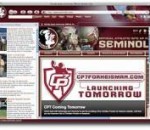
This is the only official browser experience designed especially for Florida State Seminole athletics fans. You'll enjoy a stunning Seminoles theme, quick links to the best of www.seminoles.com and a multimedia sidebar for the latest action. Plus an easy way to un-install if necessary. SEARCH: Our primary revenue source is BING. We will reset your default search engine when installed so please give BING a try! PRIVACY: We respect your privacy. We do track some data - but it's only numbers. We follow the total number of active themes, clicks on the extension buttons and themes using our search partners. That's it. UNINSTALL: We hate to see you go but if you want to uninstall, go to Tools - > Addons, and remove the extension from the Extensions tab in Addons. Thats it! ABOUT US: Brand Thunder works with leading brands to develop custom Firefox add-ons. We have worked with the leading social networks, sports teams, news publishers, entertainment and gossip sites, colleges, blogs, radio stations, music as well as our own themes for football, baseball, soccer and the holidays - lots of exciting partners are on the way, so stay tuned!
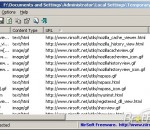
IECacheView is a small utility that reads the cache folder of Internet Explorer, and displays the list of all files currently stored in the cache. For each cache file, the following information is displayed: Filename, Content Type, URL, Last Accessed Time, Last Modified Time, Expiration Time, Number Of Hits, File Size, Folder Name, and full path of the cache filename. You can easily save the cache information into text/html/xml file, or copy the cache table to the clipboard and then paste it to another application, like Excel or OpenOffice Spreadsheet.
Mozilla Firefox is a graphical web browser developed by the Mozilla Corporation, and a large community of external contributors. Mozilla Fire Fox protects you from viruses, spyware and pop-ups. Enjoy the improvements Mozilla Firfox offers to web browsing performance, usability, privacy and security. Mozilla Firefox is 100% free and is rated the best web browser by many reliable sources. Block annoying pop-ups Firefox blocks pop-ups automatically. Google Search Toolbar Search Google with ease using a unique enhanced suggestion search. Tabbed Browsing Speed up web browsing by viewing more than one web page in a window. Solid Security.
Adobe Shockwave Player Over 450 million Internet-enabled desktops have Adobe Shockwave Player installed. These users have access to some of the best content the Web has to offer - including dazzling 3D games and entertainment, interactive product demonstrations, and online learning applications. Shockwave Player displays Web content that has been created using Adobe Director.
Explore the Chrome Browser Chrome is a fast, simple, and secure web browser, built for the modern web. Speed Chrome is designed to be fast in every possible way. It's quick to start up from your desktop, loads web pages in a snap, and runs complex web applications lightning fast. Simplicity Chrome's browser window is streamlined, clean and simple. For example, you can search and navigate from the same box and arrange tabs however you wish -- quickly and easily. Security Chrome is designed to keep you safer and more secure on the web with built-in malware and phishing protection, auto-updates to make sure you have all the latest security fixes, and more. Privacy Chrome puts you in control of your private information while helping protect the information you share when you’re online. Customization There are tons of ways to customize Chrome and make it yours. It's easy to tweak your settings and add apps, extensions, and themes from the Chrome Web Store. Signing In Signing in to Chrome brings your bookmarks, history, and other settings to all your computers. It also automatically signs you in to all your favorite Google services. More