Watch for your new inbox Gmail and report to you in status-bar. Check Gmail at specific interval ( 5 min, 10 min, 15 min, 20 min, 30 min, 1 hour, 2 hour, 3 hour, 4 hour or manually). Can select to alert by sound, by notification window or by blinking icon. Use secure protocol - HTTPS-SSL to connect to Gmail server. Safe from eavesdroppers and man-in-the-middle attacks. In order to ensure user privacy, no sensitive data is stored, you will not even be required to specify your username and password. This extension use Browser cookie to get information. So, security level is the same as Gmail website security. This extension work only after you log on at the Gmail website. As long as you stay log on, this extension still work. If you log out from Gmail website, this extension log out too ! Private browsing mode compatability. "Gmail Watcher" will not leave any traces after you stop private browsing.
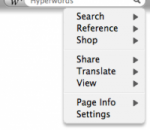
Hyperwords is designed to support academic, corporate, consumers and knowledge workers in general. A basic function of Hyperwords is to select text on a web page and make it easy to get other information about the text. You are no longer restricted to following only the links others have made for you. Selecting text is simple: either double-click on a word, double-click between two words (like in a name) to select both, or stripe/drag-select a larger selection of text. References If for some reason you want to find out who the prime minister of Kazakhstan is, just select Kazakhstan and select 'References' from the menu that pops up and then select 'Wikipedia' from the sub-menu. You should now be seeing the Wikipedia entry open in a new window to the left of your main window. You can even get the result right inside the menu, just hover over 'Wikipedia' (or any other reference or many searches, such as 'people' or 'pictures'). More There are other kinds of commands in Hyperwords, it is not just about references or searching. Please have a look at some of the tutorials above to learn more. To perform a quick Google search, just select text on the page and hit 'enter'. Conventions used in this Tutorial Words in italic are words we suggest you try commands on.
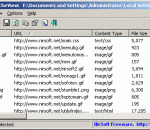
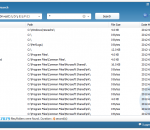
ChromeCacheView is a small utility that reads the cache folder of Google Chrome Web browser, and displays the list of all files currently stored in the cache. For each cache file, the following information is displayed: URL, Content type, File size, Last accessed time, Expiration time, Server name, Server response, and more. You can easily select one or more items from the cache list, and then extract the files to another folder, or copy the URLs list to the clipboard.
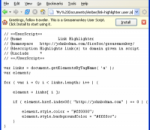
Greasemonkey is a Mozilla Firefox extension that allows users to install scripts that make on-the-fly changes to HTML web page content on the DOMContentLoaded event, which happens immediately after it is loaded in the browser (also known as augmented browsing). As Greasemonkey scripts are persistent, the changes made to the web pages are executed every time the page is opened, making them effectively permanent for the user running the script. Greasemonkey can be used for adding new functions to web pages (for example, embedding price comparisons within shopping sites), fixing rendering bugs, combining data from multiple webpages, and numerous other purposes.
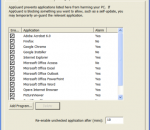
Every 10 minutes cyber criminals alter their attack code, virus, worm, Trojan, and other zero-day malware, resulting in typical anti-virus/spyware software (signature-based) only stopping 29% of today’s attacks on average. Adding AppGuard more than triples your computer protection without the confusion found in alternatives.Triples Your Computer Protection.
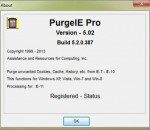
PurgeIE Pro helps Internet Explorer users eliminate unwanted Internet files. This superb utility provides the tools you need to cover your surfing tracks and keep Internet-related garbage from overrunning your hard drive. PurgeIE Pro enables you to easily remove a variety of leftover files that Internet Explorer leaves in its wake when you browse the Internet. Despite all of the bad press that Cookies have received, there are some good Cookies that contain stored passwords and preferences for Web sites you trust. These Cookies actually make your life easier. You just tell PurgeIE Pro which ones to 'protect' and it will delete the rest. PurgeIE Pro incorporates a Cookie Viewer with search functions to assist you in deciding which Cookies to mark for 'protection'. This allows you to quickly determine which Cookies contain your personal information. A recent upgrade implements a function to randomize (jumble or crumble) Cookies data. PurgeIE Pro includes 'secure erase' and support for Plugins. Cache files, Cookies, Visited URLs, Typed URLs, History Folders, Strays, Recent Links, the IE UserData folder, Recycle Bin and the Windows Temp Folder are the current categories you can choose to eliminate. Includes functions for clearing Previous Searches and AutoComplete Forms. You can also specify time frames to retain your more recent cache files. PurgeIE Pro has become quite popular among the Cache and Cookie utilities as it provides the user with several options and includes a preview function to you to evaluate the effect of each of the Purge options before their execution. PurgeIE Pro manages its cleanup functions without requiring you to restart your system. Supports thru IE-10 and Win-8. A recent upgrade implements a tabbed User interface. The 15 trial days need not be contiguous.
PictureImp is the world's first "Zero-Click" web image downloader. As you browse web pages, PictureImp sits in the system tray and waits until you start it. When you do so, it pops up a small semi-transparent basket. The basket floats over the page and you can drag and drop any web image into this basket. That's all you need to do. No unnecessary clicks and no navigating through window dialogs. Just drop it! Usually, when you browse the Internet and stumble upon an interesting image you want to save, you have to first right-click the image, select "Save Image As.." option from the popup menu, browse to the folder where you want to save the image, type in its name and finally click the "Save" button. But most people don't want to mess with so many annoying "click-click-click" operations. They just want the images to be saved in one click or even without having to click at all! PictureImp lets you drop an image into a tray basket without any clicks at all! PictureImp saves an image to the preset folder using the original name of the file or re-naming the file automatically based on the naming template you specify. This process is done automatically and behind the scene. You just drag-and-drop and the rest is done by the program in the background. Another big feature of PictureImp is the ability to set up more than one basket. Each basket will have its own folder for saving images, its own naming template and its own custom look. This option is useful when, for example, you want to save photos into one folder and web design elements, such as logos or bullets into another folder. You'll love browsing the Internet with PictureImp because you don't have to do anything special to save images. It just works. PictureImp is aimed at everyday, casual surfers, web masters and web designers who just want to get images from the net with the least amount of hassle.
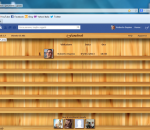
iFamebook is the first app in the world that let you know who visits your Facebook profile! It adds a button to your Facebook page that will enable you to see your visitors.
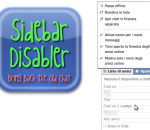
With this extension you can disable the newly introduced Chat Sidebar and return to the old good normal Facebook Chat. There are also other features, check them below! · Disable the Chat Sidebar and return to the Old Normal Chat. · Use Friend Lists to limit your availability and group your Chat contacts. · Link the name in chat windows titlebar to contact's profile. · Revert the blue top bar to the old style one. · Stick the blue top bar at the top of the window. · Add a shadow below the blue top bar. · Hide the ticker in the home page and/or inside games. · Enable or disable extension features via a settings panel.
Share and contribute to web pages with Toolbar # Share any web page with your friends right from the Toolbar. # Contribute and read helpful information on any web page with Google Sidewiki. # Translate web pages instantly with automatic language detection. Google Toolbar enhances Internet Explorer with a Google search box and other useful tools like a pop-up blocker, Web form filler, and spellchecker. Google Toolbar has a variety of new features to the add-on for IE 6.0+. Universal Google Gadgets now work from Google Toolbar and give users access to additional tools, functionality and content right from the browser. A new version of the AutoFill feature for Web forms has better accuracy. Users can now save toolbar settings and access their bookmarks and custom buttons from any version of IE with Google Toolbar. # Contribute and read helpful information on any web page with Google Sidewiki. # Translate web pages instantly with automatic language detection. # Browse faster with instant suggestions as you type in the search box. Features: AutoFill: · Tired of typing in your address and credit card information every time you shop online? AutoFill makes shopping a breeze by enabling you to fill out web forms with a single click. Just enter your info once in the Toolbar's Options dialog box and you're ready for an online shopping spree. (Note: your credit card info stays password-protected.) AutoLink: · The online review of a great new restaurant has the place's address but no map. You could type the restaurant's street, city, and ZIP code into the search box, but why bother, when clicking the Toolbar's AutoLink button will automatically create a link to an online map (US addresses only)? AutoLink can also link package tracking numbers to delivery status, VIN numbers (US) to vehicle history, and publication ISBN numbers to Amazon.com listings. WordTranslator: · Ever need to translate words on English web pages into another language? Don't bother looking up words one by one - just hover your mouse cursor over an English word and Toolbar's WordTranslator will tell you what it means in your own language. WordTranslator currently supports translation from English into Chinese (Traditional and Simplified), Japanese, Korean, French, Italian, German and Spanish. Address Bar Browse by Name: · Browse by Name helps you find a site even when you don't know its URL. Just type the site name into your browser address bar, and Toolbar will take you there automatically. For instance, try typing "oxford" into the address bar to go directly to the university's home page at www.ox.ac.uk. · If you type in something that doesn't have an official home page, like "digital cameras," Browse by Name will automatically show you search results for that term. Bookmarks: · Want to create and label bookmarks that you can access from any computer? Simply click the Toolbar's star icon, or right-click the star to add and label a bookmark. You'll be able to access your Bookmarks menu on any computer with the new Google Toolbar installed. Send To: · You can use your Google Toolbar to share web pages via email, text message (SMS), or blog. To share an entire page, select from the Toolbar's "Send To" menu; to share an excerpt, simply select the section of the page you want to share before clicking "Send To."
Wise JetSearch is a free local file search tool which supports both NTFS and FAT drive. It's the best freeware alternative to Windows Search and Search Everything. This freeware supports quick search for local files by name or wildcard.
Mozilla Firefox is a graphical web browser developed by the Mozilla Corporation, and a large community of external contributors. Mozilla Fire Fox protects you from viruses, spyware and pop-ups. Enjoy the improvements Mozilla Firfox offers to web browsing performance, usability, privacy and security. Mozilla Firefox is 100% free and is rated the best web browser by many reliable sources. Block annoying pop-ups Firefox blocks pop-ups automatically. Google Search Toolbar Search Google with ease using a unique enhanced suggestion search. Tabbed Browsing Speed up web browsing by viewing more than one web page in a window. Solid Security.
Adobe Shockwave Player Over 450 million Internet-enabled desktops have Adobe Shockwave Player installed. These users have access to some of the best content the Web has to offer - including dazzling 3D games and entertainment, interactive product demonstrations, and online learning applications. Shockwave Player displays Web content that has been created using Adobe Director.
Explore the Chrome Browser Chrome is a fast, simple, and secure web browser, built for the modern web. Speed Chrome is designed to be fast in every possible way. It's quick to start up from your desktop, loads web pages in a snap, and runs complex web applications lightning fast. Simplicity Chrome's browser window is streamlined, clean and simple. For example, you can search and navigate from the same box and arrange tabs however you wish -- quickly and easily. Security Chrome is designed to keep you safer and more secure on the web with built-in malware and phishing protection, auto-updates to make sure you have all the latest security fixes, and more. Privacy Chrome puts you in control of your private information while helping protect the information you share when you’re online. Customization There are tons of ways to customize Chrome and make it yours. It's easy to tweak your settings and add apps, extensions, and themes from the Chrome Web Store. Signing In Signing in to Chrome brings your bookmarks, history, and other settings to all your computers. It also automatically signs you in to all your favorite Google services. More