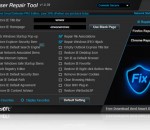
Anvi Browser Repair Tool is a free tool created to help you conveniently repair browser settings and networking settings such as homepage, safe startup items, DNS settings, Title Bar, BHO plug-in, etc, changed by malware to return smooth browser use. While antivirus, antimalware tool helps detect and remove malware infections from computer, this program will practically assist normalizing safe browser searching. Anvi Browser Repair Tool is designed to help fix browser, network settings altered due to rogueware/malware infections and even facilitate malware removal with one-click solution. Key Features Repair Browser Settings Changed by Rogueware/Malware Many rogueweare or malware, especially redirect viruses or browser hijackers, tend to change browser settings, like altering homepage, startup-page, search engines, extensions, add-ons, security settings, to name a few, to redirect users to suspicious or malicious URLs. Anvi Browser Repair Tool is able to repair these browser settings to normalize safe browser usage. Repair Network Settings Altered by Malware Networking settings like DNS settings, LAN settings, etc are often altered by rogueware, Google redirect virus, fake antispyware and the like to perform tricks. Anvi Browser Repair Tool is capable of normalizing such networking settings to enable safe networking connection in order to even facilitate malware removal together with malware removal tool. Facilitate Virus, Malware Removal Besides repairing browser settings and networking settings altered to normalize browser usage, Anvi Browser Repair Tool can also unlock Registry Editor, restore browser default path, repair file associations, block Windows startup pop-ups and repair Windows IFEO hijacker to facilitate virus, malware removal.
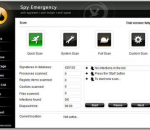
Spy Emergency is an anti-spyware software that fast and secure removes spyware and other internet infections from your computer. Spy Emergency protects you against spyware, adware, malware, homepage hijackers, remote administration tools, dialers, keyloggers, and many other types of internet infections. Spy Emergency supports resident shields for real-time protection and automatic infections database updates for better protection. Secure Your Ideas with Spy Emergency! Spy Emergency is a security application that protects your PC from spyware, malware and adware. FEATURES: · Built-in proactive resident shield protection with dynamic heuristic engine that can even detect new and unknown Internet threats · Lowlevel Anti-rootkit Protection · Site Identity Verifier · Extended behavioral heuristic scanning · Support for Internet Explorer, Mozilla Firefox and Opera browsers · Scan of your system memory · Scan of your registry · Scan of your storage · Built-in anti-spam · System directory storage scan · Tracking cookies scan · Host file scan · Hijackers scan · Heuristic malware detection · Polymorhic malware detection · Generic unpacker with support for UPX, Aspack, ... · Command line interface · Automatic LSP stack repair · Real-time memory shields that blocks spyware before it executes · Prevention shields that blocks malware installation · Browser shields, including homepage shield · Tracking cookies shields · Automatic incremental database updates · News updates · Individual items restore functionality · Keeplist · Scheduling support · Simple configuration · Intuitive and clear user interface for spyware removal · Handy Shell Extension Scanning · Skin support · Language support · Premium Technical support
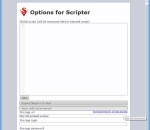
This Opera Extension will allow you to execute custom JavaScript code on any site and to store the comments for pages. JavaScript code is executed when the page loads, and can contain jQuery selectors. Custom JavaScript code can be executed for different groups of pages: - For all sites - For all subdomains - For a specific domain - For a specific page The extension allows to execute custom JavaScript code on any site and to store the comments for pages. JavaScript code is executed when the page loads, and can contain jQuery selectors. Custom JavaScript code can be executed for different groups of pages: 1. For all sites 2. For all subdomains 3. For a specific domain 4. For a specific page If you go to the page "homepage fill in the following Script and select "enabled" 1. For all sites: alert('script for all sites'); 2. For all subdomains (*.google.com): alert('script on google.com'); 3. For a specific domain (www.google.com): alert('script on www.google.com'); 4. For a specific page (www.google.com/imghp): alert('scrip for images on google.com'); After each action you have press "Save" button When you visit "homepage page 4 messages will be displayed in turns: script for all sites, script on google.com, script on www.google.com, script for images on google.com When you visit "homepage page 2 messages will be displayed in turns: script for all sites, script on google.com When you visit "homepage page 1 message will be displayed: script for all sites If you set the script to all sites in line: setTimeout( "$('*').each(function(){ if ($(this).css('z-index')>100) $(this).remove(); }); ",1000); One second after loading any page, script will remove all the layers with z-index more than 100. It is easy to remove the advertising layers
Utilu Mozilla Firefox Collection contains multiple versions of the free web browser Mozilla Firefox, which are standalone so they can be used at the same time. This is useful for web developers. In Utilu Mozilla Firefox Collection you can quickly see how your websites look when rendered using different versions of the Gecko render engine. The version number of each included version of Mozilla Firefox can be found in the window title. Utilu Mozilla Firefox Collection also includes the Firebug and Web Developer add-ons for all included versions of Mozilla Firefox. These add-ons provide a variety of tools which make troubleshooting websites much easier. Utilu Mozilla Firefox Collection contains multiple standalone versions of Mozilla Firefox, which can be used at the same time. Utilu Mozilla Firefox Collection Utilu Mozilla Firefox Collection is a utility developed by Utilu that contains multiple versions of the free web browser Mozilla Firefox, which are standalone so they can be used at the same time. This is useful for web developers. Usage In Utilu Mozilla Firefox Collection you can quickly see how your websites look when rendered using different versions of the Gecko render engine. You can specify the filenames or locations (URLs) to open in all installed versions of Mozilla Firefox. Filenames or URLs that include spaces must be enclosed in quotes ("). Multiple filenames or URLs may be used by separating them by spaces. This will result in multiple tabs being opened. Mozilla Firefox versions Utilu Mozilla Firefox Collection bevat de volgende versies van Mozilla Firefox: * Mozilla Firefox 2.0.0.20 * Mozilla Firefox 3.0.19.0 * Mozilla Firefox 3.5.19.0 * Mozilla Firefox 3.6.28.0 * Mozilla Firefox 4.0.1.0 * Mozilla Firefox 5.0.1.0 * Mozilla Firefox 6.0.2.0 * Mozilla Firefox 7.0.1.0 * Mozilla Firefox 8.0.1.0 * Mozilla Firefox 9.0.1.0 * Mozilla Firefox 10.0.2.0 * Mozilla Firefox 10.0.12.0 ESR * Mozilla Firefox 11.0.0.0 * Mozilla Firefox 12.0.0.0 * Mozilla Firefox 13.0.1.0 * Mozilla Firefox 14.0.1.0 * Mozilla Firefox 15.0.1.0 * Mozilla Firefox 16.0.2.0 * Mozilla Firefox 17.0.1.0 * Mozilla Firefox 17.0.4.0 ESR * Mozilla Firefox 18.0.2.0 * Mozilla Firefox 19.0.2.0 * Mozilla Firefox 20.0.0.0 beta 4 * Mozilla Firefox 21.0.0.0 Aurora * Mozilla Firefox 22.0.0.0 Nightly Mozilla Firefox add-ons and plug-ins Utilu Mozilla Firefox Collection bevat de volgende add-ons en plug-ins: * Firebug 1.3.1 add-on for Mozilla Firefox 2.0 * Firebug 1.4.5 add-on for Mozilla Firefox 3.0 * Firebug 1.5.4 add-on for Mozilla Firefox 3.5 * Firebug 1.7.3 add-on for Mozilla Firefox 3.6 and 4.0 * Firebug 1.9.2 add-on for Mozilla Firefox 5.0 up to 12.0 * Firebug 1.10.6 add-on for Mozilla Firefox 13.0 up to 16.0 * Firebug 1.11.2 add-on for Mozilla Firefox 17.0 up to 20.0 * Firebug 1.12.0 add-on for Mozilla Firefox 21.0 and higher * Web Developer 1.1.9 add-on for Mozilla Firefox 2.0 up to 3.5 * Web Developer 1.2.3 add-on for Mozilla Firefox 3.6 and higher * Flash Player 11.6.602.171 plug-in
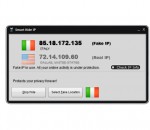
Smart Hide IP, a state-of-the-art IP Hider, is dedicated to protecting your online security and privacy. By global proxy servers provided, your online identity can be covered with a simple click of a button. Primary benefits include keeping hackers off, preventing identity theft, blocking ISP eavesdropping, sending anonymous E-mails, etc. It is 100% safe to use and compatible with Windows 7/Vista/XP/2000 and Server editions, 32 and 64 bit.
The fast, easy and free way to drive thousands of visitors to your websites every day. TrafficProgrammer Offers Traffic Exchange to your websites by giving you a chance to surf other members websites and in return you get unique/targeted traffic to your websites from one of the Worlds Largest Web Surfers Network increasing an ideal, highly effective website promotion.
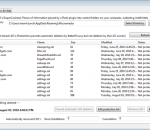
Better Privacy serves to protect against undeletable longterm cookies, a new generation of 'Super-Cookie', which silently conquered the internet. This new cookie generation offers unlimited user tracking to industry and market research. Concerning privacy Flash- and DOM Storage objects are most critical. Flash-cookies (Local Shared Objects, LSO) are pieces of information placed on your computer by a Flash plugin. Those Super-Cookies are placed in central system folders and so protected from deletion. They are frequently used like standard browser cookies. Although their thread potential is much higher as of conventional cookies, only few users began to take notice of them. It is of frequent occurrence that -after a time- hundreds of those Flash-cookies reside in special folders. And they won't be deleted - never! BetterPrivacy can stop them, e.g. by allowing to silently remove those objects on every browser exit. So this extension becomes sort of "install and forget add-on". Usually automatic deletion is safe (no negative impact on your browsing), especially if the deletion timer is activated. The timer can delay automatic deletion for new or modified Flash-cookies which might be in use. It also allows to delete those objects immediately if desired. With BetterPrivacy it is possible to review, protect or delete new Flash-cookies individually. Users who wish to to manage all cookies manually can disable the automatic functions. BetterPrivacy also protects against 'DOM Storage' longterm tracking, a browser feature which has been granted by the major browser manufactures.
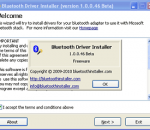
Get Bluetooth to work with the Microsoft Bluetooth stack. This small freeware utility will try to install generic Microsoft driver for your bluetooth adapter. It works for most (but not all) bluetooth adapters, both USB dongles and built-in. Before making changes to your system the program automatically creates a restore point. If anything goes wrong you can use Windows System Restore feature to revert all changes made to your computer.
Draw a ruler across any webpage to check the width, height, or alignment of page elements in pixels. The MeasureIt plugin is a simple little tool that allows you to measure the size of elements in your browser. Some instructions for Use this extension : click the MeasureIt button in the status bar or toolbar to turn it on/off click and drag out a ruler box click and hold to move the ruler box Arrow Keys to adjust size of ruler box by 1px Arrow Keys + SHIFT to adjust size of ruler box by 5px click and drag bottom right corner of ruler box to resize CTRL + Arrow Keys to nudge ruler by 1px CTRL + SHIFT + Arrow Keys to nudge ruler by 5px click the "X" to close that ruler or click outside of it to begin drawing another ruler ESC key to turn off MeasureIt
Live Advert Remover (Live Messenger Advert Remover) blocks all advertisement banners from being displayed in Live Messenger. It works with all versions of Live and MSN Messengers. You need to run it only once to "patch" your system.
Wohl die größte, gepflegte Sammlung von online verfügbaren deutschsprachigen weltweiten Zeitungslinks! Mit umfangreichen Funktionen wie Download von Zeitungsausgaben, Offlinerecherche im Downloadbereich, Screenshoterstellung, Lesen von Offlineseiten, Drucken, Erstellung einer persönlichen Auswahlliste, Extraktion und Anzeige aller Emailadressen/Links einer Seite. Die Emailadressen und Links werden dabei übersichtlich angezeigt und können per Doppelklick sofort aktiviert/benutzt werden. Aus dem Programm heraus sind direkte Onlineupdates für Programm und Datenbestand möglich. In der Vollversion sind über 1700 Zeitungslinks aus über 60 Ländern verfügbar!
Mozilla Firefox is a graphical web browser developed by the Mozilla Corporation, and a large community of external contributors. Mozilla Fire Fox protects you from viruses, spyware and pop-ups. Enjoy the improvements Mozilla Firfox offers to web browsing performance, usability, privacy and security. Mozilla Firefox is 100% free and is rated the best web browser by many reliable sources. Block annoying pop-ups Firefox blocks pop-ups automatically. Google Search Toolbar Search Google with ease using a unique enhanced suggestion search. Tabbed Browsing Speed up web browsing by viewing more than one web page in a window. Solid Security.
Adobe Shockwave Player Over 450 million Internet-enabled desktops have Adobe Shockwave Player installed. These users have access to some of the best content the Web has to offer - including dazzling 3D games and entertainment, interactive product demonstrations, and online learning applications. Shockwave Player displays Web content that has been created using Adobe Director.
Explore the Chrome Browser Chrome is a fast, simple, and secure web browser, built for the modern web. Speed Chrome is designed to be fast in every possible way. It's quick to start up from your desktop, loads web pages in a snap, and runs complex web applications lightning fast. Simplicity Chrome's browser window is streamlined, clean and simple. For example, you can search and navigate from the same box and arrange tabs however you wish -- quickly and easily. Security Chrome is designed to keep you safer and more secure on the web with built-in malware and phishing protection, auto-updates to make sure you have all the latest security fixes, and more. Privacy Chrome puts you in control of your private information while helping protect the information you share when you’re online. Customization There are tons of ways to customize Chrome and make it yours. It's easy to tweak your settings and add apps, extensions, and themes from the Chrome Web Store. Signing In Signing in to Chrome brings your bookmarks, history, and other settings to all your computers. It also automatically signs you in to all your favorite Google services. More