Bookmark web page hyperlink to OneNote 2013, 2010, 2007 from Browsers (IE, Chrome, Firefox, Opera). These add-ins extend browsers bookmarks bar. We can collect and organize a lot of the links with OneNote now.ccess row. How to use Favorite to OneNote 1. Bookmark a web page hyperlink to OneNote. In ie or chrome or firefox, like "Bookmark" button to bookmark a web page hyperlink. Right click on the web page, and in the popup context menu, click on "Favorite to OneNote", this will create a hyperlink with the web page title in current OneNote page. 2. Bookmark a link's hyperlink to OneNote. In ie or chrome or firefox, right click on the a link text, and in the popup context menu, click on "Favorite to OneNote", this will create a hyperlink with the link text in current OneNote page. We can use OneNote tables to organize a lot of links, that will easy to classification, will be more easy to read.
Missing e was designed purposefully for Tumblr fans.The main aim of the Missing e extension is to add a plus of functionality and user-friendlyness to your favorite micro-blogging platform. After installing Missing e you will have quick access to lots of tools for navigating, posting and socializing right from Tumblr. Features: · Open links in dashboard posts in new tabs so you never lose your place · View full-size images from photo posts without leaving the dashboard (and even if a high-resolution link isn't provided) · Check who you follow that doesn't follow back and who follows you that you don't follow back · Keep track of other users that unfollow you · Jump directly to a post on the dashboard from the individual post's page · Easily and quickly create a post of your Tumblr crushes · Fix interface shortcomings in viewing posts on the dashboard and creating new posts · Reblog your own posts quickly from the dashboard or an individual post's page · Automatically create new posts for replying to replies (and other notifications) · Hide potentially unsafe images while browsing the dashboard · Add post timestamps to the dashboard
Organize thousands of Web Sites by Categories, priorities, search words, and Users in a secure database. Collect Web Sites automatically while browsing the internet using a number of Web Browsers at once. Save EMail, URL's, Passwords by Web Site in the database. You can view all your collected web sites by category, priority, web site name, and three search key words. Extract Links from Web Pages and Save Web Pages OffLine.
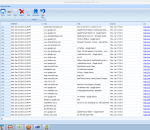
Dutch Duck IE History Viewer is a History, Favorites, Cache, and Cookies Manager for Microsof Internet Explorer. It shows your History, Favorites, Cache and Cookies, in a very accessible, spreadsheet-like table--with options to sort, group, search, print and export.It allows to selectively erase items from your history--search for the items you want to delete and press the delete button. No need to erase your entire history. Dutch Duck IE History Viewer works with Internet Explorer 6 and higher on Windows 7, Vista, XP and 2000. The only requirements are that you have thet .Net 2.0 framework installed (this is pre-installed on Windows Vista and Windows 7).
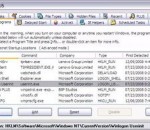
WinPatrol takes snapshot of your critical system resources and alerts you to any changes that may occur without your knowledge. WinPatrol was the pioneer in using a heuristic behavioral approach to detecting attacks and violations of your computing environment. It continues to be one of the most powerful system monitors while staying a single small program. As a robust SECURITY MONITOR , WinPatrol will alert you to hijackings, malware attacks and critical changes made to your computer without your permission. As a MULTI PURPOSE SUPPORT UTILITY WinPatrol replaces multiple system utilities with its enhanced functionality. Features: · Increase Your Speed & System Performance · Detect & Neutralize Spyware. Detect & Neutralize ADware · Detect & Neutralize Viral infections. Detect & Neutralize Unwanted IE Add-Ons · Detect & Restore File Type Changes Automatically Filter Unwanted Cookies · Avoid Start Page Hijacking. Detect HOSTS file changes · Kill Multiple Tasks that replicate each other, in a single step · Stop programs that repeatedly add themselves to your Startup List · Delete and Remove the most Stubborn Infections
Radically Improve Your Search Experience! No more wasting time going through pages and pages of search results. Find Exactly what you are searching for fast. Power Search Tool enables you to target your searches with a simple click. Generating targeted search results directly from your browser with a simple mouse click. (SEO Tools Included)
Fill out forms and log into sites automatically with Handy Password. You can securely save your logins and passwords to an encrypted database, generate random passwords and recover the ones you have fully or partially forgotten. You can keep your password database on an email server. Installed on a USB drive, password manager can be used on any PC without installing the program on local machine. Allows multi-user access to password database.
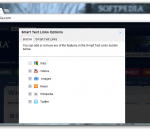
Smart Text Links studies the article, blog post, or news story you are on and determines what it's about. It then creates quick-access links that help you discover more information about the webpage you are reading. Clicking a Smart Text Link offers quick access icons to instantly search for Web Pages, Images, Videos, News, Wikipedia Articles, and Tweets on Twitter. And with Smart Text Links, you can browse the results without leaving the page you are on. You can even watch videos and preview images without going to another website! Smart Text Links is the perfect research tool. It will change the way you surf the web!
This eXtreme edition is a fully skinned version which will make it look exactly the same as the screen shot no matter what OS you are using, Windows 95/98/ME, Windows NT/2000, Windows XP, MAC OSx, or Linux.
College Humor is the funnest site on the net - all the pictures, videos and celebrity news you can handle! This theme for Firefox puts the site right in your browser theme! Includes a sidebar with video and news feeds, all updated realtime
Find out how compatible you are with your boyfriend/girlfriend using the Love Calculator Opera widget The Love Calculator widget for Opera browser allows you to find out if things will/won't work. Just input your name and the name of your loved one and the Love Calculator will quickly display the odds of things working out.
Adobe Shockwave Player Over 450 million Internet-enabled desktops have Adobe Shockwave Player installed. These users have access to some of the best content the Web has to offer - including dazzling 3D games and entertainment, interactive product demonstrations, and online learning applications. Shockwave Player displays Web content that has been created using Adobe Director.