DCAM: Synth Squad finally delivers the satisfaction of playing real analogue instruments in software! Advanced modelling technology carefully reconstructs the soul of dusty vintage circuits within your computer, for the unmatched vibe of hardware at a fraction of the cost. At the heart of DCAM: Synth Squad are 3 modelled synthesizers - Strobe, Amber and Cypher - bulging with the immense weight and power of old-school analogue. These are no mere emulations stunted by the limitations of the past. Instead, they combine the best features from legendary machines with new and exciting ideas to drag them kicking and screaming into the modern world. Oscillators ooze immense sound pressure, amp stages can be overloaded for extra grit, and real-world chaos can be dialled into the circuit for delicious instability. These synths don't break with extreme settings, so you can abuse them just like the real thing. Meanwhile, the intuitive TransMod modulation system brings your sounds to life in new and expressive ways. Fusor, a versatile sound-design environment that can layer and keysplit 3 instances of the DCAM synths, is also included. It provides a variety of ways to add new dimensions to your sounds with high-quality FX, extra modulation and an advanced step-sequencer/arpeggiator. Purity of concept and execution. Meticulously engineered circuit models. Raw musical tone. The ultimate in sound quality and performance control.
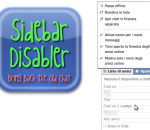
With this extension you can disable the newly introduced Chat Sidebar and return to the old good normal Facebook Chat. There are also other features, check them below! · Disable the Chat Sidebar and return to the Old Normal Chat. · Use Friend Lists to limit your availability and group your Chat contacts. · Link the name in chat windows titlebar to contact's profile. · Revert the blue top bar to the old style one. · Stick the blue top bar at the top of the window. · Add a shadow below the blue top bar. · Hide the ticker in the home page and/or inside games. · Enable or disable extension features via a settings panel.
InterWAP Tunnel x64 - Free SSH and VPN full speed unlimited tunnel anonymizer. Bypass provider restrictions and surf anonymous. Use any services, games and applications even if your provider blocks the acces. The speed is not affected.
Batch HTM TO MHT Converter is HTM to MHT HTML to MHTML/MIME-HTML Batch Converter for MIME HTML Web archiver. It can convert HTM to MHT HTML to MHTML/MIME-HTML automatically. Batch HTM TO MHT Converter supports powerful search for a lot of files. Batch HTM TO MHT Converter supports project and command line. Batch HTM TO MHT Converter has a friendly GUI so it is used very easily. Batch HTM TO MHT Converter Drag and Explorer Context supported.
Convert video between all key formats: DVD, AVI (DivX, XviD), MP4 (inc. Sony PSP and Apple iPod), WMV, 3GP, Blu-ray, QuickTime (MOV, QT), SWF, AVCHD, TOD, MOD, VOB, VRO, MPG, MPEG, TS, MTS/M2TS, ASF, H.263/H.264 codecs, Real Video (RM, RMVB), DVR-MS, MKV, OGM, FLV, etc. Convert HD-recordings: MTS/M2TS, AVCHD, TOD, MOD, HDV, etc. Add menus and burn your own DVD/Blu-ray discs to watch video on your home DVD player with your friends and family. Use ready presets and convert video for various devices such as Sony PSP, iPod, iPad, iPhone, Blackberry, devices and mobile phones with Android OS, etc. Convert to/from Blu-ray format. Add specially designed menus and burn output files on to Blu-ray discs. Use Batch mode - convert several video files at once. Merge and split them. Join several video files and make one DVD. Correct video aspect, edit subtitles and preview results before video conversion. Convert video for all popular web-hostings and upload files directly from the program interface. AVS Video Converter is a part of the AVS4YOU.com package. Register once at avs4you.com and work with all tools from the AVS4YOU.com package. Subscribe for $39/year or $59/lifetime. AVS4YOU tools let you easily rip, convert and edit audio/video files, edit images, burn DVDs, create ringtones, upload videos to portable devices, players, phones and much more!
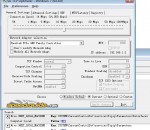
The TCP Optimizer is a free, easy Windows program that provides an intuitive interface for tuning and optimizing your Internet connection. There is no installation required, just download and run. The program can aid both the novice and the advanced user in tweaking related TCP/IP parameters in the Windows Registry, making it easy to tune your system to the type of Internet connection used. The tool uses advanced algorithms, and the bandwidth*delay product to find the best TCP Window for your specific connection speed. It provides for easy tuning of all related TCP/IP parameters, such as MTU, RWIN, and even advanced ones like QoS and ToS/Diffserv prioritization. The program works with all current versions of Windows, and includes additional tools, such as testing average latency over multiple hosts, and finding the largest possible packet size (MTU). The TCP Optimizer is targeted towards broadband internet connections, however it can be helpful with tuning any internet connection type, from dialup to Gigabit+ :)
TwistedBrush Pro Studio includes everything that TwistedBrush has to offer including over 5000 brushes and full brush editing all at a great price. Great for original digital painting, photo editing and all forms of digital art. Layers and Transparency: TwistedBrush fully supports transparency and layers with all the standard layer mixing modes plus many unique mixing modes that canapos;t be found anywhere else. Masks: Extensive mask support for protecting and selecting parts of your work. Use the Magic Wand tool with the wide range of options for creating masks or use masking brushes to paint your masks. Cloning: With the cloning brushes included in TwistedBrush Pro Studio and available for TwistedBrush Open Studio you can do all the standard cloning actions for photo touchup or convert your photos into the look of paintings or drawings. Tracing Paper: A drawing guide that allows you to see another image below your current image. Great when used with cloning brushes or just for a guide for proportions and layout. Image Formats: In addition to the TwistedBrush specific file formage, TBR, all the leading industry standard image formats are supported including, JPEG, GIF, PNG, TIFF, TGA, PCX, PSD, BMP, PCD, WMF and EMF.
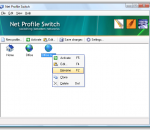
Network switcher - switch network settings on your laptop/notebook (network switcher). Ideal for laptop/notebook users, who travel from one network location to another. It is a network settings manager that switches a computer between multiple network configurations (profiles) with one click of a button. A profile can include LAN-settings (IP-address, DNS, gateway), your browser's proxy settings (supports Internet Explorer, Firefox and Opera), Windows Firewall settings, network drive mappings, default printer, SMTP-server and more. For example you can switch from a static to a DHCP assigned IP address, or switch one static IP address to another. Use your laptop/notebook on multiple networks: assume you have a DHCP-enabled network at your office, and a static IP-address assigned to your network card at home. Every time you connect your notebook or laptop to a new network, you have to change network adapter settings manually. But it would be easier to store two profiles (called "office" and "home") and switch between these two profiles. If you deal with two or more locations, you can benefit from this network switcher utility which creates a profile with your configuration settings: TCP/IP-settings, browser-proxy (Firefox-compatible, Opera-compatible), network drives, default printer settings, SMTP server address etc. Then you can easily switch between network settings by activating a profile.
It's social. It's portable. It's the new RealPlayer ® SP. And it's perfect for playing and sharing video with your friends and followers on Facebook and Twitter. You'll also be happy to know it works easily with your favorite flavors of Blackberry, iPod, iPhone and game systems. Video Features Universal Player Play every major media type, including Flash, Quicktime MPEG–4 , Windows Media, DVDs and CDs. High Quality Video Enjoy HD and near DVD–quality video and audio with your broadband connection. Works with iTunes Transfer your favorite videos from thousands of Web sites to your iTunes library. LivePause & Perfect Play Pause, rewind and fast–forward through live audio or video clips while they play. Create your own instant replays. Built-In Media Browser The built-in media browser lets you to surf the Web while you're playing video clips or listening to music. Audio Features Advanced CD Burning Rip, mix and burn CDs and MP3s fast. Normalize volume across your CD, set up crossfades and remove gaps between tracks. Advanced Audio Take control with a 10–band equalizer. You can even convert vinyl, tape and voice to digital files. 10–Band Graphic EQ Optimize your sound exactly the way you like it with a 10–band graphic equalizer. Adjust your EQ for room size, input type, and more. Crossfade Crossfade between songs and add reverb to give your mixes a professional edge. Multiple Audio Formats Supports audio CD, MP3, WMA, AAC, RealAudio Lossless, and many more. Surround Sound RealPlayer supports 5-channel audio and a dedicated sub-woofer channel. RealAudio Lossless Format Our new format allows you to burn high-quality CDs using only half the disk space of the standard CD audio format. Visualizations Make your music look as cool as it sounds with many colorful, animations that move to the music.
PS3 Media Server is a DLNA compliant Upnp Media Server for the PS3, written in Java, with the purpose of streaming or transcoding any kind of media files, with minimum configuration. It's backed up with the powerful Mplayer/FFmpeg packages. features Ready to launch and play. No codec packs to install. No folder configuration and pre-parsing or this kind of annoying thing. All your folders are directly browsed by the PS3, there's an automatic refresh also. Real-time video transcoding of MKV/FLV/OGM/AVI, etc. Direct streaming of DTS / DTS-HD core to the receiver Remux H264/MPEG2 video and all audio tracks to AC3/DTS/LPCM in real time with tsMuxer when H264 is PS3/Level4.1 compliant Full seeking support when transcoding DVD ISOs images / VIDEO_TS Folder transcoder OGG/FLAC/MPC/APE audio transcoding Thumbnail generation for Videos You can choose with a virtual folder system your audio/subtitle language on the PS3! Simple streaming of formats PS3 natively supports: MP3/JPG/PNG/GIF/TIFF, all kind of videos (AVI, MP4, TS, M2TS, MPEG) Display camera RAWs thumbnails (Canon / Nikon, etc.) ZIP/RAR files as browsable folders Support for pictures based feeds, such as Flickr and Picasaweb Internet TV / Web Radio support with VLC, MEncoder or MPlayer Podcasts audio/ Video feeds support Basic Xbox360 support FLAC 96kHz/24bits/5.1 support Windows Only: DVR-MS remuxer and AviSynth alternative transcoder support
Share and contribute to web pages with Toolbar # Share any web page with your friends right from the Toolbar. # Contribute and read helpful information on any web page with Google Sidewiki. # Translate web pages instantly with automatic language detection. Google Toolbar enhances Internet Explorer with a Google search box and other useful tools like a pop-up blocker, Web form filler, and spellchecker. Google Toolbar has a variety of new features to the add-on for IE 6.0+. Universal Google Gadgets now work from Google Toolbar and give users access to additional tools, functionality and content right from the browser. A new version of the AutoFill feature for Web forms has better accuracy. Users can now save toolbar settings and access their bookmarks and custom buttons from any version of IE with Google Toolbar. # Contribute and read helpful information on any web page with Google Sidewiki. # Translate web pages instantly with automatic language detection. # Browse faster with instant suggestions as you type in the search box. Features: AutoFill: · Tired of typing in your address and credit card information every time you shop online? AutoFill makes shopping a breeze by enabling you to fill out web forms with a single click. Just enter your info once in the Toolbar's Options dialog box and you're ready for an online shopping spree. (Note: your credit card info stays password-protected.) AutoLink: · The online review of a great new restaurant has the place's address but no map. You could type the restaurant's street, city, and ZIP code into the search box, but why bother, when clicking the Toolbar's AutoLink button will automatically create a link to an online map (US addresses only)? AutoLink can also link package tracking numbers to delivery status, VIN numbers (US) to vehicle history, and publication ISBN numbers to Amazon.com listings. WordTranslator: · Ever need to translate words on English web pages into another language? Don't bother looking up words one by one - just hover your mouse cursor over an English word and Toolbar's WordTranslator will tell you what it means in your own language. WordTranslator currently supports translation from English into Chinese (Traditional and Simplified), Japanese, Korean, French, Italian, German and Spanish. Address Bar Browse by Name: · Browse by Name helps you find a site even when you don't know its URL. Just type the site name into your browser address bar, and Toolbar will take you there automatically. For instance, try typing "oxford" into the address bar to go directly to the university's home page at www.ox.ac.uk. · If you type in something that doesn't have an official home page, like "digital cameras," Browse by Name will automatically show you search results for that term. Bookmarks: · Want to create and label bookmarks that you can access from any computer? Simply click the Toolbar's star icon, or right-click the star to add and label a bookmark. You'll be able to access your Bookmarks menu on any computer with the new Google Toolbar installed. Send To: · You can use your Google Toolbar to share web pages via email, text message (SMS), or blog. To share an entire page, select from the Toolbar's "Send To" menu; to share an excerpt, simply select the section of the page you want to share before clicking "Send To."
GOM Media Player The only media player you need - for FREE! Not only is GOM Media Player a completely FREE video player, with its built-in support for all the most popular video and Media Player formats, tons of advanced features, extreme customizability, and the Codec Finder service, GOM Media Player is sure to fulfill all of your playback needs. With millions of users in hundreds of countries, GOM Media Player is one of the world`s most popular video players. Whats New : Added "Touch Setting" feature for touch screen devices. Added "Search box" feature on playlist. (Ctrl+F) Supported "HTTPS URL" for youtube or net radio playback. (Ctrl+U) Added "Music Tap" on preferences related to play music files. Improved performance related to "speed of add & delete" of files on playlist. Other miscellaneous corrections, fixes, and changes
Iperius Backup is one of the best free backup software, also released in commercial editions for those who need advanced backup features for their companies. The freeware version of Iperius Backup allows you to backup to any mass storage device, such as NAS, external USB hard drives, RDX drives, and networked computers. It has comprehensive scheduling and e-mail sending functions. It supports zip compression with no size limit, incremental backup, network authentication and the execution of external scripts and programs.
Maryfi is a free and easy to use software router for Windows 7, 8 , and 8.1 computers. With Maryfi, users can wirelessly share any Internet connection such as: a cable modem, a cellular card, or even another Wi-Fi network. Other Wi-Fi enabled devices including laptops, smart phones, music players, and gaming systems can see and join your Maryfi hotspot just like any other Wi-Fi access point and are kept safe and secure by password-protected WPA2 Encryption.