The Cole2k Media advanced codec package features a collection of codecs and filters for encoding/decoding a large variety of video/audio formats. Components include: DivX 7.4 Pro Video Codec. DivX h.264 Video (Decoder) Codec. XviD 1.2.2 Video (Encoder) Codec - Koepi's 07/06/09 Build. ffdshow Video Codec x86 20100907 revision 3562 by xxl. ffdshow Video Codec x64 20101115 revision 3631 by clsid. Microsoft - Windows Media 9 Video Codec 9.0.1.369. On2 Technologies VP7 Video (Decoder) Codec 7.0.8. On2 Technologies VP6 Video Codec 6.4.2. Flash Video Splitter x86 + x64 1.4.2499. InterVideo Video Filter 7.0.27.191. CyberLink DVD Video/SP Filter 6.0.2.2806. AC3Filter x86 + x64 1.63b. AC3File x86 + x64 0.7b. Spdifer x86 + x64 0.3b. Core AAC Playback Filter 1.2.0.573 + AAC Parser Filter 1.1.0 By Tom Judd. Core Vorbis Playback Filter 1.1.0.79 + OGG Splitter 1.4.2499 By Gabest. RadLight OFR Playback Filter 1.0.0.1 - for OptimFROG. DivX ACM Audio Codec also known as Windows Media Audio 4.1. Lame MP3 3.98.2 ACM Codec. DSP-worx Bass source filter 1.11. Haali Media Splitter x86 + x64 14/08/10 - For MP4, MKV, OGM and AVI container files. Matroska Source Splitter x86 + x64 1.4.2499. MP4 Source Splitter x86 + x64 1.4.2499. MPEG Source Splitter x86 + x64 1.4.2499. RealMedia Source Splitter x86 + x64 1.4.2499. AVI - AC3/DTS Converter + DTS/AC3 Source Filter x86 + x64 By Gabest. VSFilter x86 2.39.5.2 + x64 2.37 - Subtitle Reader. CDXA Reader 1.4.2499 - Also known as Form 2 Mode 2 CD or XCD. GSpot Codec Information Appliance 2.70a.
River Past Audio Converter is an easy-to-use, fast, and powerful batch audio conversion and extractor software. It outputs AIF, AVI, MKA (Matroska Audio), MP3, OGG Vorbis, WAV or WMA. With River Past MPEG-4 Booster Pack installed, you can output to M4A (MPEG-4 AAC audio), the format used by iTune and iPod. With MPEG-2 Booster Pack, you can convert to MPEG Audio layer-2. It can convert from Dolby Digital AC-3, Apple AIF (AIFF/AIFC), Monkey audio APE, Unix AU, FLAC (Free Lossless Audio Codec), MP3 (MPEG Layer-3), M4A (MPEG-4 Audio), MKA (Matroska Audio), MPA (MPEG-1 Audio), MPC (MusePack/MPEG Plus), OFR (OptimFROG), OGG Vorbis, RealAudio RA/RAM, SD2 (Sound Designer 2), SND, TTA (The True Audio encoder), WAV and WMA (Windows Media Audio). It can also extract audio from mobile phone 3G video (3GPP/3GPP2), ASF (Advanced Streaming Format), AVI, VCD DAT, DivX, DV, IVF, MKV (Matroska Video), QuickTime MOV, MP4 (MPEG-4 video), MPG (MPEG-1 and MPEG-2 Video), RealMedia RM, OGM (OGG Media), DVD VOB, WMV (Windows Media Video) and XviD. It can rip audio from DVD-Video chapters. You have the full control over the codec, sample rate, channel, bits per sample, and bitrate settings. For WMA output, you can also choose from a list of Windows Media profiles. Tags are supported for MOV, WMA and MP3 formats. Now, you have the ability to add a DirectShow decoding method (file reader, splitter, decoder) to expand the input file format support. No Adware or spyware. DX8 and Windows Media Format 9 runtime required. (download link available on web site). Compatible with Windows Vista. 30 day MONEY BACK GUARANTEE
RES 4.0 is the best way to stay in control of your reddit experience. With the newly redesigned settings console, you can tweak RES until it has the perfect set of customizations to suit your style. Keeping tabs on smaller less active subreddits used to be a chore. Not anymore with the RES dashboard. Set up widgets to your liking and keep an eye on subreddits, mail, the mod spam queue and more! The only limitations are your imagination. Never miss a beat when a comment has been posted in a thread you're watching. Use the new subscribe feature to be notified of new comments in a thread no matter where you are on Reddit. RES 4.0 has been redesigned to blend seamlessly into your reddit experience. RES isn't just an addon- it's a robust layer of functionality jam packed with bacony goodness. FEATURES: Account Switcher: · Store username/password pairs and switch accounts instantly while browsing Reddit! Show Comment Karma: · Shows your comment karma next to your link karma. Username Hider: · Hides your real username when you're logged in to reddit. Comment Navigator: · Provides a comment navigation tool to easily find comments by OP, mod, etc. Hide All Child Comments: · Allows you to hide all comments except for replies to the OP for easier reading. Live Comment Preview: · Provides a live preview of comments, as well as shortcuts for easier markdown. New Comment Count: · Shows how many new comments there are since your last visit. Save Comments: · Allows you to save comments, since reddit doesn't! Show Parent on Hover: · Shows parent comment when hovering over the "parent" link of a comment. filteReddit: · Filter out NSFW content, or links by keyword, domain (use User Tagger to ignore by user) or subreddit (for /r/all). Spam Button: · Adds a Spam button to posts for easy reporting. Subreddit Tagger: · Adds tags to posts on subreddits (i.e. [SMT] on SomebodyMakeThis when the user leaves it out). betteReddit: · Adds a number of interface enhancements to Reddit, such as a Subreddit manager, "full comments" links, and more. Inline Image Viewer: · Opens images inline in your browser with the click of a button. Keyboard Navigation: · Upvote, downvote, hide posts and most other major reddit actions using only the keyboard. Fully remappable! Never Ending Reddit: · Gives you a never ending stream of reddit goodness- Just keep scrolling down and content loads automatically! RES Dashboard: · A fully customizable dashboard that displays content from subreddits, message inbox, user pages and more! Single Click Opener: · Adds an [l+c] link that opens a link and the comments page in new tabs for you in one click. Syle Tweaks: · Provides a number of style tweaks to the Reddit interface such as rounded comment boxes, colorblind friendliness and moving the username bar. Subreddit Manager: · Allows you to customize the top bar with your own subreddit shortcuts, including dropdown menus of multi-reddits and more. Uppers and Downers Enhanced: · Displays up/down vote counts on comments. Fully customizable! User Highligher: · Highlights certain users in comment threads: OP, Admin, Friends, Mod - contributed by MrDerk. User Tagger: · Adds a great deal of customization around users - tagging them, ignoring them, and more.
LangPad provides an easy way to insert foreign language characters with diacrits, math, currency, and literary symbols into your WordPad and Notepad text. Click the mouse on a character or symbol in the chart, and it will be inserted into your text. Supports 10 European languages (International, Danish, Dutch, French, German, Icelandic, Italian, Math Currency, Norwegian, Portuguese, Spanish, and Swedish).
ROX Player is designed to be simple as possible for everyday usage. In spite of the easy user interface, ROX Player has an enormous potential playing all modern media formats. Forget the notion of outdated codec, because this video player can play all your local media files. Automatic update will download all necessary video/audio codec if your computer has no such. Integrated network modules allow ROX Player to play files from any place in the Internet. Moreover, you will be impressed by variety of supported protocols including IPTV, DHT, P2P. ROX Player will turn your PC into interactive media center. Enjoy High Definition Video in High Quality Player.
Create great web sites in a great editor The best JavaScript, CSS and HTML editor is at your fingertips. Navigate through files easily. Use relevant autocompletion for everything in your code. Get notified about code problems on the fly. Complicated languages mixtures with HTML markup or SQL inside a JavaScript? Check how a modern IDE such as WebStorm handles this. Open code from anywhere and start working in no time Open an existing folder, check out the code from a VCS, or even specify your FTP to download and auto-sync your files with. You're up and running in moments. Watch this short demo on getting started
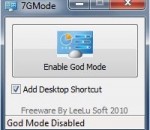
7GMode is a small, one click portable tool to enable or disable the Windows 7 God Mode. In Windows 7 sometimes when you try to find a configuration applet, you find yourself browsing between a lot of windows and applets while trying to remember where you change things from. Windows 7 God Mode is a special folder that contains all the configuration applets divided by a logical way in categories.
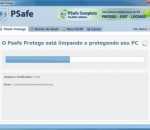
PSafe Protege is an antivirus tool that is simple, complete, secure, super fast and free. Click one a button to protect your computer completely. PSafe Protege uses a modern cloud-based system, so it's light and quick to protect your computer from various types of Internet threats.
Store Manager for PrestaShop is a desktop application to quickly and effectively manage your PrestaShop online store. You can add, delete and update your products, categories and manufacturers, automatically upload your product images while editing products, categories, manufacturers, view reports, orders, export/import products, backup/restore database, manage product attributes, perform bulk products updates, manage global store settings. All this from your desktop computer. Store Manager for PrestaShop was designed to enhance the functionality of default admin web interface, bring new cool features, automate routine tasks and simplify day-to-day operations. With the help of Store Manager for PrestaShop you can create and manage your categories, products, attributes, manufacturers; analyze your sales using multiple reports, add or manage customers, track customers' orders, and provide discounts. Also you can export categories, products, customers, orders into Excel or HTML file. You can import products from your supplier Excel or HTML file to Store Manager. With Mass Product Changer you can make changes over multiple products at once. And even more! Store Manager for PrestaShop is an easy-to-use desktop application with simple installation. User-friendly wizard allows you to select a few options like: to create shortcut or not, to install plugins and report tool or not, etc - basically, you need to click next few times. So, it doesn't require any special skills to run and you can concentrate on your basic business tasks.
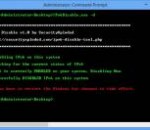
IPv6 Disable is the free command-line tool to quickly Enable or Disable IPv6 (Internet Protocol version 6) on your Windows system. It automatically checks for the current status of IPv6 and then enable/disable it accordingly. It is simple & easy to use tool. Also being a command-line based tool makes it perfect for automation and to use on remote systems. IPv6 Disable works on both 32 bit & 64 bit versions and tested successfully on all platforms starting from Windows Vista to Windows 8.
Control any media player while surfing the web FoxyTunes is a powerful browser add-on. Control the music playing in your favorite media player as you surf the web. No more switching back and forth between iTunes and your browser. Features: · Multiplatform - works on MS Windows, Linux and Mac OS X. · Supports many popular media players, will support more players in future versions · FoxyTunes also supports Mozilla Thunderbird and the Mozilla Suite · Position anywhere in the browser - on the status bar or on one of the toolbars · Volume controls · Seek Slider · Configurable keyboard shortcuts · Currently playing track information · Customizable and collapsible · Auto-hide · Skinnable and localizable. · Automatically launch your player when needed · Pop up and hide the player window with a click · Correctly shows track information encoded in any language, supports Unicode · Alarm Clock and Sleep Timer · No third-party controller applications and plugins - everything is done efficiently by the FoxyTunes extension Supported Players The following players are currently supported by FoxyTunes: Windows * iTunes 4-7 * Winamp 2.x, 5.x, Winamp 3.0d * AOL Radio featuring XM [supported by installing Winamp 5.1] * foobar2000 0.8.x, 0.9.x [see note] * Windows Media Player 9-11 * Windows Media Player 8 [see note] * Yahoo! Music Jukebox * LAUNCHcast Radio [supported by installing Yahoo! Music Jukebox] * Rhapsody Online * Real Player * XBox Media Center * Pandora * Last.fm Player * Musicmatch Jukebox 8, 9, 10 * Musicmatch Jukebox 7 [see note, limited support] * Apollo 37 * Sonique 1.96 * The Core Media Player 4 * Quintessential Player (QCD) 4.51 * J. River Media Center 10, 11 * jetAudio 6 * musikCube 1 * XMPlay 3.x * Aimp2 * The KMPlayer * MediaMonkey 2.2.2 [see note] * Media Player Classic 6.4.8.2 [see note] * wxMusik 0.3.1.5 [see note] * CoolPlayer 215 [see note] * dBpowerAMP Audio Player 2 [see note] * 1by1 Player 1.46 [see note] * Zinf 2.2.1 [see note] * UltraPlayer 2.112 [see note, limited support] Linux * XMMS 1.2.x * Beep Media Player 0.9.7 [see note] * Noatun 2 * Juk 2 * Amarok 1 * Music Player Daemon 0.11.x * Rhythmbox 0.9 MacOS X * iTunes 3-7 Cross Platform * YouTube * Last.fm Player * Pandora * Rhapsody Online * XBox Media Center
GOM Media Player The only media player you need - for FREE! Not only is GOM Media Player a completely FREE video player, with its built-in support for all the most popular video and Media Player formats, tons of advanced features, extreme customizability, and the Codec Finder service, GOM Media Player is sure to fulfill all of your playback needs. With millions of users in hundreds of countries, GOM Media Player is one of the world`s most popular video players. Whats New : Added "Touch Setting" feature for touch screen devices. Added "Search box" feature on playlist. (Ctrl+F) Supported "HTTPS URL" for youtube or net radio playback. (Ctrl+U) Added "Music Tap" on preferences related to play music files. Improved performance related to "speed of add & delete" of files on playlist. Other miscellaneous corrections, fixes, and changes
Iperius Backup is one of the best free backup software, also released in commercial editions for those who need advanced backup features for their companies. The freeware version of Iperius Backup allows you to backup to any mass storage device, such as NAS, external USB hard drives, RDX drives, and networked computers. It has comprehensive scheduling and e-mail sending functions. It supports zip compression with no size limit, incremental backup, network authentication and the execution of external scripts and programs.
Maryfi is a free and easy to use software router for Windows 7, 8 , and 8.1 computers. With Maryfi, users can wirelessly share any Internet connection such as: a cable modem, a cellular card, or even another Wi-Fi network. Other Wi-Fi enabled devices including laptops, smart phones, music players, and gaming systems can see and join your Maryfi hotspot just like any other Wi-Fi access point and are kept safe and secure by password-protected WPA2 Encryption.