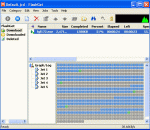
FlashGet is a leading download manager and has the highest amount of users on the internet. It uses MHT(Multi-server Hyper-threading Transportation) technique, supports various protocols and has excellent document management features. FlashGet is a freeware without any adware or spyware. FlashGet is specifically created to address two of the biggest problems when downloading files: speed and management of downloaded files.
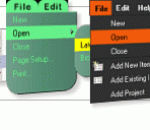
WebMenu Studio is an application that enables you to create DHTML hierarchical menus of unprecedented versatility and function. The tool automatically detects and renders a tailored DHTML menu for Internet Explorer, Firefox, Chrome, Safari, Opera and other browsers.
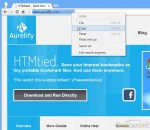
HTMtied instantly converts any Internet address (link, URL, bookmark, favorite) to a very small HTML file that when opened in any browser, it will automatically load that address. Use it when you want to save an Internet address for future use on your computer, tablet, smartphone, web storage, Windows, Mac, Android, iOS, etc. Using HTMtied is easy as 1, 2, 3. Step 1: Copy the Internet address from your browser's address bar or from any link to the Clipboard. Step 2: Run HTMtied (from the Desktop, Start Menu, or better yet, from a shortcut key you define). HTMtied will automatically convert that address to a linking HTML file and copy the file to the Clipboard. Step 3: Simply paste the file anywhere you want. Starting with Version 2.0, HTMtied supports conversion of links en masse: copy any number of Internet addresses on separate lines to the Clipboard or drag and drop any number of URL files over HTMtied, and linking HTML files will be created for each address. There is also the new Direct Mode, a special HTMtied shortcut that, when clicked, it will automatically save all the link HTML files to a directory of your choosing (Documents, Dropbox, etc.). HTMtied is so easy to use that it doesn't even need a user interface: if everything goes well, the famous "Tada" sound is played. On failure, an error sound is played. HTMtied can also be downloaded and run directly, without installation. Windows and Internet Explorer can save Internet addresses to URL files. However, URL files are not a standard and cannot be used across different platforms. Linking HTML files created by HTMtied work anywhere. And yes, HTMtied can convert URL files to linking HTML files: simply copy the URL files on the Clipboard and run HTMtied. Or drag and drop the URL files over the HTMtied icon.
As you, probably, know, Adobe Photoshop Elements has not inherited all of the essential features of the full Photoshop. Some functions have been removed, while the others just stay hidden. The "surface" Photoshop Elements functions are quite sufficient for a beginner. As you advance, though, you may miss one or another undocumented function. Here "Elements+" will be of service to you. The thing is that by no means all the absent functions are removed from Photoshop Elements in full, many of them are just hidden from the user. And "Elements+" is a handy add-on that lets the hidden functions out. The opened functions appear in PSE immediately after the successful E+ installation. Except perhaps by the first run you will need to wait a second while the program reconstruct its cache file. The unleashed features can be accessed via dedicated dialog boxes that include undocumented commands and panels for exploring and using the hidden (officially unsupported) contents, such as paths, color channels, and more. The kit includes smart filters, vector masks, and many more advanced tools normally hidden under the hood. Furthermore, the "Scripts" catalog lets users automate tedious repetitive operations, create complicated effects, extract EXIF data from photos, etc. The current version brings a number of new scripts. Elements+ comes to you with an automatic installer, so, you needn't follow tricky instructions and copy dozens of files to different locations manually.
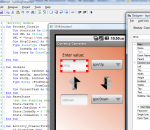
Basic4android (basic for Android) is a simple yet powerful development environment that targets Android devices. Basic4android language is similar to Visual Basic language with additional support for objects. Basic4android compiled applications are native Android applications, there are no extra runtimes or dependencies. Android 1.6 and above are supported, including Android tablets running 3.x.
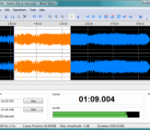
Wave Editor is a fast and easy digital audio editing software for Windows. It provides powerful and user-friendly editing environment which suits beginners especially and perform basic editing capabilities like: cut, copy, paste and delete parts of recording. Unlike the other sound editors based on the same ActiveX engine, our editor developed from the ground up to be easy in use and fast. The user interface was designed with speed, accuracy and ease of use in mind. Key feature of Wave Editor is and simple selection of audio blocks during playback.
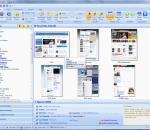
Peek-A-Boo Favorites is a Visual Bookmark Manager that takes a snapshot image of each bookmark allowing you to preview the web site before visiting it. It will monitor your favorite bookmarks and notify you when the web page content has changed by a thumbnail preview image. You can schedule individual bookmarks to check for page content changes from several minutes to several months. You can then view the updated text differences line by line. Peek-A-Boo Favorites supports Bookmarks in Internet Explorer, Firefox and Google Chrome browsers all at the same time with out having to import any bookmarks. You can manage these bookmarks without importing or exporting the bookmarks. It will also detect duplicated links and dead links allowing you to either delete them or updated them. You can text search across your favorite pages content. You can sort your favorites by folder, A to Z listing, web site or by Tag. Schedule automated backups of your bookmarks. It has extensive tracking of each bookmark including Last date visited, Last updated page content, Visited count, Web Site GEO location (City/Country) and a Star Rating indication. Join the Peek-A-Boo Community Library of bookmarks to share your bookmarks and get the most popular bookmarks based on your search criteria. Subscribe to Bookmark lists of Top Rated Web Sites i.e. Top Visited by Country. The fully licensed version of Peek-A-Boo Favorites provides an Online Account to store multiple computer favorites. It also allows you synchronize your favorites to a USB drive with the application Peek-A-Boo Junior a simplified version of Peek-A-Boo Favorites.
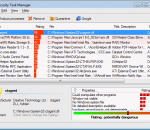
Security Task Manager is an enhanced process viewer, that provides detailed information about programs and processes running on the computer. It displays all the standard information, including file name, directory path, description, CPU usage etc. as well as a unique security risk rating. The security risk rating is based on an analysis that takes different aspects of the process into consideration, and indicates the likelihood of the process being potential spyware, malware or a Trojan or keylogger. This indicator is purely based on generic analysis, and does not use any signature files, so it is open to interpretation by the (advanced) user. Security Task Manager also displays the start time, the icon of the process, hidden functions and more. That process viewer recognizes virtual driver software, services, BHOs and stealth processes hidden from the Windows Task Manager. You can choose to terminate any process, delete it, or alternately quarantine it, which will disable it from running again without actually deleting it. Additional information is provided via context sensitive Google results, and you can customize risk ratings by adding your own comments. If you buy Security Task Manager you get the software SpyProtector for free. SpyProtector contains tools to protect your computer from keylogger, spyware and trojans. SpyProtector deletes traces of your Internet and computer activity and prevents keyboard input monitoring. Furthermore SpyProtector warns you when the registry is changed. Snapfiles.com wrote: "Overall, a very useful TaskManager for novice and advanced users alike, that provides many unique features."
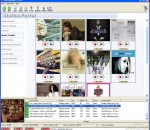
Want to Record Internet Radio? Get thousands of sounds every few hours? Record your favorite Shoutcast Radio or TV show? Record Last.fm, Pandora.com, AOL Radio.com, Slacker.com, iTunes radio, or Podcasts? Then download the latest version of StationRipper now! StationRipper allows you to Record Internet Radio Stations and broadcasts. Users on broadband connections regularly report 3,000-6,000 new songs can be downloaded every 24 hours with the registered version. Record Shoutcast Radio and Video, Last.fm, Pandora.com, AOL Radio.com, Slacker.com, and Podcasts. Choose from over 12,000 radio stations, tens of thousands of Podcasts, and almost unlimited combinations of Last.fm stations. * Record Shoutcast Audio and Video streams, iTunes Radio, Podcasts, and Last.fm. * Record Pandora.com, AOL Radio.com, Slacker.com. * Records up to 600 streams at one time. * Buy the music you are recording. * Auto-download Album art. * Use with iTunes - auto-generate iTunes playlists of songs recorded, and auto-sync to your iPod. * Use with Media Monkey - auto-generate MediaMonkey playlists of songs recorded. * Keeps track of the songs you've already recorded, only keeping the songs you don't already have. * Lets you easily find stations to record, via the StationRipper Portal, Shoutcast, or other web sites. Or you can drag and drop from iTunes radio to start recording. * Keeps a list of the music and stations you've recorded, allowing easy playback and re-recording of stations. * Listen to any station being recorded with a single mouse click. * Ignore songs under a certain size.
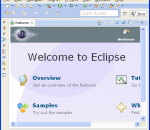
Eclipse is a multi-language software development environment comprising an integrated development environment (IDE) and an extensible plug-in system. It is written primarily in Java and can be used to develop applications in Java and, by means of the various plug-ins, in other languages as well, including C, C++, COBOL, Python, Perl, PHP, and others. The IDE is often called Eclipse ADT for Ada, Eclipse CDT for C, Eclipse JDT for Java and Eclipse PDT for PHP. The initial codebase originated from VisualAge.[1] In its default form it is meant for Java developers, consisting of the Java Development Tools (JDT). Users can extend its capabilities by installing plug-ins written for the Eclipse software framework, such as development toolkits for other programming languages, and can write and contribute their own plug-in modules. Released under the terms of the Eclipse Public License, Eclipse is free and open source software.
FCP X’s timeline is not only “Magnetic” but also redefines the whole concept of what a timeline is and how it works! Join Michael Wohl, one of the original designers of Final Cut as he shows how this amazing new video editing canvas will make your editing easier, faster and more fun!
GOM Media Player The only media player you need - for FREE! Not only is GOM Media Player a completely FREE video player, with its built-in support for all the most popular video and Media Player formats, tons of advanced features, extreme customizability, and the Codec Finder service, GOM Media Player is sure to fulfill all of your playback needs. With millions of users in hundreds of countries, GOM Media Player is one of the world`s most popular video players. Whats New : Added "Touch Setting" feature for touch screen devices. Added "Search box" feature on playlist. (Ctrl+F) Supported "HTTPS URL" for youtube or net radio playback. (Ctrl+U) Added "Music Tap" on preferences related to play music files. Improved performance related to "speed of add & delete" of files on playlist. Other miscellaneous corrections, fixes, and changes
Iperius Backup is one of the best free backup software, also released in commercial editions for those who need advanced backup features for their companies. The freeware version of Iperius Backup allows you to backup to any mass storage device, such as NAS, external USB hard drives, RDX drives, and networked computers. It has comprehensive scheduling and e-mail sending functions. It supports zip compression with no size limit, incremental backup, network authentication and the execution of external scripts and programs.
Maryfi is a free and easy to use software router for Windows 7, 8 , and 8.1 computers. With Maryfi, users can wirelessly share any Internet connection such as: a cable modem, a cellular card, or even another Wi-Fi network. Other Wi-Fi enabled devices including laptops, smart phones, music players, and gaming systems can see and join your Maryfi hotspot just like any other Wi-Fi access point and are kept safe and secure by password-protected WPA2 Encryption.