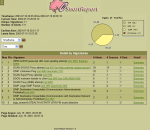
Snort® is an open source network intrusion prevention and detection system (IDS/IPS) developed by Sourcefire. Combining the benefits of signature, protocol, and anomaly-based inspection, Snort is the most widely deployed IDS/IPS technology worldwide. With millions of downloads and nearly 400,000 registered users, Snort has become the de facto standard for IPS.
Altova XMLSpy 2014 Professional Edition is the industry-leading XML editor and XML development environment, with intuitive editing views and powerful XML utilities to model, edit, transform, and debug XML-related technologies quickly and easily. XMLSpy is powered by RaptorXML for lightning-fast validation and processing. In addition to the world’s most popular XML editor, XMLSpy includes a graphical XML Schema 1.0/1.1 editor that allows you to design and document complex schemas with ease. Schema flattening and subset creation are also supported. Revolutionary Smart Fix validation not only reports validation errors, but suggests options for fixing them with one click, making troubleshooting a breeze. It also includes a schema-aware XSLT 1.0/2.0/3.0 editor and debugger for perfecting stylesheets, plus support for stylesheets that use Java, C#, JavaScript, and VBScript. An XPath 1.0/2.0/3.0 analyzer and intelligent XPath auto-completion assist in the building and testing of XPath expressions, which can be evaluated against multiple files. A schema-aware XQuery 1.0/2.0/3.0 editor and debugger facilitate intelligent querying of XML data. For Web developers, XMLSpy includes a JSON editor and JSON <> XML converter and even provides intelligent HTML, HTML 5, XHTML, and CSS3 editing. XMLSpy supports all major SQL databases, including SQL Server, PostgreSQL, Oracle, IBM DB2, Informix, MySQL, Sybase, and Access. You can connect to and query a relational database, generate an XML Schema from a DB, import and export data based on DB schemas, generate DBs from XML Schemas, and edit relational or XML data. XMLSpy includes COM and Java APIs plus OLE and ActiveX controls, which let you access XMLSpy’s powerful capabilities in a programmatic way. The optional integration of XMLSpy with Microsoft Visual Studio or Eclipse allows you to seamlessly access XMLSpy editing views and XML development tools from within these popular IDEs.
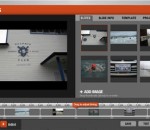
Soundslides allows storytellers to concentrate on the story, rather than the application. Created for journalists and other storytellers on deadline, Soundslides is designed to help you create a slide show a piece of cake. Soundslides operates in a single window on your Windows or Mac OS X computer, with a straightforward interface that leads you through importing your images and audio. Editing tools are familiar and behave the way you'd expect. It doesn't do print layout. You can't use it to mix your band's new demo. What Soundslides does is make it easy for you to present your images with impact, then sync them seamlessly with any audio track. With Soundslides Plus, you can even skip the sound and just focus on the images. Whether it's breaking news or a project that landed on your desk at the last minute, Soundslides provides the simplicity and reliability to get your project online with time to spare. Soundslides makes Macromedia Flash files (swf), and the html needed to display the Flash files. Soundslides will export a folder that you can upload to your web server without any additional work. FEATURES: Ridiculously simple storytelling: · Soundslides allows storytellers to concentrate on the story, rather than the application. Created for journalists and other storytellers on deadline, Soundslides is designed to make quick work of slide show production. Fast and intuitive: · Soundslides operates in a single window on your Windows or Mac OS X computer, with a straightforward interface that leads you through importing your images and audio. Editing tools are familiar and behave the way you'd expect. Built for storytelling: · It doesn't do print layout. You can't use it to mix your band's new demo. What Soundslides does is make it easy for you to present your images with impact, then sync them seamlessly with any audio track. With Soundslides Plus, you can even skip the sound and just focus on the images. From blogs to full-screen: · Are you a photojournalist needing to document an overseas trip in a full-screen presentation on your organization's Web site? Soundslides makes it simple. Are you a public relations officer documenting your firm's projects in a blog? Soundslides does that too, with online tools that make embedding easy. Field tested on deadline: · Soundslides has been in use at major media outlets and public relations offices around the world since 2005, and it's a favorite of university media labs. Whether it's breaking news or a project that landed on your desk at the last minute, Soundslides provides the simplicity and reliability to get your project online with time to spare.
DivX® 9 for Windows is a free download that provides everything you need to enjoy high-quality digital videos on your computer, including HD H.264 (.mkv) videos with AAC audio and videos created using all previous versions of DivX technology. You can also play your DivX files (.divx, .avi) on millions of DivX Certified® devices today. Look for DivX Plus™ HD Certified devices later this year that will support playback of all DivX and DivX Plus files, as well as .mkv (H.264/AAC) videos from the Internet. Web Player: DivX Web Player lets you play up to HD-quality DivX® video in your web browser. You can also use DivX Web Player to easily embed DivX videos onto your website or blog. Community Codec: With the DivX Community Codec, you can watch high-quality DivX® and DivX Plus™ (.mkv) videos using your favorite media player or create DivX files with popular third-party software. Drag-and-drop DivX HD video creation (15-day trial): Convert your digital videos to the DivX® format for playback on your computer or DivX Certified® devices in one easy step. DivX Converter now supports the new DivX Plus™ HD profile so you can easily convert your HD video to H.264 (.mkv) with AAC audio. DivX Pro Codec (15-day trial): The codec that revolutionized the video world is at it again.
Professional and easy to use Website editor/publishing tool: you can make fancy Web sites with frames, styles, mouse-over images, photo album, shopping cart and more... quickly. You don't see HTML, so all is visual, fast, simple. 1 site is 1 document, so no messing with endless files. Site-wide search/replace and internal FTP with autodetect of modified pages, so you manage things globally and publish your website fast. Long time productivity.
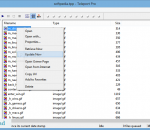
PC Magazine's Editors' Choice for offline browsers, Teleport Pro is an all-purpose high-speed tool for getting data from the Internet. Launch up to ten simultaneous retrieval threads, access password-protected sites, filter files by size and type, search for keywords, and much more. The most fully-featured and robust webspider available, Teleport Pro handles today's more complex websites flawlessly. Capable of reading HTML 4.0, CSS 2.0, and DHTML, Teleport is the only webspider that really finds all of the files on all of the sites. And with server-side image map exploration, automatic dial-up connecting, Java applet support, variable exploration depths, project scheduling, and relinking abilities, Teleport Pro is quite simply the best there is. Teleport Pro can: * Download all or part of a website to your computer, enabling you to browse the site directly from your hard disk at much greater speeds than if you were to browse the site online * Create an exact duplicate, or mirror of a website, complete with subdirectory structure and all required files * Search a website for files of a certain type and size * Download a list of files at known addresses * Explore every website linked from a central website * Search a website for keywords * Make a list of all pages and files on a website Teleport Pro Program Features: * Supported under all Win32 systems, including Windows 95, 98, Me, NT, 2000, XP, 2003, and Vista * Cookie support lets Teleport mimic browsers more effectively * Javascript parsing capability for better, more thorough exploration of complex sites * Ten simultaneous retrieval threads get data at the fastest speeds possible * Reads all variants of HTML 4.0, CSS 2.0, and DHTML; performs some Javascript analysis * Can retrieve files from FTP servers * Full offline browsing and site mirroring capabilities * Project Scheduler lets you schedule projects to run at any time, on any connection. You can even schedule projects to run in sequence, each new project beginning when the previous one finishes! * Automatic connect/disconnect system lets Teleport handle dial-up Internet connections for you, saving phone charges and connection time * Java applet retrieval gets Java classes and base classes * Retrieval filters let you download only files matching desired type and size constraints * Independently configurable internal and external exploration depths * Server-side image map exploration -- translates server-side maps into client-side maps for offline browsing * Accesses password-protected sites * Full proxy server and firewall support * Domain Dispersed Querying ensures that slow servers do not affect retrieval speed * Server Overload Protection prevents remote servers from overloading and dropping connection early * Configurable Agent Identity allows Teleport Pro to impersonate popular browsers; gets data from even the stingiest servers
Helicon Filter is a complete photo editing solution for the digital photographer. Its easy and intuitive interface, live preview feature, and contextual help ensure an easy start in photo editing for beginners. The program is built as step by step workflow guiding you through all post processing stages of photo editing. The most typical workflow is shown: crop and fix horizon, enhance brightness, set white balance, apply a bit of sharpening and add a nice frame. File management: Support for all popular file types including all RAW Fast folder browser Lossless rotate, copy, delete, move operations Template-based rename Full EXIF and IPTC information Support of color profiles Noise reduction: Noise level auto detection Selective noise reduction in highlights and shadows, in defined hue, in color range. Brightness: Gradient haze compensation Brightness equalizer/curve Brightness in Highlights, Shadows Contrast, Gamma, Exposure Local contrast Levels (black point, white point) Colors: One-click White Balance tool Color map and RGB sliders for manual WB Memory colors list (several skin types, green, sky, etc.) Saturation for bright and dull colors Equalizer for selective saturation Spectral sensitivity controls Black&White; conversion Exposure warnings Aberration: Reduction of chromatic aberration on high contrast areas (e.g. sun behind the tree) Sharpening: Fine details extraction Edge sharpening Threshold to keep noise from sharpening White halo control Equalizer to sharpen only selected color ranges. Distortions: Vignetting correction Barrel/pincushion correction Perspective correction Rotation, squeezing, stretching Skewing, bending Crop/Resize: Presets for popular paper sizes, monitor resolutions Proportional selection (e.g. 2:3, 3:4, user defined) Batch crop/resize Frames: Blurred or black&white; image as a frame texture Overlay frames Color picker to choose frame color Text: Placeholders for EXIF data (date, ISO, aperture, etc). Several text styles including embossed, shadowed, semi-transparent, inverted text Retouching: 'Delete scratches' brush to remove scratches, wires, pimples on the face, etc. 'Clone' brush 'Change brightness' brush to make some areas darker or brighter 'Change color' brush to paint with color or to change the hue keeping the brightness the same 'Change saturation' brush 'Blur/sharpen' brush 'Reduce noise' brush 'Fix red eye' brush 'Distort' brush to fix protruding ears and similar problems 'Erase changes' brush to delete effect of the brushes and/or filters All brushes can be edge-sensitive Undo/redo is available Save: Image can be saved to disk, emailed, printed Save dialog shows file size for give JPEG quality JPEG, JPEG2000, TIFF (24 bit, 48 bit, lzw compression), PNG, PSD, BMP formats are supported Advanced features: Multiprocessor support Batch processing User settings support 16 bit precision image processing
SharpPcap is a handy packet capture framework specially designed for the .NET environment and based on the famous pcap / WinPcap libraries. It provides an API for capturing, injecting, analyzing and building packets using any .NET language such as C# and VB.NET.
Introducing next generation media player for PC. Watch High Definition movies and digital television (DVB-T). Enjoy the best video quality and unique user experience. Download free Splash Lite and simply enjoy! Watch your HD recordings and movies on your PC. Play all your High Definition MPEG-2 and AVC/H.264 camcorder clips and movies, incredibly fast, smooth and without problems. You don't need any additional codecs. Download, install, watch. It takes about one second to start application and High Definition video playback! Rediscover Digital Television. Watch, timeshift and record high quality DVB-T television with pleasure. Easy navigation and fast channel zapping. Rediscover standard television with high quality and power saving image post-processing technologies, optimized to work with desktops, notebooks and netbooks. Watch your videos everywhere. Want to take your movies or camcorder clips with you? Just push a button and upload clips to your favorite portable multimedia device or directly to YouTube™. Take advantage of fast Mirillis video transcoding engine. Picture² - the best video quality! Advanced picture post-processing engine, delivering the best video quality. Watch standard and high definition videos like never before. Optimized to deliver top quality video on all PCs: desktops, notebooks and netbooks. Clear, stylish and innovative User Interface. Splash is compact, stylish, user friendly and incredibly fast! Provides the best user experience for video files and digital TV playback. Designed to enjoy multimedia the proper way. Featuring Mirillis Codecs. Ultra fast audio and video decoders designed for your multi-core processor and graphics card hardware acceleration (GPU). Choose our optimized low power consumption technologies, save your mobile PC batteries, money and the environment. You don't need any additional codecs to play the best quality videos now!
Chess is an intellectual game of all times. Now it you can insert it into your PC so that you can play the game whenever you like, with no need of a counterpart player. The chess simulator will help you to master your chess playing skills, to train your intellectual capacity and, above all, give you lots of entertainment. Wreck your brain with this game! It is the most powerful chess simulator available on a personal computer, playing at grandmaster level at its top strength. You can probe you chess playing skills with this simulator and get prepared to chess matches in real life with your friends and acquaintances! Try this brain-twisting game and have fun.
MaxxMEM2 is a lightweight tool that allows you to estimate the performance of your computer’s memory with minimum effort. You can use it to compare the performance of multiple computers or to test different configurations on your machine.
GOM Media Player The only media player you need - for FREE! Not only is GOM Media Player a completely FREE video player, with its built-in support for all the most popular video and Media Player formats, tons of advanced features, extreme customizability, and the Codec Finder service, GOM Media Player is sure to fulfill all of your playback needs. With millions of users in hundreds of countries, GOM Media Player is one of the world`s most popular video players. Whats New : Added "Touch Setting" feature for touch screen devices. Added "Search box" feature on playlist. (Ctrl+F) Supported "HTTPS URL" for youtube or net radio playback. (Ctrl+U) Added "Music Tap" on preferences related to play music files. Improved performance related to "speed of add & delete" of files on playlist. Other miscellaneous corrections, fixes, and changes
Iperius Backup is one of the best free backup software, also released in commercial editions for those who need advanced backup features for their companies. The freeware version of Iperius Backup allows you to backup to any mass storage device, such as NAS, external USB hard drives, RDX drives, and networked computers. It has comprehensive scheduling and e-mail sending functions. It supports zip compression with no size limit, incremental backup, network authentication and the execution of external scripts and programs.
Maryfi is a free and easy to use software router for Windows 7, 8 , and 8.1 computers. With Maryfi, users can wirelessly share any Internet connection such as: a cable modem, a cellular card, or even another Wi-Fi network. Other Wi-Fi enabled devices including laptops, smart phones, music players, and gaming systems can see and join your Maryfi hotspot just like any other Wi-Fi access point and are kept safe and secure by password-protected WPA2 Encryption.