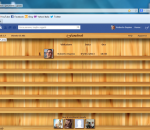
iFamebook is the first app in the world that let you know who visits your Facebook profile! It adds a button to your Facebook page that will enable you to see your visitors.
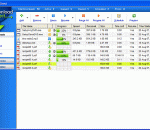
Download Direct (also known as DLD) was developed to accelerate your downloads by up to 500% (sometimes more) and let you manage them via one central screen. We wanted to ensure ease of use for the average home user with its simple, clean, great looking interface, but included features for even the most demanding, high usage internet users.
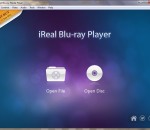
Blu-ray Media Player from iReal intends to do more and go further, in every way. It is a powerful and wonderful media player, with extraordinary tech-base for greater functions. iReal gives you the utilities and style of a media player, and also challenge itself to achieve every possibility. Built with innovative, cutting-edge technologies like DTS-HD, and with a few focus on design, this Blu-ray Media Player could be a choice that brings you a lifetime enjoyment. 1. All-In-One Style. Small Player, Big to play. iReal Blu-ray Player integrates Blu-ray, DVD and all types of HD video formats into its functional list. Instead of going through one Blu-ray Player Software after another, iReal Blu-ray Media player spares the efforts in frustrated testing and serves as an almighty media player. 2. Beyond-Expectation Performance. Bravo. iReal Blu-ray Media Player corresponds to the most striking feature of Blu-ray, which is the unprecedented HD quality, both visual and auditory. 3. Compatibility For All and All. Almighty. iReal Blu-ray Media Player manages to achieve full-compatibility with all Mac OS X and Windows OS, moreover all models of Mac devices and Windows-based desktops, laptops, tables and convertibles. 4. DTS-HD. Technology Runs the World. DTS-HD and DTS-HD MASTER AUDIO, the most advanced decoder technology on the market, are built in the core of iReal Blu-ray Player software. 5. Elegant and Intuitive Interface. Artistic. Everything about iReal Blu-ray Media Player is designed to be easy and intuitive. Clean and simple, that's what this Blu-ray Player software is all about. It takes one click to open a disc or file and one click to play, pause and stop. With a few more, post straight to Facebook, Twitter and Flickr when the moment strikes.
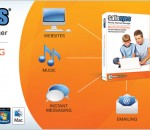
With our Safe Eyes Gold version, you can add your own list of sites to allow or block. The Gold version also includes an integrated pop-up blocker. If you need even more control, Safe Eyes Platinum will allow you to block Instant Messengers, Peer-To-Peer File Sharing, Newsgroups. Unlike other filtering products there is never a need to update Safe Eyes because it is tied into our server-side filtering engine. Best of all, there is no subscription fee to keep Safe Eyes filtering. Safe Eyes is a fast, effective, and affordable Internet filter. Software includes: Content Controls - Flexible content control allows you to select the types of website that are appropriate. Program Controls - Control Instant Messengers, P2P File Sharing, and other harmful programs. Time Controls - Control the amount of time spent online, and the times when the internet is available. Usage Logging - Create and review logs of websites visited, programs used on the Internet, and Instant Messaging Chats. Usage Alerts - Be notified instantly via email, text message, or phone call when someone visits inappropriate websites.
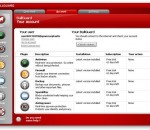
With Dr.Web, you can be sure that the best minds in the Russian programming industry, with almost two decades of anti-virus development experience and a worldwide virus-monitoring network at their disposal, leave viruses no chance of getting into your system. The firewall included in the product will enhance your anti-virus security and block would-be intruders. Your passwords and other personal information will be well protected! Only the best Dr.Web technologies for the security of your PC Most successful at curing active infections Operates in infected environments and is exceptionally resistant to viruses Installs in an infected system without its preliminary curing Immune to any attempts to disrupt its operation Best at curing active infections Installs in an infected system without its preliminary curing Fast multi-thread scanning Unique technologies blocking even unknown threats Full scan of archives at all nesting levels Best detection and neutralization of complex viruses Full scan of archives at all nesting levels Protects against unauthorized access by a network; prevents data leaks; blocks suspicious connections on package and application layers
Complete internet security solution which protects you and your computer from online threats like identity theft, credit card fraud, hackers, spam, viruses and spyware. In addition, this software comes with 5 GB online backup that you can use to secure your most valuable documents. BullGuard Internet Security x64 is built exclusively for the everyday user, putting safety, simplicity and an easy-to-use design first. That's why 10 million users worldwide have travelled the web safely with BullGuard x64. E-mail, shop, bank and backup your photos and music online with confidence, and let BullGuard x64 protect you and your computer from online threats like identity theft, credit card fraud, hackers, spam, viruses and spyware. FEATURES: · Antivirus: Give computer viruses like Trojans and worms no chance. · Antispyware: Protect yourself from identity theft and online fraud. · Firewall: Protect your computer from unwanted intruders like hackers. · Antiphishing: Get web pages and e-mails authenticated, so you can surf, shop, and bank safely online. · Spamfilter: Keep your inbox clean from junk mail and phishing attempts. · Backup: Easily secure your important files from computer crashes, damage and theft. · Support: Free 24/7 support when you need it. · User-friendliness: User interface and installation so easy, anyone can use it. · Game Mode: Fast but safe game fun with minimal resource consumption. · Instant Message Protection: Interact and exchange files over IM programs like MSN, Yahoo and Skype
Relight is a fast and easy to use photo colour correction tool. It can be used to quickly: - Fix photos that are too red, too blue, or have been tinted some other colour - Fix faded, overexposed, and underexposed images - Restore old faded photographs to their former glory - Perform other creative colour transformations Key Features: - Has a simple, easy to use interface (doesn't have a myriad of complex functions cluttering up the GUI like heavy-weight image processing and photo manipulation suites do) - Real-time (instant) feedback and response for easy adjustment - Colour transformation engine maps colours in the image to their correct colours - Correct one photo using the colours extracted from another At Relight's core is a colour transformation engine. The user indicates what colour certain parts of the image should be, and the matching colour correction transformation (or creative transformation) is calculated by Relight. You could, for example, correct an image by marking a persons face as being skin colour. More information can be found at the following links: - The Relight product page: homepage - The technical requirements page: homepage - User manual: homepage - Getting started tutorial: homepage
This application is for drawing basic shapes .It also provides a feature to choose stroke thickness, border color, ,fill color and handwriting recognition. It allows to save the recognized text as text file and only ink strokes can be saved as image.
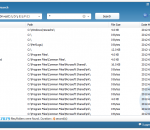
Wise JetSearch is a free local file search tool which supports both NTFS and FAT drive. It's the best freeware alternative to Windows Search and Search Everything. This freeware supports quick search for local files by name or wildcard.
FoxyVPN provides a secure anonymous proxy VPN tunnel between you and the Internet, for free. Hide your IP address, surf the web anonymously, and protect your online identity by encrypting all your Internet traffic. With it's parent company in the online privacy market for more than 6 years, our experience at FoxyVPN allows us to provide the highest quality proxy VPN experience for an amazing value. Download FoxyVPN now for free!
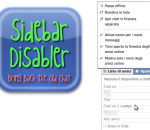
With this extension you can disable the newly introduced Chat Sidebar and return to the old good normal Facebook Chat. There are also other features, check them below! · Disable the Chat Sidebar and return to the Old Normal Chat. · Use Friend Lists to limit your availability and group your Chat contacts. · Link the name in chat windows titlebar to contact's profile. · Revert the blue top bar to the old style one. · Stick the blue top bar at the top of the window. · Add a shadow below the blue top bar. · Hide the ticker in the home page and/or inside games. · Enable or disable extension features via a settings panel.
GOM Media Player The only media player you need - for FREE! Not only is GOM Media Player a completely FREE video player, with its built-in support for all the most popular video and Media Player formats, tons of advanced features, extreme customizability, and the Codec Finder service, GOM Media Player is sure to fulfill all of your playback needs. With millions of users in hundreds of countries, GOM Media Player is one of the world`s most popular video players. Whats New : Added "Touch Setting" feature for touch screen devices. Added "Search box" feature on playlist. (Ctrl+F) Supported "HTTPS URL" for youtube or net radio playback. (Ctrl+U) Added "Music Tap" on preferences related to play music files. Improved performance related to "speed of add & delete" of files on playlist. Other miscellaneous corrections, fixes, and changes
Iperius Backup is one of the best free backup software, also released in commercial editions for those who need advanced backup features for their companies. The freeware version of Iperius Backup allows you to backup to any mass storage device, such as NAS, external USB hard drives, RDX drives, and networked computers. It has comprehensive scheduling and e-mail sending functions. It supports zip compression with no size limit, incremental backup, network authentication and the execution of external scripts and programs.
Maryfi is a free and easy to use software router for Windows 7, 8 , and 8.1 computers. With Maryfi, users can wirelessly share any Internet connection such as: a cable modem, a cellular card, or even another Wi-Fi network. Other Wi-Fi enabled devices including laptops, smart phones, music players, and gaming systems can see and join your Maryfi hotspot just like any other Wi-Fi access point and are kept safe and secure by password-protected WPA2 Encryption.