Pet themed graphic images and web elements, including HTML web templates with a pet theme, stock photos of all types of pets and animals. Great collection for veternarians, animal rescue clinics or other pet businesses. A fantastic collection of all web elements needed to build a website designed specifically for pet lovers. Images are high-quality and available in a variety of formats, purchase the CD for a large collection of stock photos, web templates, layouts and logos all related to pets and animals.
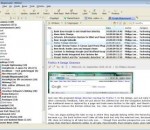
RSSOwl is a free RSS / RDF / Atom Newsreader in Java using SWT as fast graphic library. RSS ("Really Simple Syndication" or "Rich Site Summary") is a document specification that gives users the power to collect and organize Web-based news and information in a more efficient manner. Applications that collect data from RSS-compliant sites are called RSS readers or "aggregators". RSSOwl is such an application. It lets you gather, organize, update, and store information from any compliant source in a convenient, easy to use interface, save selected information in various formats for offline viewing and sharing, and much more. Why "Owl"? The owl is a traditional symbol of wisdom, and a quiet, efficient hunter. You'll find RSSOwl's "big eyes" a big help when scanning the Web's vast array of RSS resources. RSSOwl runs on Windows, Mac, Linux and Solaris. Some of the cool features are google reader synchronization, powerful searches, embedded browser, tray notifications, clean-up wizard and complete user customization. RSSOwl requires no installation, simply start it with a doubleclick and find a huge list of sample feeds already provided. You can also easily import existing feeds from other readers into RSSOwl using the popular OPML format. An integrated update manager keeps the application up to date and provides extra add-ons, e.g. to read your favorite newsgroups inside RSSOwl as if they where newsfeeds. All data is stored in a single directory that can be put on a USB stick, making RSSOwl a cross platform portable application that is easy to use and manage.
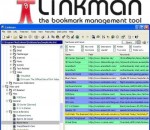
Linkman is a bookmark management solution which supports 10 different browsers and integrates with Firefox 3, Internet Explorer and Maxthon. Linkman calls upon many powerful features that replace the browser's native URL management and allow to browse faster and more efficiently. To give you a better impression of Linkman,a tutorial video can be watched at the Outertech website. The user interface is highly customizable. Linkman will help you get the capability to import and synchronize from existing bookmark collections (e.g. Firefox, IE, Powermarks, Opera) and export bookmarks in a variety of formats. You can even build your own Export Templates. Several Template examples like XML and HTML output are included. A Linkman PDF manual is available as a separate download. What makes Linkman special is the sheer speed that allows you to access your links. Just start typing a keyword and get results within a second, even with large databases. Linkman is also the only bookmark manager which can load and save Internet Explorer Favorites in correct item order. FEATURES: · Supports keywords, ratings, comments, descriptions, shortnames and user defined data · Internet Explorer Toolbar for fastest browsing ever · Highly customizable user interface · User defined rating system · Extensive help file including Tutorial · Ability to check URLs for dead links, content changes, page movements · Retrieves keywords and descriptions from web pages · Proxy support with authentication, permanent (LAN) or Dial-Up Internet connections · Direct Internet Explorer Favorites support (including correct item order) · Multiple import and export formats: Netscape Navigator Bookmarks, Opera Hotlist, Html, Separated Value files · Export Templates (XML, TSV...) · Fully customizable Html Link webpage generation · Synchronization · Text and Status Query · Link Collector · Printing support · Password protection · Deletes / moves duplicates · Sort feature with multiple sort orders and autosort · Drop Basket for faster browsing and URL addition · URL Path associated launch · URL Launch History · Fast Links for quick access to your favorite URLs · Daily Links feature for regularly visited sites · Full Drag and Drop support including link drops from browser to Linkman · Advanced Tray Icon menu · Instantly switch between URL collections of 10.000+ URLs each · User defined browser support · Auto save · System-wide hotkeys for easy use, even when working with another application · Advanced localization: GUI translated to 12 languages
BluetoothCL is a small console application that dumps all current detected bluetooth devices into the standard output. For each Bluetooth device, the following information is displayed: MAC Address, Name, Major Device Type, Minor Device Type, and optionally the company name of the device (if external file of MAC addresses - oui.txt is provided)
RemoteMemoryInfo displays remote network computer memory usage and statistics, Page Faults/sec, Available Bytes, Committed Bytes, Commit Limit, Write Copies/sec, Transition Faults/sec, Cache Faults/sec, Demand Zero Faults/sec, Pages/sec, Pages Input/sec, Page Reads/sec, Pages Output/sec, Pool Paged Bytes, Pool Nonpaged Bytes, Page Writes/sec, Pool Paged Allocs, Pool Nonpaged Allocs, Free System Page Table Entries, Cache Bytes, Cache Bytes Peak, Pool Paged Resident Bytes, System Code Total Bytes, System Code Resident Bytes, System Driver Total Bytes, System Driver Resident Bytes, System Cache Resident Bytes, Committed Bytes In Use, Available KBytes, Available MBytes. You must have administrative privileges on the remote network computer. All the mentioned features are provided with a user friendly graphical interface.
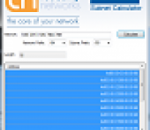
Day to day administrators find themselves having to work with subnets within networks when, for example, troubleshooting routing problems or planning IP address allocation and provisioning. Manually determining which subnets are valid within a particular network can be time consuming. We have created the IPv4 Subnet Calculator to generate these lists to save administrators precious time. Administrators can select a network and subnet length and generate a list of valid subnets. Selected subnets from the list can be copied to the Windows clipboard making them available to other applications.
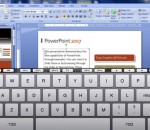
Splashtop Remote is a useful tool that was designed in order to offer you full control over your PC by using your iPad. Enjoy all that your computer has to offer - from your iPad. With Splashtop® Remote, you can use your iPad to: · Watch videos and play music stored on your PC, whether in iTunes, Windows Media Player, or any other format · Play games · Work on your Windows documents, including Word, Excel, and Powerpoint · Open any files on your PC · Fully control your PC in any way imaginable
UPnP Port Works ("UPnPPW") is an all purpose platform independent application that aids router management. Its framework, pioneered under C is fully compliant with Microsoft's UPnP technology. Furthermore, this independent solution consumes very little system resources, and requires no administrative rights. The easy to use console application provides the user with detailed information pertaining to the issued commands, and at the same time delivers an unparalleled troubleshooting interface. UPnPPW also offers a flexible set of commands that range from: modifying or viewing port forwarding entries to retrieving pertinent router information. UPnPPW Features: * Standards-compliant UPnP implementation * Platform independent NAT traversal engine * Offers support for a wide range of router manufacturers * Uses minimal system resources * Add, remove, and view port forwarding entries with ease * Easy to use console interface * Offers a flexible set of commands * No installation routine * No administrative rights are required * UPnP Port Works has been utilized by many different users in conjuction with the following programs: mIRC, BitTornado, AIM, TinyWeb, SlimFTPd, and Serv-U
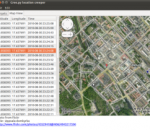
creepy is an application that allows you to gather geolocation related information about users from social networking platforms and image hosting services. The information is presented in a map inside the application where all the retrieved data is shown accompanied with relevant information to provide context to the presentation. Map providers available : Google Maps Virtual Maps Open Street Maps Location information retieval from : Twitter's tweet location Coordinates when tweet was posted from mobile device Place (geographical name) derived from users ip when posting on twitter's web interface. Place gets translated into coordinates using geonames.com Bounding Box derived from users ip when posting on twitter's web interface.The less accurate source , a corner of the bounding box is selected randomly. Geolocation information accessible through image hosting services API EXIF tags from the photos posted. Social networking platforms currently supported : Twitter Foursquare (only checkins that are posted to twitter) Gowalla (only checkins that are posted to twitter) Image hosting services currently supported : flickr - information retrieved from API twitpic.com - information retrieved from API and photo exif tags yfrog.com - information retrieved from photo exif tags img.ly - information retrieved from photo exif tags plixi.com - information retrieved from photo exif tags twitrpix.com - information retrieved from photo exif tags foleext.com - information retrieved from photo exif tags shozu.com - information retrieved from photo exif tags pickhur.com - information retrieved from photo exif tags moby.to - information retrieved from API and photo exif tags twitsnaps.com - information retrieved from photo exif tags twitgoo.com - information retrieved from photo exif tags
Remote Shutdown tool allows you to manage PCs from a central location across the LAN/WAN. You can shutdown, wake up, reboot, lock/unlock remote PCs, send them a message and execute other operations remotely. All operations can be initiated manually on demand, or scheduled for automatic execution at a defined date and time. You can automate power management in your organization by scheduling PCs shutdown in the evening and wake up in the morning. Remote Shutdown is ready to work in a large networks that may include multiple subnets and thousands of PCs. All network operations are optimized to guarantee a high performance even if they target thousands of remote PCs. You can manage tasks and their schedules, check tasks execution results and troubleshoot problems using intuitive UI. The application does not require any special hardware and can be configured and launched within only a few minutes.
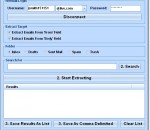
This software offers a solution to users who want to extract email addresses from Windows Live. Unfortunately, this software only works with the Hotmail Inbox, no other folders. There is also a feature to select which part of the email to extract from: From, Subject or Body. There is even a filter option to extract only emails that contains certain characters (such as "support" or "slate.com"). The extracted email addresses can be saved as a text file of copied to the clipboard. This software will save you time by automatically retrieving email addresses that would take hours to copy by hand.
Maryfi is a free and easy to use software router for Windows 7, 8 , and 8.1 computers. With Maryfi, users can wirelessly share any Internet connection such as: a cable modem, a cellular card, or even another Wi-Fi network. Other Wi-Fi enabled devices including laptops, smart phones, music players, and gaming systems can see and join your Maryfi hotspot just like any other Wi-Fi access point and are kept safe and secure by password-protected WPA2 Encryption.
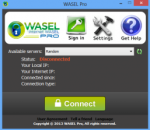
What's WASEL Pro? WASEL, is a VPN service provider with one of the most easy to use software client and reliable stable services, WASEL is your secure and safe gateway to the internet, By using our software and service you will be able to surf the internet anonymously and safely through high speed network of servers.. By using WASEL Pro VPN service, you can browse the Internet freely without any limitation, Make VOIP calls through Skype, and speed up your Internet connection by using advanced compression technique.. Using WASEL Pro service gives you the advantage of browsing the Internet anonymously and totally secured.. The tunnel established between your device and WASEL VPN servers is double encrypted and using top security measurment for secure and safe enviroment, Hackers will not have a chance getting to reach your device due to no show of your original IP address and the highly encrypted data transfer.. Why WASEL Pro? Easy installation and one click to connect application, just a setup our OpenVPN client on your device, insert your username and password and click connect.. Trusted & reliable VPN Solution for private and business use.. Several features (L2TP/OpenVPN), unlimited bandwidth, No restrictions over use, support…